
Databricks Apps
Recent items mentioning Databricks Apps across the Databricks ecosystem — releases, news, videos, and community Q&A. Updated hourly.
External developer workflows are integrating directly with Databricks Apps through Replit's automated provisioning of Lakebase Postgres and preview deployments 89, while organizations deploy governed, agent-based security review architectures using Unity Catalog and Lakeflow Jobs 5. In the field, practitioners are actively navigating operational demands around reliable on-demand scaling 6 and 502 Bad Gateway errors 7, alongside emerging patterns like Micro Apps and Genie App Generators 3.
Generated daily from the 10 most recent items mentioning Databricks Apps. Click any [N] to jump to the source.
Azure Databricks, two-week-old account: partner pay-per-token endpoints (Claude, Grok) have never once succeeded — "Databricks-set rate limit of 0" — and the Assistant has "no daily token allowance". Open models work. What gates this?
Azure Databricks, Premium, one account with three workspaces, Unity Catalog, Azure Marketplace billing (no card, no trial credits left). The account was bootstrapped on a trial workspace about two weeks ago and moved to Premium six days later. I've spent two days on this and want a sanity check from anyone who has seen it. The facts, from system.serving.endpoint_usage: • Every open-weight pay-per-token endpoint has worked since the trial: gpt-oss-120b has ~50 successful calls going back to the trial period, Llama 3.3 70B likewise, zero refusals. • No partner pay-per-token endpoint has ever returned a success on this account. The very first call anyone made to databricks-claude-sonnet-5 was refused, and every call since, on every Claude endpoint and on Grok, in all three workspaces, for users and service principals alike: 403 PERMISSION_DENIED: The endpoint is temporarily disabled due to a Databricks-set rate limit of 0. • It is not our AI Gateway config: I removed every rate limit from one Claude endpoint and invoked it — same 403. The endpoints' config shows nothing else. • The notebook Assistant worked during the trial. On the paid account it refuses everyone, admins included: *"This workspace has no daily token allowance for the assistant."* Underneath, /ajax-api/2.0/conversation/llmproxy/ returns 429 {"type":"daily_token_limit_reached","daily_limit_tokens":0,"message":"…Daily token limit of 0 reached. Resets at midnight UTC. (DTB)"} and it recomputes to 0 every midnight. • Once, the Databricks Apps in the workspace were stopped by the platform with *"App compute was stopped due to workspace or account status"* while every workspace showed RUNNING. apps start brought them back. Red herring, for completeness: we also created a Unity AI Gateway per-user budget whose first version had a $0 threshold with BLOCK_USAGE. That blocked Genie for a day, exactly as documented, and was fixed. It was created a day *after* the first Claude refusal, so it isn't the cause of any of the above. What I've found: two Community threads describe "Databricks-set rate limit of 0" as a workspace trust-tier gate — trial-born accounts sit in TRIAL_VERIFIED, pay-per-token partner models are gated to PAYABLE_VERIFIED, a card alone doesn't flip it, only Databricks Sales/Support moves the tier. Both were AWS/personal accounts, neither resolved on-page. The account console's own API reports our account's feature_tier as STANDARD_W_SEC_TIER although the workspaces are Premium; I can't find what that field means. Questions • Does Azure Databricks with Marketplace billing go through the same PAYABLE_VERIFIED gate? Does it clear on its own after the first settled invoice, or does someone have to move it? • If you were moved: who did you contact (account team, or "Contact us" in the console) and how long did it take? • Is the Assistant's "daily token allowance" the same gate, or a trial allowance that simply goes to 0 when the trial ends on an unverified account? • Does feature_tier: STANDARD_W_SEC_TIER on the account object mean anything to anyone? submitted by /u/sumit671 [link] [comments]
Time to Swap the Cookies for Jetfuel - New Dataset & New Databricks Genie Tutorial
Most of you know samples.bakehouse . Great for a first query. Perfect for a quick demo. But after years of cookie sales, it's a little overbaked. Time to swap the cookies for jet fuel. ✈️ Together with the OpenSky Network , I brought a full day of global air traffic to Databricks Marketplace: 696 million real ADS-B position reports, messy just like real life. Myself, I used Genie for the whole journey: EDA, data exploration, a Apache Spark Declarative Pipeline, and a Lakeflow Job. Then I went a step further and read the same Marketplace data with open-source tools only, using OpenSharing and pandas. The result is this hands-on tutorial: Marketplace + Unity Catalog: get the data as a governed table Genie Agents: find anomalies in plain English Genie Agents: explore and visualize with maps and charts Genie Code: a Spark Declarative Pipeline, bronze to gold, with data quality rules Genie Code: a Lakeflow Job with schedule, retries, and email alerts Databricks Apps: your coding agent, governed by Unity Catalog OpenSharing: the open-source client in VS Code with pandas Everything runs on Databricks Free Edition (free, no credit card). 📖 Tutorial: Databricks Genie for Data Engineers and Data Scientists 💻 GitHub: databricks/tmm/DSDE-Genie-Tutorial 🛫 Dataset: OpenSky Network full-day dataset on Marketplace What's the first thing you'd query in a day of global air traffic? P.S. For the record, we still love bakehouse! 🍪❤️ [Disclaimer: I'm one of the two people who baked it.] submitted by /u/CompetitiveBet8978 [link] [comments]
Databricks Micro Apps, App Spaces and Genie App Generator
Databricks launched App Spaces and Serverless Micro Apps at the end of last week (in Beta). Over the weekend, I tested migrating two of my production Databricks Apps to App Spaces. App Migration 1: Blocked by Zero Egress My Data Portfolio Project Creator required internet access to pull data stacks from live job postings. Then, the LLM needs internet access to research for open data sources to use. In standard Databricks Apps, this runs cleanly. In App Spaces, there is zero external internet egress including for LLMs. The app can reach internal workspace resources, but it cannot touch the outside web. If your app relies on third-party APIs, external databases, or web scraping, App Spaces is a non-starter until Databricks opens network egress. Workload 2: Success on Internal FinOps My client-facing DBU cost observability app reads workspace usage data and writes directly to Lakebase. Because it requires zero external network calls, the migration worked. Both the micro app compute and Lakebase scale to zero when idle. Cold starts take roughly 30 seconds (though in beta, you occasionally need a quick browser refresh once it spins up). For internal, low-frequency administrative tools, this turns a continuous monthly compute bill into pennies. (+ App Spaces, Genie App Generator, and Micro Apps are free while in beta) The next part is less about App Spaces and more just general best practice for Databricks Apps that I see people miss. Stop Using Delta Lake as an OLTP Database Databricks Apps are software applications, not batch analytics notebooks. If your app writes application state, session data, or row-level CRUD directly into analytical Delta tables, you need to rethink that design. For app transactions, use Lakebase (serverless Postgres which also scales to 0). Both are governed under UC, but Lakebase gives your app the low-latency transactional engine that application engineering actually requires. My Verdict on the Beta App Spaces solves the idle compute problem that has plagued Databricks Apps since launch. But until Databricks allows us to deploy directly from existing Git repos and opens external network egress, it remains limited to internal-only use cases. Curious on other peoples experience... How has it been for others? submitted by /u/OkImprovement7010 [link] [comments]
Lakebase handles failover within a region, but cross-region disaster recovery is still in Private Preview. How are people covering that?
I was reading through Databricks' breakdown of what Lakebase takes over on the ops side. Patching, scaling, in-region failover, and point-in-time restore with 2 to 30 days of history all run automatically, while cross-region disaster recovery is Private Preview on AWS only, with manual failover and recovery procedures the customer owns. For anyone running Lakebase behind an app or for agent state, how are you handling a region outage today? I can see people copying scheduled snapshots elsewhere, replicating out to a Postgres instance outside Databricks, or accepting the risk until DR goes GA, and I'm curious which one teams have landed on. I'd also like to hear whether the built-in PgBouncer has held up under spikes in connections from Databricks Apps, since that's the other thing I'd want to test before putting a production workload on it. submitted by /u/InsideDebt6345 [link] [comments]
How I built agent-based security reviews on Databricks
An agent-based security review layer on Databricks automates predictable evaluations while routing ambiguous or high-risk cases to human reviewers. Built using Unity Catalog, Lakeflow Jobs, Databricks Apps, and hosted foundation models, this governed architecture improves review cycle times and consistency without removing human authority.
Reliable approach for scaling Databricks Apps down and starting them on demand
Both Databricks Apps Returning 502 Bad Gateway
Build with Replit Against Managed Postgres in Databricks Apps
Dark mode setting ignored when embedding BI dashboard inside Databricks App
 Tutorials
How to Build Production-Ready Apps in Replit with Lakebase Postgres | Databricks + Replit Demo
Replit now integrates with Databricks Lakebase Postgres, automatically provisioning a production database on deployment while providing a separate development database for testing without manual setup. The integration includes automated preview deploys and a supervised migration flow that requires human approval before schema changes reach production.
Databricks Apps - Deployment process - Need help !!
 Tutorials
139: Databricks Apps Explained | Part 3: Deploy a Real App in Databricks
 Tutorials
138: Databricks Apps Explained | Part 2: Code Walkthrough
The video demonstrates how to build and structure a custom self-service data application using Databricks Apps and Streamlit. It walks through the required configuration files and Python logic used to connect a front-end portal to a backend Delta table for live data updates.
 News
News137: Databricks Apps Explained | Part 1: The Problem Every Data Team Faces
Databricks apps allow teams to build and run serverless web applications directly on the Databricks platform using frameworks like Streamlit. This feature eliminates manual data engineering bottlenecks by enabling business users to interact securely with lakehouse data and tables through a self-service interface governed by Unity Catalog.
Did anyone get an hands on Databricks apps
Hoping a discussion and insights from an individual who had an hands on databricks apps submitted by /u/BugSquare4344 [link] [comments]
Databricks Apps / AppKit
Hi, what do u use for creating user facing apps, we are primary using Python, i see that Databricks recommends AppKit for such use cases which is written in TS. For teams which deploys apps that are customer facing, what is your stack? submitted by /u/ptab0211 [link] [comments]
Open Sharing protocol of Databricks Apps and SaaS sharing
I want to understand the open sharing protocol, how it is sharing the apps, what artefact is shared when app is shared, is it sharing the app files from Workspace path directly? Secondly, how the SaaS is shared and what artefact is shared and how? Could not find documentation. Thanks
This release adds git integration support to Databricks Apps with auto-deploy capabilities and enhanced git repository configuration options. New customUdf field for functions and effectiveServerlessComputeId field for pipeline responses enable better resource tracking and custom function capabilities.
 News
NewsBuilding Agents on Databricks with Custom Apps and Omnigent
This video demonstrates how to build, update, and govern custom AI agents on Databricks using Agent Bricks, Databricks Apps, and Omnigent. The tutorial shows how to integrate Model Context Protocol servers, track execution with MLflow traces, schedule automated agent tasks, and manage security policies through Unity AI Gateway.
 Tutorials
Detect Energy Theft Faster with Genie
Databricks demonstrates an end-to-end AI application that detects energy theft, automates investigations, and generates executive reports using Unity Catalog and Genie. The video walks through an architecture featuring Lakebase for transactional storage, model serving for machine learning and LLMs, and AI gateways for governance and cost control.
Databricks Apps - "App Not Available" error with locationId parameter missing
How NorthStar Anesthesia built a scheduling app for a workforce of 3,000 clinicians in weeks
NorthStar Anesthesia built and deployed a custom, mobile-friendly scheduling app for 3,000 clinicians across 25+ states in just weeks using Databricks Apps. The solution filled critical visibility gaps left by their commercial platform while leveraging the data and security infrastructure they already had in place.
Databricks Apps (Streamlit) - How to Implement Proper Logout Functionality?
Simplify AI agent orchestration with Lakebase Postgres
Lakebase Postgres can serve as a durable, crash-resilient task queue for long-running AI agent workflows without requiring an external broker, cache, or scheduler. This native reference architecture connects Databricks Apps, Lakeflow Jobs, MLflow, and Unity Catalog Volumes into an end-to-end agentic pipeline featuring real-time task and cost tracking via Postgres LISTEN/NOTIFY triggers.
Databricks Marketplace: IP Protection, Job Compute, and Secret Management
I am planning to publish an application through Databricks Marketplace. The application contains proprietary business logic and processing algorithms that must not be accessible to customers after installation. Customers should be able to use the application to process data in their own Databricks environment, but they should not be able to inspect, copy, or reuse the underlying implementation. Approaches I Have Tried I have considered the following approaches: Packaging the implementation as Python wheels or other artifacts. Hosting the implementation as private Python packages. Deploying the application source from a private Git repository. With the packaging approach, the underlying Python implementation may still be accessible or inspectable from notebooks, workspace files, cluster environments, package caches, or other customer-accessible locations. This does not meet my IP-protection requirements. With private package hosting, the package installation requires an access token or API key. Providing a reusable package-registry credential to an application running in the customer's workspace creates a risk that the credential could be extracted or reused to download the private package outside the intended application flow. I also understand that Databricks Marketplace reviewers may require the submitted application code to be human-readable during the review process. Therefore, I am looking for an architecture that protects the production implementation without relying only on code obfuscation. Current Understanding My understanding is that a Databricks App runs in an isolated, containerized runtime. This provides separation between the application runtime and normal customer workspace resources. However, my workload includes processing large datasets. I understand that Databricks App compute is primarily intended to run the application, API, or user interface, rather than perform large-scale Spark processing. Because of this, I am unsure whether Databricks App […truncated]
What happens in the milliseconds after you tap pay
This sample Databricks App demonstrates how to achieve low-latency real-time fraud scoring by pairing route-optimized Model Serving with Lakebase Postgres for online feature lookups. Under load testing of 5,000 requests, this architecture achieved end-to-end latencies of 27 ms at p50 and 37 ms at p95 while maintaining a 100% success rate.
 Tutorials
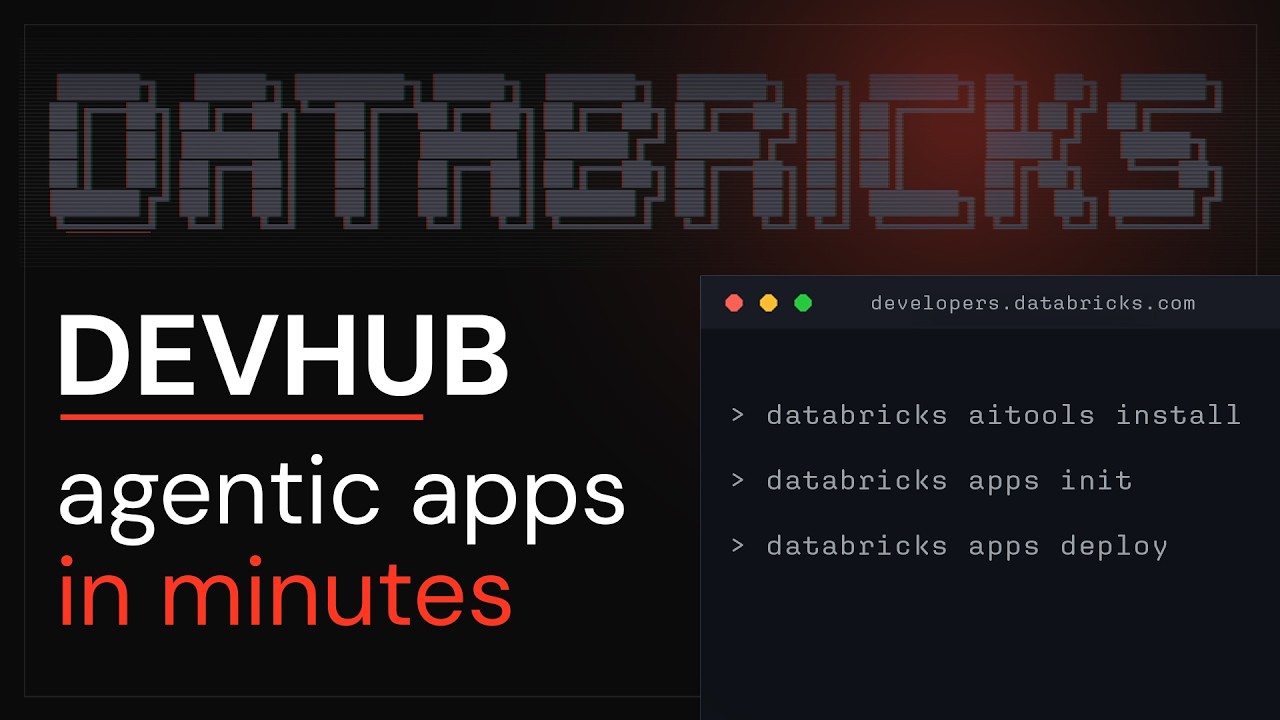
How to Go From an Agent Prompt to a Live Databricks App | Databricks Apps Demo
The Databricks Developer Hub provides copyable agent prompts that developers can paste into coding assistants like Cursor to automatically build, configure, and deploy Databricks applications. Developers can also use specialized template prompts from the hub to add advanced features to their apps, such as integrating a natural language chat interface for querying workspace data.
 Tutorials
How to Build Enterprise Apps on Your Databricks Data Using Replit | Databricks + Replit Demo
This video demonstrates how to build and deploy enterprise applications on Databricks using Replit's AI agent and pre-built templates from the Databricks Developer Hub. Viewers learn how to select a template, connect it to a Databricks dataset via Replit, and deploy the finished application directly to Databricks with built-in security and governance.
 News
NewsSolving AI development bottlenecks with Databricks App (with demo)
Databricks Apps provides an enterprise app platform with data security and governance at its foundation, enabling users to build and deploy AI-powered applications that access governed data. The platform introduces App Spaces for scalable governance, serverless micro apps for cost-effective lightweight applications, and Genie App Builder for context-aware, production-quality app development from prototypes.
This release adds an XLARGE compute size option to the Databricks Apps service. It also introduces a meta-harness user-agent dimension that automatically detects and reports the omnigent environment variable.
This release adds a new Xlarge compute size option to the Databricks Apps service. It also introduces a meta-harness user-agent dimension that automatically detects and reports the omnigent meta-harness environment variable.
Databricks apps versus ServiceNow apps

Agent Bricks: Data + AI Summit 2026
Databricks has expanded Agent Bricks into a comprehensive developer platform that unifies model access, execution sandboxes, and lakehouse governance to eliminate the infrastructure overhead of building agentic systems. The update delivers managed agent memory powered by Lakebase, horizontal autoscaling on Databricks Apps, and native support across diverse frameworks and models, including newly added Grok and Kimi.
Automatic Git Deployments for Databricks Apps from Github
Cut our Databricks Apps costs by 76% with two scheduled jobs (start/stop)
Databricks apps
How to create Databricks Jobs Monitoring in your custom Databricks App
Databricks Jobs Monitoring in Your Custom Databricks App
We replaced Streamlit with a Python UI compiler we built now deploying on Databricks Apps in hours
Databricks Apps vs Power Apps -/ which to use when you need a UI for business rules? (cost-sensitive)
Hi everyone, I’m deciding between Databricks Apps and Microsoft Power Apps for a simple but important need and I’d love your experience/advice. Context: • I have models and data processing in Databricks (already built a demo + deployment using Databricks). • Need a small UI so business users can edit/add rules (stored in a table) that our models use. • I care a lot about cost. I don’t have an easy way right now to start/stop Databricks compute to save money. • I already run regression tests and understand Databricks workflows, but I don’t fully know the real benefits of Databricks Apps vs Power Apps for this use case. Questions: 1. For a rules-editing UI (CRUD for a rules table) what worked better for you: Databricks Apps or Power Apps? 2. Cost-wise, which is cheaper to build/run for low-traffic business users? 3. Any recommended patterns to connect a low-code UI (Power Apps) to Databricks compute securely and cheaply? 4. If you chose Databricks Apps, how do you reduce runtime cost — do you use job clusters, serverless endpoints, or something else? I have this decision tree (WIP).
OAuth authentication is required for MCP servers hosted on Databricks Apps
Genie code or AI Dev kit?
Hey everyone — I’m planning to build a quick demo using Agent Bricks with a lightweight frontend through Databricks Apps. For development, would you recommend using Genie Code or AI Dev Kit? Curious which one people have found better for rapidly building and iterating on Databricks-native AI applications.
 Tutorials
MCP Servers + OBO Auth: The Formula for Context-Aware Agents
The video demonstrates how to build an AI agent in Databricks that provides personalized responses by integrating user-delegated actions through Model Context Protocol (MCP) servers. It walks through setting up Unity Catalog functions, external MCP tools like web search, and custom MCP servers to access internal APIs, all while maintaining user context for relevant information retrieval.
Since joining Databricks, I've stopped running init commands for new web apps
Ever since joining Databricks, I've stopped running init commands manually when starting new web app projects. If you're a web developer, starting a new app usually starts with running an "init" command in your CLI. For example, if you were using Next.js, you would run: >`npx create-next-app@latest my-app --yes` `cd my-app` `npm run dev` Building apps on Databricks with [AppKit](https://github.com/databricks/appkit) is similar: >`databricks apps init --name my-app` `cd my-app` `npm run dev` As a developer, that workflow is pretty much muscle memory: * run the init command * `cd` into the project * start the dev server But lately I've been doing something different since it is [recommended by the AppKit docs](https://www.databricks.com/devhub/docs/appkit/v0/#quick-start-options) to just prompt your AI assistant instead. So now, what I do is: >`mkdir my-app` `cd my-app` `cursor .` (or sub with your favorite coding agent) Once Cursor is open, I type: >"Create a new Databricks app in this folder and start the dev server" The agent scaffolds the app using the same init command behind the scenes and starts everything for me. Honestly, doing it this way feels super weird...after years of manually running setup commands, this takes a lot to get used to 😅 But the more I do this, the more I see the benefits. Firstly, I no longer need to remember what the init command is, or look up what CLI flags it accepts. Secondly, this pattern is framework-agnostic. I no longer need to remember framework-specific setup commands or look up docs. The same prompt pattern works across frameworks: * "Create a new Next.js app..." * "Create a new Nuxt app..." * "Create a new SvelteKit app..." * "Create a new TanStack Start app..." * "Create a new Databricks app..." You get the picture... Same intent. Different tooling. Thirdly, and most importantly, **I can infinitely expand the prompt**. I can easily add any additional instructions to the end of my prompt for the agent to follow. For example, I can say: >"Create a new Databricks app in this folder and start the dev server **and commit everything to git and deploy my app**" This will not only create my app, but also create a git repo and deploy the app without me needing to remember specific commands or look up any docs! I'm curious, have you also started shifting your workflow this way, or are you still mostly scaffolding projects manually? \--- One important note, the reason the agent can reliably handle prompts like: "Create a new Databricks app in this folder and start the dev server" ...is because of [agent skills](https://agentskills.io/home). Specifically, if you're building Databricks apps, you should check out and install [databricks-agent-skills](https://github.com/databricks/databricks-agent-skills). Without the proper skills/context, the agent may not know the correct setup flow or commands to use.
Managing Unity Catalog Permissions for Databricks Apps via DABs
New to Databricks DevRel - what do you want to learn about Apps + Lakebase?
Hello r/databricks! Tony here 👋 Long-time web developer, first-time poster in this subreddit 🙂 I recently joined the DevRel team at Databricks, where I’ll be focused on helping developers build with Databricks Apps + Lakebase. My background is in webdev, and I’ve always cared a lot about developer experience. I love tools like vite / hono / playwright, because they have super fast feedback loops, are simple to use, have great docs, etc. One thing that excited me about joining Databricks is the opportunity to make building on the platform feel more approachable for developers coming from more traditional app/web backgrounds (like me). I’m still very new to the Databricks ecosystem (less than a month in!!), so I’m still in full “learn everything” mode. As I ramp up, I’m hoping to work in public a bit and share what I learn along the way. So, I’d love to hear from this community: * What would you want to learn about Databricks Apps or Lakebase? * What do you wish was easier when building apps on Databricks? * What parts of the DX feel rough or confusing? * Are there example projects, integrations, or tutorials you wish existed? <- I’d love to help by creating some content if it’s useful. Just lmk! Looking forward to learning from everyone and being part of the community!
Free Modular Project Structure for Databricks Apps with Streamlit
Modular structure for Databricks Apps (Streamlit)
Hey, I wanted to share something that's been bugging me for a while and get your take. The official Databricks Streamlit tutorial puts everything into a single **app.py.** Fine for a demo. But the moment a real internal app grows past \~500–600 lines, it stops being fun: * Two people on the team touch the same file → merge conflicts every PR. * Hard to write unit tests when UI, data access, and business logic live in one module. * Git diffs become unreadable, and code review suffers. * When I point Cursor/Claude at the repo, it has to re-read the whole monolith on every prompt. Context window and cost both balloon. So I refactored our internal template into something more boring and modular: app. py # entry point only, routing pages/ ├── home. py ├── analytics. py └── settings. py components/ # reusable UI bits services/ # SQL warehouse / UC / SDK calls assets/ ├── styles.css └── logo.png tests/ *This is my own repo, not a product. Sharing because the single-file pattern bit us hard, and I figured others might find it useful -* [*https://github.com/protmaks/databricks\_apps\_streamlit\_mod\_template*](https://github.com/protmaks/databricks_apps_streamlit_mod_template)
SCIM scope Databricks Apps
Was creating a utility app to add new users into workspace via a frontend. Using the forwarded access token for the sdk users.create method, I am trying to add a user. However getting exception for scim scope. How do I solve this?
Genie improvements for April 2026
* **Weekly digest and monitoring**: The **Monitoring** tab includes a **Weekly digest** section showing weekly messages, users, and thumbs up/down feedback. Authors can also use Genie Code to summarize top usage trends and common issues from the monitoring page. * **PDF file uploads**: Upload PDF files directly into a Genie Space to analyze their content using natural language. 📖 [Documentation](https://docs.databricks.com/aws/en/genie/file-upload) * **Databricks Apps search**: You can search for Databricks Apps from the Genie search bar. * **Reasoning traces using the API**: Users can access Genie’s reasoning traces using the API through the `GenieQueryAttachments` field in the `GenieMessage` object. 📖 [Documentation](https://docs.databricks.com/api/workspace/genie/getmessage) * **Message comments using the API** : Users can add text comments to messages and list them using the API. 📖 [Documentation](https://docs.databricks.com/api/workspace/genie/createmessagecomment) * **Increased token limit for Agent mode**: The maximum token limit for Agent mode conversations increased, improving performance and context retention across long, multi-turn interactions. * **Embed a Genie Space**: You can embed a Genie Space as an iframe in a website or application. 📖 [Documentation](https://docs.databricks.com/aws/en/genie/embed) * **Space thumbnails**: Genie Space authors can attach thumbnails to a space. Thumbnails appear on the Genie Space’s initial chat page and in Genie.📖 [Documentation](https://docs.databricks.com/aws/en/genie/set-up#config) * **Request Review for Agent mode**: Users can request a review for Agent mode messages. * **Table visualizations with conditional formatting**: Genie can generate table visualizations with conditional formatting colors for better readability. * **Agent mode as default**: Agent mode is the default conversation setting in Genie Spaces. * **Account-level Genie is GA**: Account-level Genie includes Databricks Apps, Domains, and Genie. 📖 [Documentation](https://docs.databricks.com/aws/en/workspace/genie-account) * **Updated workspace Genie navigation**: The workspace Genie left-hand navigation has been updated and includes Genie Code chat history. * **Column display names**: Space authors can set user-friendly display names on table and view columns. Display names appear in query results and in downloaded CSVs. * **Genie Conversation API is GA**: Use the API to programmatically start conversations, send questions, and retrieve results from Genie Spaces. 📖 [Documentation](https://docs.databricks.com/aws/en/genie/conversation-api) * **Agent mode workspace themes**: Visualizations in Genie Agent mode use workspace-level themes. * **Agent mode prompt caching**: Genie Agent mode now caches repeated prompts, reducing response latency. * **Navigation between Genie surfaces**: Users can navigate between Account Genie and workspace Genie.
Databricks Apps Tutorial: Scalable Streamlit Modular Template for Production
 News
NewsDatabricks in 3 minutes. The unified data and AI platform, explained.
Databricks unifies diverse data sources into a single data lake, providing a governed platform for analytics and AI. It offers capabilities like fine-grained access control, natural language querying with AI, and company-wide intelligent agents.
Three MCPs, One Answer: Building a Data Quality Monitor on Databricks Apps
Deploying Django apps on Databricks Apps with Lakebase
Using a separate Databricks App as a backend? Anyone doing this in practice?
I’m working on an internal operational app and trying to figure out the “right” architecture within Databricks. The use case is pretty straightforward: \- Generate recommendations in Databricks (served via Lakebase) \- Combine that with live operational data (APIs) \- Display everything in a Databricks App What I’m debating is where the composition/orchestration layer should live. One idea I’m exploring: Databricks App #1 → user-facing UI Databricks App #2 → acts like a lightweight backend (aggregates recommendation + live data) Basically treating a Databricks App as a dedicated backend layer. I don’t see this pattern mentioned much in the Databricks Apps Cookbook or docs, which seem to lean toward: single app direct access to data + endpoints So I’m curious: Has anyone actually used a separate Databricks App as a backend/service layer? Did it hold up in terms of latency / maintainability? Any gotchas with auth, scaling, or observability? Or is this one of those “it works but you shouldn’t” patterns? For context, this is internal, medium usage (\~10–20 concurrent users), not internet-scale.
 News
NewsZerobus Ingest, Lakebase and Databricks Apps in Action: Data Streaming with Databricks
The video demonstrates a real-time IoT data streaming application built with Zerobus for ingestion, Lakebase for low-latency serving, and Databricks Apps for the front and back ends. This architecture processes thousands of concurrent IoT events from mobile phone sensors globally without using Kafka or traditional complex pipelines.
New Databricks Apps: What About Cost at Scale?
I’ve been looking into the new Databricks Apps compute model, and I have one concern.From what I understand, each Databricks App now runs with its own dedicated app compute, rather than simply relying on a shared SQL Warehouse as the main execution layer. I’m wondering what this means at scale. If an organization has dozens or even hundreds of small internal apps, could this become significantly more expensive if each app requires its own compute instead of how it was before all of them sharing a single SQL serverless cluster that can scale to 0? I’d be interested to hear how others are approaching this: Are you consolidating multiple use cases into fewer apps, stopping unused apps, or using another pattern to control costs?
 Tutorials
Air Traffic Control with Apache Spark Structured Streaming Real-Time Mode
The video demonstrates building a real-time air traffic control application using Apache Spark Structured Streaming Real-Time Mode, Lakehouse, and Databricks Apps. This system processes live flight telemetry, detects congestion, and generates alerts with sub-second end-to-end latency, all within a single Databricks platform.
Governance in Databricks Apps
I built an app using Streamlit and it's running on Databricks Apps. The app has modules that query catalogs, sending the user's token to use Databricks governance. However, my managers didn't like that the user could execute queries within Databricks. I could use the service principal in the catalog permissions instead of authorizing the user, but I would have to create an ACL system within the app, which could make it complex. Have you built something similar and could offer some ideas?
Get Tuesday's version of this
Tracking Databricks Apps? The Tuesday email carries what moved across the whole ecosystem, not just this topic. Free, one-click unsubscribe.