
Auto Loader
Recent items mentioning Auto Loader across the Databricks ecosystem — releases, news, videos, and community Q&A. Updated hourly.
Production Auto Loader pipelines are encountering RocksDB checkpoint failures after enabling managed file events 6, while practitioners refine strategies to detect schema drift and handle schema evolution before downstream jobs break 35. For massive migrations, teams are actively balancing cloud notification costs against directory listing overhead 9 as Databricks expands complementary ingestion capabilities through GA connectors for Google Drive 7 and SharePoint 8.
Generated daily from the 9 most recent items mentioning Auto Loader. Click any [N] to jump to the source.
Back to the Future Part IV: SDP Rewind
Hey everyone! PM on the SDP team and back to share a cool feature that went into Beta recently for Spark Declarative Pipelines: SDP Rewind ! TLDR Think of it like an undo button for your pipelines. You pick a point in time, and it rolls every table, source offset, and operator state in the pipeline back to that instant. Then you fix your code, schemas, or whatever caused the bad data to flow through, restart the pipeline as you normally would, and it replays from the rewind point. This avoids the need to do a full refresh to recover the pipeline state and saves a bunch of $$ and time. Wait, can't I do this already? What's different about this? Sort of. This is best illustrated with a (hopefully) simple example: Auto Loader ingests order files into a bronze table, and a streaming query aggregates them into hourly revenue in gold. At 6 am, a bad batch lands with amounts in cents instead of dollars, so every order since is 100x too big. Today, you can use Delta Time Travel to restore a single table. But your pipeline consists of three things that move forward together: the tables, the Auto Loader's checkpoint (which files it has read), and the gold aggregate's state (its watermark). Tons of places you can mess up: Roll only the tables back to 5 am, but the checkpoint still says every file is read. The pipeline resumes past the bad files and never re-reads them. Reset the checkpoint to re-read those files, but the rows are already in the tables. Now every order counts twice. Fix both, and the watermark on gold is at 9 am. The re-read rows will get dropped. It's easy to see why teams just do a full refresh instead (but this can be very $$). This is exactly what SDP Rewind will help with :) How to get started Move the pipeline to the Preview channel, set pipelines.rewind.enabled to true , and run it once. It generates rewind points automatically, about once an hour, and keeps them for up to 7 days. Trigger a rewind from the pipeline UI . Also check out the companion repo we created that allows you to demo/test this out yourself: https://github.com/databricks-solutions/sdp-rewind-replay Some caveats We currently support only Kafka, Auto Loader, Streaming Tables, and Delta Tables as sources. More coming. Once you rewind, it's on you to restart the pipeline when you are ready. We don't automatically "replay" anything. Would love to hear your feedback on this! submitted by /u/geniebricks_sud [link] [comments]
Databricks CDF
Hi everyone. I have a question regarding Databricks and was hoping someone could help me understand this point. I have a Bronze table that will ingest data from a historical CSV file, and subsequently consume JSON files for incremental processing. My question concerns enabling CDF (Change Data Feed). Since my table will only receive inserts, I don't see the benefit of enabling it—as I don't need to record pre-images or post-images (which CDF would capture). So, here is the question: Is it better to maintain that historical record to implement change ingestion starting from the Bronze layer, or should I avoid this practice and use a different approach, such as Auto Loader? PD: Sorry for use google translate, I don't speak/write English. Version in spanish: Hola a todos. Tengo una consulta referente a databricks, y quería saber si alguien me podría ayudar a entender este punto. Tengo una tabla en bronze en donde se estará ingestando de datos de un archivo csv histórico. Y de ahi, estará consumiendo archivos json para su proceso incremental. Mi duda es sobre el registro y activación de CDF. Ya que mi tabla solo recibirá inserts, no le veo conveniente activarlo ya que no deseo registrar el preimage o postimage en ese apartado, y aquí viene la pregunta. ¿Es mejor tener ese registro histórico en donde puedas implementar la ingesta de cambios que solo se realizaron desde bronze, o debo evitar esta practica y aplicar otra lógica como autoloader? submitted by /u/Bryan954781 [link] [comments]
How are you detecting schema drift in Databricks before it breaks downstream pipelines?
Schema drift seems easy to detect when a pipeline fails, but much harder when the pipeline continues running. For example, a source adds a new column or changes the values of an existing column, but the Databricks pipeline still succeeds. How are you detecting this? Do you rely on: Delta schema enforcement Auto Loader Data contracts Information schema comparisons DLT expectations Custom metadata checks Data observability tools And how do you handle semantic changes where the schema stays the same but the meaning or distribution of the data changes? Would be interested to hear how people handle this in production. submitted by /u/hanshu6576 [link] [comments]
Built a Databricks medallion pipeline for NYC Taxi data
Been working on this as a way to get hands-on with Databricks Asset Bundles and Unity Catalog governance. It's a migration of an old on-prem NYC Taxi analytics stack (ClickHouse + Spark + Docker + Terraform) into a proper Bronze/Silver/Gold lakehouse. A few things I focused on: Auto Loader for incremental ingestion, triggered by file arrival Data quality handling that doesn't just drop bad rows — duplicates, zero-distance trips, and reversed fares go into dedicated quarantine tables instead of being silently discarded Databricks Asset Bundles for deploy/orchestration (dev + prod targets) 3 published AI/BI dashboards on top of the Gold layer (fleet ops, finance, compliance) It's intentionally small in scope — meant to demonstrate the lakehouse pattern, not be a production-scale platform. Currently only Green Taxi data; FHV comparison is planned next. Repo: https://github.com/Hamza-Bouali/NYC-DATABRICKS Would love feedback, especially on the Silver-layer data quality rules or the bundle structure open to critique. https://preview.redd.it/ej6hvzrbokph1.png?width=1667&format=png&auto=webp&s=b090b2c5165efcc83fb3f2b5c38ff6ef34c8ef48 https://preview.redd.it/rih9a5sbokph1.png?width=1879&format=png&auto=webp&s=1b85b90608e1b1273da4f8cbb4fa65d9f2c397a7 https://preview.redd.it/kjdor4sbokph1.png?width=1687&format=png&auto=webp&s=677c6194ede0cd01a8630ee98f85d11a5146b410 submitted by /u/No-Pollution-2274 [link] [comments]
Best Practice for Handling Schema Evolution with Auto Loader in Production?
Auto Loader stream fails on RocksDB checkpoint after enabling managed file events
Google Drive connector in Lakeflow Connect is now generally available (GA)
The Lakeflow Connect connector for Google Drive is now generally available ! It’s now easier than ever to ingest structured and unstructured files from Google Drive into Delta tables for analytics and AI workloads. You can configure a managed ingestion pipeline through the UI or managed API. Managed pipelines automatically handle incremental processing, automatic retries with exponential backoff for source API rate limits, failure recovery, and provide rich Google Drive metadata. For direct control over ingestion logic, you can also just use the Spark + SQL APIs directly: spark.read , Auto Loader, read_files, or COPY INTO pointed at Google Drive URLs. https://preview.redd.it/j65yaaft3uoh1.png?width=2048&format=png&auto=webp&s=0f9f13cc63572b991232a8fa617aa1fe6697369c Link to public docs + references: Google Drive managed connector documentation Spark + SQL APIs and examples Community blog and video tutorial: From PDF to insights Data + AI Summit session: Intelligent Document Processing with Lakeflow Common workloads include: Loading Google Sheets, Excels, CSV, JSON, and other structured files into Delta tables. Ingesting PDFs, Google Docs, Google Slides, and images. Parsing documents with ai_parse_document to prepare content for extraction, search, and agents. Examples of using the Spark + SQL APIs: Read an Excel sheet from Google Drive with spark.read : df = (spark.read .format("excel") .option("databricks.connection", "my_gdrive_conn") .load("https://docs.google.com/spreadsheets/d/9k8j7i6f...")) Ingest unstructured documents + PDFs from a Google Drive URL with read_files , then easily parse them using ai_parse_document : CREATE OR REFRESH STREAMING TABLE gdrive_documents_table AS SELECT *, "_metadata" FROM STREAM read_files( "https://drive.google.com/drive/folders/1a2b3c4d...", format => "binaryFile", `databricks.connection` => "my_gdrive_conn", pathGlobFilter => "*.{pdf,docx}"); CREATE OR REFRESH STREAMING TABLE documents_parsed AS SELECT *, ai_parse_document(content, map('version', '2.0')) AS parsed_content FROM STREAM gdrive_documents_table; Coming soon: Ingest Google Drive’s per-file permissions and ACL metadata to power permission-aware AI agents, enterprise search, and more. If you try it, share what you are building and let us know if you hit any friction! submitted by /u/BricksterJ [link] [comments]
SharePoint connector in Lakeflow Connect is now generally available (GA)
The Lakeflow Connect connector for Microsoft SharePoint is now generally available! It’s now easier than ever to ingest structured and unstructured files from SharePoint into Delta tables for analytics and AI workloads. You can configure a managed ingestion pipeline through the UI or managed API. Managed pipelines automatically handle incremental processing, automatic retries with exponential backoff for source API rate limits, failure recovery, and provide rich SharePoint metadata. Soon, our managed connectors will also support ingesting SharePoint Lists and per-file permissions metadata. For direct control over ingestion logic, you can also just use the Spark + SQL APIs directly: spark.read , Auto Loader, read_files, or COPY INTO pointed at SharePoint URLs. Common workloads include: Loading Excel, CSV, JSON, and other structured files into Delta tables. Ingesting PDFs, Word documents, PowerPoint files, and images. Parsing documents with ai_parse_document to prepare content for extraction, search, and agents. https://preview.redd.it/89i379aattoh1.png?width=2180&format=png&auto=webp&s=292350dfddfc9bc1a4daf3fc4447394821206054 Link to public docs + references: SharePoint managed connector documentation Spark + SQL APIs and examples Community blog and video tutorial: From PDF to insights Data + AI Summit session: Intelligent Document Processing with Lakeflow Examples of using the Spark + SQL APIs (after first creating a UC connection ) : Read an Excel sheet from SharePoint with spark.read : excel_df = (spark.read .format("excel") .option("databricks.connection", "my_sharepoint_conn") .option("headerRows", 1) .option("dataAddress", "Sheet1!A1:M20") .load(" https://mytenant.sharepoint.com/sites/Finance/Shared%20Documents/Monthly/Report-Oct.xlsx") ) Ingest unstructured documents + PDFs from a SharePoint URL with read_files , then easily parse them using ai_parse_document CREATE OR REFRESH STREAMING TABLE sharepoint_documents_table AS SELECT , "_metadata" FROM STREAM read_files( " https://mytenant.sharepoint.com/sites/Marketing/Shared%20Documents ", format => "binaryFile", databricks.connection => "my_sharepoint_conn", pathGlobFilter => " .{pdf,docx}"); CREATE OR REFRESH STREAMING TABLE documents_parsed AS SELECT *, ai_parse_document(content, map('version', '2.0')) AS parsed_content FROM STREAM sharepoint_documents_table; Coming soon: Ingest SharePoint Lists into Delta tables (coming super super soon) Ingest SharePoint’s per-file permissions and ACL metadata to power permission-aware AI agents, enterprise search, and more. If you try it, share what you are ingesting and where you hit friction! Don't hesitate to ask questions! submitted by /u/BricksterJ [link] [comments]
Auto Loader Strategy: Balancing Cloud Notification Costs vs. Directory Listing in Massive Migrations
What are you guys using for data ingestion in Databricks?
I've mostly been using Auto Loader for file-based ingestion in Databricks, especially when there are continuously arriving files. It's been working pretty well so far, but I'm curious what others are using in their projects. For example, are you mainly using: 1.Auto Loader 2.Copy INTO 3.Structured Streaming 4.Batch jobs 5.Some external ingestion tool One thing I'm trying to understand better us where the trade-offs are. For a large number of files, does Auto Loader still make the most sense, or are these cases where something like COPY INTO is simplet and more cost-effective? Also, how are you handling things like schema evolution, duplicate files, failed records, and reprocessing? I'm mainly interested in what people are actually using in production. If you've tried multiple approaches, which one ended up being the best balanceof performance, reliability and cost for you? submitted by /u/Delulu62134 [link] [comments]
Moving/Restoring/Recovering Streaming Tables From a Deleted Pipeline
Update : I was wrong. I CAN migrate the restored tables to the newly deployed pipeline. I ran the "move" commands with the wrong identity because I forgot about queries having an extra setting for credentials... For anyone interested, yes, the append flow clone then move did work, and I was even able to transfer the checkpoint from the old backing table path. After realising my oversight, though, I opted to switch back to the initial plan, which was re-deploying and moving all existing tables. At the very least, this has helped spark discussions (pun intended) about improvements to the development workflows. Original (With inline correction): Hi folks, There was an accident which resulted in the deletion of our pipelines, and in turn, their tables (in dev, thankfully). I wanted to double check the steps I’ve tried and the final plan to remediate. The pipelines were all on legacy mode and are responsible for raw to bronze ingestion. We do have all of the files, but rebuilding from scratch is considered too time consuming. I have UNDROP’d all of the STs, and I wanted to reconnect to a newly deployed version of each pipeline. ( EDIT : This sentence and my conclusion within it is wrong) Unfortunately, I found that I was unable to “move” them between pipelines since Databricks can’t verify ownership of the source pipeline, because it’s gone. I know there’s more secret sauce under the hood (e.g., backing tables), so I’m not going to attempt to modify the delta tables outside of Databricks. My current best idea, and what I plan to do this evening, is to rename the schema with restored tables and create a new “recovery” pipeline that streams all of the data from the restored table into a new version of the table (with the correct name, since it’s available again after renaming the schema). Then, I can redeploy a pipeline and move the ST from the recovery pipeline to the actual pipeline. This would mean I lose the checkpoint information for the autoloader, which isn’t a massive issue for these pipelines, and it seems like the cleanest way to insert the restored data into the pipeline. I would also need to move any other assets, e.g., views/tables, to the new schema (with the original name). I don’t know if moving the STs between legacy pipelines would rename them automatically, in which case I could rebuild elsewhere then drop the original and avoid moving other assets. Any thoughts would be welcome and greatly appreciated. submitted by /u/mosullivan93 [link] [comments]
Using autoloader with multiple object types in load path
why micro-batching matters so much in Databricks Auto Loader and Structured Streaming
Ingest semi-structured data faster and more efficiently with Variant - Now Generally Available
Databricks Variant is now Generally Available, enabling teams to achieve up to 30x faster reads on semi-structured data while handling unpredictable schema changes without pipeline updates. The feature is broadly integrated across the platform, supporting data workloads like Auto Loader and Spark Declarative Pipelines alongside AI tools like Agent Bricks and AI Functions.
Folder structure for Autoloader and Declarative Pipelines
Clarification on Auto Loader Managed File Events with Unity Catalog Managed Volumes
Clarification on Auto Loader Managed File Events with Unity Catalog Managed Volumes
Auto Loader duplicate tracking
Autoloader [FAILED_READ_FILE.PARQUET_COLUMN_DATA_TYPE_MISMATCH]
Best practice to log Autoloader UNKNOWN_FIELD_EXCEPTION
Auto Loader on UC Volumes stopped resolving wildcards
Attempting Data Engineer Associate with no real Databricks experience — is it doable?
1 year DE here. Comfortable with Python, SQL, and PySpark. My actual work shifted more toward GenAI/data tooling, so on Databricks I've hardly used anything. I haven't worked with things like: * Lakeflow Jobs * Auto Loader * COPY INTO * Unity Catalog * Governance/permissions * CI/CD/DABs * Spark monitoring/tuning For those who've taken the latest version, how much real-world Databricks platform experience did you have beforehand? Is hands-on practice and focused study enough, or are there topics that are difficult to grasp without working on production projects? I have 2 months time.
[Auto Loader] Inquiry regarding Checkpoint files
Job even fails with .option("cloudFiles.schemaEvolutionMode", "addNewColumns") set?
I'm using Autoloader to ingest data from Parquet files into a bronze table. Now there is a bunch of existing files, which have some columns less than newer files have. When I start the job with a new fresh checkpoint, it first walks through the older files (which is expected), and it fails once the first file is picked up with the new columns included. According to Genie Code this is expected behaviour, and it recommends to enable the retry option for the specific job task to mitigate this. I also noticed, that the data of the file, which was reported in the logs as causing the "issue", wasn't ingested at all to the table?! Here's my question: why should I want a job to fail, if I accept schema evolution all the way? Instead it should just silently add the new columns to the schema and move on. Is failing the job and doing a retry (= spin up the job cluster again) really best practice for this scenario? Feels odd to me. Generally I think Autoloader is really bad documented, and there aren't many tutorials treating all possible edge cases. Especially what to do, in case files were missed.
Autoscaling with the autoloader without SDP
Databricks Data Engineer Associate Exam Updated for 2026
The Databricks Data Engineer Associate exam changed on May 4, 2026. The exam now has 7 domains instead of 5. Two new domains were added. The first new domain is CI/CD. This includes: • Databricks Repos • Git integration • Branching and commits • Deploying Declarative Automation Bundles • Using the Databricks CLI • Moving code from dev to test to production Databricks Asset Bundles is now called Declarative Automation Bundles, so learn the new name. If you have never used Git or the Databricks CLI inside Databricks, spend some time practicing in the Free Edition. Connect a Git repo, make commits, and deploy bundles. Hands-on practice will help a lot. The second new domain is Troubleshooting, Monitoring, and Optimization. This includes: • Reading the Spark UI • Finding bottlenecks like data skew and excessive shuffling • Understanding Liquid Clustering • Predictive optimization • Troubleshooting cluster and memory issues Many courses do not teach Spark UI deeply, so try running queries yourself and checking the Spark UI. Compare good queries with inefficient ones to understand the difference. Some existing domains also changed. Ingestion now includes Lakeflow Connect along with Auto Loader and COPY INTO. Governance now includes: • Column-level masking • Row-level security • Attribute-based access control You now need to understand security beyond basic GRANT permissions. Lakeflow Jobs also tests three trigger types: • Scheduled • File arrival • Table update Know when to use each one. Some product names also changed: • Databricks Asset Bundles → Declarative Automation Bundles • Delta Live Tables → Lakeflow Declarative Pipelines The exam uses the new terminology, so update your study material if you are using older resources. The exam format is still: • 45 scored questions • 90 minutes • $200 There may also be extra unscored questions mixed into the exam. For preparation, the original Academy courses still help for the old domains. But for the two new domains, hands-on practice is very important. Practice: • Spark UI • Git integration • Databricks CLI • Deployments using bundles Also read the latest official exam guide PDF from the Databricks page. Good luck to everyone preparing for the exam.
Native Excel support is now GA
Hey r/databricks! Native Excel ingestion on Databricks is now **Generally Available** across AWS, Azure, and GCP. With this release, you can ingest, parse, and query `.xls` / `.xlsx` / `.xlsm` files directly. Public docs: [https://docs.databricks.com/aws/en/query/formats/excel](https://docs.databricks.com/aws/en/query/formats/excel) **📂 What is it?** Native Excel support that lets you: * Directly read `.xls`, `.xlsx`, and `.xlsm` files using Spark (`spark.read.excel(...)`) or SQL (`read_files`, `COPY INTO`). * Upload Excel files through the "Create or modify table" UI and land them as Delta. * Specify exact sheets and cell ranges (e.g., `"Sheet1!A2:D10"`) for complex layouts. * Infer schema, headers, and data types automatically, or bring your own. * Stream Excel files with Auto Loader using `cloudFiles.format = "excel"`. * List sheets in a workbook programmatically before ingesting. **🤷 Why?** Until now, Databricks didn't have a native Excel reader. That meant writing custom Python with pandas / openpyxl to convert Excel → DataFrame → Delta, manually exporting sheets to CSV before you could ingest them, or giving up on workflows because the Databricks file-upload UI rejected `.xlsx`. GA makes Excel a first-class file format across Spark, SQL, Auto Loader, and the table-creation UI. It also opens the door to Excel ingestion via our managed file connectors ([SharePoint](https://docs.databricks.com/aws/en/ingestion/sharepoint), [Google Drive](https://docs.databricks.com/aws/en/ingestion/google-drive#google-drive-metadata-column), [SFTP](https://docs.databricks.com/aws/en/ingestion/sftp), and more coming soon). **🧑💻 How do I try it?** 1️⃣ Requirements * Databricks Runtime 18.1 or above. 2️⃣ Try it in the UI * Click New → Add Data → Create or modify table. * Upload an `.xls`, `.xlsx`, or `.xlsm`file. * Pick the sheet. Adjust header rows or cell range if needed. * Preview the inferred schema. * Click Create table. It lands as a Delta table in Unity Catalog. 3️⃣ Try it in Spark (batch) # Read the first sheet of a workbook df = spark.read.excel("<path to excel file>") # Use a header row and a specific sheet + range df = ( spark.read .option("headerRows", 1) .option("dataAddress", "Sheet1!A1:E10") .excel("<path to excel directory or file>") ) df.write.mode("overwrite").saveAsTable("<catalog>.<schema>.my_table") 4️⃣ Try it in SQL with read\_files CREATE TABLE my_sheet_table AS SELECT * FROM read_files( "<path to excel directory or file>", format => "excel", headerRows => 1, dataAddress => "Sheet1!A2:D10", schemaEvolutionMode => "none" ); 5️⃣ Try it with COPY INTO COPY INTO excel_demo_table FROM "<path to excel directory or file>" FILEFORMAT = EXCEL; 6️⃣ Try it with Auto Loader (streaming) df = ( spark.readStream .format("cloudFiles") .option("cloudFiles.format", "excel") .option("cloudFiles.inferColumnTypes", True) .option("headerRows", 1) .option("cloudFiles.schemaLocation", "<schema location>") .load("<path to excel directory or file>") ) (df.writeStream .format("delta") .option("checkpointLocation", "<checkpoint path>") .table("<catalog>.<schema>.excel_stream")) 7️⃣ List sheets in a workbook sheets = ( spark.read .option("operation", "listSheets") .excel("<path to workbook>") ) sheets.show() # returns sheetIndex, sheetName **🎛️ Supported options** |Option|Description| |:-|:-| |`dataAddress`|Cell range in Excel syntax. Examples: `"MySheet!C5:H10"`, `"C5:H10"`, `"Sheet1"`. Defaults to all valid cells on the first sheet.| |`headerRows`|Number of header rows inside `dataAddress` (0 or 1). Default: 0.| |`operation`|`"readSheet"` (default) or `"listSh […truncated]
[Passed] Databricks DEA Exam today
https://preview.redd.it/z6mcmrgvmjyg1.png?width=474&format=png&auto=webp&s=28e010f62635d49af3a815998011125d8f2cfa0f Just walked out of the exam and I’m glad to say I passed. I was sweating a bit because the exam content changes on the 4th, so I really didn't want to fail and have to deal with a new syllabus. I've had Databricks at work since late 2023. I’ve been using it because, well, it’s there, but I was mostly just "vibe coding"—picking up some Python and Spark here and there without any real depth. I ran jobs using whatever cluster settings the company gave me without actually knowing what they meant. If you’ve never touched Databricks, this exam is going to be a pain. Even if you’re good at coding, the internal components and the way everything fits together are hard to grasp just by reading. You really need to get your hands dirty in the workspace to get a "feel" for it. **Study Routine** I started with the Databricks Academy stuff, but since I’m juggling work and a toddler, I could only study on weekends. This was a disaster because by the next Saturday, I’d already forgotten what I learned the week before. One month before the exam, I ditched the theory and just hammered Mock Exams. * Udemy is your friend: I bought practice exams from Derar and Santosh. * I snagged them at discounted price. Just wait for the sale if you are not in a hurry. Personally, Santosh’s exams felt closer to the real thing. I saw maybe 5-6 questions that were almost word-for-word. Derar is also solid; honestly, just solve as many problems as possible. Since my study time was limited, I focused on reviewing the questions I got wrong. I realized pretty early that Productionizing Data Pipelines was my weak spot. I didn't try to become an expert in it. I just aimed for a 60% "pass" in that section and doubled down on the areas I was actually good at. Don't completely ignore your weak areas though. If you bomb one section too hard, a couple of silly mistakes in other sections will kill your score. **What's on the exam** The questions are mostly scenario-based. You have to read the prompts carefully. Some things I remember: * Autoloader: This came up a lot. * DLT (now called Lakeflow Spark Declarative Pipelines): should understand what it actually does * Unity Catalog: Permissions (Granting minimum access) and the actual SQL code for it. * Delta Sharing: Knowing the difference between sharing with Databricks vs. non-Databricks users. * Egress Costs: How to avoid them in cross-cloud sharing (Cloudflare R2 was the answer for one). * SQL Warehouses: Classic vs. Pro vs. Serverless. Know when to use which. * DABs (Databricks Asset Bundles): I got at least 3 questions on this. Don't skip it. * Medallion Architecture: It’s not just "what is Bronze/Silver/Gold." They’ll give you a scenario and ask which layer the data should go to next. Also, those "select two" questions are the absolute worst, super confusing. I know the syllabus is changing on the 4th, so I’m not sure how much of this will still apply. But honestly, if you have some background and get familiar with the core concepts, it’s a very doable exam. I’ve learned a lot through this process. Good luck to everyone preparing!
Here are 5 topics that showed up much more than I expected in my DEA exam
I took the Databricks Data Engineer Associate exam recently and wanted to share what actually came up because it was quite different from what I spent most of my time studying. I went in thinking Delta Lake theory and platform architecture would be the big topics. They weren't. The exam is way more practical than I expected. **The first thing** that caught me off guard was how heavily they test Auto Loader. Not just the basics but real scenarios. One question described a pipeline receiving 50,000 new files per day and asked which ingestion method to use and why. You need to understand when Auto Loader makes sense versus COPY INTO, how schema evolution works with mergeSchema, and the difference between directory listing and file notification mode. I probably got six or seven questions just on this one topic. **The second thing** was lazy evaluation. I knew the concept but I wasn't prepared for how they test it. They give you a block of code with four or five DataFrame transformations and ask what happens when you run the cell. The answer is nothing happens because there is no action at the end. But the way they frame the questions makes you second guess yourself if you only memorized the definition without really understanding it. **Third** was Lakeflow expectations. The old name was Delta Live Tables but they use Lakeflow in the exam now. You need to know the three expectation types and when to use each one. They gave me a scenario where the pipeline should log bad records but never drop them and I had to pick the right expectation decorator. Also know the difference between streaming tables and materialized views because that came up more than once. **Fourth** was Unity Catalog permissions. Not just the three level naming pattern but actual grant scenarios. Something like a data analyst needs to read tables in the sales schema but should not be able to create new tables and you have to pick the correct grant statement. I got at least three or four questions like this. **Fifth** was MERGE INTO. They really love this command. Upsert scenarios, deduplication, slowly changing dimensions. If you cannot write a MERGE statement from memory with the WHEN MATCHED and WHEN NOT MATCHED clauses you should spend an hour practicing just that before you sit for the exam. What surprised me about what was not heavily tested. Cluster configuration was maybe one question. The architecture diagrams with control plane and data plane were one or two questions at most. Delta Sharing was one question. Spark internals like shuffle details were barely mentioned. The biggest thing I wish I had done differently is spend less time reading documentation and more time actually running code. When you have actually executed a MERGE INTO on a real table and seen the results, the exam question feels like something you have done before instead of something you read about once. I used Databricks Free Edition for all my practice and it was more than enough. Hope this helps someone who is preparing right now. Feel free to ask anything about the exam in the comments and I will try to answer.
How to query batch job runs + number of rows inserted to bronze (+ updated, deleted for silver)?
We're using Databricks Autoloader (in batch mode, not streaming mode) for data ingestion of Parquet files from Azure Datalake to bronze tables, and I wonder if we need to set up a custom table to keep track of what job run had which impact on bronze table, or can I get this out of system tables somehow. Same for data loading from bronze to silver btw. Perhaps someone here has a sample query snippet?
Handling New Columns Using Auto Loader Rescue Mode but how will get newly added column
Best practices for using autoloader
 News
NewsDatabricks News: Catalog and External locations in DABS, Schema Evolution, File Events, Queries Tags
Databricks Runtime 18.1 introduces schema evolution for inserts, managed file events for Autoloader, and a simplified `TABLE` syntax for querying. The video also demonstrates new features like the AI Gateway for LLM governance, query tags for tracking, and the GA release of the supervisor agent.
 News
NewsDatabricks Breaking News: Week 50: 8 December 2025 to 14 December 2025 #databricks news
Databricks now supports native reading and writing of Excel files in PySpark, SQL, and Autoloader, including features like sheet listing and range targeting. Additionally, Databricks Runtime 18 is available in beta, introducing improvements for streaming queries and new system columns for job tables, alongside a new Legase experience with project and branching capabilities for transactional databases.
 News
NewsFrom Days to Seconds — Reducing Query Times on Large Geospatial Datasets by 99%
The Global Water Security Center reduced geospatial query times from days to seconds by implementing Databricks medallion architecture with H3 spatial indexing and autoloader data ingestion on 30-billion-row datasets. This achieved a 99% query time reduction, saving approximately $1 million annually in labor costs and enabling analysts to self-serve analysis workflows through automated notebook orchestration.
 News
NewsLakeflow Connect: Smarter, Simpler File Ingestion With the Next Generation of Auto Loader
Databricks introduced file events, a simplified file discovery mechanism for Auto Loader that eliminates complex permission configurations while supporting unlimited files per directory. The release also adds native SFTP and Excel support, improves schema evolution with type widening, and previews a managed file ingestion connector that automates Auto Loader configuration and operations.
 Tutorials
128. Databricks | Pyspark| Built-In Function: TRANSFORM
The video teaches how to use the built-in transform function in PySpark to apply custom modular operations and chain multiple transformations efficiently on data frames. It demonstrates how to implement transform without parameters, with static or dynamic parameters, and through Lambda expressions for use cases like data cleansing and feature engineering.
 Tutorials
126. Databricks | Pyspark | Downloading Files from Databricks DBFS Location
Downloading files from the Databricks File System requires manually constructing a specific download URL because the user interface lacks a direct download option. The process involves combining the base instance address, the file store path, and the workspace ID into a browser-accessible link for both Community and Standard editions.
 News
News125. Databricks | Pyspark| Delta Live Table: Data Quality Check - Expect
Delta Live Tables in Databricks use expectations to perform data quality and validation checks on datasets using Python decorators or SQL constraints. Expectations consist of a constraint name, a validation logic definition, and a violation action of either warning, dropping invalid records, or failing the entire process.
 Tutorials
124. Databricks | Pyspark| Delta Live Table: Datasets - Tables and Views
Delta Live Tables in Databricks utilize three primary datasets: streaming tables, materialized views, and standard views. The video demonstrates the specific use cases, architectural layers, and syntax for each dataset using PySpark and Spark SQL.
 Tutorials
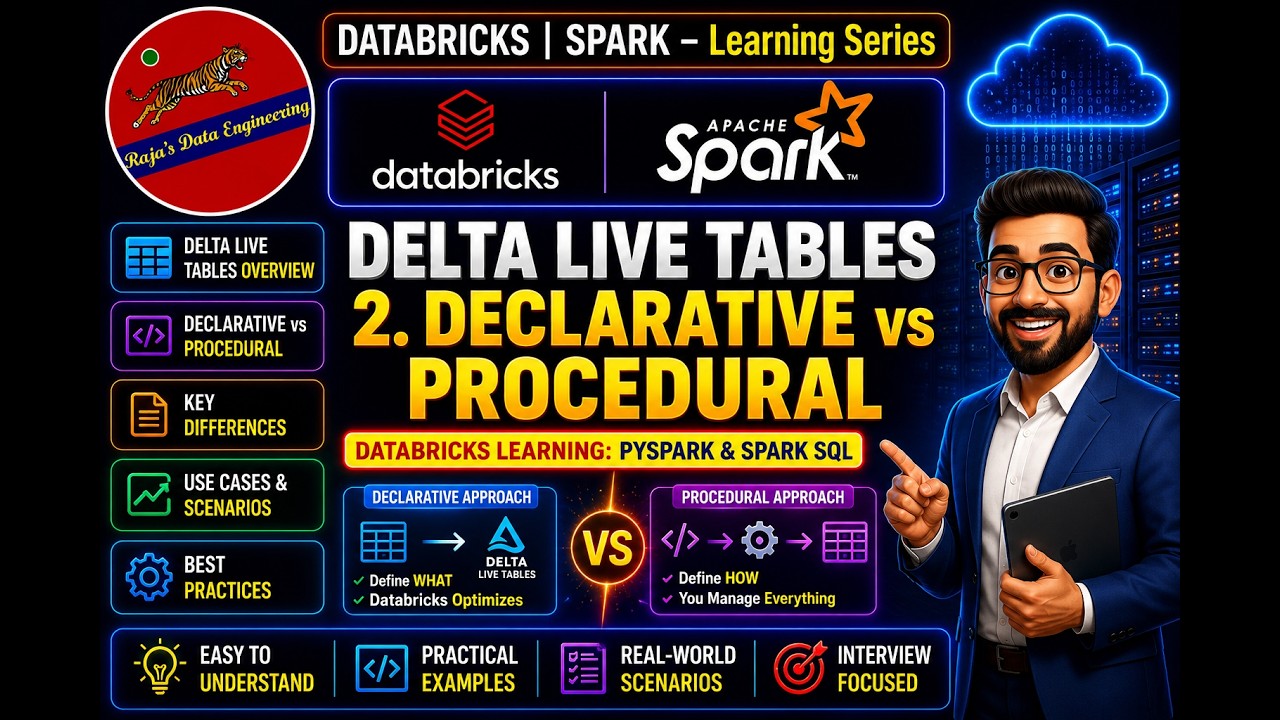
123. Databricks | Pyspark| Delta Live Table: Declarative VS Procedural
Procedural data engineering approaches require developers to explicitly write and order every step of extraction, transformation, and loading logic. In contrast, declarative approaches like Databricks Delta Live Tables allow developers to specify only the desired final outcome while an underlying engine automatically determines the execution steps.
 Tutorials
122. Databricks | Pyspark| Delta Live Table: Introduction
This video introduces Databricks Delta Live Tables as a declarative development framework designed to simplify and accelerate ETL pipeline creation. It details traditional pipeline challenges like complex medallion architectures, manual data quality checks, and difficult monitoring, while demonstrating how Delta Live Tables automate infrastructure management and error handling.
 News
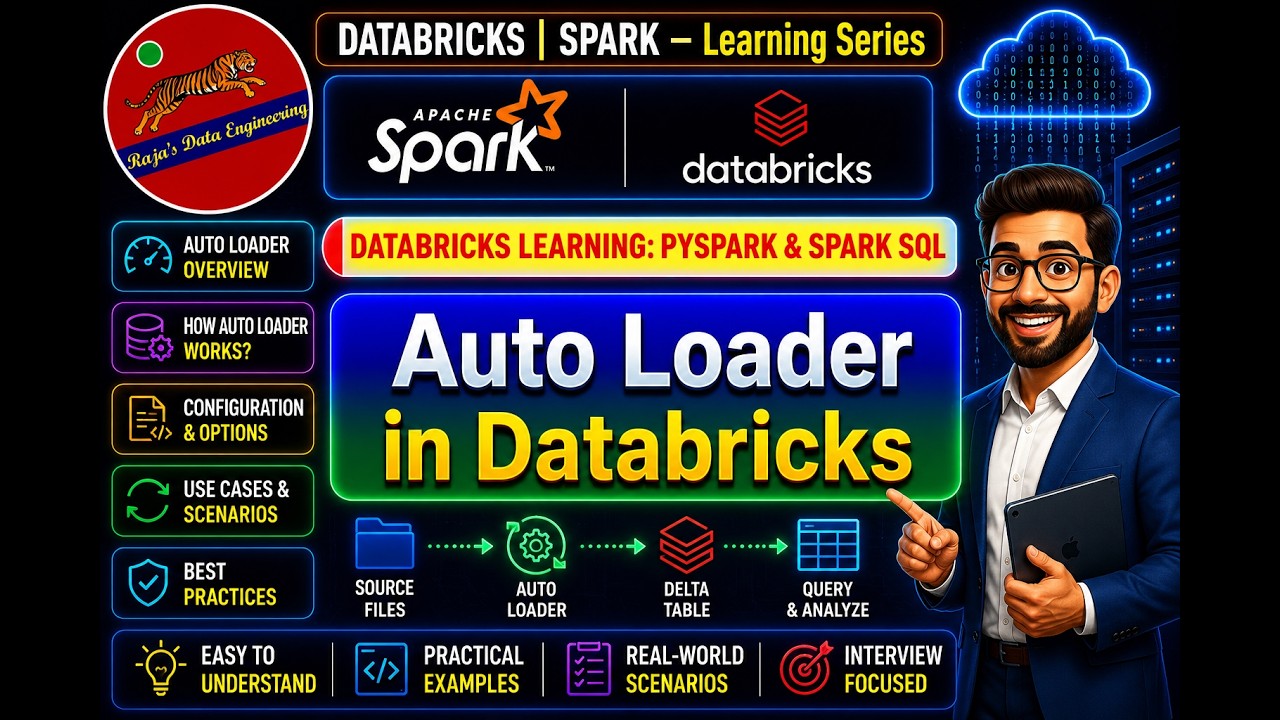
News121. Databricks | Pyspark| AutoLoader: Incremental Data Load
The video explains how Databricks AutoLoader enables incremental data loading from cloud storage by processing only new or modified files without rescanning entire directories. It demonstrates both directory listing and file notification modes using PySpark, along with configuration options for schema inference, hints, and evaluation.
 News
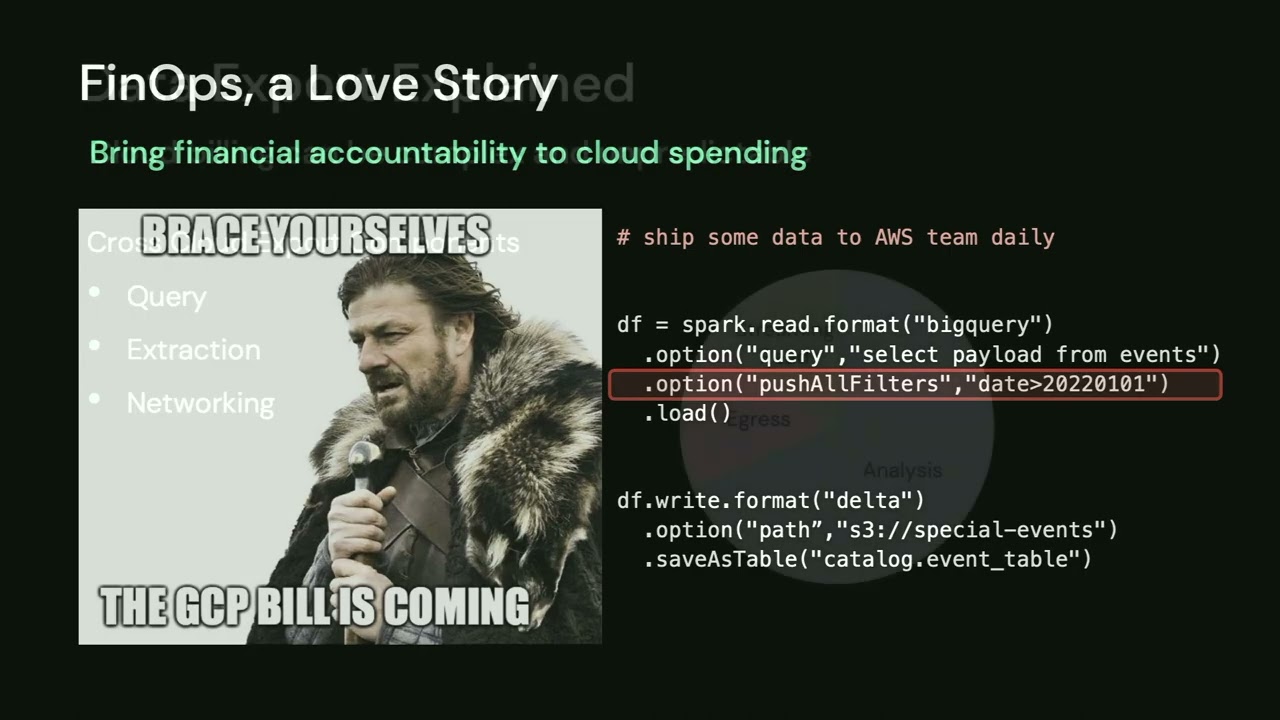
NewsThe Future is Open: Data Streaming in an Omni-Cloud Reality
The video teaches how to build a multi-cloud data streaming architecture using open formats, Apache Spark, and Delta Live Tables to avoid expensive proprietary data extractions. It demonstrates two infrastructure-as-code methods for managing data pipelines across clouds using the dbx project and the Databricks Terraform provider.
 News
NewsRapidly Implementing Major Retailer API at the Hershey Company
The Hershey Company and Advancing Analytics implemented an Azure Databricks lake house framework to automate data ingestion from the Walmart Luminate API. The new architecture successfully reduced thousands of legacy queries down to streamlined dashboards and faster reporting processes for business users.
 News
NewsStreaming Schema Drift Discovery and Controlled Mitigation
This video demonstrates how to detect schema drift in Databricks streaming pipelines using AutoLoader and rescue data. It teaches how to build a custom migration framework to safely promote discovered keys into Delta tables with minimal downtime.




Get Tuesday's version of this
Tracking Auto Loader? The Tuesday email carries what moved across the whole ecosystem, not just this topic. Free, one-click unsubscribe.