
Databricks CLI
Recent items mentioning Databricks CLI across the Databricks ecosystem — releases, news, videos, and community Q&A. Updated hourly.
Direct deployment state version 3 is now live in Databricks CLI v1.17.0 as a breaking change requiring CLI v1.8.0 or later, adding bundle support for AI Gateway services, file-change job run triggers, and Docker credential helpers for Databricks Artifact Registry 5. Concurrently, developer tooling updates allow remote SSH sessions to survive transient disconnects 3 while enabling teams to configure custom CLI paths, corporate CA certificates, and HTTP proxies directly within their IDE 2.
Generated daily from the 10 most recent items mentioning Databricks CLI. Click any [N] to jump to the source.
Release: v2.20.0 (#2232)
The extension now requires VS Code 1.104 or later and immediately refreshes the Bundle Variables view when overrides are saved or reset. Upgraded Databricks CLI integration migrates bundle deployment state to the direct engine and errors if a configured workspace ID does not match the connected workspace.
Release: v2.19.0 (#2215)
Users can now configure a custom Databricks CLI path and utilize HTTP proxies or corporate CA certificates with the SDK and bundled CLI. The update also resolves a potential ReDoS vulnerability during email redaction on large inputs.
Release: v2.18.0 (#2201)
The Python setup success panel now displays which preset configuration was selected. The bundled Databricks CLI is updated to v1.17.0, enabling SSH sessions to survive transient disconnects for more reliable connections.
Databricks needs an actual validation step in the CI
We use Databricks CLI in our CI-step to first validate and then print plan of the steps being applied - reflected in a comment on the PR. It successfully prints if something is being deleted, updated or created - but it never checks if actually can be applied. We've had green checks because validate and plan prints successfully, but there's no real step to catch a spelling error in a DAB-item if a service-principal exists. Any plans to add something like this to the CLI? submitted by /u/DeepFryEverything [link] [comments]
Direct deployment state version 3 is a breaking change requiring Databricks CLI v1.8.0 or later. New capabilities include Docker credential helpers for Databricks Artifact Registry, AI Gateway service support in bundles, file-change job run triggers, and bundle improvements for resource reference handling, deployment reporting, and state management.
Release: v2.17.2 (#2191)
The bundled Databricks CLI was updated to v1.16.1, fixing an SSH transfer regression for transfers larger than 1 MiB. No other user-facing changes are included in this release.
Release: v2.17.0 (#2187)
The Python environment setup now includes a preset picker for Full, DB Connect, or Python-only configurations with improved error recovery and actionable error messages for common issues. Script uploads now preserve stdout on failure, and the Databricks CLI was updated to v1.16.0.
How to automate downloading files from Databricks to a local machine without PATs or CLI?
Hey everyone, Looking for some advice on automating a workflow in a pretty locked-down corporate environment. Context: Large enterprise with strict IT security and governance. Databricks was recently rolled out as our cloud data hub. The entire pipeline (ingestion, processing, and generating the final CSV) is already automated inside Databricks. I need to automatically save a copy of this generated CSV to a local machine / internal network. Right now, the only way I can do this is manually opening the workspace UI and clicking "Download." Databricks CLI is blocked and Personal Access Tokens (PAT) are disabled How do you usually automate pulling files from the cloud down to on-prem / local machines under these restrictions? Thanks! submitted by /u/Firm_Yogurtcloset835 [link] [comments]
MLflow 3.16.0
MLflow 3.16.0 makes the redesigned trace explorer the default interface, introducing natural-language custom trace views via the MLflow Assistant, session grouping for multi-turn conversations, and span links. The update also adds Unity Catalog model service support for built-in evaluation judges, per-user AI Gateway budget policies, and fail-closed authorization by default.
 Tutorials
How to Connect Your Coding Agent and IDE to Databricks Compute | Databricks SSH Tunnel Demo
Databricks workspaces can be connected to local IDEs and coding agents via an SSH tunnel using the Databricks CLI or IDE extensions. This setup allows developers to write code, use AI coding agents, and run workloads on remote Databricks compute while keeping workspace files automatically synchronized.
Release: v2.16.0 (#2172)
Users can now manually opt out of automated Python environment setup or install uv through a single click. The update also prompts for re-login on local session expiration and fixes a failure when running notebooks containing JSON string cells as Databricks jobs.
Automatically create local Python environments compatible with Databricks Runtime
Hey! I’m a Databricks product manager focused on third-party development experiences. We just shipped a new feature that ensures code you run locally works with Databricks, and we’d love your feedback. The problem: Ensuring that your local development environment is compatible with Databricks Runtime (DBR) is a completely manual process. Code that works locally often breaks once you move to the workspace due to minor version mismatches and package incompatibilities. The solution: The CLI command databricks environments setup-local and a new feature in the IDE extension take your existing dependencies and automatically create a uv-managed virtual environment compatible with DBR. You can now run code locally or remotely using Databricks Connect and be certain that the same code will work with the DBR or serverless version you’ve selected. To get started, install the latest version of the IDE extension or Databricks CLI and check out these docs: Set up your Python environment and Databricks Connect using the IDE extension Databricks environments setup-local CLI command Where we need your feedback Are there other environment managers (e.g. pip, poetry, conda) that you would like to see support for beyond uv? We’ve also recently launched an SSH tunnel (see docs ), which allows you to remotely access your Databricks workspace and compute directly from the IDE and terminal. What are the reasons you might prefer to work locally vs. remotely? Do you face issues managing your environment and dependencies in the workspace? Most importantly, please try this out and leave feedback and questions in the comments! submitted by /u/BricksTrixTwix [link] [comments]
 News
News136: Declarative Automation Bundles| Part 3 | Demo
This video demonstrates how to build, deploy, and manage a retail sales pipeline project using Databricks Asset Bundles. It covers installing the Databricks CLI, configuring authentication, validating projects, and using commands to deploy, run, and destroy bundles across different environments.
The SDK now supports group role assumption in OAuth M2M and workload identity federation authentication. New safeguards prevent other credential strategies, including Databricks CLI authentication, from silently accessing normal-access credentials.
Release: v2.15.0 (#2155)
AI tools installation now displays which agents cannot be installed in the picker and Agents tree. The extension warns users when a bundle configuration uses the deprecated Terraform engine.
Databricks Automation Bundles - automatic migration to direct engine post deployment is coming in CLI v1.14.0
Starting with Databricks CLI v1.14.0 , the default bundle.engine will change to direct . If you're not familiar with the advantages of the direct deployment engine over Terraform, you can read more here: Migrate to the direct deployment engine - Azure Databricks | Microsoft Learn What does this mean for us? Bundles will automatically migrate to the direct deployment engine during deployment. If the migration encounter an error, Databricks will keep the bundle on the Terraform engine instead. Important things: You can opt out temporarily by setting bundle.engine: terraform in databricks.yml - either globally or per target. Databricks recommends migrating early by explicitly setting the engine to direct now. Most importantly: support for the Terraform deployment engine in Databricks Automation Bundles is planned for deprection in September 2026 . A future CLI version is expected to stop supporting engine: terraform . submitted by /u/szymon_dybczak [link] [comments]
Lakeflow Connect | Marketo Connector (Beta)
Lakeflow Connect's Marketo connector is now available in Beta! It provides a managed, secure, and native ingestion solution for core Marketo objects: leads, static lists, activities (one table per activity type, like email opens and clicks), and custom objects. Try it now: Enable the Marketo Beta: Workspace admins can enable the Beta via: Settings → Previews → "Lakeflow Connect for Marketo" Set up Marketo as a data source Create a Marketo connection in Catalog Explorer Create the ingestion pipeline via a Databricks notebook or the Databricks CLI submitted by /u/Brickster_S [link] [comments]
Release: v2.14.0 (#2137)
The extension now offers one-click automated Python environment setup that configures a local .venv to exactly match your target cluster's Python version and dependencies, eliminating the classic "works locally, breaks on Databricks" mismatch. Copy actions have been added to the configuration view for easier row management.
Release: v2.13.0 (#2089)
V2.13.0 adds AI tools support and enables Unity Catalog in Databricks Remote SSH mode. The extension can now start SSH tunnels directly, with the Databricks CLI updated to v1.11.0.
Release: v2.12.4 (#2065)
Fixed job run status failing to update when the CLI returns modern job-run URLs. Updated bundled Databricks CLI from v1.7.0 to v1.9.0.
 News
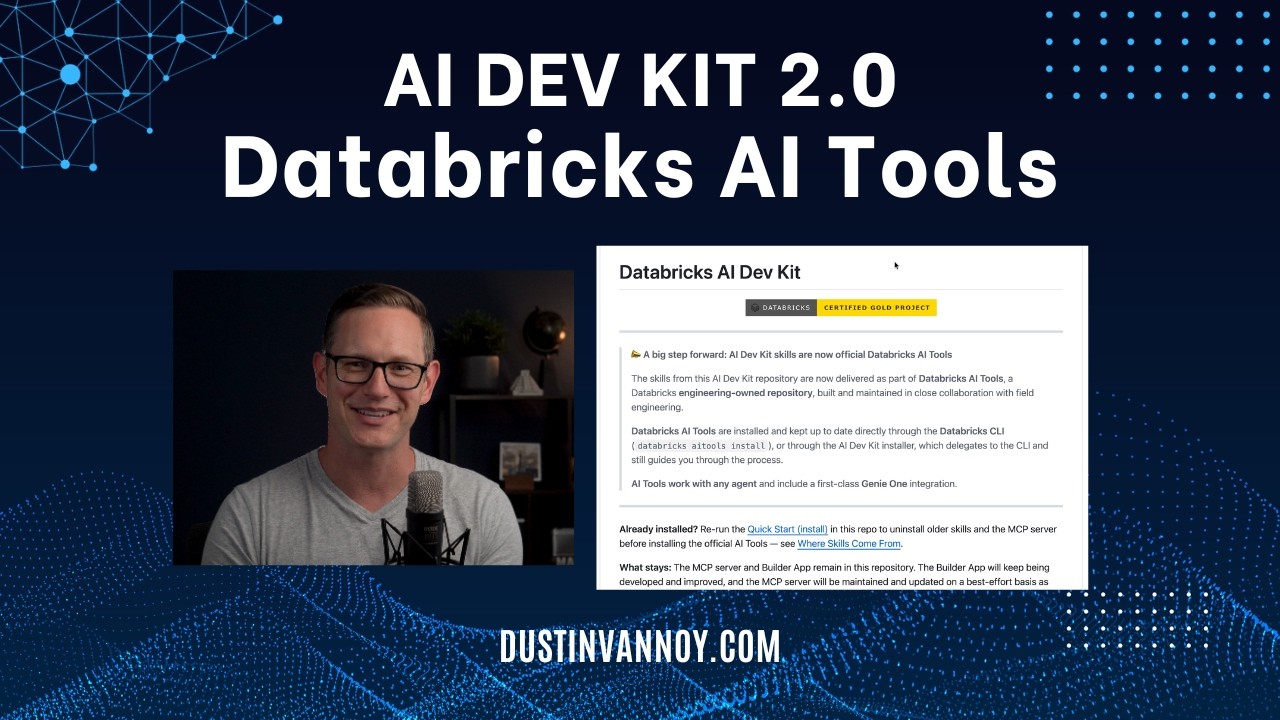
NewsAI Dev Kit 2.0: Databricks AI Tools
AI DevKit 2.0 moves Databricks' agentic coding tools from standalone installation to the official Databricks Agent Skills repository, now installed via the Databricks CLI with improved features and consolidated skills. Users must uninstall the old AI DevKit version and reinstall from the new location, with the MCP server available as a separate optional component.
 Tutorials
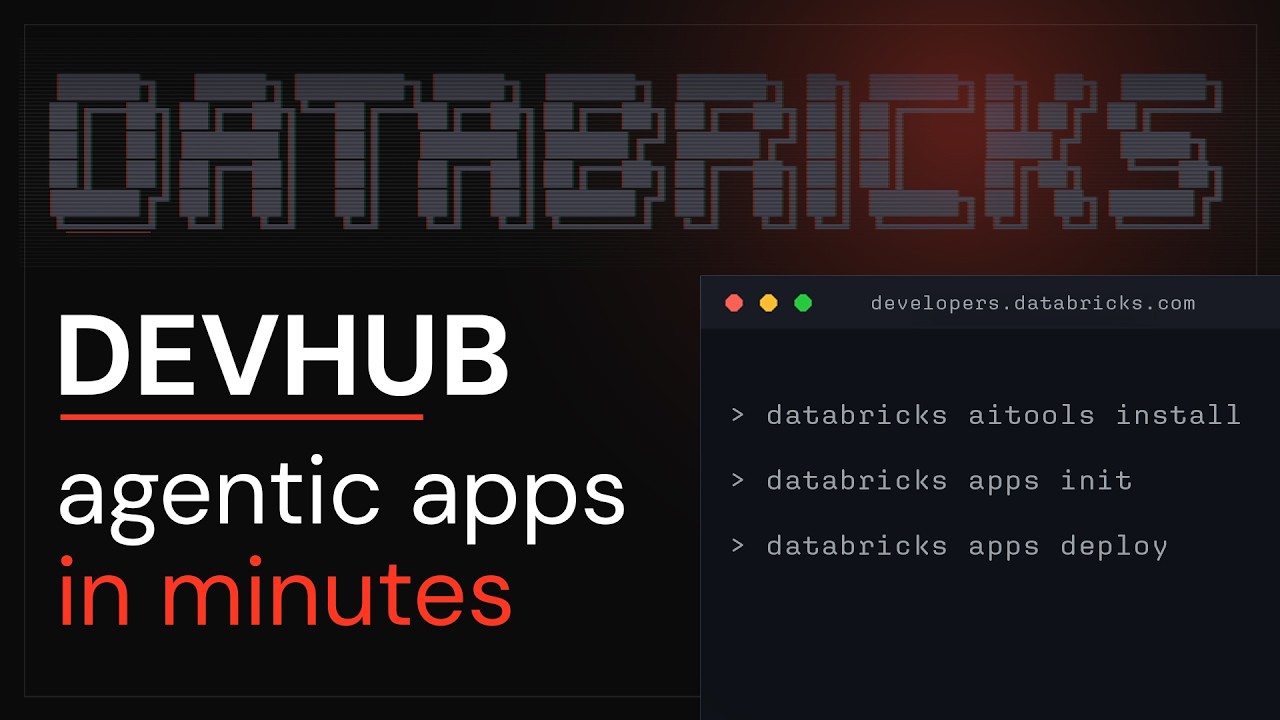
How to Go From an Agent Prompt to a Live Databricks App | Databricks Apps Demo
The Databricks Developer Hub provides copyable agent prompts that developers can paste into coding assistants like Cursor to automatically build, configure, and deploy Databricks applications. Developers can also use specialized template prompts from the hub to add advanced features to their apps, such as integrating a natural language chat interface for querying workspace data.
Release: v2.12.3 (#2012)
Fixed OAuth sign-in regression that was incorrectly redirecting users with custom workspace hosts to the public login page. Updated Databricks CLI to v1.7.0, which makes the direct deployment engine generally available and sets it as the default for new deployments.

Release: v2.11.1 (#1916)
v2.11.1 fixes Workspace file system operations for folder creation and file uploads, and resolves platform-specific Databricks CLI binary path detection. The release also clarifies Python environment activation messaging and corrects initialization of the WSFS and docs panels on extension startup.
Release: v2.11.0 (#1902)
The release introduces a Unity catalog explorer and workspace filesystem explorer for enhanced navigation of catalog resources and workspace files. It adds support for SPOG host URLs and updates Databricks CLI to version 1.2.0.
 Tutorials
Safe AI-Driven Development with Lakebase Branches
Databricks Lakebase branches enable instant, cost-efficient database branching using copy-on-write, allowing developers to test features in isolated environments without affecting production data. The video demonstrates creating and managing these branches via the Lakebase console and Databricks CLI, and shows how to integrate them into an agentic development workflow for safe AI-driven development.
The config-file loader now correctly sets the profile name to "DEFAULT" when using the legacy fallback, ensuring consistent profile identification for consumers. This fixes issues where per-profile identifiers, like OAuth cache keys, might not match between login and read flows.
 News
NewsTerraform AWS Databricks Deployment Guide!
The video demonstrates how to deploy an AWS Databricks workspace using a provided Terraform script. It covers prerequisites, AWS and Databricks authentication, variable configuration, and executing the Terraform commands to create the workspace.
CLI generally available
Databricks CLI and DABs are generally available, and the first version has been released! #databricks [https://databrickster.medium.com/databricks-news-cli-v-1-0-0-ai-tools-last-updated-25th-may-767ef39abe8a](https://databrickster.medium.com/databricks-news-cli-v-1-0-0-ai-tools-last-updated-25th-may-767ef39abe8a)
Databricks CLI is now 1.0!
Just saw that the Databricks CLI is now 1.0! Besides security improvements, the thing I was most excited about was that we no longer need the \`experimental\` namespace when installing agent skills! Previously it was: \`databricks experimental aitools install\` Now it's just: \`databricks aitools install\` This is purely a cosmetic change, but it definitely gives me more confidence using the command 😅 Also PSA: I learned recently that \`databricks aitools tools\` is the recommended way to install the Databricks agent skills and not via \`npx skills add ...\`. The reason is to ensure we use the proper skills versions recommended by Databricks engineering. I saw that the [official docs for skills](https://docs.databricks.com/aws/en/agent-skills/) still show \`npx skills add ...\`. So I'm working on getting that updated asap. Sorry abut that 🙏 \--- Full release changelog can be viewed here: https://github.com/databricks/cli/releases
Databricks CLI v1.0.0 is now generally available, moving interactive OAuth token storage to OS-native secure stores by default and requiring users to re-authenticate with databricks auth login. This release also introduces the databricks aitools command group for managing coding agent skills and adds new Lakebase Postgres resources for Databricks Asset Bundles.
Databricks Connect v2.10.7 wants admin permissions on local machine
Anyone experienced this already? When I (auto)updated databricks connect plugin in VSCode today I needed to create a new Auth profile. I was taken to a new login screen where I needed to give Databricks admin permissions (which I can't give on company resources). Anyone experienced this / has way around it? Somehow it mostly seems to affect the Databricks connect plugin as my CLI seems to work,but this doesn't bode well for the (near) future. (edited company info out) https://preview.redd.it/m27ignwc232h1.png?width=434&format=png&auto=webp&s=f05168a6c95cdba6b753628ad15256245d129ddc # packages/databricks-vscode # (2026-05-07) * Add remote mode for initial Remote Development compatibility (#1861) ([9e768db](https://github.com/databricks/databricks-vscode/commit/9e768db)) * Rename "Databricks Asset Bundles" → "Declarative Automation Bundles" (#1864) ([62a94e1](https://github.com/databricks/databricks-vscode/commit/62a94e1)) * Preserve profile name in Databricks CLI auth provider (#1877) ([3f54441](https://github.com/databricks/databricks-vscode/commit/3f54441)) * Fix new profile sign in using already existing host under different profile (#1893) ([c4c25fb](https://github.com/databricks/databricks-vscode/commit/c4c25fb)) * Include profiles with `account_id` in `listProfiles` results (#1894) ([d6e2e5d](https://github.com/databricks/databricks-vscode/commit/d6e2e5d)) * Update minimal python and dbconnect versions for serverless (#1884) ([5a1a1d5](https://github.com/databricks/databricks-vscode/commit/5a1a1d5)) * Update Databricks CLI to v0.297.2 (#1882) ([ea77424](https://github.com/databricks/databricks-vscode/commit/ea77424)) — see the [CLI release notes](https://github.com/databricks/cli/releases) for changes since v0.286.0
Lakeflow Connect | HubSpot (GA)
Hi all, Lakeflow Connect's HubSpot connector is now GA! It provides a managed, secure, and native ingestion solution for the HubSpot Marketing Hub — ingesting marketing campaigns, and email analytics into Databricks. Try it now: 1. [**Set up HubSpot as a data source**](https://docs.databricks.com/aws/en/ingestion/lakeflow-connect/hubspot-source-setup) 2. [**Create a HubSpot Connection in Catalog Explorer**](https://docs.databricks.com/aws/en/connect/managed-ingestion#hubspot) 3. [**Create the ingestion pipeline via the UI, a Databricks notebook, or the Databricks CLI**](https://docs.databricks.com/aws/en/ingestion/lakeflow-connect/hubspot-pipeline)
Mitigation for "error downloading Terraform" during bundle deployments
If your CI/CD pipelines suddenly started failing out of nowhere with this error: "𝐞𝐫𝐫𝐨𝐫 𝐝𝐨𝐰𝐧𝐥𝐨𝐚𝐝𝐢𝐧𝐠 𝐓𝐞𝐫𝐫𝐚𝐟𝐨𝐫𝐦: 𝐮𝐧𝐚𝐛𝐥𝐞 𝐭𝐨 𝐯𝐞𝐫𝐢𝐟𝐲 𝐜𝐡𝐞𝐜𝐤𝐬𝐮𝐦𝐬 𝐬𝐢𝐠𝐧𝐚𝐭𝐮𝐫𝐞: 𝐨𝐩𝐞𝐧𝐩𝐠𝐩: 𝐤𝐞𝐲 𝐞𝐱𝐩𝐢𝐫𝐞𝐝" and you’re using Databricks CLI - you’re probably hitting the same issue I did. The Databricks CLI needs to be upgraded. Databricks released patched CLI versions after an expired verification key started breaking bundle deploy commands in CI/CD environments. Hopefully this saves someone else some troubleshooting time. https://preview.redd.it/7ree9cuvo21h1.png?width=861&format=png&auto=webp&s=47c46407d20e4b552d1b5e79258e761cba8f48cb [Mitigation for "error downloading Terraform" during bundle deployments · Issue #5022 · databricks/cli](https://github.com/databricks/cli/issues/5022)
This release fixes an issue where the Databricks CLI --profile fallback was broken. It also introduces new API methods for workspaceClient.supervisorAgents() and workspaceClient.vectorSearchEndpoints(), along with several breaking changes related to Example and Tool fields, and minQps in Vector Search endpoints.
This release introduces new methods for managing supervisor agents and vector search endpoints, along with several new fields for connector options, ingestion sources, and customer-managed keys. Breaking changes include the removal of min_qps fields from vector search endpoint configurations and making guidelines and description fields optional in certain services.
Lakeflow Connect | Smartsheet (Beta)
Hi all, Lakeflow Connect's Smartsheet connector is now in beta! It provides a managed, secure, and native ingestion solution for Smartsheet sheets and reports into Databricks. Try it now: 1. **Enable the Smartsheet Beta:** Workspace admins can enable the Beta via Settings → Previews → "LakeFlow Connect for Smartsheet" 2. [**Set up Smartsheet as a data source**](https://docs.databricks.com/aws/en/ingestion/lakeflow-connect/smartsheet-source-setup) 3. [**Create a Smartsheet Connection in Catalog Explorer**](https://docs.databricks.com/aws/en/connect/managed-ingestion#smartsheet) 4. [**Create the ingestion pipeline via the UI, a Databricks notebook or the Databricks CLI**](https://docs.databricks.com/aws/en/ingestion/lakeflow-connect/smartsheet-pipeline)
Release: v2.10.7 (#1895)
Remote Development mode is now available in the extension for VS Code remote setups. Databricks Asset Bundles has been renamed to Declarative Automation Bundles and profile authentication issues have been fixed.
Databricks Data Engineer Associate Exam Updated for 2026
The Databricks Data Engineer Associate exam changed on May 4, 2026. The exam now has 7 domains instead of 5. Two new domains were added. The first new domain is CI/CD. This includes: • Databricks Repos • Git integration • Branching and commits • Deploying Declarative Automation Bundles • Using the Databricks CLI • Moving code from dev to test to production Databricks Asset Bundles is now called Declarative Automation Bundles, so learn the new name. If you have never used Git or the Databricks CLI inside Databricks, spend some time practicing in the Free Edition. Connect a Git repo, make commits, and deploy bundles. Hands-on practice will help a lot. The second new domain is Troubleshooting, Monitoring, and Optimization. This includes: • Reading the Spark UI • Finding bottlenecks like data skew and excessive shuffling • Understanding Liquid Clustering • Predictive optimization • Troubleshooting cluster and memory issues Many courses do not teach Spark UI deeply, so try running queries yourself and checking the Spark UI. Compare good queries with inefficient ones to understand the difference. Some existing domains also changed. Ingestion now includes Lakeflow Connect along with Auto Loader and COPY INTO. Governance now includes: • Column-level masking • Row-level security • Attribute-based access control You now need to understand security beyond basic GRANT permissions. Lakeflow Jobs also tests three trigger types: • Scheduled • File arrival • Table update Know when to use each one. Some product names also changed: • Databricks Asset Bundles → Declarative Automation Bundles • Delta Live Tables → Lakeflow Declarative Pipelines The exam uses the new terminology, so update your study material if you are using older resources. The exam format is still: • 45 scored questions • 90 minutes • $200 There may also be extra unscored questions mixed into the exam. For preparation, the original Academy courses still help for the old domains. But for the two new domains, hands-on practice is very important. Practice: • Spark UI • Git integration • Databricks CLI • Deployments using bundles Also read the latest official exam guide PDF from the Databricks page. Good luck to everyone preparing for the exam.
Lakeflow Connect | Outlook (Beta)
Hi all, Lakeflow Connect's Outlook connector is now in beta! The Lakeflow Connect Outlook connector provides a managed, secure, and native ingestion solution for Microsoft Outlook email data — ingesting messages and attachments into Databricks. Try it now: 1. [**Set up Outlook as a data source**](https://docs.databricks.com/aws/en/ingestion/lakeflow-connect/outlook-source-setup) 2. [**Create an Outlook Connection in Catalog Explorer**](https://docs.databricks.com/aws/en/connect/managed-ingestion#outlook) 3. [**Create the ingestion pipeline via the UI, a Databricks notebook, or the Databricks CLI**](https://docs.databricks.com/aws/en/ingestion/lakeflow-connect/outlook-pipeline)
Lakeflow Connect | GitHub (Beta)
Hi all, Lakeflow Connect's GitHub connector is now in beta! The Lakeflow Connect GitHub connector provides a managed, secure, and native ingestion solution for GitHub organizational metadata and activity data — ingesting commits, pull requests, team members, and more into Delta tables. Try it now: 1. [**Set up GitHub as a data source**](https://docs.databricks.com/aws/en/ingestion/lakeflow-connect/github-source-setup) 2. [**Create a GitHub Connection in Catalog Explorer**](https://docs.databricks.com/aws/en/connect/managed-ingestion#github) 3. [**Create the ingestion pipeline via the UI, a Databricks notebook, or the Databricks CLI**](https://docs.databricks.com/aws/en/ingestion/lakeflow-connect/github-pipeline)
I built a VS Code extension for inspecting Databricks Asset Bundles locally
I kept catching issues too late, broken dependencies, misconfigured parameters, stale parameters in notebooks, only after running `databricks bundle validate`. So I built something to make it easier to review locally before deployment. It uses the validation output from the Databricks CLI to help you inspect bundle resources, jobs, tasks, dependencies, parameters, and validation output, directly in VS Code. It is still early, but I would love to know: **what additional features would you expect from a tool like this, or what do you think is missing?** At the moment, it works best for jobs, but I will be rolling out to pipelines soon. GitHub repo: [https://github.com/uncoverthestack/databricks-bundle-inspector](https://github.com/uncoverthestack/databricks-bundle-inspector) VS Code Marketplace: [https://marketplace.visualstudio.com/items?itemName=UncoverTheStack.databricks-bundle-inspector](https://marketplace.visualstudio.com/items?itemName=UncoverTheStack.databricks-bundle-inspector) There is also a demo of how it works in the README as well.
I can't seem to download larger files from Databricks
100% Databricks newbie here, but pretty seasoned nerd. I've been tasked with downloading a rather large dataset from Databricks. It's 15 files of various sizes, but the larger ones (300GB, 1.2TB and 2.7TB respectively) are giving me trouble. I started with the [Databricks CLI](https://github.com/databricks/cli), which worked fine but the download died after an hour or so, very consistently. I then noted that the first line of the README says "This project is in Public Preview." Great. I then moved to Firefox under Linux, where I was able to start the downloads. They seem to die after exactly 16.1GB, after which I am able to resume them, and they start where they left off. Yay, I only have to click resume 2.7TB/16.1GB=167 times to get my file. Trouble is, after a while my session expires, and I can no longer resume the downloads. I'm also getting pretty shit speeds (100Mbit/s) or so combined, on a 1Gbit business fiber connection, but if I could at least get something stable, I'd be happy. It should probably be mentioned that I'm on the freebie tier of databricks. Edit: People have asked for background as to why I'm doing this, which is a 100% legitimate question. A company in our line of work has released this very large dataset into the public domain. They picked Databricks, I didn't. We wish to download this dataset to our on-prem systems so we can process it using our fairly niche and highly resource intensive algorithms. It's not really an option to run things on Databricks, for a number of good reasons.
Fixed Databricks CLI --profile fallback by detecting the CLI version at init time. The previous error-based detection was broken because --profile is a global Cobra flag silently accepted by old CLIs.
I built a reusable DABs template for multi-environment bundle projects (open source)
I've been working with Databricks Asset Bundles (recently renamed to Declarative Automation Bundles, same DABs acronym) on my project for over a year now. At some point I realized the setup I'd landed on was general enough to be reusable, so I spent about three months of evenings and weekends turning it into a proper Databricks CLI template. It ended up being more comprehensive than what I run on my own project, honestly. You run `databricks bundle init <repo-url>`, answer some prompts (cloud provider, compute type, CI/CD platform, environment setup), and it generates a complete bundle project with: - Multi-environment targets (user/stage/prod, optional dev) - Schema-per-user dev isolation (dbt-style approach: everyone shares the dev catalog, schemas prefixed with username) - CI/CD pipelines for GitHub Actions, Azure DevOps, or GitLab - Medallion architecture schemas as bundle resources - Configurable compute (classic, serverless, or both) - Optional RBAC with environment-aware groups It uses the new direct deployment engine (requires CLI v0.296.0+), so no Terraform dependency. The generated project comes with docs, a quickstart guide, and sample pipelines to start from. Repo: https://github.com/vmariiechko/databricks-bundle-template Example output: https://github.com/vmariiechko/databricks-bundle-template-example MIT licensed. Happy to hear feedback or answer questions about the design decisions. And if something doesn't fit your setup, issues and PRs are welcome.
Lakeflow Connect | Confluence (GA)
Hi all, Lakeflow Connect's Confluence connector is now GA! The Lakeflow Connect Confluence connector provides a managed, secure, and native ingestion solution for Atlassian Confluence data — ingesting pages, spaces, blogposts, attachment metadata, and more into Delta tables. Try it now: 1. [**Set up Confluence as a data source**](https://docs.databricks.com/aws/en/ingestion/lakeflow-connect/confluence-source-setup) 2. [**Create a Confluence Connection in Catalog Explorer**](https://docs.databricks.com/aws/en/connect/managed-ingestion#confluence) 3. [**Create the ingestion pipeline via the UI, a Databricks notebook, or the Databricks CLI**](https://docs.databricks.com/aws/en/ingestion/lakeflow-connect/confluence-pipeline)
Unified host detection is now automatic, removing the Experimental_IsUnifiedHost field and enabling a single configuration profile for both account and workspace operations. The file-based OAuth token cache has been removed, defaulting to an in-memory cache unless a persistent cache is explicitly provided.
This release adds Azure MSI authentication support and improves .databrickscfg default profile resolution. It also fixes issues with non-JSON error responses and Databricks CLI token scope mismatches, alongside several API additions and two breaking changes.
Databricks CLI v0.297.2 fixes a critical "key expired" error that prevented databricks bundle deploy from downloading Terraform. This was resolved by using a hardcoded ArmoredPublicKey for Terraform binary installations.
Databricks CLI token creation fails with “cannot configure default credentials” after previously working in CI pipeline
I have been generating a Databricks personal access token in my YAML-based CI pipeline using a bash script. The pipeline installs the Databricks CLI and then creates a token using a Service Principal (Azure AD application) credentials. Current working approach (previously working) #!/bin/bash dbx_host="${1}" dbx_client_id="${2}" dbx_client_secret="${3}" # Set the Environment Variables for Databricks authentication export DATABRICKS_HOST=$dbx_host export DATABRICKS_CLIENT_ID=$dbx_client_id export DATABRICKS_CLIENT_SECRET=$dbx_client_secret echo "Creating a new Databricks token" response=$(databricks tokens create \ --lifetime-seconds 31536000 \ --comment "Token for SPN for EDH Data Access. Validity 1 year.") echo "Token Created Successfully" token=$(echo $response | jq -r '.token_value') token_id=$(echo $response | jq -r '.token_info.token_id') expiry_time=$(echo $response | jq -r '.token_info.expiry_time') This used to work fine for generating tokens. Issue Recently, the same pipeline started failing with the following error: Error: default auth: cannot configure default credentials, please check https://docs.databricks.com/en/dev-tools/auth.html#databricks-client-unified-authentication to configure credentials for your preferred authentication method. Config: host=https://***, account_id=***, workspace_id=***, profile=DEFAULT, azure_tenant_id=***, client_id=***, client_secret=*** Env: DATABRICKS_HOST, DATABRICKS_CLIENT_ID, DATABRICKS_CLIENT_SECRET The documentation link provided in the error message does not really help in identifying what exactly needs to be changed or how to fix this specific CI/CD use case. Has there been a recent change in Databricks CLI authentication (especially unified authentication) that breaks Service Principal authentication using DATABRICKS_CLIENT_ID and DATABRICKS_CLIENT_SECRET environment variables? Any guidance or migration steps would be appreciated. UPDATE:Added Tenant ID […truncated]
Databricks CLI authentication now correctly errors on token scope mismatches, prompting re-authentication instead of silently using incorrect permissions. New dataclassification and knowledgeassistants services and corresponding workspace-level APIs have been added.
Release: v2.10.5 (#1834)
Update Databricks CLI to v0.286.0
Is there a way to bypass hashes in the Databricks CLI when installing packages?
I’m trying to install Databricks Lakebridge to migrate ETL to Databricks. I followed the steps according to the documentation and got stuck at the transpile installation. As prerequisites, Python version 3.10 or higher, Java ≥ 11, and the Databricks CLI are required. In the next step, after the initial profile configuration (with the connection details defined to connect to Databricks using a token), I installed Lakebridge. There was also an issue with hashes there, but clearing the cache was sufficient. Commands below: C:\Users\xxx>py -3.10 -m pip cache purge Files removed: 276 (50.2 MB) C:\Users\xxx>pip cache purge WARNING: No matching packages Files removed: 0 C:\Users\xxx>set PIP_NO_BUILD_ISOLATION=1 C:\Users\xxx>cd Desktop\xxx\lakebridge\databricks_cli_0.258.0_windows_amd64 C:\Users\xxx\Desktop\xxx\lakebridge\databricks_cli_0.258.0_windows_amd64>databricks labs install lakebridge --profile lakebridge 13:47:15 INFO [src/databricks/labs/lakebridge] Successfully Setup Lakebridge Components Locally 13:47:15 INFO [src/databricks/labs/lakebridge] For more information, please visit https://databrickslabs.github.io/lakebridge/ In the next step, according to the documentation, it is required to install Transpile because I need to migrate DataStage jobs to Databricks, but in this case clearing the cache didn’t help anymore and I’m getting what’s shown below in the code: C:\Users\xxx\Desktop\xxx\lakebridge\databricks_cli_0.258.0_windows_amd64>databricks labs lakebridge install-transpile Looking in links: c:\Users\xxx\AppData\Local\Temp\tmppwi__0cz Processing c:\users\xxx\appdata\local\temp\tmppwi__0cz\setuptools-58.1.0-py3-none-any.whl Processing c:\users\xxx\appdata\local\temp\tmppwi__0cz\pip-22.0.4-py3-none-any.whl Installing collected packages: setuptools, pip Successfully installed pip-22.0.4 setuptools-58.1.0 Collecting databricks-bb-plugin Downloading databricks_bb_plugin-0.1.24-py3-none-any.whl (9.5 MB) ━━━━━━━━━━━━━━━━━━━━━━━━━━━━━━━━━━━━━━━━ 0.0 […truncated]
 News
NewsDatabricks Breaking News: Week 2026 02: 5 January 2026 to 11 January 2026 #databricks news
Databricks now allows changing catalog and schema during dashboard deployments, addressing a previous issue with environment-specific configurations. The Databricks CLI has a breaking change with plan version 2, altering the structure of deployment plans.
Release: v2.10.4 (#1821)
Update Databricks CLI to v0.280.0
Release: v2.10.3 (#1772)
This release updates the Databricks CLI to v0.266.0, which includes breaking changes. Databricks practitioners should review the CLI release notes for details on these changes.
 Tutorials
51 Setup Azure DevOps Pipeline with Databricks Asset Bundles (DABs) | Complete CICD Process
The video demonstrates how to set up an Azure DevOps pipeline to deploy Databricks Asset Bundles (DABs) to higher environments like QA. It covers configuring service principal permissions, setting up Azure pipeline variables for environment-specific details, and writing the YAML pipeline code to validate and deploy Databricks assets.
 Tutorials
50 Databricks Asset Bundles | Configure Production grade DABs | CICD using DABs (IAC)
The video demonstrates how to configure and deploy Databricks Asset Bundles (DABs) for managing Databricks assets like notebooks, jobs, and pipelines across different environments. It covers creating a structured DAB project, defining resources and targets in YAML, and deploying using both the Databricks UI and CLI, including setting up environment-specific configurations and variables.
 Tutorials
49 Databricks CLI | Install and Authenticate Databricks CLI | U2M and M2M Authentication
The video demonstrates how to install the Databricks CLI on Windows and authenticate it using both User-to-Machine (U2M) and Machine-to-Machine (M2M) methods. It then shows how to run various CLI commands to interact with Databricks workspaces and account consoles, such as listing catalogs, creating schemas, and managing groups.
Get Tuesday's version of this
Tracking Databricks CLI? The Tuesday email carries what moved across the whole ecosystem, not just this topic. Free, one-click unsubscribe.