
Delta Lake
Recent items mentioning Delta Lake across the Databricks ecosystem — releases, news, videos, and community Q&A. Updated hourly.
What is Delta Lake?
Delta Lake is the storage layer that provides the foundation for tables on Databricks. It's open source software that extends ordinary Parquet data files with a file-based transaction log, which turns a directory of files in cloud storage into a real table with ACID transactions and dependable metadata handling. It works with Apache Spark APIs and Structured Streaming, so batch and streaming jobs read and write the same tables.
The transaction log is what makes a lakehouse workable. It gives you schema enforcement on write, time travel for querying earlier versions of a table, a change data feed for tracking row-level changes, and safe concurrent reads and writes, none of which plain Parquet directories can do. Features like liquid clustering and data skipping simplify data layout and speed up queries.
On Databricks it's simply the default: unless you specify otherwise, every table you create is a Delta table. It also plays well outside its own ecosystem. With Iceberg reads enabled, UniForm generates Iceberg metadata alongside the Delta log without rewriting data files, so a single copy of the data serves both Delta and Iceberg clients.
Do I need to do anything to use Delta Lake on Databricks?
No. Delta Lake is the default format for all operations on Databricks, and unless otherwise specified, all tables you create are Delta tables.
How is Delta Lake different from plain Parquet?
Delta tables store their data as Parquet files but add a file-based transaction log next to them. The log is what enables ACID transactions, schema enforcement, and time travel to previous table versions; a plain Parquet directory is just files with none of those guarantees.
Delta Lake vs Apache Iceberg: do I have to choose?
Not for reads. Both formats are Parquet data files plus a metadata layer, and enabling Iceberg reads makes UniForm generate Iceberg metadata alongside the Delta metadata, so one copy of the data serves both kinds of clients. Iceberg client support is read-only; writes aren't supported.
Does Delta Lake cost anything?
The format itself is open source software, so there's no license cost. On Databricks it's built in as the default table format rather than a separately priced product.
Sources: What is Delta Lake? (Databricks docs) · Read Delta tables with Iceberg clients, UniForm (Databricks docs)
The delta-rs project reached version 1.0.0, adding support for column mapping creation, V2 checkpoints, deletion vectors in Change Data Feed, and Unity Catalog custom token credentials while removing the deprecated S3 DynamoDB log store 2. At the same time, community deep dives have focused on operational table maintenance, analyzing how deletion vectors physically handle data 4 alongside changes landing in Delta Lake 4.3 7.
Generated daily from the 9 most recent items mentioning Delta Lake. Click any [N] to jump to the source.
Databricks Micro Apps, App Spaces and Genie App Generator
Databricks launched App Spaces and Serverless Micro Apps at the end of last week (in Beta). Over the weekend, I tested migrating two of my production Databricks Apps to App Spaces. App Migration 1: Blocked by Zero Egress My Data Portfolio Project Creator required internet access to pull data stacks from live job postings. Then, the LLM needs internet access to research for open data sources to use. In standard Databricks Apps, this runs cleanly. In App Spaces, there is zero external internet egress including for LLMs. The app can reach internal workspace resources, but it cannot touch the outside web. If your app relies on third-party APIs, external databases, or web scraping, App Spaces is a non-starter until Databricks opens network egress. Workload 2: Success on Internal FinOps My client-facing DBU cost observability app reads workspace usage data and writes directly to Lakebase. Because it requires zero external network calls, the migration worked. Both the micro app compute and Lakebase scale to zero when idle. Cold starts take roughly 30 seconds (though in beta, you occasionally need a quick browser refresh once it spins up). For internal, low-frequency administrative tools, this turns a continuous monthly compute bill into pennies. (+ App Spaces, Genie App Generator, and Micro Apps are free while in beta) The next part is less about App Spaces and more just general best practice for Databricks Apps that I see people miss. Stop Using Delta Lake as an OLTP Database Databricks Apps are software applications, not batch analytics notebooks. If your app writes application state, session data, or row-level CRUD directly into analytical Delta tables, you need to rethink that design. For app transactions, use Lakebase (serverless Postgres which also scales to 0). Both are governed under UC, but Lakebase gives your app the low-latency transactional engine that application engineering actually requires. My Verdict on the Beta App Spaces solves the idle compute problem that has plagued Databricks Apps since launch. But until Databricks allows us to deploy directly from existing Git repos and opens external network egress, it remains limited to internal-only use cases. Curious on other peoples experience... How has it been for others? submitted by /u/OkImprovement7010 [link] [comments]
Delta-rs 1.0.0 removes the deprecated S3 DynamoDB log store and adds support for column mapping creation, V2 checkpoints, and deletion vectors in Change Data Feed. The release also introduces custom token credentials for Unity Catalog and fixes Spark interoperability bugs affecting OPTIMIZE and MERGE operations.
Which Came First For You... Spark or Databricks?
Saw a post this morning claiming you shouldn't touch Databricks until you've already mastered Apache Spark. That advice is backwards. It treats learning like a 90s waterfall project and traps engineers in tutorial hell. The fundamentals are non-negotiable: - You need SQL and Python. - You need to understand distributed shuffles, partitions, and memory spills. - You need to understand Parquet structures, metadata footers, and row groups. - You need to understand Delta Lake transaction logs and ACID guarantees. If you don't know what happens under the hood, you will write brittle pipelines that burn cloud budgets. The false assumption is that you must learn these concepts in an abstract vacuum before touching a modern platform. You don't learn networking by memorizing RFC packet headers on a whiteboard for six months before opening Wireshark. You fire up the tool, capture packets, and inspect the traffic. Databricks, Fabric, or Snowflake is your network analyzer. It is the laboratory. Nobody in enterprise production is setting up bare-metal Spark clusters on a home lab just to learn how shuffles work. And running local[*] on a laptop masks real-world distributed realities: - Local filesystems use POSIX atomic renames. Cloud object stores (S3, ADLS) do not. You cannot truly grasp why Delta's _delta_log exists until you see it write commits against cloud storage. - A local JVM masks network serialization, executor skew, and cross-node shuffle overhead. The caveat: don't treat the platform as a black box. Don't just click "Run All" on serverless compute and assume you know Spark. Use the platform to inspect the engine: - Run .explain(True) and read the physical plan. - Open the Spark UI to watch tasks, stages, and memory spill. - Inspect the JSON commits inside _delta_log after a merge operation. - Compact small files and see how file pruning changes scan times. You don't master the theory first and then graduate to a platform. You master the fundamentals by using the platform as your workbench. Learn the platform. Learn the engine. Learn the storage layer. Do it concurrently, in the environment where production actually lives. submitted by /u/OkImprovement7010 [link] [comments]
Deletion Vectors Don’t Delete Data the Way You Think They Do: A Deep Dive into Delta Lake Maintenanc
Getting started with Delta Lake basics
Azure AI Foundry + Databricks Architecture | Deploy Genie Agent with DAB...
Azure AI Foundry Databricks architecture, Deploy Genie Agent with DABs, Databricks Genie Agent, Azure Databricks Genie Space, how to deploy genie agent with declarative automation bundles, azure ai foundry + databricks integration, fully operating genie architecture databricks, databricks unity catalog genie agent, azure databricks bronze silver gold architecture, agent to agent nlq databricks, databricks spark python sql delta lake unity catalog, production ready genie agent deployment, databricks vector search index genie, microsoft purview databricks governance submitted by /u/macxima [link] [comments]
What Data Engineers Need To Know About Delta Lake 4.3
replaceUsing and replaceOn give you a better overwrite primitive, and every catalog-managed table operation now runs through the catalog. submitted by /u/Lenkz [link] [comments]
 News
News140. Databricks Lakebase Explained | Episode 1 | Fully Managed PostgreSQL for Lakehouse (2026)
Databricks Lakebase is a fully managed PostgreSQL database that combines the transactional capabilities and ACID compliance of traditional databases with the unlimited scalability of data lakes, enabling low-latency concurrent queries for online applications. The video demonstrates creating a Lakebase project in Databricks, building tables with SQL, and synchronizing data between Lakebase and Lakehouse tables for cross-system queries.
Automatic change data feed is now generally available!
With automatic CDF, Databricks computes row-level changes at read time using row tracking, rather than materializing those changes during every write. Use change data feed on Databricks | Databricks on AWS Why does that mattre? - Better write performance for MERGE INTO and UPDATE workloads - No need to enable CDF individually on every eligible table - Lower storage overhead compared with legacy CDF - The same familiar APIs still work: table_changes() and readChangeFeed - Works with batch processing, Structured Streaming, and Databricks-to-Databricks Delta Sharing For Delta Lake, the main requirements include: • Databricks Runtime 19 LTS+ • A managed table or external table in Delta Lake format with row tracking enabled And if you’re already using legacy CDF, migration is really simple.Once the table meets the requirements, disable legacy CDF: https://preview.redd.it/0dddizd442oh1.png?width=710&format=png&auto=webp&s=fddc536d6aeca423b2e418f4856ae06843393749 submitted by /u/szymon_dybczak [link] [comments]
What is a Data Skipping in Delta Lake?
Southern Company’s SCOUT: Completing the Storm Intelligence Story
Southern Company completed its end-to-end storm intelligence architecture by deploying SCOUT on the Databricks Data + AI Platform, unifying outage, customer, terrain, and crew-planning data into a real-time restoration application. Built on Unity Catalog, Delta Lake, and collaborative notebooks, the solution couples near-real-time data ingestion with governed analytics while leveraging Databricks Genie Code to accelerate pipeline development.
Open Table Formats Explained: Iceberg vs. Delta vs. Hudi
Delta Lake and Apache Iceberg now share governance through catalog-coordinated commits, while metadata trees and transaction logs enable data skipping and time travel that cut query costs without sacrificing access to prior table versions. Interoperability features like Delta Lake UniForm and Unity Catalog let teams query the same underlying data natively as either format across engines like Spark and Trino, reducing vendor lock-in.
Iceberg vs Deltalake (greenfield project with UC in 2026)
I saw the quarterly meeting and was quite shocked that Iceberg is prominently mentioned, (as much as Deltalake). Is it possible that both are getting the same amount of love from Databricks? Is anyone aware of the R&D effort on these formats, and can share conclusions from that? If I'm building a greenfield Unity Catalog, should I just flip a coin to decide what format to use? Here are the main concerns and priorities: Which one is better for OSS Apache Spark reads and writes Which one integrates with external software better (eg onelake shortcuts pointing from Fabric to Databricks UC). When Databricks is innovating within their own UC (eg. introducing new managed table functionality such as "MST Transactions"), which one of these formats are they likely to support first? Which are they likely to optimize better? Which format is more likely to remain 100% open source in the future (or as close to open source as required by customers who want portable blob data). Sorry if this appears to be a common question. I am a Databricks outsider. I am more familiar with Microsoft Fabric. Where that Fabric SaaS is concerned, you can be certain that Deltalake receives a LOT more promotion than Iceberg does. We rarely come across Iceberg, and it probably wouldn't appear in any marketing slide decks. We are likely to create a gold/presentation layer in UC soon. It will basically be created from scratch. It would be nice to know which of these parquet-based formats to pick, when presented with the choice. I understand there is lip-service given to both, and it claims that this choice "doesn't matter". But that doesn't necessarily take into account the potential integrations that are needed with external software (eg. for the benefit of exposing the same tables in onelake). Is one safer than the other? Is one of them a better choice for forward-looking purposes? submitted by /u/SmallAd3697 [link] [comments]
Databricks zerobus vs Fabric open mirroring (2026)
Has anyone seen any comparison between the generalized ingestion mechanism (zerobus) with Fabric's offering (open mirroring)? Seems like there should be a blog or youtube video comparing the two by now. But I haven't seen any. Unfortunately it sounds like they both rely on proprietary middleware. Ideally there would be a similar type of software which that we could just run on-premise to land data into cloud blobs (like a gateway of some kind). Not sure why that would be so hard for someone to do as a github library or something. Maybe it would need to be done in a performant language like rust or .net, but it doesn't seem like it would be rocket science. Both those technologies are relatively recent: Fabric open mirroring : May 2025 Zerobus : Feb 2026 Personally I wouldn't want to pick either one of these technologies until a comparison could be made. Microsoft's open mirroring claims that they can land data in their lakehouses for free. After that point, the raw deltalake tables would be accessible to both platforms. If open mirroring is truly free then it seems odd that any databricks customers would be using zerobus. They should just purchase the smallest possible capacity from Microsoft like an F2, and use that for moving all their data to raw/bronze in adls gen2 containers. Whatever happens after that can take place in either of these two saas'es, databricks or fabric. submitted by /u/SmallAd3697 [link] [comments]
UnityCatalog 0.6.0
This release adds Apache Spark 4.2 support and introduces metric views and SQL views as governed catalog objects for semantic layers and query management. UC access tokens now expire after 24 hours by default, requiring periodic re-exchange instead of the previous indefinite validity.
Delta Lake 4.4.0
Delta Lake 4.4.0 supports Apache Spark 4.2 and adds identity columns and generated-column support in SQL DDL. The release expands UC Delta API integration to Delta Kernel and the experimental Flink connector for catalog-managed tables, introduces Flink upsert mode with merge-on-read updates, and improves VOID-column and partition handling.
Minilake: a free, local Databricks API emulator — a single-developer tool for testing databricks-sdk/Terraform code against real SQL, real Delta Lake, and real Job execution
submitted by /u/agentdero [link] [comments]
🇪🇸 ☕ ¿Cómo organiza Databricks tus datos? | De Unity Catalog a Delta Lake ⚡
Delta Lake 3.3.3
Delta 3.3.3 fixes transaction log retention bugs that broke time travel and CDF reads, and a Delta Sharing deletion vector cache bug causing long-running queries to fail. It adds opt-in RANDOMIZE_FILE_PREFIXES to spread S3 object keys for high-throughput workloads and upgrades Delta Sharing client for improved OAuth and retry handling.
Introducing FILE type: a native column type for multimodal data
The new FILE column type, now in beta, lets you store unstructured data like documents, images, audio, and video natively in your tables. It enables unified governance using standard table access controls and security policies, with community support underway across Delta Lake, Parquet, Iceberg, and Spark for broad portability.
How Dow Built a Carbon Footprint Ledger on Databricks to Accelerate Sustainability at Scale
Dow built an enterprise Carbon Footprint Ledger on the Databricks Data Intelligence Platform, collapsing cradle-to-gate Product Carbon Footprint calculation times from weeks to a fraction of that across its entire portfolio. Powered by Apache Spark, Delta Lake, Unity Catalog, and MLflow, the solution delivers full data lineage and audit-grade governance designed for third-party assurance against ISO 14067 and GHG Protocol standards.
Delta Lake 4.3.1
Delta Lake 4.3.1 fixes OAuth authentication failures in the Delta REST Catalog caused by incorrect key lowercasing and enables S3A fast listing when using OSS UnityCatalog's CredScopedFileSystem wrapper. It also prevents the reserved is_managed_location property from persisting into managed table metadata.
python-v1.6.1: Column Mapping write support
This release adds column mapping write support and BlindDeltaTable for stats-free appends, alongside improvements to data skipping and partition pruning. S3DynamoDbLogStore has been removed in preparation for 1.0.0.
 Releases
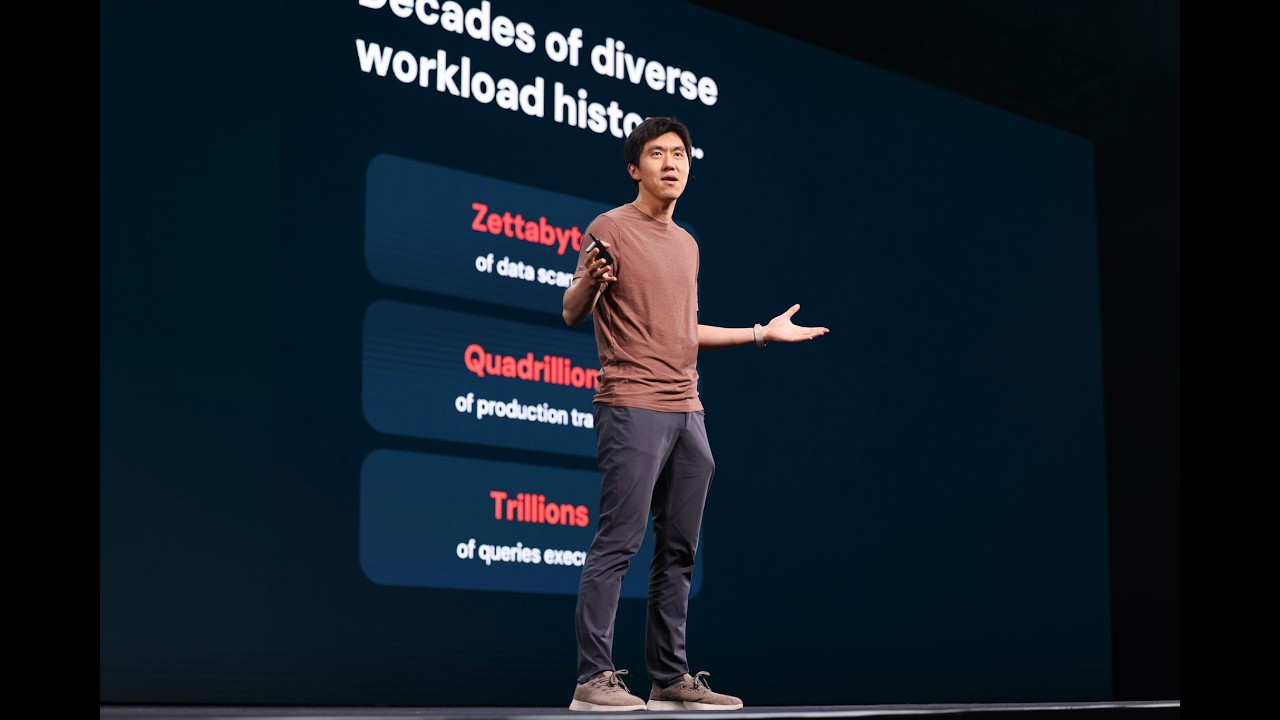
Lakehouse//RT, the real-time Lakehouse powered by Reyden — Reynold Xin, Co–founder & Chief Architect
Databricks introduces Lakehouse//RT, a new SQL warehouse powered by the Raiden engine, designed to provide millisecond performance and massive concurrency for real-time analytics directly on data lake formats like Delta and Iceberg. This innovation aims to unify data warehousing and serving stacks, eliminating the need for separate systems and data copies.
 Events
No one needs to care about table formats with Databricks' Ryan Blue, creator of Apache Iceberg
Databricks announced the GA release of Iceberg v3, which unifies data layers so files can be shared across Delta and Iceberg tables without rewriting. The company is also working towards a unified metadata layer in Delta 5 and Iceberg v4, aiming for a full unification vision later this year.
Data Lake vs. Cloud Data Warehouse: A Practical Guide for Data Scientists
Data lakes offer schema-on-read flexibility for ML and advanced analytics, while cloud data warehouses prioritize schema-on-write for high-concurrency BI. Lakehouses, powered by open table formats like Delta Lake, combine the best of both by bringing ACID transactions and BI performance to data lakes.
Delta Lake 4.3.0
Delta 4.3.0 deepens Unity Catalog integration by making it the source of truth for managed table operations via the UC Delta REST API, introduces replaceOn/replaceUsing DataFrame APIs for selective row-level data replacement, and improves UniForm with atomic Iceberg conversion and incremental metadata updates. Delta Sharing gains streaming support, Change Data Feed capabilities, and Trigger.AvailableNow, plus performance improvements like better V2 checkpoint parallelization and variant column statistics for data skipping.
 Events
LTAP - Lake Transactional/Analytical Processing: a new data architecture that unifies OLAP and OLTP
LTAP (Lake Transactional Analytical Processing) is a new data architecture that unifies OLAP and OLTP storage, eliminating data copying and pipelines. It allows a single copy of data for both transactional and analytical systems, built on open formats like Postgres, Delta Lake, and Iceberg, without compromising performance.
What is data pipeline architecture?
Data pipeline architecture separates ingestion, transformation, storage, and serving into distinct layers, with ELT largely replacing ETL as the dominant approach. Databricks unifies batch and streaming pipelines on a single platform (Lakeflow + Delta Lake + Unity Catalog), eliminating duplicate infrastructure and governance gaps.
Introducing OpenSharing: the Next Evolution of Delta Sharing for the Agentic Era
Databricks has introduced OpenSharing, a Linux Foundation-hosted evolution of Delta Sharing that expands zero-copy sharing beyond tabular data to models, agents, and semantic context across Delta Lake, Apache Iceberg, and Parquet. The enterprise implementation on Databricks enables governed sharing of Genie Agents via Unity Catalog, automated private networking with SecureConnect, and low-latency multi-cloud access via Global Distribution.
Your Delta Lake Table Is Secretly Ballooning — Here's the 2-Command Fix
Scaling for MHHS: how Octopus Energy achieved a 50x cost reduction in margin data engineering
Octopus Energy achieved a 50x cost reduction in their margin data engineering pipelines by re-architecting on Databricks for UK MHHS regulation. They leveraged Delta Lake Change Data Feed and Databricks Serverless to process 48x more data at a fraction of the original cost, improving freshness from weekly to daily.
From 400GB to 35GB: Managing Delta Lake Storage Growth
rust-v0.32.3 adds support for the variant data type in Delta Lake schemas. The release is otherwise documentation maintenance with no other user-facing changes.
PyArrow 21.0.0 is now required and brings preliminary variant type support; this release also fixes regressions in MERGE operations, partition column changes, S3 GIL contention, and Unity Catalog operations. New features include typed custom metadata support in CommitProperties and Musl arm64 wheels.
 Community
How I Mastered System Design Interviews
This video teaches a six-step framework for mastering data engineering system design interviews, covering requirements gathering, pipeline design, data modeling, storage and file formats, data quality and observability, and pipeline resilience. It demonstrates how to apply this framework with practical examples and back-of-the-envelope calculations to justify design choices.
Enzyme whitepaper - incremental view maintenance
I know this is pretty nerdy stuff, but I found this paper super interesting: "**Enzyme: Incremental View Maintenance for Data Engineering"**. [Enzyme: Incremental View Maintenance for Data Engineering](https://arxiv.org/html/2603.27775v2) IVM (incremental view maintenace) is not a brand-new problem. It has been studied in databases for decades. The basic idea is - when source data changes, Enzyme tries to avoid rerunning the entire query from scratch. Instead, it figures out which parts of the existing result are affected and updates just those parts, while still producing the same result you’d get from a full recompute. What I found especially interesting is how much “under the hood” machinery is needed to make this work reliably: * tracking source table changes with Delta Lake features like Change Data Feed, row tracking, deletion vectors, and time travel * decomposing queries into logical operators like filters, joins, aggregations, and windows * generating delta plans for each operator * deciding whether incremental refresh is actually cheaper than full recompute * handling non-deterministic functions, Python UDFs, query fingerprints, and pipeline dependencies * falling back safely when incrementalization is not worth it or not safe Also, I wasn't aware that a materialized view is not just “the final table.” Under the hood it consists of two parts: 1. backing table - which stores the user’s data plus internal metadata columns 2. top-level view - which describes how the result should be computed, The split architecture of MVs at Databricks, comprising a backing Delta table and a top-level view, provides flexibility for incremental computation. For example, if the top-level view contains AVG(x), Enzyme can internally store SUM(x) and COUNT(\*), because those are easier to update incrementally when new rows arrive. Databricks says Enzyme was validated across thousands of production pipelines and produced cumulative daily compute savings of billions of CPU seconds. On the TPC-DI benchmark, it incrementalized 100% of the workloads and beat full recomputation in 6 out of 8 datasets.
Fixes a MERGE operation memory regression and allows partition column changes during table schema overwrites. Adds nanosecond timestamp support and resolves Python import issues on Linux systems with 64KB pages.
PipelineIQ: Forward‑Looking Sales Intelligence That Drives Action
Your CRM data is a mess. Everyone knows it. Most AI tools pretend it isn't. Databricks took a different approach with PipelineIQ - instead of building yet another forecasting model that assumes clean data (spoiler: it never is), they built a prescriptive action engine that works with the chaos. The result? Every deal in the pipeline gets one of three verdicts: 🚶 Walk - disengage, this isn't worth your time 🔄 Pivot - viable deal, wrong approach 🚀 Accelerate - conditions are right, lean in now No vague "insights." No dashboards that require a PhD to interpret. Just: here's what to do today. Built on Databricks' own stack (Foundation Model APIs, Delta Lake, Unity Catalog) and used internally by their own sales org - this is a rare "we built it for ourselves first" story. Read the full blog here: [https://www.databricks.com/blog/pipelineiq-forward-looking-sales-intelligence-drives-action](https://www.databricks.com/blog/pipelineiq-forward-looking-sales-intelligence-drives-action)
Expanded interoperability with Unity Catalog Open APIs
Unity Catalog Open APIs now offer expanded interoperability, with external access to UC managed Delta tables in Beta and credential vending generally available with M2M OAuth support. External engines like Apache Spark, Flink, and DuckDB can now create, read, and write to UC managed Delta tables, leveraging Delta Lake's new catalog commits feature for safe concurrent writes and audibility.
The Rosetta stone of CPS: Claroty’s AI-powered library
Claroty's AI-powered CPS Library, built on Databricks Custom Agents and Delta Lake, automates entity resolution for 17M+ industrial and healthcare assets, solving the asset identity crisis where 88% of CPS devices lack exact product codes. This multi-agent AI system improves vulnerability attribution accuracy by over 25% and provides new security recommendations for over 56% of analyzed devices.
The Convergence of Open Table Formats and Open Catalogs: Catalog Commits is Generally Available
Catalog Commits for Unity Catalog managed tables is now generally available, aligning Delta Lake with a catalog-oriented model to coordinate table discovery, access, and state across engines. The architectural upgrade eliminates metadata drift between external engines, centralizes cross-engine governance without static storage paths, and unlocks multi-statement, multi-table transactions on the lakehouse.
How to handle MERGE with Schema Evolution in Delta Lake
Delta Lake Under the Hood: What Every Data Engineer Should Know
Mastering Delta Lake MERGE Performance: Why It Slows Down and How to Fix It
Best resources to learn Databricks?
Hi everyone, I have around 5 years of experience as a SQL Developer and in Data Engineering. I am planning to learn Databricks seriously and also prepare for the Databricks exam. I have good experience with SQL and data concepts, but I want to build strong practical knowledge in Databricks, Spark, Delta Lake, Lakehouse concepts, and real-time data engineering use cases. Can you please suggest the best resources to learn Databricks from beginner to advanced level. I am mainly looking for: Hands-on learning resources Practice projects Practice exams or sample questions YouTube courses, books, blogs, or official materials Also, which Databricks should I start with as someone coming from SQL and Data Engineering background? Thanks in advance for your suggestions. Would really appreciate any practical learning path or resources that helped you.
What Developers Need to Know About Delta Lake 4.2
The learning order that actually works for Databricks. I wasted 3 months before figuring this out.
I want to share something that I wish someone told me when I started learning Databricks because it would have saved me months of confusion. When I first opened Databricks, I did what most people do. I went straight to PySpark because every tutorial said that is what data engineers use. I spent weeks trying to understand RDDs, DataFrames, transformations, actions, lazy evaluation, and the DAG all at once. I could follow along with the instructor but the moment I opened a blank notebook I had no idea where to start. Then I took a step back and tried something different. I started with SQL. Databricks runs SQL natively. I already knew SQL from a previous job. Within an hour I was querying tables, running aggregations, building views. I felt productive for the first time in weeks. That confidence changed everything. Here is the order that worked for me and I genuinely believe it works for most people. Start with SQL on existing tables. Databricks has sample datasets built in. Run SELECT statements. Do GROUP BY. Write JOINs. Get comfortable navigating data. If you already know SQL from any database this stage takes a few days not weeks. Then learn Delta Lake through SQL. Create tables. Insert data. Update rows. Delete rows. Run DESCRIBE HISTORY and see the transaction log. Run SELECT VERSION AS OF and experience time travel. This is where Databricks starts to feel different from other databases. Every table you create is automatically a Delta table so you get versioning, schema enforcement, and ACID transactions without configuring anything. Then move to PySpark DataFrames. Now that you understand what the data looks like and how Delta tables work, PySpark makes way more sense. You understand what df.filter does because you already did WHERE in SQL. You understand what df.groupBy does because you already did GROUP BY. Lazy evaluation clicks faster because you have context for what the transformations are actually doing. Then build pipelines. Take what you learned and chain it together. Read from a source. Transform. Write to a Delta table. Schedule it. Monitor it. This is where Lakeflow (the new name for Delta Live Tables) comes in. But it makes no sense if you skip the previous steps. Then governance. Unity Catalog, permissions, data quality expectations. This feels like admin work when you learn it in isolation but once you have built a pipeline you understand exactly why it matters. The mistake I made was trying to learn PySpark before I understood the data model. I was writing code without knowing what it produced. Once I started with SQL and built up from there everything fell into place faster. One more thing. If you are on Free Edition you do not need to configure clusters. It is serverless. If a tutorial tells you to create a cluster and choose a runtime version that tutorial was written for Community Edition which no longer exists. Just open a notebook and start writing code. Hope this helps someone who is feeling overwhelmed right now. Happy to answer any questions in the comments.
Here are 5 topics that showed up much more than I expected in my DEA exam
I took the Databricks Data Engineer Associate exam recently and wanted to share what actually came up because it was quite different from what I spent most of my time studying. I went in thinking Delta Lake theory and platform architecture would be the big topics. They weren't. The exam is way more practical than I expected. **The first thing** that caught me off guard was how heavily they test Auto Loader. Not just the basics but real scenarios. One question described a pipeline receiving 50,000 new files per day and asked which ingestion method to use and why. You need to understand when Auto Loader makes sense versus COPY INTO, how schema evolution works with mergeSchema, and the difference between directory listing and file notification mode. I probably got six or seven questions just on this one topic. **The second thing** was lazy evaluation. I knew the concept but I wasn't prepared for how they test it. They give you a block of code with four or five DataFrame transformations and ask what happens when you run the cell. The answer is nothing happens because there is no action at the end. But the way they frame the questions makes you second guess yourself if you only memorized the definition without really understanding it. **Third** was Lakeflow expectations. The old name was Delta Live Tables but they use Lakeflow in the exam now. You need to know the three expectation types and when to use each one. They gave me a scenario where the pipeline should log bad records but never drop them and I had to pick the right expectation decorator. Also know the difference between streaming tables and materialized views because that came up more than once. **Fourth** was Unity Catalog permissions. Not just the three level naming pattern but actual grant scenarios. Something like a data analyst needs to read tables in the sales schema but should not be able to create new tables and you have to pick the correct grant statement. I got at least three or four questions like this. **Fifth** was MERGE INTO. They really love this command. Upsert scenarios, deduplication, slowly changing dimensions. If you cannot write a MERGE statement from memory with the WHEN MATCHED and WHEN NOT MATCHED clauses you should spend an hour practicing just that before you sit for the exam. What surprised me about what was not heavily tested. Cluster configuration was maybe one question. The architecture diagrams with control plane and data plane were one or two questions at most. Delta Sharing was one question. Spark internals like shuffle details were barely mentioned. The biggest thing I wish I had done differently is spend less time reading documentation and more time actually running code. When you have actually executed a MERGE INTO on a real table and seen the results, the exam question feels like something you have done before instead of something you read about once. I used Databricks Free Edition for all my practice and it was more than enough. Hope this helps someone who is preparing right now. Feel free to ask anything about the exam in the comments and I will try to answer.
Looking for a Data Engineering Mentor / Enterprise-Level Hands-On Project (Azure Databricks + ADF)
Hi everyone, I’m currently a Data Analyst transitioning into a Data Engineering role, and I’m looking for structured hands-on guidance. Over the past few months, I’ve been learning through YouTube tutorials, documentation, and building small projects. However, I now realize I’m missing real enterprise production experience — understanding how everything fits together end-to-end. Tech stack I’m focusing on: • Azure Data Factory (ADF) • Azure Databricks • PySpark • Delta Lake / Medallion Architecture (Bronze–Silver–Gold) What I’m looking to learn through a real enterprise-style project: • Proper project structure in Azure Databricks • Unity Catalog governance • CI/CD setup using Databricks Asset Bundles • Orchestration & workflow design • Batch & Streaming pipelines • Delta Live Tables (DLT) pipelines • Optimization & performance tuning • Error handling, monitoring & logging strategies • Slowly Changing Dimensions (SCD) implementation • End-to-end pipeline design from ingestion to serving layer I’m looking for: \- A mentor / tutor / experienced data engineer \- Short-term structured guidance (\~1 month) \- Paid mentorship or project-based learning is completely fine If you can guide me or know a reliable mentor/platform, please comment or DM me. Thank you — I truly appreciate any help 🙏
Passed the Databricks Data Engineer Associate last week and here with sharing what worked and a free practice test.
Got my DEA cert last week with 82%. Figured I'd write up what I did since I wasted a lot of time early on trying to figure out what was worth studying and what wasn't. I've been using Databricks at work for about a year. PySpark and Delta Lake stuff mostly. But I had real gaps in Unity Catalog, Lakeflow Declarative Pipelines, and Databricks Asset Bundles because my team doesn't touch those much. Started with the official exam guide. The November 2025 one from Databricks. Honestly this should be the first thing anyone reads. It breaks down exactly how much of the exam comes from each section. I had no idea 18% was about productionizing and DABs until I read it. Did some Databricks Academy stuff. It's fine. If you already use Databricks every day you can skip the intro material and just hit the areas you're shaky on. But the thing that helped the most was taking practice tests. Reading is one thing. Sitting down with a timer and actually answering questions is completely different. I found a free one at [bricksnotes.com](http://bricksnotes.com) that matched the format pretty well. 45 questions, 90 minute timer, same five sections. Took it three times over two weeks and went from 58% to 71% to 84%. It breaks your score down by section so you can see exactly what you're bad at instead of guessing what to study next. The real exam was a bit harder but the format was the same. Scenarios, code to read, answers that all sound reasonable if you don't really know the material. Some stuff I wish someone told me before: Actually read the code in the questions. Don't just glance at it. Some questions have small things in the code that completely change the answer. Unity Catalog permissions come up a lot. GRANT vs ownership vs inheritance. What a metastore admin can do vs a catalog owner. External locations and storage credentials. Know this cold. Delta Sharing is tested more than I expected. Not just "what is it" but internal vs external sharing, cost stuff, limitations, what recipients can actually do. Medallion Architecture questions aren't "what are the three layers." They're more like "should this transformation happen in silver or gold and why." They test your judgment not your memory. Lakeflow Declarative Pipelines questions focus on why you'd use it and how expectations work. You don't need to have built a complex pipeline. You need to understand the advantages over traditional ETL and how streaming tables vs materialized views differ. DABs came up more than I expected. Know the basic structure and why you'd use them over manually deploying notebooks. 90 minutes is plenty of time. I had 25 minutes left. If you're finishing practice tests comfortably you'll be fine. I prepped for about 3 weeks. Couple hours a day after work. If you use Databricks already that's enough. If you're starting fresh probably give yourself 6 to 8 weeks. Happy to answer questions if anyone's prepping right now.
Delta Lake Secrets: What Happens After You Run Write, Update or Merge
I wrote a practical deep dive on Delta Lake that explains what actually happens behind the scenes—not just the basic theory. Most tutorials stop at “Delta supports ACID and Time Travel,” but I wanted to understand *how* it really works. In this blog, I covered: • `_delta_log` and transaction logs • Why Delta never deletes old files immediately • Checkpoints and snapshot mechanism • Data skipping and how Z-Ordering improves performance • History, Restore, and Time Travel • Merge, Update, Delete operations • Convert Parquet to Delta • Optimize and the small file problem • Real PySpark examples for every concept I tried to explain everything in a simple, practical way with real examples instead of documentation-style theory. [https://medium.com/@wnccpdfvz/why-delta-lake-is-faster-than-traditional-data-lakes-5c865f67b66b](https://medium.com/@wnccpdfvz/why-delta-lake-is-faster-than-traditional-data-lakes-5c865f67b66b)
v0.32.0 provides performance improvements to log parsing, enhancements to the Datafusion TableProvider, and fixes for critical bugs affecting MERGE operations, partitioning, and vacuuming. The release upgrades Datafusion to version 53 and Arrow to version 58.
UnityCatalog 0.4.1
Unity Catalog 0.4.1 adds atomic write guarantees for REPLACE TABLE AS SELECT and Dynamic Partition Overwrite operations on UC Managed Delta Tables, plus a credential-scoped file system to prevent out-of-memory errors in long-running Spark sessions. The release introduces VARIANT datatype support and fixes a critical JWT validation bypass that could allow user impersonation, requiring authorization-enabled deployments to add issuer and audience configuration before upgrading.
Delta Lake 4.2.0
Delta 4.2.0 enables atomic REPLACE TABLE, RTAS, and DPO for catalog-managed tables, enhances streaming capabilities, and adds a Kernel-based Flink connector. The release makes Variant generally available, adds geospatial and collation support, and includes comprehensive security hardening.
 News
NewsStop Guessing Table Health — Let These Dashboards Tell You
Databricks offers two dashboards for monitoring table health and access: the Table Access Advisor and the Table Health Advisor. These dashboards provide insights into table ownership, read/write patterns, staleness, optimization status, and underlying file structures, helping users identify ghost tables and ensure best practices.
 Tutorials
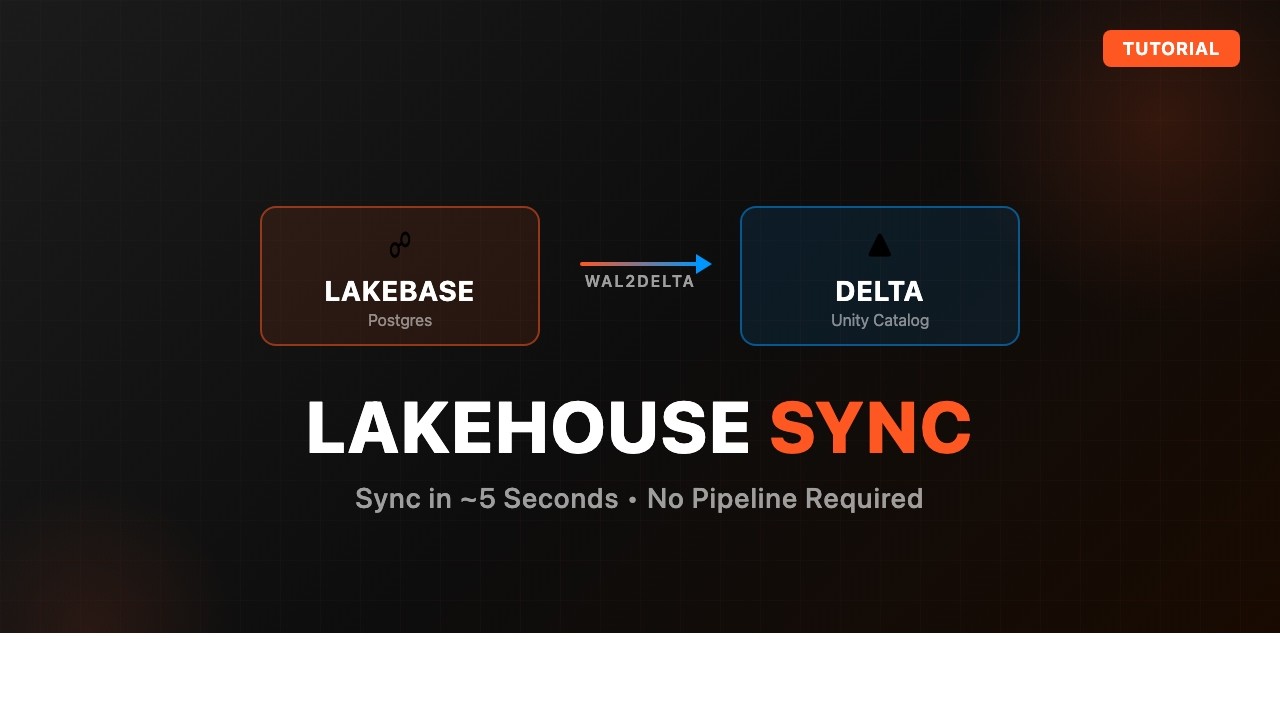
How to Sync Lakebase Tables to Delta with Lakehouse Sync
Databricks demonstrates how to sync Lakebase PostgreSQL tables to Delta tables within a Databricks Lakehouse using the Lakehouse Sync feature. This process enables analytical workloads on data originating from Lakebase applications by leveraging Delta and Spark.
What does Databricks Lakebase mean for analytics engineers?
Databricks Lakebase exposes a PostgreSQL wire protocol interface, allowing analytics engineers to connect standard Postgres tooling and the dbt-postgres adapter directly to their lakehouse. However, migrating existing native Databricks dbt workflows is rarely the right move, as the Postgres interface loses platform-specific Delta Lake materializations and performance optimizations.
Delta Lake 4.1.0
Delta Lake 4.1.0 supports Apache Spark 4.1.0 and introduces conflict-free enablement of Deletion Vectors and Column Mapping on existing tables without blocking concurrent writes. The release requires Java 17 and Spark 4.0.1 or higher (dropping Spark 3.5), adds full catalog-managed table support in Delta Kernel for Unity Catalog integration, and fixes MERGE/INSERT struct expansion bugs.
CONVERT TO DELTA fails to merge file schema
This is in Azure Databricks. I have a directory of Parquet files in Azure Data Lake Storage that I want to convert to a Delta Lake table. I run this: CONVERT TO DELTA parquet.`abfss://container@storage_account.dfs.core.windows.net/directory_name`; But it throws this error: SparkException: [DELTA_FAILED_MERGE_SCHEMA_FILE] Failed to merge schema of file abfss://container@storage_account.dfs.core.windows.net/directory_name/file_name_123.parquet: [...] I ran this in an all-purpose cluster with the spark.databricks.delta.mergeSchema.enabled config set to true.
Get Tuesday's version of this
Tracking Delta Lake? The Tuesday email carries what moved across the whole ecosystem, not just this topic. Free, one-click unsubscribe.