
MCP
Recent items mentioning MCP across the Databricks ecosystem — releases, news, videos, and community Q&A. Updated hourly.
The Genie One MCP server is now generally available, enabling AI agents to access governed business context across tables, documents, and tools grounded in the Genie Ontology 34. Databricks also demonstrated how to integrate custom Model Context Protocol servers with Databricks Agent Bricks and Unity AI Gateway for policy enforcement and MLflow tracing 1, while practitioners have begun troubleshooting Unity Catalog MCP connections 2.
Generated daily from the 4 most recent items mentioning MCP. Click any [N] to jump to the source.
We wrote about this
- Genie One MCP server: setup and migrationHow to connect Claude Code, Claude, Cursor and ChatGPT to the GA Genie One MCP server, and what to change before the Beta endpoint sunsets on 31 October.14 min read
- Databricks put agent skills in Unity Catalog, and gave them two namesA skill is now a catalog object you grant like a table. What the Beta does, the download-versus-live decision it forces, and why the docs cannot decide what to call it.6 min read
 Events
Demo: Building a Governed AI Agent with Unity AI Gateway
This video demonstrates how to build, update, and govern a store operations AI agent using Databricks Agent Bricks and the Unity AI Gateway. The tutorial highlights integrating custom Model Context Protocol servers, recording execution traces with MLflow, and enforcing security policies and budget controls.
Problems with UC MCP connection
We built a supervisor agent where one of the tools is the native databricks MCP connection (which is in beta). Today, the agent doesn’t work. Removing the MCP tool fixes it, so it’s definitely that. The agent response just says “received an invalid and unexpected value from the API: undefined” Anyone else having problems suddenly with the MCP server? I’m able to hit the target MCP URL locally no problem. And even test the UC MCP in databricks successfully. So it’s something about the handshake between MCP and the supervisor agent submitted by /u/pboswell [link] [comments]
Genie One MCP is now GA
The Genie One MCP server is now GA. It exposes Genie One over MCP, allowing any agent to communicate with Genie One as a peer agent. The MCP exposes tools for asking questions to Genie One, getting query results, checking on incremental progress, and steering responses. These capabilities allow you to integrate Genie One into whatever agent you want without changing your workflow. And you get all of the semantics built-in instead of having to use raw SQL APIs with fragmented skills/stale markdown repos/additional semantic layers like we used to with ai devtools. Here are the docs: https://docs.databricks.com/aws/en/agents/mcp/genie-mcp I've seen some pretty cool use cases with integration into ChatGPT/Claude, but also headless agent workflows where you want to delegate the data questions to Genie One so it can use agents/ontology. Interested in folks' thoughts on the right/wrong use cases for this feature. submitted by /u/lakehouse_vacation [link] [comments]
The Genie One MCP is now Generally Available
The Genie One MCP server is now generally available, bringing trusted insights across structured and unstructured data into any AI agent workflow. Grounded in Genie Ontology, it provides agents with governed access to unified business context across tables, documents, and tools to reduce conflicting answers and support queries, visualizations, and citations.
What’s new in Databricks - August 2026
Databricks shipped many major Generally Available features in August 2026. Here is the breakdown of what just landed: 🚀 Unity AI Gateway Enterprise AI governance layer covering model access, Model Context Protocol (MCP) management, and cost observability. 🔒 Role-Based Access Control (RBAC) Switch to scoped, temporary role assumptions instead of dealing with permission bloat. 🔑 Secrets in Unity Catalog Unified security secrets are now governed, 3-level namespace securable objects. ⚙️ Serverless Compute Access Control Granular admin controls over who can trigger serverless workloads across your organization. ⚡ Lakebase Postgres APIs & LTAP Direct Writes Accelerated synced-table loads and improved transactional data integration. 🤖 Genie Agent Upgrades Official GA releases for both the Agent mode API and Full-page Genie Code view. submitted by /u/Youssef_Mrini [link] [comments]
Multiple Databricks Genie MCP connectors in one Claude workspace collapse into a single shared connector, anyone solved this?
We're connecting Claude (Cowork/Claude Desktop) to several separate Databricks workspaces, each with its own Genie space. Running into a platform-level snag and hoping someone's hit this before. Setup: each workspace exposes the standard Genie MCP endpoint ( https:// /api/2.0/mcp/genie ). We add each as its own connector in Claude so we can ask natural-language questions against the right workspace's data. Problem 1, generic connectors are indistinguishable: every Genie MCP server reports the same tool names and the same generic description, regardless of which workspace it's pointed at. Claude has no way to tell them apart from metadata alone, so it either has to probe each one (asking a neutral "what workspace is this?" question and checking the returned deep_link ) before it can route a question correctly, or it guesses wrong. Problem 2, trying to fix it with named connectors backfires: we tried building a Claude plugin that declares each of the seven as a distinct, fixed-name MCP server (e.g. genie-workspace-a , genie-workspace-b , ...), hoping deterministic names would remove the need for probing entirely. Turns out Claude's client recognizes Databricks Genie as a "verified" connector type in its directory, and collapses all seven fixed-name declarations into a single shared authorization instead of keeping them independent. Authorizing one silently becomes "the" Genie connection, and the others just reflect that same state rather than getting their own. Problem 3, working around the collapse trades one problem for another: we found that changing the declared URL slightly (adding a harmless query param) makes the client stop recognizing it as the verified type, which does force it down the plain custom-connector path and keeps it independent. But then it needs an actual registered OAuth client ID against that Databricks workspace, since it no longer gets whatever implicit OAuth handling the verified integration has. That means registering an app per workspace in Databricks/Azure just to get back to where the plain manual setup already was, more infrastructure, not less. So right now we're back to manually-added generic connectors plus a routing skill that probes and caches per conversation, which works, but costs a lookup the first time each workspace is used per session, and never scales cleanly as we add more workspaces. Has anyone gotten multiple Genie MCP connections into the same Claude account/org without them colliding into one shared authorization? Is there a way to deploy or configure the Genie MCP endpoint itself so each workspace reports distinguishable tool names or descriptions, rather than relying on the client to differentiate them? Btw, in Codex/chatgpt this is not an issue, because we can edit the description/name, and it automatically discovers the right plugin to use. It seems this is a very claude thing issue submitted by /u/Akroma188 [link] [comments]
 News
NewsMonitor AI Model Usage & Spending on Databricks
Databricks AI Gateway enables admins to select which MCP server tools are exposed to agents and view their governance configuration. Usage tracking is automatically enabled to provide centralized visibility into model token consumption and spending metrics.
 Events
Building Governed Agents with Databricks
Databricks extends its Unity Catalog governance layer to AI agents, MCP servers, and tools to solve "agent sprawl" by providing centralized discovery, access controls, and audit logging. The system allows developers to quickly build agents while IT teams enforce fine-grained policies, manage credentials, and track end-to-end request and response lineage.
 Events
From Primitives to Production: How Anthropic Builds Agents
Anthropic defines agents as LLMs in loops with tool access, leaning on model intelligence over rigid workflows, and uses domain-specific skills, MCPs, and evals to build effective agents across sectors. A demo showed a site reliability agent autonomously identifying a database pool issue, fixing the code, and generating a postmortem.
 News
NewsBuilding Agents on Databricks with Custom Apps and Omnigent
This video demonstrates how to build, update, and govern custom AI agents on Databricks using Agent Bricks, Databricks Apps, and Omnigent. The tutorial shows how to integrate Model Context Protocol servers, track execution with MLflow traces, schedule automated agent tasks, and manage security policies through Unity AI Gateway.
What is Tool Calling?
Tool calling transforms basic chatbots into action-oriented AI agents by executing a structured loop to interact with external tools, APIs, and systems. Databricks Agent Bricks provides a governed environment to build these agents grounded in enterprise data, featuring native support for the Model Context Protocol and Unity Catalog governance.
 Tutorials
Building Agents on Databricks with Custom Apps and Omnigent
The video demonstrates how to build, update, and govern a store operations AI agent on Databricks using Model Context Protocol servers and custom apps. It shows how to use Omnigent and CodeX to add new context and tools, redeploy the application, and manage governance and traces through the Unity AI gateway.
MLflow 3.15.0 introduces an MCP Registry for registering and sharing Model Context Protocol servers, enhances the Assistant with multi-provider LLM support and per-session token usage tracking, and enables proxy-less artifact transfers via presigned URLs to reduce server load and timeouts on large files. Additional improvements include sharable Runs table views, multi-modal image attachments for LLM judges to evaluate vision tasks, and numerous bug fixes across tracing, evaluation, gateway, and UI components.
 News
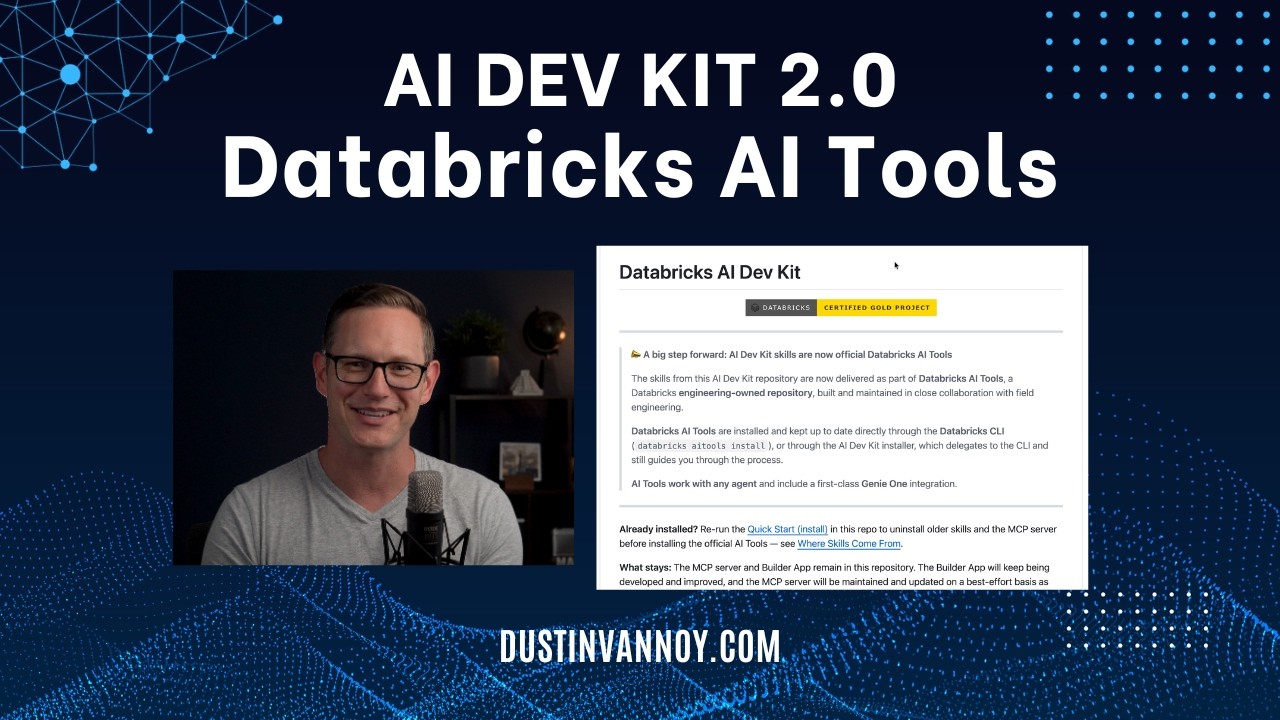
NewsAI Dev Kit 2.0: Databricks AI Tools
AI DevKit 2.0 moves Databricks' agentic coding tools from standalone installation to the official Databricks Agent Skills repository, now installed via the Databricks CLI with improved features and consolidated skills. Users must uninstall the old AI DevKit version and reinstall from the new location, with the MCP server available as a separate optional component.
Why R&D Data Belongs in the Lakehouse - and Why Agents Need It There
Cellcentric built an industrial Data Hub on Databricks using Unity Catalog and Lakehouse Federation, establishing a governed context layer that unifies scattered R&D data for employees and AI agents via an MCP server. By treating documentation as a first-class quality metric, this architecture delivers AI-ready data products that accelerate complex R&D investigations from weeks to days.
Empower your healthcare agents with ready-to-use MCP on Databricks Marketplace
Databricks Marketplace now offers ready-to-use biomedical and clinical Model Context Protocol (MCP) servers from partners like Climb and Atropos Health, empowering healthcare agents. Easily build and deploy bespoke agents to production, leveraging a securely governed, centralized MCP Catalog that also supports your own custom MCP servers or data.
Whether MCP server support for Genie is available in our workspace/region for free version.
I built an open-source Text-to-SQL agent for Databricks Unity Catalog
I've been working on an open-source side project called [Mega Djinn](https://github.com/ocelma/mega-djinn) to solve the *"where is this data?"* problem, and I wanted to share it with you all. **1. What it does** You ask a natural language question (e.g., *"Which web pages kept readers engaged the longest last month?"*) and the agent handles the rest: 1. *Table Discovery*: Automatically finds the relevant tables and schemas inside Databricks Unity Catalog. 2. *Governance Enrichment*: (Optional) Pulls business definitions and approved SQL snippets from Alation to ground the prompt. 3. *Human-in-the-Loop*: Generates optimized SQL and displays it for your review before execution. 4. *Execution*: Runs the query on Databricks (via CLI or MCP server), returns the results, and generates an HTML report. 5. *Memory*: Saves successful queries back to the knowledge base so your team can reuse them. **2. Why I built it** Our data teams were drowning in repetitive ad-hoc requests from PMs and business stakeholders; people who have critical data questions but not enough SQL background. # The ultimate goal is to give non-technical users direct access to data insights without always depending on a data analyst. Mega Djinn is much simpler and lightweight than Vanna: it uses your existing data governance metadata (UC schemas + Alation definitions if available) to ground the context, making the generated SQL accurate to your specific business logic. **3. The Tech Stack** * Core: Python + Databricks SDK * LLM Integration: Built as a Claude Code skill. Also works via Cursor, Codex, and Gemini CLI. [https://github.com/ocelma/mega-djinn](https://github.com/ocelma/mega-djinn) I would love to get your feedback, feature requests, or thoughts on how you handle text-to-SQL governance!
Genie UI MCP Server Connection Issue
AI-ready data in practice: What dbt Semantic Layer and dbt's MCP server and agent skills do for your team
dbt's Semantic Layer, MCP server, and agent skills now provide AI with essential business context. This enables your team to move beyond just clean data to truly AI-ready data in practice.
Stop rogue AI: How Unity Catalog secures your agent actions
Unity Catalog now governs external Model Context Protocol (MCP) tools, allowing teams to restrict agent actions in real time using Unity AI Gateway. By applying SQL-based service policies and logging full payload data to Delta tables, you can prevent unauthorized tool executions and maintain a complete audit trail.
 Tutorials
MCP Servers + OBO Auth: The Formula for Context-Aware Agents
The video demonstrates how to build an AI agent in Databricks that provides personalized responses by integrating user-delegated actions through Model Context Protocol (MCP) servers. It walks through setting up Unity Catalog functions, external MCP tools like web search, and custom MCP servers to access internal APIs, all while maintaining user context for relevant information retrieval.
Show HN: Mljar Studio – local AI data analyst that saves analysis as notebooks
Hi HN, I’ve been working on mljar-supervised (open-source AutoML for tabular data) for a few years. Recently I built a desktop app around it called MLJAR Studio. The idea is simple: you talk to your data in natural language, the AI generates Python code, executes it locally, and the whole conversation becomes a reproducible notebook (*.ipynb file). So instead of just chatting with data, you end up with something you can inspect, modify, and rerun. What MLJAR Studio does: - Sets up a local Python environment automatically, runs on Mac, Windows, and Linux - Installs missing packages during the conversation - Built-in AutoML for tabular data (classification, regression, multiclass) - Works with standard Python libraries (pandas, matplotlib, etc.) - Works with any data file: CSV, Excel, Stata, Parquet ... - Connects to PostgreSQL, MySQL, SQL Server, Snowflake, Databricks, and Supabase. For AI: use Ollama locally (zero data egress), bring your own OpenAI key, or use MLJAR AI add-on. I built this because I wanted something between Jupyter Notebook (flexible but manual) and AI tools that generate code but don’t preserve the workflow. Most tools I tried either hide too much or don’t give reproducible results and are cloud based Demos: - 60-second demo: https://youtu.be/BjxpZYRiY4c - Full 3-minute analysis: https://youtu.be/1DHMMxaNJxI Pricing is $199 one-time, with a 7-day trial. Curious if this is useful for others doing real data work, or if I’m solving my own problem here. Happy to answer questions. --- top comments --- [MSaiRam10] Notebooks as the output format is funny because notebooks are famously bad for reproducibility. Out of order execution, hidden state, etc. You're solving "chat isn't reproducible" with a format that also isn't really [hasyimibhar] How does this compare to open source Deepnote[0]? We use the cloud version (BYOC) at my previous company to replace self-hosted Jupyter notebooks, and it's pretty great. [0] https://github.com/deepnote/deepnote [2ndorderthought] This is one of those product areas I would call high-risk without a human in the loop. So I am glad you kept a person in the loop. It's really easy to lose tons of money making decisions based on bad statistics or models. Anyone remember how much money zillow lost because of automatic time series models? I do have concerns about the workflow. Data people aren't usually the best programmers. Models hallucinate and make mistakes sometimes subtle sometimes not. Can you think of a way to prevent data scientists from having to be expert code reviewers? I feel like taking away the code gives them the chance to find and fix mistakes in their reasoning but I have no evidence for that. [amirathi] Really cool. If somebody doesn't want to adopt a new platform, take a look at open source Jupyter MCP Server[1]. Once integrated with Claude, it can execute code on the live notebook kernel. I just let Claude write notebooks, run top to bottom, debug & fix errors & only ping me when everything is working. [1] https://github.com/datalayer/jupyter-mcp-server [trymamboapp] "AI saves analysis as notebooks" is fighting the wrong fight ig. The reproducibility issue with notebooks isn't the format. it's out-of-order cell execution and silent kernel state llm generation makes that worse: the model has no memory of what state existed when it wrote cell 7, and neither does the user.
5 dbt MCP server patterns that work in production
Learn five dbt MCP server patterns that work in production, including one that doesn't behave as expected. These patterns are drawn from real-world production use cases.
Web scraping -> entity resolution -> normalized model -> API serving layer pipeline
Data is fetched from a variety of sources: XML files from FTP server, public JSON API, web scraping HTML pages, downloading PDF pages that need OCR, ... These sources contain data about private companies and their shareholders. Entities need to be resolved: link two address observations if they are the same, link two people observations if they are the same, ... This needs to be brought togheter into one combined model. This is followed by a very fast serving layer to power my own API that will be directly consumed by users, app and mcp server. There is an initial load of about 10 million company and people rows, as well as 50 million PDF pages that need OCR. Every day about 10k elements are added. Currently I'm doing this in PostgreSQL hosted on Railway, with DuckDB to perform the entity resolution. I have 260 GB of data in total. I have a cron job for each source. These are the schemas: raw (separate schema for each source), xref (entity resolution), core (normalized) and mart (serving layer). I have 1 mono repo with all of the code, most of it is Typescript with Bun. My problem is that it has become hard to manage. Things feel a bit duck taped as I have little observability. I don't have a clear overview of the data pipeline. Additionally, doing intial loads can take many hours. I was thinking Databricks could be a unified data platform from which I can manage this. One thing I'm not sure about is how to manage the scraping as I don't think Databricks is really built for this. Anyone that had to work on a similar problem. How would you solve this?
The real gap isn't connecting Claude to Databricks, it's the 3,000 tokens it costs every time you do
Posted a days ago asking if manually copying Databricks schemas into Claude was a real pain point. Thread here: [Old post](https://www.reddit.com/r/databricks/comments/1srypxz/im_building_an_opensource_tool_that_gives_claude/) The community was right to push back. ai-dev-kit and the managed MCP already solve the connection problem. I was building something redundant. But digging into both tools after those comments, I found something nobody mentioned: **Every existing tool dumps raw JSON back to Claude.** This is what ai-dev-kit returns for a single table schema: json { "table_name": "orders", "columns": [ {"name": "order_id", "type": "LongType", "nullable": false, "metadata": {}, "comment": null}, {"name": "customer_id", "type": "LongType", "nullable": true, "metadata": {}, "comment": null}, {"name": "order_date", "type": "DateType", "nullable": true, "metadata": {}, "comment": null}, {"name": "amount", "type": "DoubleType", "nullable": true, "metadata": {}, "comment": null} ], "partition_columns": ["order_date"], "storage_location": "dbfs:/user/hive/warehouse/...", "table_type": "DELTA" } \~800 tokens. For one table. Two tables + sample rows in a real session = **3,000+ tokens just for context**, before Claude writes a single line of code. If you're iterating — write, fix, optimize, test — that cost repeats every message. This is what the same schema looks like after compression: orders: order_id!bigint customer_id bigint order_date*date amount dbl status str **15 tokens. Same information Claude needs to write correct PySpark.** `!` = primary key. `*` = partition key. Types shortened. Storage paths, nullability metadata, comments — all stripped. Claude never uses any of that for code generation anyway. **What I'm thinking of building:** A thin middleware layer. Not a new MCP server — just a compressor that sits on top of whatever you already use (ai-dev-kit, managed MCP, anything). Intercepts the raw schema response, strips the noise, returns the compressed format. No new auth. No YAML config. No PAT tokens. You keep your existing setup. This just makes each tool call 84% cheaper in tokens. **One honest question before I build it:** Does token bloat from schema fetches actually affect you day to day? Or are you on an API/enterprise plan where token cost isn't something you think about? If most people here are on enterprise plans where this doesn't register, I should know that now rather than after building it.
 News
NewsDatabricks AI Dev Toolkit: Empowering Workspace Users
The Databricks AI Dev Toolkit provides workspace users, even those unfamiliar with IDEs, access to AI tools via a Databricks app serving an MCP server. It supercharges the Genie code agent with MCP tools to automate resource creation.
 News
NewsDatabricks Apps vs Model Serving: Authentication, Cost, and Performance Compared
Databricks Apps are now the recommended first choice for deploying agents due to their flexibility in handling full-stack applications with multiple components, offering faster iteration and local testing compared to Model Serving. Model Serving remains suitable for use cases prioritizing high QPS, governance features like AI Gateway, inference tables, and guardrails, or when scaling to zero is acceptable for cost optimization.
MLflow 3.11.1 introduces AI-powered issue detection in traces, AI Gateway budget alerts and spending controls, trace graph visualization, native Databricks gateway provider, and pickle-free model serialization. TypeScript SDK packages are now @mlflow-scoped and LiteLLM is no longer required for GenAI evaluation.
 Tutorials
Databricks AI Dev Kit Demo - Install, DataGen, SDP, Dashboard
The video demonstrates installing the Databricks AI Dev Kit on a Mac, then uses it to generate synthetic data, create serverless Spark declarative pipelines for a medallion architecture, and build a Databricks dashboard based on the generated data. It highlights how the AI Dev Kit leverages skills and an MCP server to automate these development tasks.
 Releases
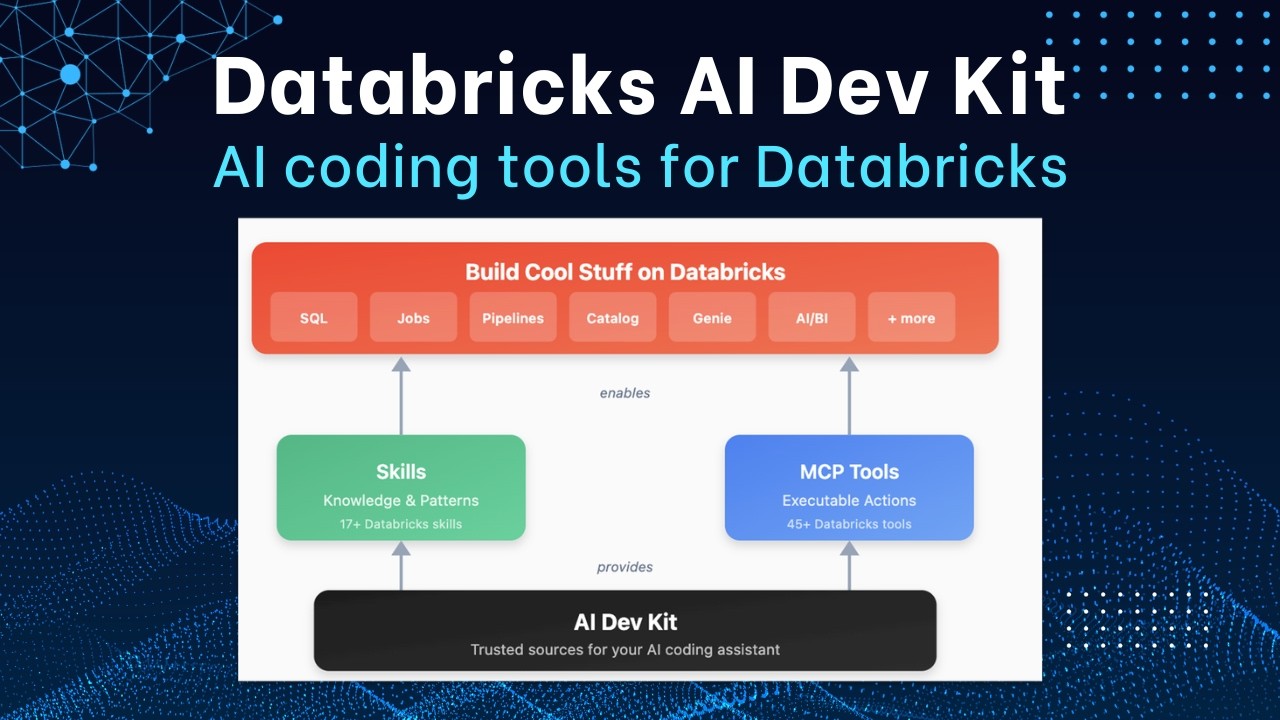
Introducing Databricks AI Dev Kit - Skills, MCP server, Builder App
The Databricks AI Dev Kit provides agent skills, an MCP server, and a Builder App to enhance AI-driven development on Databricks. It allows users to integrate AI coding tools with Databricks best practices, extending LLM capabilities through specialized functions and offering a chat-based interface for building applications.
5 Tips to Get More Out of Your Claude Code with MLflow
MLflow now offers an MCP server, CLIs, and Skills to extend Claude Code, enabling you to trace tokens and monitor tool usage. These five tips will help you transform your Claude coding agent into a transparent and controllable workflow.
 News
NewsTurbo-Charge your Agents with instant MCP in Databricks
The video demonstrates how to use Model Context Protocol (MCP) in Databricks to give AI agents "superpowers" by enabling them to interact with various tools and data sources. It shows how to easily set up MCP servers within Databricks to connect agents to Unity Catalog functions, vector search, external APIs, and even marketplace MCP services, all without extensive coding.
 News
NewsClaude Code: 5 Essentials for Data Engineering
The video introduces five essential concepts for using Claude Code in data engineering: the cloud.mmd file for core project information, skills for packaging expertise, commands for predefined prompts, sub-agents for focused tasks, and Model Context Protocol (MCP) for standardized tool interaction. These components help manage context and memory for effective AI-enhanced development.
 News
NewsDatabricks: What’s new in September 2025? #databricks
Databricks now supports geospatial data types (geography and geometry) with new functions for visualization and spatial operations, and introduces serverless GPU clusters for distributed GPU code execution. The platform also offers enhanced notebook features like side-by-side editing and a notebook-specific search, along with new options for managing serverless environments, SQL warehouses, and access requests in Unity Catalog.
 News
NewsAI Agents in Action: Structuring Unstructured Data on Demand With Databricks and Unstructured
Unstructured's MCP server enables LLMs to directly transform unstructured data (PDFs, documents, images) into JSON using natural language commands instead of code. Their agentic approach retrieves data on-demand from sources like S3 and SharePoint, reducing costs compared to traditional full data ingestion into vector databases.
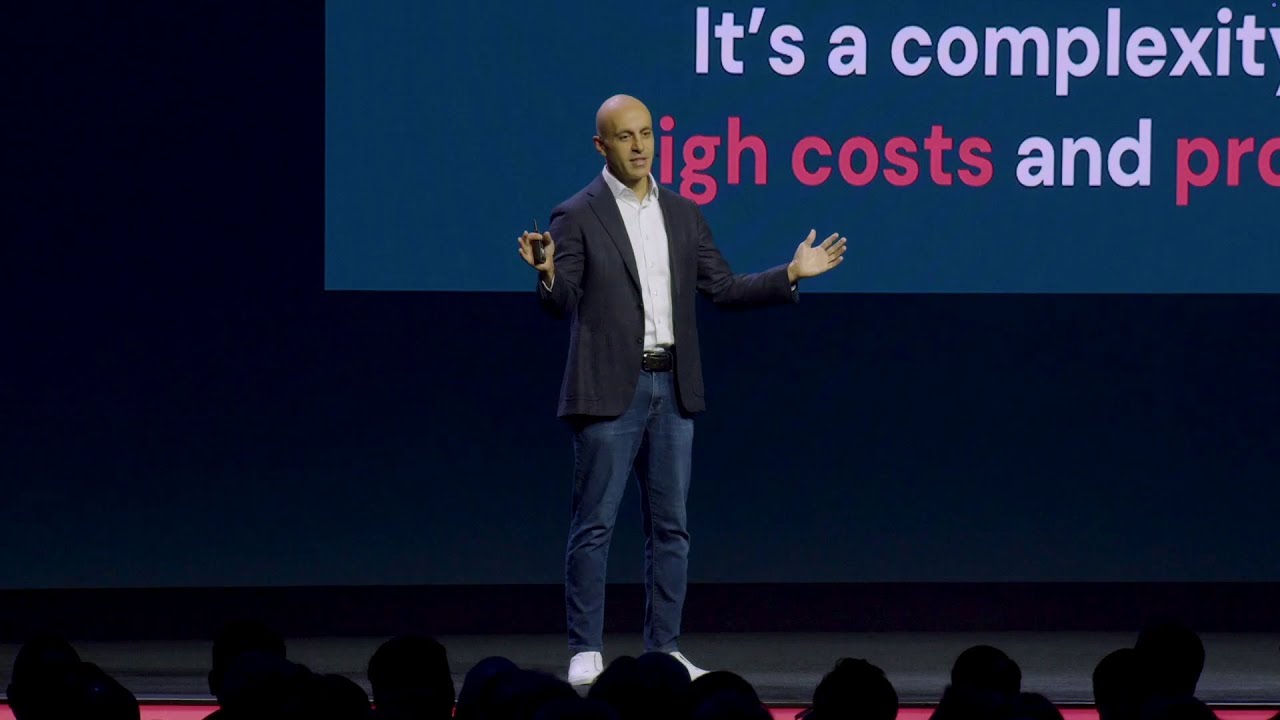 Events
Data + AI Summit Keynote Day 1
Databricks introduced Lakebase, a serverless Postgres database with storage-compute separation and instant branching designed for AI agents, alongside Databricks Apps for deploying secure production data applications with built-in governance. The company unified support for both Delta Lake and Apache Iceberg formats through Unity Catalog while emphasizing AI-driven democratization through natural-language data access and intelligent coding agents.
Get Tuesday's version of this
Tracking MCP? The Tuesday email carries what moved across the whole ecosystem, not just this topic. Free, one-click unsubscribe.