
Databricks AI Search
Recent items mentioning Databricks AI Search across the Databricks ecosystem — releases, news, videos, and community Q&A. Updated hourly.
Databricks published a production reference architecture pairing AI Search for candidate retrieval with Lakebase and Model Serving to deliver unified, low-latency e-commerce recommendations 1. Meanwhile, practitioners are navigating indexing friction, reporting issues where generated AI Search indexes cannot be reused following Knowledge Assistant load failures 3.
Generated daily from the 7 most recent items mentioning Databricks AI Search. Click any [N] to jump to the source.
Real-Time Retail Intelligence: Building E-Commerce Recommendations with Lakebase and AI Search on Databricks
A complete reference architecture is now available for building a real-time, multi-stage e-commerce recommendation engine on Databricks using AI Search for candidate retrieval, Lakebase for online feature serving, and Model Serving for low-latency inference. By unifying batch precomputation and real-time scoring on a single governed platform, this design replaces fragmented ML stacks to eliminate glue code and deliver end-to-end lineage from raw clickstream to production predictions.
Lakebase Search: State-of-the-art full text and vector search for Postgres
Lakebase Postgres now includes a built-in search engine, generally available on AWS and Azure, that enables native semantic, keyword, and hybrid search directly alongside operational data without separate ETL pipelines. Featuring a serverless architecture that scales to zero and decouples storage from compute, it delivers twice the throughput at a quarter of the cost of cloud Postgres with pgvector on 100-million-vector benchmarks.
Knowledge Assistant fails to load after indexing; generated AI Search index cannot be reused
 News
NewsHow adidas Uses Databricks to Build Better Products
Adidas uses Databricks' lakehouse platform to centralize all its data—from product to football-related insights—enabling faster analytics across the organization. The company's Genie analytics tool helps analysts spend less time processing data and more time on strategic questions, ultimately supporting better product development.
Direct deployment state version 3 is a breaking change requiring Databricks CLI v1.8.0 or later. New capabilities include Docker credential helpers for Databricks Artifact Registry, AI Gateway service support in bundles, file-change job run triggers, and bundle improvements for resource reference handling, deployment reporting, and state management.
Workshop, Sep 19: build explainable AI apps with Neo4j, GraphRAG, Cypher and LLM Agents
There's a hands-on workshop on September 19 relevant if your team runs its data platform on Databricks and is looking at adding an explainable, graph-backed RAG layer on top for reasoning over structured and unstructured data. You build: A knowledge graph in Neo4j that becomes your single source of truth for an agentic RAG system Agentic retrieval combining vector search, keyword search, and graph navigation Multi-step, verified entity and relationship extraction Text-to-Cypher for natural language graph querying Explainable, source-traceable answers with evaluation built in Runs on real financial filings and news data, working through a complete production use case. Led by Dr. Alessandro Negro, Chief Scientist at GraphAware, bestselling author. Link if you want to check it out submitted by /u/camerongreen95 [link] [comments]
Could a “Data → Agent” composer be useful for Databricks?
I've been thinking about a gap between Databricks data and agent frameworks. Databricks already has a lot of the building blocks: - Unity Catalog - Genie / Genie Agents - MCP - Vector Search - AI Gateway - Agent skills/tools - MLflow - Omnigent / Kasal And tools like Omnigent and Kasal already solve a lot of the agent orchestration/execution side. But I'm wondering about the step before that: What if a customer already has a large, curated and governed Databricks data estate — how do we turn that data estate into an agent-ready configuration without manually wiring everything together? Something like: Existing Databricks Data Estate ↓ Data-to-Agent Composer ↓ ┌────────┼─────────┐ ↓ ↓ ↓ Domains Semantics Metrics ↓ ↓ ↓ Genie MCP Skills └────────┼─────────┘ ↓ Agent Configuration ↓ Omnigent / Kasal ↓ Agent The idea wouldn't be to build another chatbot or another agent framework. It would be a Databricks-native composition/bootstrapping layer that understands an existing Unity Catalog/data estate and generates the pieces needed for agents to work with that data — domain boundaries, semantic context, approved tools, Genie configuration, MCP exposure, skills, policies, evaluation setup, etc. In other words: Kasal/Omnigent: Agent → Tools/Data Proposed layer: Data Estate → Agent I'm curious if this is already solved somewhere in the Databricks ecosystem, or if people are currently doing this manually when building enterprise data agents. Would love to hear how others are approaching the “existing data estate → production-ready data agent” problem. submitted by /u/imsuryya [link] [comments]
Azure AI Foundry + Databricks Architecture | Deploy Genie Agent with DAB...
Azure AI Foundry Databricks architecture, Deploy Genie Agent with DABs, Databricks Genie Agent, Azure Databricks Genie Space, how to deploy genie agent with declarative automation bundles, azure ai foundry + databricks integration, fully operating genie architecture databricks, databricks unity catalog genie agent, azure databricks bronze silver gold architecture, agent to agent nlq databricks, databricks spark python sql delta lake unity catalog, production ready genie agent deployment, databricks vector search index genie, microsoft purview databricks governance submitted by /u/macxima [link] [comments]
 News
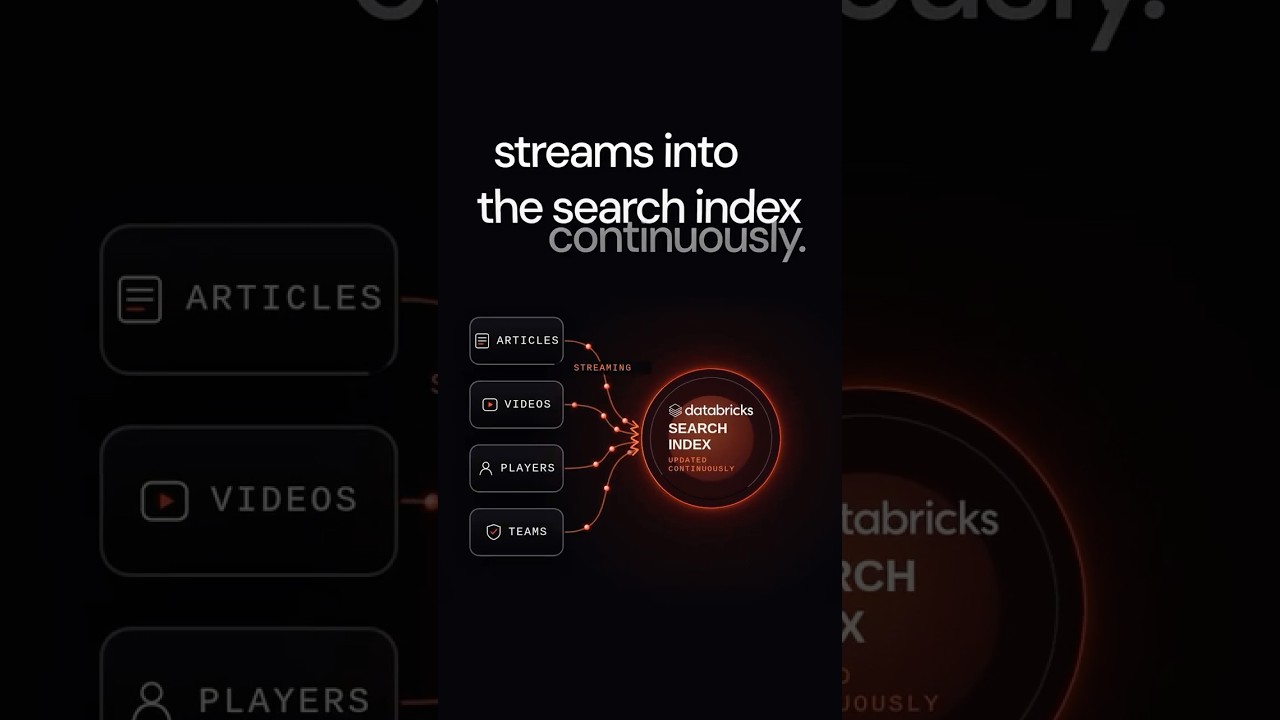
NewsHow FOX Sports Uses AI to Power Search
Fox Sports rebuilt their search system on Databricks to handle rapidly changing sports information by continuously streaming player, team, and content data into the index while computing real-time trends. The system uses semantic vector search with time-weighted ranking to surface fresh content higher, doubling the rate at which users find what they're looking for.
The Terraform deployment engine is now deprecated; migrate to the direct deployment engine for continued support. AI runtime tasks now automatically package local directories into tarballs during deployment, and the direct engine fixes several convergence issues with empty grants, webhook notification ordering, pipeline configuration, and vector search index creation.
Demystifying Databricks Full Text Search: It’s Not Vector Search (And That’s Okay!)
SSH connect now supports specifying serverless usage policies via --usage-policy-id, and bundle deploy/destroy are more robust against transient app states and full workspaces. Bundle validation is stricter for grants while empty field values are now dropped, fixing deployment failures and spurious permission drift.
Building an Enterprise RAG Chatbot with Databricks Mosaic AI and Vector Search
From prototype to production: High QPS for Databricks AI Search
High QPS for Databricks AI Search is now generally available, enabling endpoints to scale to thousands of queries per second with a single configuration parameter. Teams can support peak production traffic for real-time search, personalization, and entity resolution without managing replicas or load balancers, backed by built-in UI observability for QPS, latency, and health.
Scaling document classification to 100k+ labels
Databricks practitioners can scale document classification to over 100,000 labels by pairing SQL-native vector search with the AI Classify function to retrieve and select from a shortlist of candidate labels. Across three benchmarks, this hybrid approach beat the best cost-efficient frontier model by five points of accuracy at roughly a hundredth of the token cost.
Building a soccer coaching app on Databricks
Coach's Corner is a Databricks App that processes 25 fps match tracking data into a sub-second 2D/3D tactical bench with replays, event analytics, a scout chat, and an opponent-dossier agent. The end-to-end solution is powered entirely on the Databricks platform, utilizing Lakeflow pipelines for data refinement, DBSQL and Lakebase for rapid querying, and Unity Catalog-governed AI tools like Genie, Vector Search, and MLflow tracing.
Governance for vector search across multi domain unstructured data
Sharing Vector Search Indexes Across Databricks Workspaces with Terraform
Databricks AI Search
End-to-End RAG Workflow: How Retrieval Augmented Generation Works
Databricks now offers a five-stage RAG workflow for connecting LLMs to external knowledge bases, enabling accurate, domain-specific answers without model retraining. Production RAG requires careful selection of embedding models, vector database indexing, chunking strategies, and hybrid search, with independent evaluation of retrieval precision and generation faithfulness.
What is Vector Search?
Vector search retrieves information based on meaning and context using embeddings, solving keyword-only search limitations for use cases like RAG and recommendations. Databricks AI Search adds reranking, metadata filtering, and automated index updates to improve relevance and simplify operations for production systems.
 Events
Recap of product announcements from Data + AI Summit 2026 | Day 1
Databricks announced several new products and features at the Data + AI Summit 2026, Day 1, including the Genetic Data Foundation, Lakehouse RT, Lake Base with disaster recovery, Lake Flow, Genie Ontology, Unity AI Gateway, Omnigent, and various Genie agents (Genie 1, Genie Code, Genie Agents). They also introduced new applications like Lake Watch for SIM and Customer Lake for CP.
The CLI improves SSH error reporting with server logs, extends timeouts to 45 minutes for GPU accelerators, fixes environment variable handling to prevent default profile fallback, and corrects Cursor integration hanging. Bundle deployments prevent WAL corruption after failed deploys, fix resource references used multiple times within the same field, add postgres_roles and postgres_databases resources for Lakebase branches, and eliminate spurious recreates when names are backend-normalized.
This release adds new Postgres data API methods to the workspace client, introduces Dynamics 365 as a catalog connection type, and adds capacity reservation and sync configuration fields across compute, database, and vector search services. Additionally, the resource ID field in bundle deployment operations is no longer required, which represents a breaking change.
This release fixes an issue where tag policy and assignment operations failed for hierarchical tag keys containing slashes. It also introduces a breaking change by making the ResourceId field optional in bundledeployments.Operation and adds support for Dynamics365 connection types and EndpointId in vector search indexes.
HealthCare Prior Authorizations with Databricks Lakebase Vector Search
The direct deployment engine is now generally available and the default for new bundle deployments, while existing deployments continue using their current engine. The CLI adds a quickstart command, version checking, authentication verification fixes for account console profiles, and a new genie_spaces bundle resource for managing Databricks Genie spaces.
This release introduces the AI Search and Bundle Deployments services to the workspace client, while removing the legacy bundle service and package. Additionally, it adds new configuration fields across multiple services, including custom retention hours for catalogs and schemas, auto-clustering options for pipelines, and facet filtering for vector search queries.
The Databricks Python SDK v0.116.0 adds new workspace services for AI Search and Bundle Deployments, along with configuration options for Vector Search facets, Delta Live Tables auto-clustering, and custom catalog retention hours. This release also introduces a breaking change by removing the legacy bundle workspace service and package.
Databricks Asset Bundles now includes a select flag in the direct deployment engine to plan and deploy specific resource subsets, along with support for Terraform references and automatic transient HTTP retries. The experimental open command expands to support additional workspace resources such as volumes and vector search endpoints, while notebook task paths now correctly preserve Lakeflow Designer files.
Bring Databricks into Kiro IDE with the AI Dev Kit Power
The Databricks AI Dev Kit Power now offers a one-click setup to integrate Kiro IDE with the full Databricks platform, providing AI-assisted development grounded in your workspace's Unity Catalog metadata. This new path, alongside a lighter PAT-based option, ensures your AI assistant writes SQL with actual columns and respects all row, column, and tag-based grants.
The provider adds service principal Git credential management via principal_id on databricks_git_credential and enables permission management for Agent Bricks resources. Key fixes include metastore external_access_enabled now properly sent in PATCH requests, vector search index timeout increased to 75 minutes and made configurable, and workspace_id now accepting connection IDs alongside numeric workspace IDs.
New Databricks Certificate Announcement
Databricks has officially launched a brand-new **Databricks Context Engineer Associate** currently available in **Beta** This exam focuses on designing and managing the context layer for AI agents, including: • Prompt & instruction engineering • Retrieval systems & Vector Search • Agent memory architectures • Tool integration using MCP • Governance, PII handling & policy enforcement • Multi-agent workflows and context optimization A very interesting move as Context Engineering becomes a critical skill in building reliable enterprise AI systems. The beta exam will be delivered live at DAIS 2026.
The error reported when a direct-only resource (catalogs, external locations, vector search endpoints) is used with the terraform engine now also suggests setting bundle.engine: direct in databricks.yml, in addition to the DATABRICKS_BUNDLE_ENGINE environment variable (#5295).
Document Intelligence on Databricks
80% of enterprise data is locked inside PDFs, scans, emails and contracts and most teams still treat it as someone else's problem. Document Intelligence on Databricks changes that. One SQL function (ai\_parse\_document), governed by Unity Catalog, integrated with Lakeflow for ingestion, Agent Bricks for structured extraction, and Vector Search for RAG. No stitched-together OCR vendors, no brittle Python glue, no separate platform to govern. I put together with [Archika Dogra](https://www.linkedin.com/in/archikadogra/) a walkthrough showing how it actually works end-to-end from a folder of raw PDFs to queryable Delta tables and downstream agents. ▶️ [https://youtu.be/sdG73gI143c](https://youtu.be/sdG73gI143c) Curious to hear what use cases you're tackling invoices, contracts, claims, technical docs? Drop them in the comments.
Context Engineer Associate Beta Ex︁am + free attempt at DAIS
Context engineering is quickly becoming one of the key skills for building reliable AI agent systems. Databricks has just introduced the **Databricks Context Engineer Associate** **Ex︁am**, focused on designing, assembling, and governing the information AI agents receive at inference time - including prompts, retrieval systems, memory, tools, governance, and evaluation. The ex︁am is currently available as a **live beta at Data + AI Summit 2026**, and Databricks states that **one free onsite exam attempt will be offered during Summit**. Walk-ins only, one per attendee. Great opportunity for anyone working with GenAI, AI agents, Vector Search, Unity Catalog, MLflow, MCP, or Lakebase. [https://www.databricks.com/learn/certification/context-engineer-associate](https://www.databricks.com/learn/certification/context-engineer-associate)
Knowledge bases in medallion architecture
Would you put knowledge bases in the bronze/silver/gold layer? The raw documents definitely reside in the bronze layer. But if I create AI Agents atop a volume storing the raw documents, then the knowledge base remains in bronze. However, if I create vector embeddings/do chunking/create a vector search index, then these tables should be in the silver layer. Am I on the right track?
 News
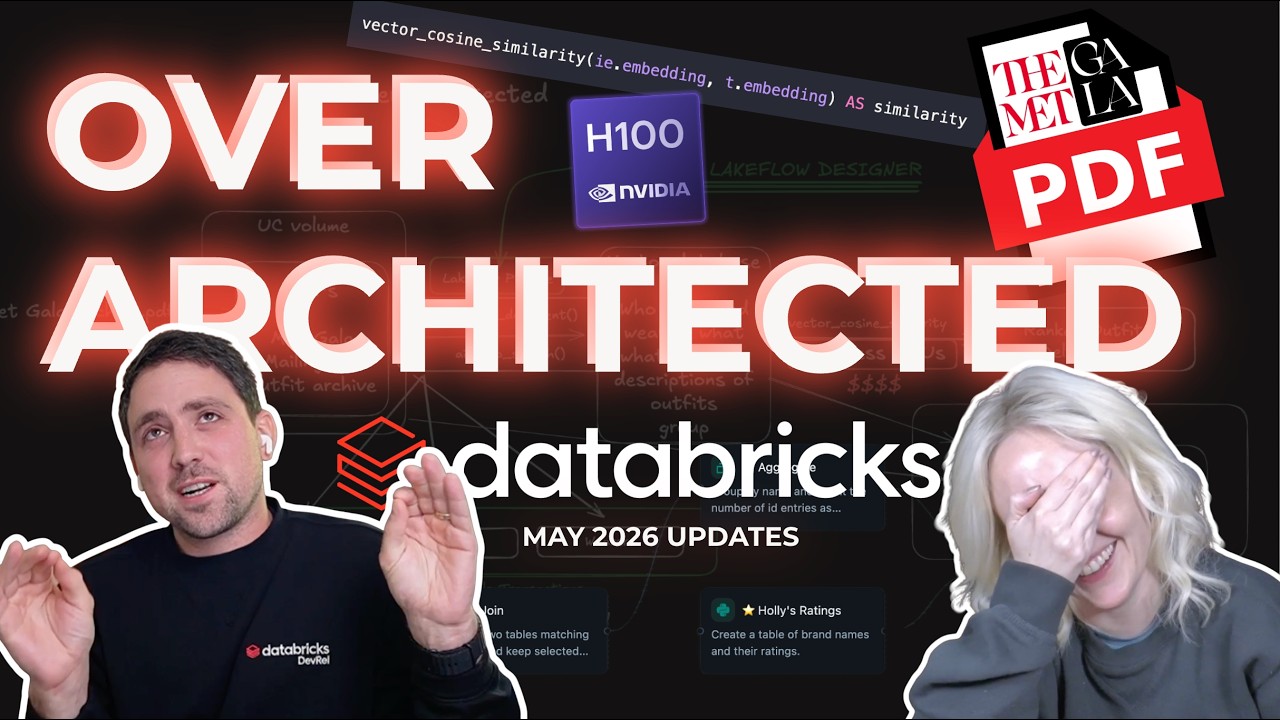
NewsMay 2026 Databricks Updates: No Code ETL, New GPUs and Death of the Dashboard
Databricks announced several updates including AI Prep Search for document chunking and vector database preparation, SQL vector functions for embedding mathematics, and the general availability of multi-table transactions. They also introduced Lakeflow Designer for visual, no-code data pipeline creation and updated their serverless GPU offerings to include H100s.
This release introduces a breaking change that renames the min_qps configuration and CLI flag to target_qps for vector search endpoints, and it stops applying bundle name prefixes to these endpoints. Additionally, it improves the interactive authentication profile pickers, enhances OS keyring token storage behavior, and fixes bundle bugs related to nested notebook directory generation and multi-profile authentication propagation.
This release fixes an issue where the Databricks CLI --profile fallback was broken. It also introduces new API methods for workspaceClient.supervisorAgents() and workspaceClient.vectorSearchEndpoints(), along with several breaking changes related to Example and Tool fields, and minQps in Vector Search endpoints.
This release introduces new methods for managing supervisor agents and vector search endpoints, along with several new fields for connector options, ingestion sources, and customer-managed keys. Breaking changes include the removal of min_qps fields from vector search endpoint configurations and making guidelines and description fields optional in certain services.
Vector Search in DABS
More and more resources are available under DABS. The newest addition is the Vector Search Endpoint. #databricks [https://medium.com/@databrickster/databricks-news-watermark-based-incremental-ingestion-mcp-in-ai-gateway-void-bba5021b29de](https://medium.com/@databrickster/databricks-news-watermark-based-incremental-ingestion-mcp-in-ai-gateway-void-bba5021b29de)
 News
NewsDatabricks News: watermark-based incremental ingestion, MCP in AI gateway, Genie, Vector Search
Databricks now offers watermark-based incremental ingestion from SQL databases without change data feed, allowing for efficient data updates and soft deletion handling. The AI Gateway supports custom MCP servers, enabling integration with external APIs like GitHub for enhanced AI application development.
Marimo on Databricks
My workflow for a long time involved me switching back/forth between vscode and browser/databricks ui. I like to write my "production code" in normal python, but notebooks are great for exploration, spikes, visualization, triage etc. I could write a small dissertation but for various reasons I don't really like jupyter, and databricks notebooks have their own problems with commented magic commands etc. This led me to check out [marimo](https://marimo.io/), and wow, these are so cool. Code that runs in normal python, merges cleanly, has visualizations, widgets, the the app runs locally and doesn't glitch out, and even the vscode extension works nicely. The problem was, the databricks support wasn't great. It just felt a bit dated. It required a warehouse for sql, doesn't seem to really support serverless, and there were just so many oppurtunities to plug databricks into Marimo. This led me to create [marimo-databricks-connect](https://github.com/brookpatten/marimo-databricks-connect) [pypi](https://pypi.org/project/marimo-databricks-connect/) I tried to plug in "all the things" databricks into the place where they go in Marimo. I'm pretty happy with the result. - Connect to databricks using databricks-connect & spark (not sql warehouse) - Authenticate/configure spark using the default databricks-connect process (env vars, .databrickscfg etc), no additional auth config. - Execution of both python & sql cells - Autocomplete Catalog/Schema/Table/Column Names - Browsing of catalogs/schemas/tables/columns in the marimo data sources view - Browsing of external locations, volumes, dbfs, workspace in the marimo storage browser Notebook widgets to monitor and control of specific instances of databricks capabilities (clusters, workflows, vector search, apps etc) - Widgets to browse & explore databricks capabilities (compute, workflows, unity catalog) - Works in local marimo marimo edit notebook.py, in the vscode extension - Deploy as a databricks app to provide an alternative web based marimo UI. I'm working on adding serving endpoints as AI providers to the notebooks too. In particular what I like to use this for is creating "command center" notebooks for given processes that can include some normal pyspark/sql code to query/triage, widgets to monitor/control various databricks resources, visualizations to monitor dq etc. I just wanted to share and see what the community thinks, would you use it? contributions are welcome. throwaway account because i'm doxing myself via gh repo.
I built a 54-minute hands-on RAG tutorial on Databricks — from PDF loading to retrieval and LLM answers
Hi Everyone I recently published a hands-on tutorial where I build a basic **RAG pipeline on Databricks** from scratch. The goal of the video is not just to use a high-level RAG framework, but to show what actually happens behind the scenes. In the video, I cover: * Loading PDF files inside Databricks * Extracting text from PDF pages * Splitting documents into chunks * Creating embeddings using Databricks embedding endpoints * Building a simple manual retrieval system using vector similarity * Creating prompts from retrieved chunks * Generating grounded answers using Databricks LLM endpoints * Using `databricks-langchain` for embeddings and chat models I intentionally kept the implementation simple so that beginners can understand the core mechanics of RAG before moving to more production-level tools like Vector Search, Unity Catalog, MLflow, etc. Here is the video: [https://youtu.be/7QY1iXPLgRg](https://youtu.be/7QY1iXPLgRg) Would love to hear feedback from people working with Databricks, RAG, LangChain, or enterprise GenAI systems. Also curious: for production RAG on Databricks, would you prefer starting with a simple manual implementation like this first, or directly using Mosaic AI Vector Search / Databricks Vector Search from the beginning?
 Tutorials
Lakebase and PG Vector: Vector Search of the Future?
The video demonstrates how to implement vector search using Lakebase and PG Vector within Databricks, focusing on two patterns: Lakebase native and reverse ETL from the lakehouse. It walks through setting up a maintenance co-pilot application that leverages PG Vector for semantic search, joins, and filtering on maintenance logs, showcasing the process from data embedding to app deployment and job scheduling for continuous updates.
The CLI now supports a --limit flag for paginated list commands and caches host metadata lookups for faster repeated invocations. Bundles gain support for Vector Search Endpoints and prompt before destroying Lakebase resources.
Decoupled by Design: Billion-Scale Vector Search
Benchmark Your Way to Better RAG and Agents:Tuning Vector Search with MLflow
Tuning vector search for RAG and AI agents requires isolating one configuration knob at a time against a fixed evaluation set rather than relying on default settings. Using MLflow retriever evaluation to track metrics like precision@k and nDCG@k lets teams systematically measure and compare the impact of embedding models, chunk sizes, and rerankers side by side.
 News
NewsTurbo-Charge your Agents with instant MCP in Databricks
The video demonstrates how to use Model Context Protocol (MCP) in Databricks to give AI agents "superpowers" by enabling them to interact with various tools and data sources. It shows how to easily set up MCP servers within Databricks to connect agents to Unity Catalog functions, vector search, external APIs, and even marketplace MCP services, all without extensive coding.
 News
NewsDatabricks Breaking News: Week 50: 8 December 2025 to 14 December 2025 #databricks news
Databricks now supports native reading and writing of Excel files in PySpark, SQL, and Autoloader, including features like sheet listing and range targeting. Additionally, Databricks Runtime 18 is available in beta, introducing improvements for streaming queries and new system columns for job tables, alongside a new Legase experience with project and branching capabilities for transactional databases.
 News
NewsHarnessing Real-Time Data and AI for Retail Innovation
The session demonstrates a retail recommendation system that uses vector search to find similar customers and recommends their unpurchased products, powered by LLM analysis of customer reviews. It shows how Databricks integrates Delta Live Tables, batch inference, and real-time data processing to operationalize personalized recommendations at scale.
 Events
Patrick Wendell, Co-founder and VP of Engineering on Building Production-Quality AI Systems
Databricks provides the Mosaic AI platform, which enables companies to transform general-purpose language models into customized data-intelligent applications. The system leverages tools such as zero-code fine-tuning, the Unity Catalog for data governance, vector search for retrieval-augmented generation, and MLflow for tracing and evaluation.
 Events
The Best Data Warehouse is a Lakehouse
Databricks SQL provides data warehousing capabilities on a lakehouse architecture, integrating core database features, governance, and business intelligence integrations. The platform utilizes AI systems to deliver automated query optimization, performance scaling, and built-in vector search functions.
Get Tuesday's version of this
Tracking Databricks AI Search? The Tuesday email carries what moved across the whole ecosystem, not just this topic. Free, one-click unsubscribe.