
Delta Live Tables
Recent items mentioning Delta Live Tables across the Databricks ecosystem — releases, news, videos, and community Q&A. Updated hourly.
Databricks positions Delta Live Tables expectations alongside Lakehouse Monitoring and Unity Catalog as the core validation layer for operationalizing enterprise data products and upfront data contracts 4. Across community discussions, practitioners are actively benchmarking DLT against custom in-house frameworks 2 and Microsoft Fabric's native data quality features 1, while navigating technical configurations such as mixing table overwrites with append targets in a single pipeline 3.
Generated daily from the 4 most recent items mentioning Delta Live Tables. Click any [N] to jump to the source.
Data Quality in Microsoft Fabric – Native features vs. external tools (like Databricks Expectations)?
Hey everyone! I’ve been working a lot with data quality frameworks in Databricks (leveraging things like Delta Live Tables expectations or custom validation notebooks), and I'm curious about how the community is handling Data Quality in Microsoft Fabric. Does Fabric have a native, built-in feature for data quality/expectations (similar to what Databricks offers), or are most of you relying on external tools, libraries (like Great Expectations/Soda), or custom PySpark/SQL validation notebooks inside Data Engineering pipelines? How are you currently enforcing quality checks before data hits your Gold/Semantic layers in Fabric? Would love to hear your approaches and best practices! I read this documentation here: https://learn.microsoft.com/en-us/purview/unified-catalog-data-quality-fabric-lakehouse?WT.mc_id=510336 , but it doesn't say much. submitted by /u/SuperbNews2050 [link] [comments]
Live Table Vs custom made framework
Hi everyone. I’d like to know how you’ve been approaching your new Databricks projects, especially regarding Delta Live Tables. For new data environments, are you implementing projects using Delta Live Tables, or do you continue to develop using your own custom Spark code? Late last year, I completed a project using Delta Live Tables. There were a few things that bothered me, such as: - not being able to use conditional logic within the Live Table code; - materialized views—despite offering incremental refresh capabilities—often ended up performing full refreshes anyway; - the inability to specify which metadata columns should be updated during the merge process. I’m about to define the architecture for some clients who use Databricks, and I’m torn between using my custom framework built with Spark code or migrating to the industry-standard approach of using Live Tables. submitted by /u/warleyco96 [link] [comments]
DLT Pipeline - Overwrite except for one Append table
Cost-optimized way to reflect source DB changes in Silver in <1 minute?
Due to new business requirements, we need to reflect the state of a few source DB tables (5 to 40 million rows each) in the Databricks Silver layer in less than 1 minute. Currently, the flow looks like this: Source DB → AWS DMS in CDC mode (ingests new data every 30 seconds to S3) → S3 landing bucket → DLT pipeline running on serverless compute in continuous mode. The DLT pipeline ingests the append-only data into the Bronze layer using file notification mode and updates the Silver layer using an Auto CDC flow. This works great, and we achieved what we wanted with relatively low effort because we already had DMS in place. We just added an extra replication task to ingest data more frequently for the tables we need. However, in this setup, the DLT pipeline costs are quite high. Ingesting just 6 Bronze tables and 6 Silver (Auto CDC) tables costs around $50 per day, which is about $1,500 per month. For comparison, DMS, which replicates more than 800 tables to S3, costs us less than half of that. My question is : is there any other more cost-optimized option we could consider to achieve less than 1 minute latency when reflecting the source DB state in the Silver layer? Maybe Lakeflow Connect or some custom process? Extra notes: - I know that adding more tables to the DLT pipeline makes the cost per table lower because Databricks can optimize the clusters more efficiently. - I know that using a cron schedule could reduce costs, but for these particular tables, we can’t use a schedule like every 10 minutes or similar because we need the data to be updated in less than 1 minute. - I know that for the relatively small tables currently in scope, we could eliminate the Auto CDC flow and create a normal view on top of the Bronze table, with deduplication and deletion logic. This would slightly sacrifice query performance, but we expect more similar use cases in the future, so I’m looking for a solution that can scale. submitted by /u/CyberEnzo [link] [comments]
Building High-Quality and Trusted Data Products with Databricks
Building enterprise-ready data products requires pairing dedicated product ownership and upfront data contracts with end-to-end quality controls. Practitioners can operationalize this lifecycle on Databricks by validating pipelines with Delta Live Tables expectations, automating quality alerts with Lakehouse Monitoring, and centralizing governance and documentation in Unity Catalog.
DLT pipeline cloning to another workspace.
This release introduces a breaking change by removing the CodeSourcePath field from AI runtime job tasks. It also adds the EffectiveWorkspaceId field for disaster recovery stable URLs and the SourceMetadataColumn field for Delta Live Tables pipeline configurations.
Delta Table in DLT pipeline
DLT pipelines failing out of memory (serverless)
This release adds the serverlessComputeId field to Delta Live Tables pipeline configurations, including pipeline creation, editing, cloning, and specification models. Databricks practitioners can now programmatically configure and manage serverless compute resources for their pipelines using the Java SDK.
This release adds a new ServerlessComputeId field to Delta Live Tables pipeline configurations in the Go SDK. Practitioners can now use this field when creating, editing, cloning, or specifying the configuration of serverless pipelines.
The Databricks Python SDK v0.116.0 adds new workspace services for AI Search and Bundle Deployments, along with configuration options for Vector Search facets, Delta Live Tables auto-clustering, and custom catalog retention hours. This release also introduces a breaking change by removing the legacy bundle workspace service and package.
DLT pipeline's compute policy when Instance pool Id used it ignores the VM series.
Feature request: Lazy materialisation of views and DLT pipelines.
Hi all, I posted an idea over at the Azure Databricks ideas forum and I’m looking to drum up votes, and get feedback from yourselves and visibility to any Databricks product people who might be listening here! [https://feedback.azure.com/d365community/idea/3deefcc2-4552-f111-9a90-7c1e52cbf8e3](https://feedback.azure.com/d365community/idea/3deefcc2-4552-f111-9a90-7c1e52cbf8e3) (I don’t know why DataBricks’ ideas forum is specific to Azure, but consider the request to apply to AWS and all other flavours!) Reproducing here so you can chime in and decide if you wanna go vote: **Lazy materialisation of views and DLT pipelines.** I would love to see an option for materialised views and dlt pipelines to be updated lazily/on demand. So when a person or process actually comes to read from the output table, trigger the latest update at that point only. If no one is reading from the tables, don't update them. This would make it much simpler to balance costs with freshness when usage is unpredictable or changes over time. i understand that this may mean that queries are slower than they would have been if materialisation had been scheduled. However if people are actually reading it frequently, and the views/pipelines are setup to be incremental, this overhead may often be small. It is also a trade off that makes sense in lots of cases. For extra brownie points, config that allowed you to tune it so that it only ran at minimum or maximum intervals would be great. A minimum, eg "at least once a day" would allow you to set an limit on how long someone might have to wait if it hasn't updated recently. A maximum, eg "at most once an hour", would prevent excessive costs and minimise waiting if people are querying it every few seconds. **Context** As a data engineer (or analyst/scientist) you face a constant juggling act between ensuring data is available in a performant and easy to use format when users want it, vs keeping processing costs down and ongoing management and maintenance of the complexity of lots of scheduled jobs to prep it. As the manager myself of a large data platform on Databricks, with hundreds of people building new processes every other day, it is a constant game of whack a mole to keep a lid on spiraling costs. Some jobs are really only needed for a short time, like the life of a product experiment, or in dev environments for UAT, but people forget to turn them off. Sometimes jobs are scheduled frequently like realtime or hourly, because a stakeholder insisted that was needed, but in reality they only look at it once a day. Sometimes jobs that were needed frequently when first created have just slowly become less important over time. The end result is constant accumulation of processing costs which are waste. My team does what we can to monitor and try and keep a lid on it, but it is a constant game of whack a mole. Periodically we do larger sweeps and ask hard questions about what is really needed, and we often find 20-50% of stuff can simply be switched off. Lazy materialisation would drastically simplify management of the platform and reduce waste and costs. It would also free up creators from having to try and predict and keep tabs on the usage of everything they build. And finally, it would allow users of data to get the most up to date data when they need it.
Schema Evolution and Schema Enforcement without Delta live Tables & Unity catalog
What’s new in the Lakeflow Pipelines Editor
(Databricks PM here) Excited to share that the **Lakeflow Pipelines Editor is now generally available**! This is the code editor for building Lakeflow Spark Declarative Pipelines (formerly Delta Live Tables pipelines). We shipped a few new features inside it that we'd love your feedback on. **Redesigned layout for AI first development** We now land users directly into the code and offer flexibility on where to dock the pipeline graph. By default you will now find it in the bottom panel with the option to open it up in a dedicated tab. This makes it easier to view your code, pipeline graph / table metrics and Genie Code chat window side by side. *(Genie Code is GA.)* https://preview.redd.it/hffbcydvtg0h1.png?width=2048&format=png&auto=webp&s=c071b1c1d012dd47f92438933a526ba2524409f1 https://preview.redd.it/kzcahydvtg0h1.png?width=2048&format=png&auto=webp&s=808600f720ff798a415fce412772dcc0ab6edc4f **Run selected SQL code to preview data** Previously, the only way to see what a query produced was to materialize the table and re-run the pipeline. You can now highlight a block of SQL in a pipeline source file and run just that selection to preview the result — no materialization needed. Useful when you're working on a transformation and want to inspect the output before running the pipeline and materializing the data. https://preview.redd.it/za6s0zdvtg0h1.png?width=1480&format=png&auto=webp&s=3c4efb658fa6ed5a288e23bb3c2a3b90c383b740 Let us know if you are interested in seeing the same feature supported for Python! **Incrementalization insights** When a materialized view can't refresh incrementally, it falls back to a full recompute which leads to longer duration and higher cost. The editor now flags the most common patterns that prevent incrementalization directly in your code. https://preview.redd.it/i9ahdzdvtg0h1.png?width=2048&format=png&auto=webp&s=bf6c29eb6b3575182253d32e1b506ddd8138022f You can also see their aggregation in the issues panel so you can see them across the whole pipeline at a glance. https://preview.redd.it/ollfgzdvtg0h1.png?width=2048&format=png&auto=webp&s=19767d95d4449dc441f3ec41926b44c12bce9d69 We are still working on increasing our coverage so would love to hear your feedback as we improve this experience. To learn more, [you can check out our docs](https://docs.databricks.com/aws/en/ldp/multi-file-editor)! What other improvements would help your day-to-day pipeline work?
Databricks Data Engineer Associate Exam Updated for 2026
The Databricks Data Engineer Associate exam changed on May 4, 2026. The exam now has 7 domains instead of 5. Two new domains were added. The first new domain is CI/CD. This includes: • Databricks Repos • Git integration • Branching and commits • Deploying Declarative Automation Bundles • Using the Databricks CLI • Moving code from dev to test to production Databricks Asset Bundles is now called Declarative Automation Bundles, so learn the new name. If you have never used Git or the Databricks CLI inside Databricks, spend some time practicing in the Free Edition. Connect a Git repo, make commits, and deploy bundles. Hands-on practice will help a lot. The second new domain is Troubleshooting, Monitoring, and Optimization. This includes: • Reading the Spark UI • Finding bottlenecks like data skew and excessive shuffling • Understanding Liquid Clustering • Predictive optimization • Troubleshooting cluster and memory issues Many courses do not teach Spark UI deeply, so try running queries yourself and checking the Spark UI. Compare good queries with inefficient ones to understand the difference. Some existing domains also changed. Ingestion now includes Lakeflow Connect along with Auto Loader and COPY INTO. Governance now includes: • Column-level masking • Row-level security • Attribute-based access control You now need to understand security beyond basic GRANT permissions. Lakeflow Jobs also tests three trigger types: • Scheduled • File arrival • Table update Know when to use each one. Some product names also changed: • Databricks Asset Bundles → Declarative Automation Bundles • Delta Live Tables → Lakeflow Declarative Pipelines The exam uses the new terminology, so update your study material if you are using older resources. The exam format is still: • 45 scored questions • 90 minutes • $200 There may also be extra unscored questions mixed into the exam. For preparation, the original Academy courses still help for the old domains. But for the two new domains, hands-on practice is very important. Practice: • Spark UI • Git integration • Databricks CLI • Deployments using bundles Also read the latest official exam guide PDF from the Databricks page. Good luck to everyone preparing for the exam.
The learning order that actually works for Databricks. I wasted 3 months before figuring this out.
I want to share something that I wish someone told me when I started learning Databricks because it would have saved me months of confusion. When I first opened Databricks, I did what most people do. I went straight to PySpark because every tutorial said that is what data engineers use. I spent weeks trying to understand RDDs, DataFrames, transformations, actions, lazy evaluation, and the DAG all at once. I could follow along with the instructor but the moment I opened a blank notebook I had no idea where to start. Then I took a step back and tried something different. I started with SQL. Databricks runs SQL natively. I already knew SQL from a previous job. Within an hour I was querying tables, running aggregations, building views. I felt productive for the first time in weeks. That confidence changed everything. Here is the order that worked for me and I genuinely believe it works for most people. Start with SQL on existing tables. Databricks has sample datasets built in. Run SELECT statements. Do GROUP BY. Write JOINs. Get comfortable navigating data. If you already know SQL from any database this stage takes a few days not weeks. Then learn Delta Lake through SQL. Create tables. Insert data. Update rows. Delete rows. Run DESCRIBE HISTORY and see the transaction log. Run SELECT VERSION AS OF and experience time travel. This is where Databricks starts to feel different from other databases. Every table you create is automatically a Delta table so you get versioning, schema enforcement, and ACID transactions without configuring anything. Then move to PySpark DataFrames. Now that you understand what the data looks like and how Delta tables work, PySpark makes way more sense. You understand what df.filter does because you already did WHERE in SQL. You understand what df.groupBy does because you already did GROUP BY. Lazy evaluation clicks faster because you have context for what the transformations are actually doing. Then build pipelines. Take what you learned and chain it together. Read from a source. Transform. Write to a Delta table. Schedule it. Monitor it. This is where Lakeflow (the new name for Delta Live Tables) comes in. But it makes no sense if you skip the previous steps. Then governance. Unity Catalog, permissions, data quality expectations. This feels like admin work when you learn it in isolation but once you have built a pipeline you understand exactly why it matters. The mistake I made was trying to learn PySpark before I understood the data model. I was writing code without knowing what it produced. Once I started with SQL and built up from there everything fell into place faster. One more thing. If you are on Free Edition you do not need to configure clusters. It is serverless. If a tutorial tells you to create a cluster and choose a runtime version that tutorial was written for Community Edition which no longer exists. Just open a notebook and start writing code. Hope this helps someone who is feeling overwhelmed right now. Happy to answer any questions in the comments.
Here are 5 topics that showed up much more than I expected in my DEA exam
I took the Databricks Data Engineer Associate exam recently and wanted to share what actually came up because it was quite different from what I spent most of my time studying. I went in thinking Delta Lake theory and platform architecture would be the big topics. They weren't. The exam is way more practical than I expected. **The first thing** that caught me off guard was how heavily they test Auto Loader. Not just the basics but real scenarios. One question described a pipeline receiving 50,000 new files per day and asked which ingestion method to use and why. You need to understand when Auto Loader makes sense versus COPY INTO, how schema evolution works with mergeSchema, and the difference between directory listing and file notification mode. I probably got six or seven questions just on this one topic. **The second thing** was lazy evaluation. I knew the concept but I wasn't prepared for how they test it. They give you a block of code with four or five DataFrame transformations and ask what happens when you run the cell. The answer is nothing happens because there is no action at the end. But the way they frame the questions makes you second guess yourself if you only memorized the definition without really understanding it. **Third** was Lakeflow expectations. The old name was Delta Live Tables but they use Lakeflow in the exam now. You need to know the three expectation types and when to use each one. They gave me a scenario where the pipeline should log bad records but never drop them and I had to pick the right expectation decorator. Also know the difference between streaming tables and materialized views because that came up more than once. **Fourth** was Unity Catalog permissions. Not just the three level naming pattern but actual grant scenarios. Something like a data analyst needs to read tables in the sales schema but should not be able to create new tables and you have to pick the correct grant statement. I got at least three or four questions like this. **Fifth** was MERGE INTO. They really love this command. Upsert scenarios, deduplication, slowly changing dimensions. If you cannot write a MERGE statement from memory with the WHEN MATCHED and WHEN NOT MATCHED clauses you should spend an hour practicing just that before you sit for the exam. What surprised me about what was not heavily tested. Cluster configuration was maybe one question. The architecture diagrams with control plane and data plane were one or two questions at most. Delta Sharing was one question. Spark internals like shuffle details were barely mentioned. The biggest thing I wish I had done differently is spend less time reading documentation and more time actually running code. When you have actually executed a MERGE INTO on a real table and seen the results, the exam question feels like something you have done before instead of something you read about once. I used Databricks Free Edition for all my practice and it was more than enough. Hope this helps someone who is preparing right now. Feel free to ask anything about the exam in the comments and I will try to answer.
Looking for a Data Engineering Mentor / Enterprise-Level Hands-On Project (Azure Databricks + ADF)
Hi everyone, I’m currently a Data Analyst transitioning into a Data Engineering role, and I’m looking for structured hands-on guidance. Over the past few months, I’ve been learning through YouTube tutorials, documentation, and building small projects. However, I now realize I’m missing real enterprise production experience — understanding how everything fits together end-to-end. Tech stack I’m focusing on: • Azure Data Factory (ADF) • Azure Databricks • PySpark • Delta Lake / Medallion Architecture (Bronze–Silver–Gold) What I’m looking to learn through a real enterprise-style project: • Proper project structure in Azure Databricks • Unity Catalog governance • CI/CD setup using Databricks Asset Bundles • Orchestration & workflow design • Batch & Streaming pipelines • Delta Live Tables (DLT) pipelines • Optimization & performance tuning • Error handling, monitoring & logging strategies • Slowly Changing Dimensions (SCD) implementation • End-to-end pipeline design from ingestion to serving layer I’m looking for: \- A mentor / tutor / experienced data engineer \- Short-term structured guidance (\~1 month) \- Paid mentorship or project-based learning is completely fine If you can guide me or know a reliable mentor/platform, please comment or DM me. Thank you — I truly appreciate any help 🙏
Supporting File unrecognition in DLT Pipeline.
 Tutorials
52 Lakeflow Spark Declarative Pipelines | New Pipeline Code Editor | AUTO CDC |External Target Sinks
Databricks' LakeFlow Spark Declarative Pipelines (SDP), formerly Delta Live Tables (DLT), offers a unified solution for data ingestion, transformation, and orchestration, now open-sourced with Apache Spark 4.1. The video demonstrates using the new pipeline code editor to build SDPs in Python and SQL, showcasing features like auto CDC (formerly apply changes) and external target sinks.
Databricks Unity Catalog Model Version Update Event Trigger
I am working on an MLOps pipeline on Databricks and have migrated my models to the Unity Catalog (UC) Model Registry for better governance and cross-workspace sharing. In the legacy Databricks Model Registry, we could use MLflow Webhooks to automatically trigger downstream jobs (like CI/CD pipelines or deployment jobs) on events like MODEL_VERSION_CREATED or MODEL_VERSION_TRANSITIONED_STAGE . However, as of today, Unity Catalog Models do not support MLflow Webhooks . My goal is to find a reliable, low-latency, and scalable way to automatically trigger a Databricks Job or an workflow when the following events occurs in Unity Catalog: A new model version is created in a specific registered model ( <catalog>.<schema>.<model_name> ). What I've Considered/Found: 1. Polling the MLflow Client API: This is possible (e.g., periodically running a cron job to check latest version from job using python function, but it's inefficient, introduces latency, and requires managing state (which version was last processed). I want to avoid this if possible. 2. Delta Live Tables (DLT) or Table Update Triggers: These work well for Delta tables, but the registered model object in Unity Catalog is not a Delta table, so these triggers are not applicable to the Model Registry itself. Is there a native, event-driven mechanism within Databricks Unity Catalog for triggering workflows upon model version creation or alias updates Any examples of a scalable, production-ready solution for this are highly appreciated!
 Tutorials
CI/CD for Databricks: Advanced Asset Bundles and GitHub Actions
Databricks Asset Bundles enable CI/CD automation through GitHub Actions by defining infrastructure as YAML, with workflows that deploy across dev, test, staging, and production environments. The session covers advanced DAB features like variable overrides, lookups, and Python SDKs for parameterization, plus structured testing strategies using unit, integration, and system tests at each pipeline stage.
 Tutorials
Advanced JSON Schema handing and Event Demuxing
Databricks Delta Live Tables provides automated schema inference and evolution for varying JSON schemas using from_json with dynamic updates and variant data types for optimized ingestion. Event demuxing routes diverse event streams across multiple destinations using declarative flows and sync APIs with automatic pipeline allocation and complex fan-out pattern support.
 Tutorials
Orchestration With Lakeflow Jobs
Lakeflow Jobs is a native orchestrator for Databricks that automates data workflows through scheduling, data-triggered execution, and built-in observability without requiring external tools. The presentation demonstrates building an end-to-end ETL pipeline with data ingestion from Salesforce, transformation via Delta Live Tables, and automated dashboard updates, all configured through a visual UI.
 News
NewsHarnessing Real-Time Data and AI for Retail Innovation
The session demonstrates a retail recommendation system that uses vector search to find similar customers and recommends their unpurchased products, powered by LLM analysis of customer reviews. It shows how Databricks integrates Delta Live Tables, batch inference, and real-time data processing to operationalize personalized recommendations at scale.
 Tutorials
Top Performance and Cost Optimizations for DLT
Performance optimization for DLT involves identifying CPU, memory, and IO bottlenecks and adjusting instance types, partition sizes, and autoscaling strategies to balance cost and speed. Databricks offers built-in optimizations like liquid clustering, Photon vectorized execution, microbatch pipelining, and Enzyme to reduce workload latency and cost automatically.
 News
NewsFrom Spaghetti Bowl Pipeline to DLT Efficiency
Intermountain Health migrated dozens of legacy spaghetti-bowl data pipelines from a click-ops tool to Databricks Delta Live Tables, gaining code-based versioning, CI/CD capabilities, and improved complexity management despite a steeper learning curve. Asset bundles and CI/CD processes enabled programmatic multi-environment deployment, with Delta Live Tables recommended as a gateway to Databricks tools for modernizing legacy workflows.
 News
NewsInnovating Retail Data: Unilever’s Transformation with Databricks DLT
Unilever replaced its legacy data pipelines with Databricks Delta Live Tables using a medallion architecture, enabling serverless streaming, automated data quality checks, and unified governance through Unity Catalog. The migration delivered 25% infrastructure cost reduction, 200-500% faster data processing, and real-time analytics at scale.
 News
NewsUnifying Human-Curated Data Ingestion and Real-Time Updates with Databricks DLT, Protobuf and BSR
Clinician Nexus built a data pipeline using Databricks Delta Live Tables, Protocol Buffers, and Buf Schema Registry to ingest Excel files with automated schema validation and breaking-change detection. The system uses slowly-changing-dimensions tables and Kafka to provide iterative, auditable data cleaning with real-time updates to downstream applications.
 News
NewsBuilding Real-Time Trading Dashboards With DLT and Databricks Apps
Real-time trading dashboards built with Delta Live Tables, OLTP, and Databricks Apps can achieve 1-2 second latency, substantially reducing the 60-90 second delays of traditional warehouse approaches. Barclays demonstrated this technique in a live Plotly/Dash dashboard showing trading quotes with approximately 2-second end-to-end latency from the API.
 Tutorials
Lakeflow Declarative Pipelines Integrations and Interoperability: Get Data From — and to — Anywhere
Databricks Delta Live Tables now enables reading from and writing to any data source via new APIs for UC service credentials, custom Sync integrations, and Python data sources, with upcoming features like update flows and a real-time trigger for sub-100ms latency. This expands DLT beyond its original lakehouse-focused ingestion and ETL use cases to support reverse ETL, complex merges, and real-time operational workloads.
 News
NewsTransforming Customer Processes and Gaining Productivity With DLT
Bradesco Bank replaced its on-premises CRM data pipeline with Delta Live Tables to solve three-day data delays and processing bottlenecks that hindered customer engagement strategy. The migration cut processing time from 80+ hours to 3.5 hours, reduced team effort from 8-15 people to 2, and enabled contextual customer offers that achieved 2x higher conversion rates through improved attribution modeling.
 Tutorials
Getting the Most Out of DLT: A Deep Dive on What’s New and Best Practices
Databricks' Declarative Pipelines (rebranded from Delta Live Tables) allow users to write production-grade ETL pipelines in just a few lines of SQL or Python by abstracting away checkpoint management, streaming logic, and failure handling. The system uses an optimizer called Enzyme to automatically select the most efficient incremental computation strategy—whether materialized views, streaming tables, or change data capture patterns—based on query type and data characteristics.
 Tutorials
42 Streaming Tables and Materialized Views in DBSQL | Background Working | Schedule data Refresh
Streaming tables in Databricks SQL read incremental files from volumes using read_files with include_existing_files set to false, while materialized views store precomputed aggregations that refresh incrementally rather than recomputing all data. Both features use Delta Live Tables pipelines in the background and support automatic scheduling with SCHEDULE EVERY or cron syntax for periodic refreshes.
Added migrate-dlt-pipelines command for Delta Live Tables migration from HMS to UC and expanded HMS Federation to support MSSQL and PostgreSQL. Fixed schema skip/unskip functionality and enhanced local code migration with automatic fixing capabilities via the improved migrate-local-code command.
 News
News125. Databricks | Pyspark| Delta Live Table: Data Quality Check - Expect
Delta Live Tables in Databricks use expectations to perform data quality and validation checks on datasets using Python decorators or SQL constraints. Expectations consist of a constraint name, a validation logic definition, and a violation action of either warning, dropping invalid records, or failing the entire process.
 Tutorials
124. Databricks | Pyspark| Delta Live Table: Datasets - Tables and Views
Delta Live Tables in Databricks utilize three primary datasets: streaming tables, materialized views, and standard views. The video demonstrates the specific use cases, architectural layers, and syntax for each dataset using PySpark and Spark SQL.
 Tutorials
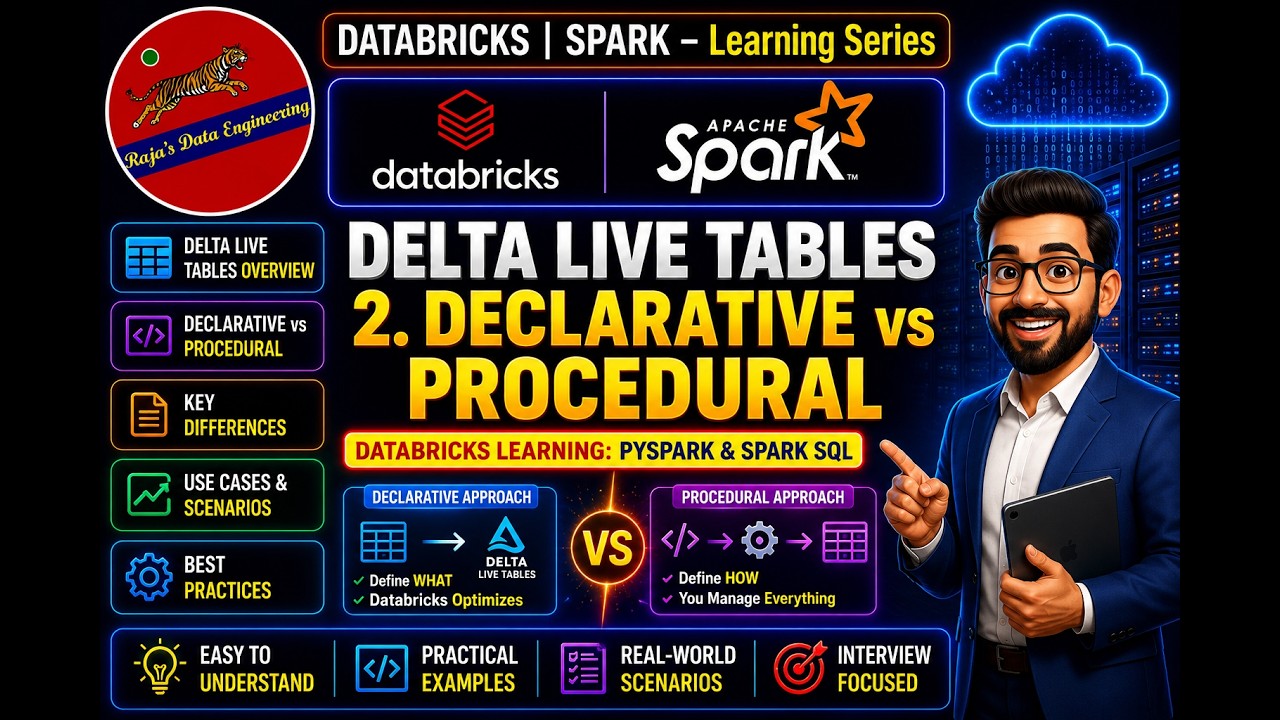
123. Databricks | Pyspark| Delta Live Table: Declarative VS Procedural
Procedural data engineering approaches require developers to explicitly write and order every step of extraction, transformation, and loading logic. In contrast, declarative approaches like Databricks Delta Live Tables allow developers to specify only the desired final outcome while an underlying engine automatically determines the execution steps.
 Tutorials
122. Databricks | Pyspark| Delta Live Table: Introduction
This video introduces Databricks Delta Live Tables as a declarative development framework designed to simplify and accelerate ETL pipeline creation. It details traditional pipeline challenges like complex medallion architectures, manual data quality checks, and difficult monitoring, while demonstrating how Delta Live Tables automate infrastructure management and error handling.
 Tutorials
Databricks CI/CD: Intro to Databricks Asset Bundles (DABs)
This video demonstrates how to use Databricks Asset Bundles to manage CI/CD workflows and reproducibly deploy data engineering code from development to production. The tutorial covers initializing a bundle project, configuring resources using YAML files, and automating deployments through the Databricks CLI and GitHub Actions.
 News
NewsThe Future is Open: Data Streaming in an Omni-Cloud Reality
The video teaches how to build a multi-cloud data streaming architecture using open formats, Apache Spark, and Delta Live Tables to avoid expensive proprietary data extractions. It demonstrates two infrastructure-as-code methods for managing data pipelines across clouds using the dbx project and the Databricks Terraform provider.
 News
NewsFive Things You Didn't Know You Could Do with Databricks Workflows
The video demonstrates advanced Databricks Workflows features including serverless jobs, repair and rerun capabilities for failed tasks, and late-job notifications. It also covers orchestrating external tools like DBT, managing modular jobs, and utilizing file arrival triggers for automated orchestration.
 News
NewsUsing Cisco Spaces Firehose API as a Stream of Data for Real-Time Occupancy Modeling
Honeywell uses Databricks Delta Live Tables and Cisco Spaces firehose data to ingest billions of daily IoT sensor events for real-time building occupancy modeling. The presentation demonstrates how combining continuous streaming telemetry with static metadata enables automated optimization, data quality monitoring, and improved facility energy management.
 Events
Embracing the Future of Data Engineering: The Serverless, Real-Time Lakehouse in Action
 News
NewsSponsored: AWS-Real Time Stream Data & Vis Using Databricks DLT, Amazon Kinesis, & Amazon QuickSight
 News
NewsUS Army Corp of Engineers Enhanced Commerce & National Sec Through Data-Driven Geospatial Insight
 News
NewsHigh Volume Intelligent Streaming with Sub-Minute SLA for Near Real-Time Data Replication
 News
NewsApache Spark™ Streaming and Delta Live Tables Accelerates KPMG Clients For Real Time IoT Insights
 Community
Sponsored by: Avanade | Enabling Real-Time Analytics with Structured Streaming and Delta Live Tables


Get Tuesday's version of this
Tracking Delta Live Tables? The Tuesday email carries what moved across the whole ecosystem, not just this topic. Free, one-click unsubscribe.