
Apache Spark
Recent items mentioning Apache Spark across the Databricks ecosystem — releases, news, videos, and community Q&A. Updated hourly.
What is Apache Spark?
Apache Spark is an open source, multi-language engine for data engineering, data science, and machine learning, running on anything from a single machine to a large cluster. On Databricks it's not an optional component: Spark is the technology powering every compute cluster and SQL warehouse, and each Databricks Runtime version ships a specific Spark version.
Spark matters on Databricks because almost everything you run ends up executing on it. PySpark DataFrames, SQL queries, Scala and R code, and Structured Streaming jobs for near real-time processing all share the same engine, so understanding how Spark distributes and optimizes work is the main lever for performance and cost on the platform.
The platform is now in the Spark 4 generation. Databricks Runtime 19 includes Apache Spark 4.2.0, while the long-term support lines carry Spark 4.1.0 (Runtime 18 LTS) and 4.0.0 (Runtime 17.3 LTS). Choosing a runtime is how you choose your Spark version, and newer runtimes are where new Spark capabilities show up first.
Which Spark version does Databricks run?
It depends on the Databricks Runtime you pick. Runtime 19 includes Apache Spark 4.2.0, Runtime 18 LTS includes 4.1.0, and Runtime 17.3 LTS includes 4.0.0. Older supported LTS lines such as 16.4 and 15.4 still carry Spark 3.5.
Do I need to install Spark to use Databricks?
No. Spark comes preinstalled and preconfigured as the engine behind every compute cluster and SQL warehouse. Picking a runtime version is the only Spark installation decision you make.
Is Apache Spark free?
Spark itself is open source software from the Apache Software Foundation and costs nothing to run on your own infrastructure. On Databricks you pay for the compute that executes your Spark workloads, not for the engine.
What's the difference between Spark and Databricks?
Spark is an open source engine you can run anywhere, from a laptop to a self-managed cluster. Databricks is a commercial platform in which Spark powers the compute layer, packaged into versioned runtimes with the rest of the platform built around it.
Sources: Apache Spark on Databricks, Databricks docs · Databricks Runtime release notes versions and compatibility, Databricks docs · Apache Spark project homepage
Databricks Runtime 18.3+ has made native IP functions generally available across PySpark, Scala, and SQL, leveraging Photon acceleration to execute IP CIDR joins up to 3.1x faster and 6.4x cheaper without custom UDFs 1. In the broader ecosystem, the release of delta-rs 1.0.0 resolved key Spark interoperability bugs affecting OPTIMIZE and MERGE operations alongside adding custom token credentials for Unity Catalog 4.
Generated daily from the 10 most recent items mentioning Apache Spark. Click any [N] to jump to the source.
We wrote about this
- Databricks certification cost, the full list, and where to start16 live credentials, one $200 exam fee, a 14-day retake wait, two-year validity, and which Databricks certification to take first, verified on databricks.com.11 min read
- Spark Developer Associate: the cheat sheetEverything the Databricks Certified Associate Developer for Apache Spark exam tests, on one page, in the order the official guide lists the domains.14 min read
IP Functions are Generally Available, bringing high-performance network analytics to the Lakehouse
Native IP functions are now generally available on Databricks Runtime 18.3+, providing built-in support to parse, validate, canonicalize, and join IPv4 and IPv6 addresses and CIDR blocks without UDFs or regex. Optimized in Photon across SQL, PySpark, and Scala, these native functions run demanding network workloads in seconds and complete IP CIDR joins up to 3.1x faster and 6.4x cheaper than another leading cloud data warehouse.
Data Quality in Microsoft Fabric – Native features vs. external tools (like Databricks Expectations)?
Hey everyone! I’ve been working a lot with data quality frameworks in Databricks (leveraging things like Delta Live Tables expectations or custom validation notebooks), and I'm curious about how the community is handling Data Quality in Microsoft Fabric. Does Fabric have a native, built-in feature for data quality/expectations (similar to what Databricks offers), or are most of you relying on external tools, libraries (like Great Expectations/Soda), or custom PySpark/SQL validation notebooks inside Data Engineering pipelines? How are you currently enforcing quality checks before data hits your Gold/Semantic layers in Fabric? Would love to hear your approaches and best practices! I read this documentation here: https://learn.microsoft.com/en-us/purview/unified-catalog-data-quality-fabric-lakehouse?WT.mc_id=510336 , but it doesn't say much. submitted by /u/SuperbNews2050 [link] [comments]
Time to Swap the Cookies for Jetfuel - New Dataset & New Databricks Genie Tutorial
Most of you know samples.bakehouse . Great for a first query. Perfect for a quick demo. But after years of cookie sales, it's a little overbaked. Time to swap the cookies for jet fuel. ✈️ Together with the OpenSky Network , I brought a full day of global air traffic to Databricks Marketplace: 696 million real ADS-B position reports, messy just like real life. Myself, I used Genie for the whole journey: EDA, data exploration, a Apache Spark Declarative Pipeline, and a Lakeflow Job. Then I went a step further and read the same Marketplace data with open-source tools only, using OpenSharing and pandas. The result is this hands-on tutorial: Marketplace + Unity Catalog: get the data as a governed table Genie Agents: find anomalies in plain English Genie Agents: explore and visualize with maps and charts Genie Code: a Spark Declarative Pipeline, bronze to gold, with data quality rules Genie Code: a Lakeflow Job with schedule, retries, and email alerts Databricks Apps: your coding agent, governed by Unity Catalog OpenSharing: the open-source client in VS Code with pandas Everything runs on Databricks Free Edition (free, no credit card). 📖 Tutorial: Databricks Genie for Data Engineers and Data Scientists 💻 GitHub: databricks/tmm/DSDE-Genie-Tutorial 🛫 Dataset: OpenSky Network full-day dataset on Marketplace What's the first thing you'd query in a day of global air traffic? P.S. For the record, we still love bakehouse! 🍪❤️ [Disclaimer: I'm one of the two people who baked it.] submitted by /u/CompetitiveBet8978 [link] [comments]
Delta-rs 1.0.0 removes the deprecated S3 DynamoDB log store and adds support for column mapping creation, V2 checkpoints, and deletion vectors in Change Data Feed. The release also introduces custom token credentials for Unity Catalog and fixes Spark interoperability bugs affecting OPTIMIZE and MERGE operations.
Where to find Notebooks for course 'Advanced Techniques with Apache Spark Declarative Pipelines'
Data Engineering Project On Real Company | Real Data | Pyspark | Databricks | Production Ready
Hello Guys, I have come across many videos on YouTube related to Data Engineering, but I found very few that actually solve a real problem. Either the problem is made up, the data is unrealistic, or the whole project is built just for the sake of showing a project. I believe that if you really want to get hands on with Data Engineering, you first need to understand the **business, the data, and the actual solution the client demands.** So, that’s what we are going to do in this series. We are going to build a complete end to end Data Engineering project, starting from understanding the business problem and going all the way to building the actual solution. We will cover things like **Lakeflow Jobs, orchestration, data pipelines, and an actual company style workflow.** The idea is simple: not just build a project, but understand **why we are building it and how it would actually work in a company.** So without any further ado, let’s begin this series. submitted by /u/Formal_Ganache3620 [link] [comments]
How do you optimize slow PySpark jobs?
What do you usually check first—shuffle, partitioning, joins, Spark UI, file sizes, or something else? submitted by /u/Square-Designer7807 [link] [comments]
packaging data products
Hi, how do u handle data products, and chain of a lot of transformations, it can be very messy in the notebooks as mix of sqls, sqls python strings, python code, pyspark code, if/elses, etc... But again, is it really worth it to modularize it, make it callable, testable. I find it really hard to draw the line. How do u manage this in practice? submitted by /u/ptab0211 [link] [comments]
Which Came First For You... Spark or Databricks?
Saw a post this morning claiming you shouldn't touch Databricks until you've already mastered Apache Spark. That advice is backwards. It treats learning like a 90s waterfall project and traps engineers in tutorial hell. The fundamentals are non-negotiable: - You need SQL and Python. - You need to understand distributed shuffles, partitions, and memory spills. - You need to understand Parquet structures, metadata footers, and row groups. - You need to understand Delta Lake transaction logs and ACID guarantees. If you don't know what happens under the hood, you will write brittle pipelines that burn cloud budgets. The false assumption is that you must learn these concepts in an abstract vacuum before touching a modern platform. You don't learn networking by memorizing RFC packet headers on a whiteboard for six months before opening Wireshark. You fire up the tool, capture packets, and inspect the traffic. Databricks, Fabric, or Snowflake is your network analyzer. It is the laboratory. Nobody in enterprise production is setting up bare-metal Spark clusters on a home lab just to learn how shuffles work. And running local[*] on a laptop masks real-world distributed realities: - Local filesystems use POSIX atomic renames. Cloud object stores (S3, ADLS) do not. You cannot truly grasp why Delta's _delta_log exists until you see it write commits against cloud storage. - A local JVM masks network serialization, executor skew, and cross-node shuffle overhead. The caveat: don't treat the platform as a black box. Don't just click "Run All" on serverless compute and assume you know Spark. Use the platform to inspect the engine: - Run .explain(True) and read the physical plan. - Open the Spark UI to watch tasks, stages, and memory spill. - Inspect the JSON commits inside _delta_log after a merge operation. - Compact small files and see how file pruning changes scan times. You don't master the theory first and then graduate to a platform. You master the fundamentals by using the platform as your workbench. Learn the platform. Learn the engine. Learn the storage layer. Do it concurrently, in the environment where production actually lives. submitted by /u/OkImprovement7010 [link] [comments]
Python v1.6.4 adds DeltaTable.scan for lazy engine-native reads, column mapping creation, writer features like row-group boundary rolling, and performance improvements in partition splitting and zero-copy uploads. The release removes PartitionFilter in favor of kernel predicates (a breaking change) and fixes stability issues in schema merging for partitioned tables, deletion vector handling, memory leaks during uploads, and metadata-only scan batching.
PySpark vs Java/Scala for data pipelines
For those working with Spark in production: Do you mainly use PySpark, Scala, or Java? What do you use for batch vs streaming pipelines? Have you experienced significant performance issues with PySpark? If you've switched from PySpark to Java/Scala, did performance actually improve? At what point would you say it's worth learning Java/Scala instead of staying with Python? I'm wondering whether the performance difference is significant enough to justify switching to Java for production data pipelines. submitted by /u/almightysosa888 [link] [comments]
Learn Databricks Apache Spark Declarative Pipelines | From Associate to Professional
Announcing On-Demand State Repartitioning for Apache Spark™ Structured Streaming on Databricks
Databricks now supports on-demand state repartitioning for stateful Structured Streaming queries: set spark.sql.streaming.stateStore.partitions and restart on DBR 18+ with the RocksDB state store provider to redistribute state to a new partition count without rebuilding the checkpoint. This lets you resize long-running streams to match workload demands and monitor each resize through query progress metrics.
Read this if you use Streaming Tables in Lakeflow Spark Declarative Pipelines
🚀 We’re excited to announce that Lakeflow Spark Declarative Pipelines (SDP) now supports creating “vanilla” (i.e., non STREAMING) MANAGED TABLES and writing to them via one or more append flows , using the new CREATE TABLE ... FLOW ( SQL ) and create_table() (Python) APIs . What is this Beta? This Beta allows creating a managed table that is populated by append flows: CREATE TABLE ... FLOW (SQL) / create_table() + @append_flow (Python) create a managed table written by one or more flows. Fan multiple sources into one table — declare several flows targeting the same managed table. Full table surface works: partitioning, liquid clustering, expectations, row filters, table properties, and private (pipeline-local) tables. import_checkpoint on append_flow , which migrates an existing Structured Streaming workload into a pipeline without reprocessing the source — the flow imports the query's existing checkpoint and resumes from the last committed offset with state intact. Example (Python): from pyspark import pipelines as dp dp.create_table("combined") dp.append_flow(target="combined") def from_a(): return spark.readStream.table("source_a") u/dp.append_flow(target="combined") def from_b(): return spark.readStream.table("source_b") Example (SQL): CREATE TABLE events PARTITIONED BY (bucket) FLOW INSERT BY NAME SELECT id, bucket FROM STREAM read_files('abfss://my_path', format => 'json'); Where do we need help? We are in Beta, so there might be some rough edges. Please take this for a spin and share your feedback here . What’s next? Managed Tables support for other flow types (AutoCDC, Replace Using, and Replace Where) is coming soon! Learn more CREATE TABLE ... FLOW (SQL reference) — https://docs.databricks.com/aws/en/ldp/developer/ldp-sql-ref-create-table-flow create_table (Python reference) — https://docs.databricks.com/aws/en/ldp/developer/ldp-python-ref-create-table import_checkpoint on append_flow — https://docs.databricks.com/aws/en/ldp/developer/ldp-python-ref-append-flow Questions, feedback, or help: comment below or share feedback in the form: https://forms.gle/7bGP5FYN7P1Z4WP27 submitted by /u/SlightImagination250 [link] [comments]
How to create monotonic function to incrementally add obj_id for datasource in pyspark
Introducing Stream-Stream Join Support in Apache Spark Real-Time Mode
Acquiring/Processing from a MQ to a Delta
Has anyone tried acquiring data from a MQ at scale using apache spark on databricks cluster? I was trying to solve this problem at work but so far havn't seen an native lib or efficient ways to do this. The legacy system seems to be pulling data using a java based utility and wanted to if there are any imporvements or new patterns of access for spark based workflows. Any documentation or nudge is the right direction will be greatly appreciated. submitted by /u/raja3194 [link] [comments]
Databricks vs Snowflake Pyspark Performance
MLflow 3.16.0
MLflow 3.16.0 makes the redesigned trace explorer the default interface, introducing natural-language custom trace views via the MLflow Assistant, session grouping for multi-turn conversations, and span links. The update also adds Unity Catalog model service support for built-in evaluation judges, per-user AI Gateway budget policies, and fail-closed authorization by default.
 Tutorials
138: Databricks Apps Explained | Part 2: Code Walkthrough
The video demonstrates how to build and structure a custom self-service data application using Databricks Apps and Streamlit. It walks through the required configuration files and Python logic used to connect a front-end portal to a backend Delta table for live data updates.
Ingest image in databricks for powerbi ? a poc and any idea welcome
Spent some time this week on a POC that started from a business constraint: about 3,000 photos to ingest every week, sensitive enough that we can't just drop a shareable link in a dashboard, and they need to end up in Power BI where people already work, with row-level security. That combination rules out the easy answer. No public links, no loose files in blob storage floating around outside governance. The images had to live inside Delta on Databricks so Unity Catalog could handle access control, and Power BI had to be able to render them directly from the table. What the simple poc below does: Reads the images with Spark's binaryFile source (recursive lookup, glob filter on *.jpg) to pull path, modification time, size and raw bytes into one DataFrame. Encodes the binary content as a base64 data URL, so the image itself lives inside the row instead of behind a link. Then the actual blocker: Power BI caps text fields at roughly 32,766 characters, and a real photo's base64 string blows straight past that. So each string gets split into ~32,000-character segments and exploded into multiple rows, each tagged with its index and total length. On the Power BI side, a single DAX measure puts it back together in the right order before rendering: Image_concat = IF( HASONEVALUE(images_in_delta[image_name]), CONCATENATEX( images_in_delta, images_in_delta[segment], , images_in_delta[split_index] ) ) Not elegant, but it's what gets a full-resolution image through a hard platform limit without touching the sensitivity requirement. The PySpark side, stripped to what matters — reading the images and doing the chunking: from pyspark.sql import functions as F from pyspark.sql import DataFrame #READ ALL THE IMAGES images_df = spark.read.format("binaryFile") \ .option("recursiveFileLookup", "true") \ .option("pathGlobFilter", "*.jpg") \ .load("/Volumes/main/image_ingest/image_sample") def add_base64url_from_image_binary(df: DataFrame, max_len: int = 32000) -> DataFrame: df_with_b64 = df.select( "*", F.concat(F.lit("data:image/jpg;base64,"), F.base64(F.col("content"))).alias("base64url") ) df_with_split_info = df_with_b64.select( "*", F.ceil(F.length(F.col("base64url")) / F.lit(max_len)).cast("int").alias("num_segments"), F.length(F.col("base64url")).alias("total_length") ) df_split = ( df_with_split_info .withColumn( "split_index", F.explode(F.sequence(F.lit(0), F.col("num_segments") - 1)) ) .select( "*", F.substring( F.col("base64url"), F.col("split_index") * max_len + 1, F.least(F.lit(max_len), F.col("total_length") - F.col("split_index") * max_len) ).alias("segment") ) .drop("base64url", "content") ) return df_split def add_image_name(df : DataFrame) -> DataFrame : return df.withColumn("image_name", F.regexp_replace(F.col("path"),".*/([^/]+)$", "$1")) df_images = add_base64url_from_image_binary(images_df) df_images = add_image_name(df_images) df_images.write.mode("overwrite").format("delta") \ .option("mergeSchema", "true") \ .saveAsTable("main.image_ingest.images_in_delta") Nothing here is exotic engineering — the interesting part was realizing early that the constraint wasn't really "how do we store images in Delta," it was "how do we get a sensitive image through Power BI's text field limit without ever exposing it outside the governed table." Once that was clear, the chunking workaround fell out naturally. At 3,000 images a week this holds up. If volume goes up meaningfully, I'd want to revisit whether inlining every image is still the right call versus resolving binary content on demand. Curious if others have hit the same Power BI ceiling with sensitive image data and landed on something cleaner than manual chunking. Have you any other idea than this ? submitted by /u/Data-space_men [link] [comments]
15+ years in ETL/Data, but relying heavily on AI (Copilot/Genie) lately. Am I still an engineer, or just a prompt validator?
Looking for a reality check from other data folks. I have 15+ years of experience in data (mostly Ab Initio and SQL), but moved to Databricks 2 years ago. I know data architecture and transformation logic well, but my raw Python coding skills are basic. My daily workflow usually looks like this: 1. I figure out the logic or root-cause the pipeline issue. 2. I use Copilot or Databricks Genie to generate the PySpark/Python code. 3. I review, test against edge cases, fix logic flaws, and validate the output. I’m great at step 3—I know how the data should behave. But because I rarely write code line-by-line from scratch anymore, I’ve been hit with huge imposter syndrome. It feels like I’m just a code reviewer for AI rather than a "real" engineer. Has anyone else from a traditional ETL background felt this shift in modern cloud stacks? Is this just the new reality of engineering, or am I letting my skills atrophy? submitted by /u/Terrible_Mud5318 [link] [comments]
Apache Spark ships with 28 known CVEs in production. In 2026. And nobody thinks this is a problem worth talking about publicly
This is not acceptable any longer in a modern developer world and community. I run security scans on our Spark deployment and came back with 28 vulnerabilities — high severity, public CVEs, all sitting in transitive dependencies like Netty and Apache Thrift. Nothing exotic. Netty published fixes for 22 of them in a single batch in June. Thrift fixed their issues in 0.23.0. The fixes exist. Spark just didn’t include them. What bothers me more than the CVEs themselves is the process — or the lack of one from Apaches side. In 2026, any serious DevSecOps pipeline is expected to have mandatory quality gates that block releases on high/critical CVEs in dependencies. This isn’t cutting-edge practice — it’s baseline hygiene. The full toolchain is free and mature There is no automated dependency CVE gate in Spark’s release pipeline. No Trivy. No Dependabot . No OWASP Dependency-Check. Nothing that would block a release because a bundled library has a known high-severity vulnerability. These are free tools. Adding one to a CI pipeline is an afternoon of work. It hasn’t been done. Problem Honest Assessment No automated dependency scanning Inexcusable in 2026. Free tools exist. One CI step. Decoupled release calendars Real coordination challenge, but solvable with Dependabot PRs that can be reviewed and merged quickly Volunteer PMC Doesn’t excuse Databricks, Google, Apple, and Amazon — all Spark committers with paid engineers — from contributing a security gate “Good enough” culture Actively harmful when Spark is used in AI/ML pipelines processing personal data under GDPR The July 2026 maintenance releases — 4.2.0, 4.1.3, 4.0.4, 3.5.9 — all shipped after Netty 4.1.135.Final was available . They didn’t include the bump. There was no public statement that the team was aware of the issue and working on it. It just shipped, vulnerable, into production systems everywhere. The “volunteer PMC” argument doesn’t land anymore. Databricks is worth somewhere around $62 billion. Google, Apple, Amazon, and Microsoft all have paid Spark committers . The resources to fix this governance gap before lunch exist. The will apparently doesn’t. The EU Cyber Resilience Act (CRA) — which came into force in 2024 and has mandatory compliance deadlines rolling in through 2027 — specifically targets software supply chain security, including transitive dependencies and SBOM (Software Bill of Materials) requirements. The ASF has acknowledged this directly, stating they need to prepare projects for “CRA and U.S. CISA guidance”. Spark ships into commercial products. This will become a compliance problem for a lot of companies very soon , and the fix is genuinely trivial from an engineering standpoint. The ASF did make progress in 2025 — launching “Apache Trusted Releases (ATR)” for distribution security and ratifying CycloneDX 1.7 for SBOM standards — but none of this yet translates to a blocking CVE gate on the release pipeline for projects like Spark . In the meantime: if you’re running Spark and using JFrog Xray or Trivy on your deployment, you can force-override the affected Netty and Thrift versions in your own build. It’s not clean but it works until the next maintenance release, expected sometime in Q4. Is anyone else tracking this or pushing upstream to get a CVE gate added to the build? submitted by /u/hrpedersen [link] [comments]
Iceberg vs Deltalake (greenfield project with UC in 2026)
I saw the quarterly meeting and was quite shocked that Iceberg is prominently mentioned, (as much as Deltalake). Is it possible that both are getting the same amount of love from Databricks? Is anyone aware of the R&D effort on these formats, and can share conclusions from that? If I'm building a greenfield Unity Catalog, should I just flip a coin to decide what format to use? Here are the main concerns and priorities: Which one is better for OSS Apache Spark reads and writes Which one integrates with external software better (eg onelake shortcuts pointing from Fabric to Databricks UC). When Databricks is innovating within their own UC (eg. introducing new managed table functionality such as "MST Transactions"), which one of these formats are they likely to support first? Which are they likely to optimize better? Which format is more likely to remain 100% open source in the future (or as close to open source as required by customers who want portable blob data). Sorry if this appears to be a common question. I am a Databricks outsider. I am more familiar with Microsoft Fabric. Where that Fabric SaaS is concerned, you can be certain that Deltalake receives a LOT more promotion than Iceberg does. We rarely come across Iceberg, and it probably wouldn't appear in any marketing slide decks. We are likely to create a gold/presentation layer in UC soon. It will basically be created from scratch. It would be nice to know which of these parquet-based formats to pick, when presented with the choice. I understand there is lip-service given to both, and it claims that this choice "doesn't matter". But that doesn't necessarily take into account the potential integrations that are needed with external software (eg. for the benefit of exposing the same tables in onelake). Is one safer than the other? Is one of them a better choice for forward-looking purposes? submitted by /u/SmallAd3697 [link] [comments]
UnityCatalog 0.6.0
This release adds Apache Spark 4.2 support and introduces metric views and SQL views as governed catalog objects for semantic layers and query management. UC access tokens now expire after 24 hours by default, requiring periodic re-exchange instead of the previous indefinite validity.
Delta Lake 4.4.0
Delta Lake 4.4.0 supports Apache Spark 4.2 and adds identity columns and generated-column support in SQL DDL. The release expands UC Delta API integration to Delta Kernel and the experimental Flink connector for catalog-managed tables, introduces Flink upsert mode with merge-on-read updates, and improves VOID-column and partition handling.
request for Databricks Certified Associate Developer for Apache Spark 3.0 free voucher
 News
NewsDatabricks News: ZeroOps, DABs, Indexes, Genie, sandboxes, migration from PowerBI, secrets
Zero Ops automatically detects errors in jobs and data quality with lineage analysis and proposes code fixes, while DABs now default to direct mode instead of Terraform with automatic state migration. Full-text search indexes deliver 400x faster queries on billion-row tables, Genie automatically converts PowerBI dashboards to Databricks metric views, and Unity Catalog secrets support granular read and reference-only permissions.
Delta Lake 3.3.3
Delta 3.3.3 fixes transaction log retention bugs that broke time travel and CDF reads, and a Delta Sharing deletion vector cache bug causing long-running queries to fail. It adds opt-in RANDOMIZE_FILE_PREFIXES to spread S3 object keys for high-throughput workloads and upgrades Delta Sharing client for improved OAuth and retry handling.
Taking AUTO CDC to the next level: Solving the hardest real-world use cases
Spark Declarative Pipelines now supports Bitemporal AUTO CDC and Partial Updates, replacing hand-written MERGE logic to track business and system time independently and safely handle missing fields. These declarative change data capture capabilities are also expanding into open source Apache Spark 4.2 to deliver standardized, out-of-order processing to the broader ecosystem.
 News
NewsOmnigent: Open-Source Meta-Harness for AI Agents | Matei Zaharia
Omnigen is an open-source meta-harness developed by Databricks that acts as an orchestration and control layer to wrap, manage, and combine multiple AI coding agents. The platform introduces contextual security policies, cost controls, multi-agent task routing, and sandbox integrations to enable collaborative workflows and centralized governance.
 News
NewsSpark vs SDP, What the difference? #spark #pyspark #dlt
Traditional Apache Spark requires developers to manually write complex procedural code for processing steps, state management, and checkpoints. Spark declarative pipelines allow users to define the desired final data state in SQL or Python while the engine automatically handles execution order, dependencies, and incremental processing.
Keep a PySpark Test Flood Out of Your Coding Agent's Context Window
How Dow Built a Carbon Footprint Ledger on Databricks to Accelerate Sustainability at Scale
Dow built an enterprise Carbon Footprint Ledger on the Databricks Data Intelligence Platform, collapsing cradle-to-gate Product Carbon Footprint calculation times from weeks to a fraction of that across its entire portfolio. Powered by Apache Spark, Delta Lake, Unity Catalog, and MLflow, the solution delivers full data lineage and audit-grade governance designed for third-party assurance against ISO 14067 and GHG Protocol standards.
UnityCatalog 0.5.1
0.5.1 improves credential caching in the Spark connector by keying credentials to resource scope instead of per-request identifiers, reducing latency for repeated access to the same UC tables while maintaining session isolation. The release also fixes permission GET endpoints to work correctly when server-side authorization is enabled, resolving HTTP 500 errors that occurred on secured deployments.
Apache Spark 4.2 is officially here! Key architectural updates for AI-Native & Governed Platforms
Introducing Apache Spark 4.2
Apache Spark 4.2 introduces governed business definitions via metric views, AI-native analytics features like vector retrieval, and simplified real-time data processing through Auto CDC and Real-Time Mode. This release also expands Spark's accessibility from external services and AI agents by leveraging Spark Connect, Arrow-first Python execution, and Python Data Sources.
 News
NewsDatabricks News: RT Lakehouse (Reyden), Lakebase, TTL
This video highlights recent Databricks updates, including the beta release of the high-performance "Raiden" real-time lakehouse engine and new lakeflow connectors. It also demonstrates administrative changes to user groups, new time data types, predictive optimization TTL deletes, user home volumes, and advanced search capabilities in Lakebase.
How Unity Catalog managed tables bring interoperability, performance, and unified governance to the Lakehouse
Unity Catalog managed tables now support direct creation and writing from external engines like Apache Spark, Apache Flink, and DuckDB, while maintaining centralized governance and full interoperability. Practitioners can also upgrade existing external tables in place without rewriting data, leveraging Predictive Optimization to automatically improve query performance and lower storage costs.
Ultra-Fast Anomaly Detection using Apache Spark Real-Time Mode
Databricks practitioners can now implement a reusable pattern for ultra-fast, real-time fraud and anomaly detection using Apache Spark Real-Time Mode. This operational workload pattern enables data engineers to process and detect anomalies at extremely low latencies for critical business use cases.
 News
NewsLearn about Zerobus in 15 min!
Databricks Lakeflow Connect Zerobus Ingest is a high-performance, multi-cloud ingestion service that allows users to stream event data directly into their lakehouse without the cost and complexity of a traditional message bus. The video explains the architecture of Zerobus Ingest, announces upcoming API integrations for Kafka and MQTT, and demonstrates how to configure and run a Python client to write data directly into a Delta table.
Delta Lake 4.3.1
Delta Lake 4.3.1 fixes OAuth authentication failures in the Delta REST Catalog caused by incorrect key lowercasing and enables S3A fast listing when using OSS UnityCatalog's CredScopedFileSystem wrapper. It also prevents the reserved is_managed_location property from persisting into managed table metadata.
AI Technical Debt in Databricks: Why Generated Spark SQL and PySpark Still Need Metadata, Review
 Tutorials
Mastering Joins In Apache Spark: Complete Deep Dive
The video provides a deep dive into four Apache Spark physical join strategies: Sort Merge Join, Broadcast Hash Join, Shuffle Hash Join, and Broadcast Nested Loop Join. For each join, it explains the conditions for Spark's selection, visualizes its step-by-step internal mechanics, and demonstrates its appearance in Spark's physical plan and UI.
StatusCode.UNIMPLEMENTED error: DatabricksConnect library using AKS/PySpark to calling Spark cluster
How does Databricks handle registration and discovery of custom PySpark data sources in SDPs?
A Decision Framework for ETL Migration to Databricks
Databricks ETL migration offers three paths—Lakehouse, Spark Declarative Pipelines, and notebooks—to address diverse scenarios, often used in combination. A four-stage framework (assess, quick wins, modernize, optimize) and tools like Lakebridge and AI-assisted conversion enable incremental migration and automate mechanical translation.
PySpark AnalysisException: Ambiguous reference to field t when parsing nested JSON
python-v1.6.1: Column Mapping write support
This release adds column mapping write support and BlindDeltaTable for stats-free appends, alongside improvements to data skipping and partition pruning. S3DynamoDbLogStore has been removed in preparation for 1.0.0.
DataFlint on Databricks - the Open Source Spark UI Upgrade Apache Spark Has Needed for Years
 News
NewsUnity Catalog Fine-Grained Access Controls on External Engines
Unity Catalog enables fine-grained access controls (FGAC) defined once to be enforced consistently across Databricks and external engines like Apache Spark. External engines can also create and write to UC-managed tables, benefiting from centralized governance, automatic optimization, and transactional safety.
Delta Lake 4.3.0
Delta 4.3.0 deepens Unity Catalog integration by making it the source of truth for managed table operations via the UC Delta REST API, introduces replaceOn/replaceUsing DataFrame APIs for selective row-level data replacement, and improves UniForm with atomic Iceberg conversion and incremental metadata updates. Delta Sharing gains streaming support, Change Data Feed capabilities, and Trigger.AvailableNow, plus performance improvements like better V2 checkpoint parallelization and variant column statistics for data skipping.
UnityCatalog 0.5.0
UC 0.5.0 introduces a dedicated UC Delta API for catalog-managed Delta table operations across Spark, Flink, Trino, DuckDB, and other engines, with standardized REST endpoints and server-side commit validation. The Spark connector now ships separate artifacts for Spark 4.0 and 4.1 and enables credential-scoped file systems by default, fixing out-of-memory issues in long-running sessions.
 Events
Databricks News: CLI v 1.0.0, AI-tools, databricks Docker, DABs UI sync, mutators
The video demonstrates new Databricks features, including the GA release of CLI 1.0.0, UI sync for DABs, Python mutators for bundle extension, and new Docker image options for custom runtimes. It also covers serverless pipeline orchestration, enhanced autoscaling for Lakebase and apps, serverless interactive execution timeout, and auto-scoping for access tokens.
Geospatial Unbounded: Spatial SQL GA with AI/BI Maps, Delta Sharing, and Iceberg v3
Spatial SQL is now Generally Available on Databricks, bringing native geospatial data types, 90+ ST_* functions, and AI/BI Dashboards that render maps natively. This release also includes major performance improvements, open lakehouse support via Delta Sharing and Iceberg v3, and Apache Spark 4.2 compatibility for geo columns.
Apache Spark’s Real-Time Mode Use Case Deep Dive: Gaming Sessionization
Apache Spark Real-Time Mode for Gaming: A Better Way to Do Real-Time Sessionization
Apache Spark Real-Time Mode now enables real-time gaming sessionization for millions of active device sessions, replacing custom applications with sub-second precision for both input processing and timer-driven output. Learn how transformWithState timers power proactive, timer-driven heartbeats, generating output on a schedule independent of incoming data.
Apache Spark Masterclass (In-Person, Bengaluru) | 6 June
Converting stored procedures to PySpark
 Tutorials
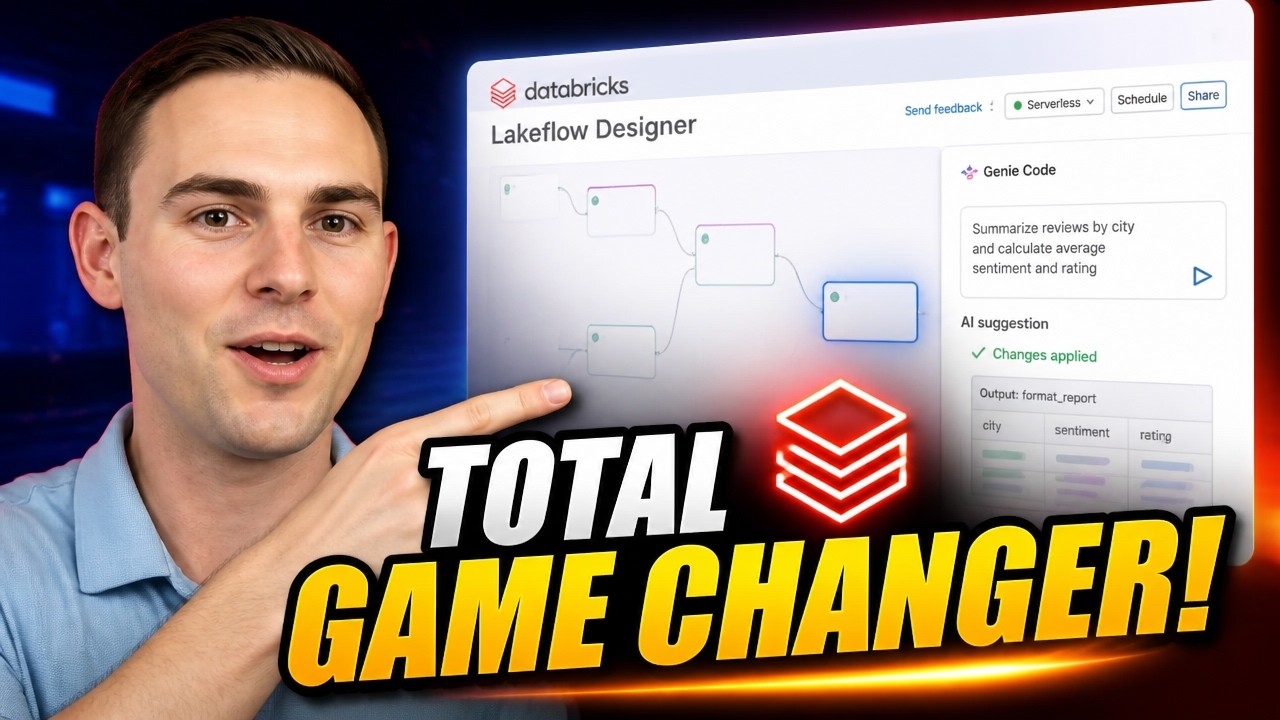
The New Databricks Lakeflow Designer Is a Game Changer!
Databricks Lakeflow Designer is a visual data preparation tool that allows users to create, add, and transform data using a no-code drag-and-drop UI or AI-powered Genie Code. The video demonstrates how to import data from various sources, profile data, perform complex transformations like data type conversions and sentiment analysis, and then deploy the resulting production-ready PySpark code for scheduling or integration into existing pipelines.
Get Tuesday's version of this
Tracking Apache Spark? The Tuesday email carries what moved across the whole ecosystem, not just this topic. Free, one-click unsubscribe.