An AI now offers to fix your pipelines. Who signs off?
Genie ZeroOps is in public beta. Three things to settle before you turn it on.
02
This week in Databricks
Wasted AI spend, Postgres 19 on Lakebase, two December dates, and a storage charge.
03
From brickster.ai
Brickster Hub for interview practice, three more free apps, and you can now write for Brickster.
01
🛠 This week’s lead
01 / THE LEAD
An AI now offers to fix your pipelines. Who signs off?
Databricks now has an AI helper that notices when your data stops flowing, works out why, and suggests a fix. It arrived in public beta on November 19. The technology is the easy part. The real question for any team lead is not technical: who says yes to its fixes, and who gets to see what it found?
It is Monday morning. Your weekly sales dashboard says orders fell by half overnight.
Nothing crashed. No alarm went off. The number is simply wrong, and it is about to be read out in a leadership meeting.
What actually happened is quieter. Last night's data delivery arrived half-empty, and nobody noticed. Now an engineer spends the morning digging through technical logs to find out why.
Databricks now offers an AI agent, in public beta, that does that digging for you, before anyone has to ask.
"...last night's load arrives with half its usual rows, and nobody notices until a dashboard shows the wrong number."
Databricks, describing the problem in its launch post
What's new
→
Why it matters
→
How it works
→
The catch
→
Your move
1. What's new
A night-shift assistant for your data
On November 19, Databricks put Genie ZeroOps into public beta. The easiest way to picture it: an assistant on the night shift, watching your data plumbing while everyone sleeps.
Setting it up takes two steps. An admin switches it on. Then someone on your team picks which jobs and tables it should watch. When one breaks, or a table quietly stops updating, the agent looks into it and suggests a fix.
And since November 23, Genie Code, Databricks' coding assistant, can now investigate a SQL alert, an automatic warning when a number crosses a line, as soon as it fires or errors. This is a separate beta. The alert owner turns it on, and a workspace preview has to be on first. The result is a link. The alert itself stays as it is.
2. Why it matters
The slow part is finding out why
Data problems come in two kinds. Loud ones: a job stops, and someone gets paged. Quiet ones: everything looks fine, but the numbers are wrong. The quiet kind is the one that ends up in a board deck.
Either way, Databricks says an engineer then spends hours tracing logs by hand. That is time no project plan budgets for, and it usually lands on the same few people who know the system best.
Often the answer is not in the logs at all. In a private test, Databricks saw over 80,000 pipeline issues. It says more than half needed knowledge only that company had. Think of what only your team knows: which source is always late, which numbers dip every holiday. Databricks has not published how often the agent's suggested fix was right.
Nov 19
Public beta opened
80,000+
Pipeline issues in Databricks' private test
Over half
Needed knowledge only that company had
The two test figures are reported by Databricks. No accuracy rate has been published.
3. How it works
It does the digging, then waits for you
Think of a capable new hire on their first night shift. Here is what they do, step by step:
1 · Detect
Notices a broken job, or a table that stopped updating. Nobody has to ask it to look.
2 · Investigate
Reads the logs, the code, and the table's history.
3 · Verify
The launch post says it tries the fix in a safe copy first. The product docs do not describe that test yet.
4 · Notify
Sends a short summary to Slack, Teams, PagerDuty, or a webhook. Not email.
5 · Propose
Suggests a fix. For code stored in Git, it can place the fix on a new branch, but only after you ask and confirm.
You can teach it what your team knows. Give it written instructions in plain words. One example: check that the incoming data is fresh before suggesting a retry. This is how the knowledge in your senior engineers' heads gets into the tool.
One warning: in places the launch post promises more than the product docs do. The post says the agent creates a pull request automatically, and that shared findings follow your normal access rules. The docs say it pushes a branch only after a person confirms, then gives you a link to open the pull request yourself, and that people you share with can see sample rows. When marketing and documentation disagree, plan around the docs.
What this means for your role
Program and product managers
Fewer mornings lost to a wrong dashboard. But every fix still needs someone to approve it, so name that person before launch.
Engineering leads
Less time tracing logs, more time reviewing suggested fixes. Your review rules become the safety net.
Security and compliance
Shared reports can show sample rows to people who cannot open the table. The agent is not HIPAA compliant.
Finance and budget owners
We found no published price for the agent. The only charge the docs name is data quality monitoring, billed separately.
4. The catch
Three limits to know before you turn it on
Limit
In plain words
It waits for a person, mostly
It does not change production code on its own. For code in Git, it pushes a fix only after you confirm. Two things to watch. If the code lives inside Databricks, asking the coding assistant writes the fix straight into that file. And if you name the default branch, usually called main, the fix goes to the live code and skips review. ZeroOps docs
Sharing the inbox shares the data
People you share it with see code excerpts, suggested fixes, and sample rows, even when they cannot open the job, the code, or the table themselves. You can add up to 25 named people. You cannot add a group. ZeroOps docs
It keeps reading
Everything you select, including the code repository, is read by an AI model until you switch the agent off. It is not HIPAA compliant. Catching quiet table problems needs a separate product, data quality monitoring, which is billed on its own. ZeroOps docs
Keep the hype in proportion. The 80,000 figure is Databricks' own, from a private test, and this is a beta. One forum user reports it stuck on "Analyzing recent failures" in Free Edition. And with no published price, ask your account team what the agent will cost before you enable it.
5. Your move
Settle three things before you turn it on
1
Lock the live code
Ask your engineering lead to confirm that direct pushes to the default branch, usually called main, are blocked. Then check the agent's instructions file. If it names that branch, every fix it pushes goes there.
2
Write down what only your team knows
Start the instructions with two short lists: data sources you do not trust, and fixes you would never accept.
3
Decide who sees the inbox
Shared reports can include sample rows and code. Share them only with named people who are already allowed to see that data. The limit is 25.
One email to expect. If GitHub emails you "Databricks is requesting updated permissions", the upcoming-change notice says the request is legitimate. If you decline, your team keeps working with its code as usual (clone, pull, commit, and push). You only give up pull requests created by the agent. If you accept, your review rules still apply.
So: who signs off? A person, still. The agent is built to turn hours of digging into a report that is waiting when your team logs in. For anyone who has lost a morning to a wrong dashboard, that is a real win. It stays a win only if three things are decided first: who approves fixes, what the agent should know about your team, and who sees the findings. Settle those, then switch it on.
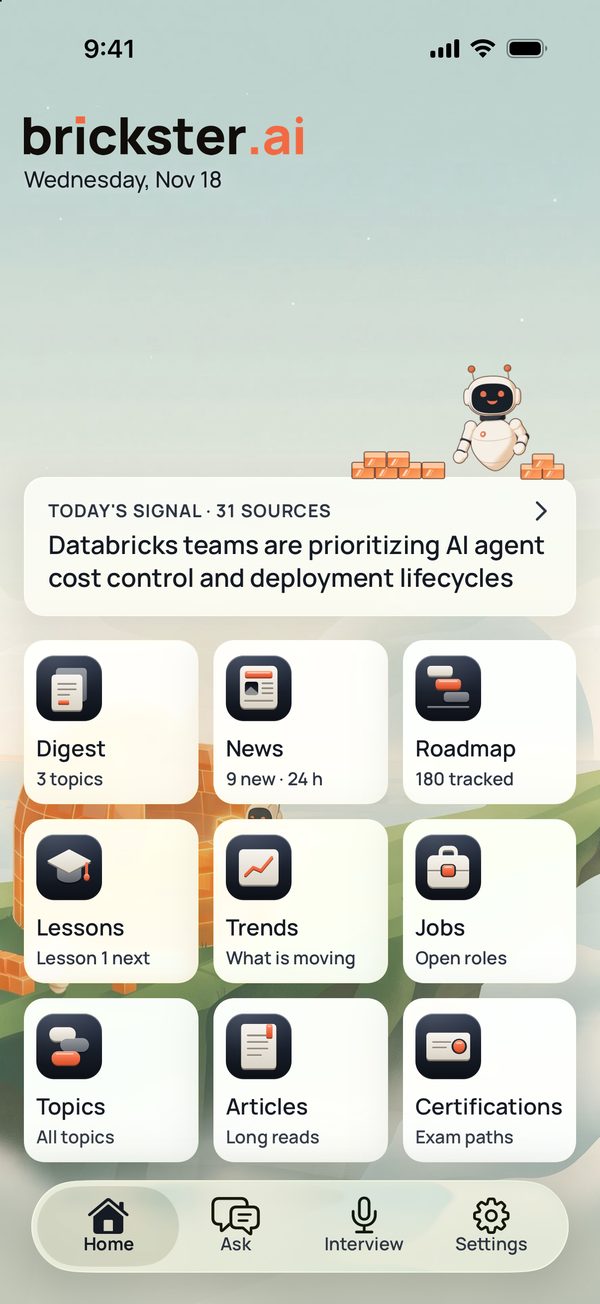
Since November 17, Unity Gateway Insights is in beta. It covers coding-agent sessions that already run through Unity Gateway. It does not see every AI tool in the company. The report samples those sessions and shows where tokens, the units on the AI bill, went to waste: tools that keep failing, and simple tasks sent to the most expensive models. Databricks estimates that seven small bugs in its own agent tools were worth $1.2 million a year. About $499,000 of that was AI charges. The rest was 12,000 hours of engineers waiting. That is Databricks' number, from its own systems. Ask for one report, then ask who owns each failing tool.
Database
Postgres 19 arrives on Lakebase
Lakebase, the Databricks database for apps, has supported Postgres 19 since November 19. You select 19 when you create a new project. The note does not describe moving an existing project, and it does not make 19 the default. In the same week Lakebase opened in Paris, Jakarta, and Seoul. A release can take a week to reach your account. The Lakebase streaming sink, a way to stream data into that database, became generally available. If a team is about to create a project, ask them to check that their extensions run on 19 before they select it.
Dates
A change to views and a model retirement
Checked November 23 against the release notes and upcoming-change notices.
From December 2, CREATE OR REPLACE VIEW updates a view in place, so access rules, tags, and comments are kept. Until now the view was dropped and re-created. A job that drops a column carrying a governed tag, the kind used for an access policy, will fail until that tag is removed. A NOCOPY option can still clear access rules, tags, and comments. Governed tags remain.
OpenAI GPT-5 and GPT-5 mini will be retired. GPT-6.1 Sol replaces GPT-5. GPT-6.1 Terra replaces GPT-5 mini. The notice does not mention an automatic redirect, so plan the switch yourself.
Find the jobs that replace views, including any that drop a tagged column, and the apps that call GPT-5. Give each an owner. Gemini 3.6 Flash, retired on November 19, already redirects to Gemini 3.8 Flash at the same price. The GPT-5 notice promises no redirect.
November 30 reminder: the Genie One MCP Beta endpoint, an early connection that lets other AI tools call Genie, stops working. Move those integrations to the Genie One connection in Unity Gateway, named system.ai.genie_one_mcp. Migration notice.
Billing
Keeping system tables longer can now cost money
One cost change sits outside the dates above. Account admins can now choose how long system tables are kept, from 30 days to 10 years. The first 395 days are free. After that, Databricks charges for storage. The rest of this week's releases, including new betas and generally available features, are in the November release notes and the AI/BI release notes.
03
🧱 From brickster.ai
📱 Brickster Hub: practice Databricks interviews out loud
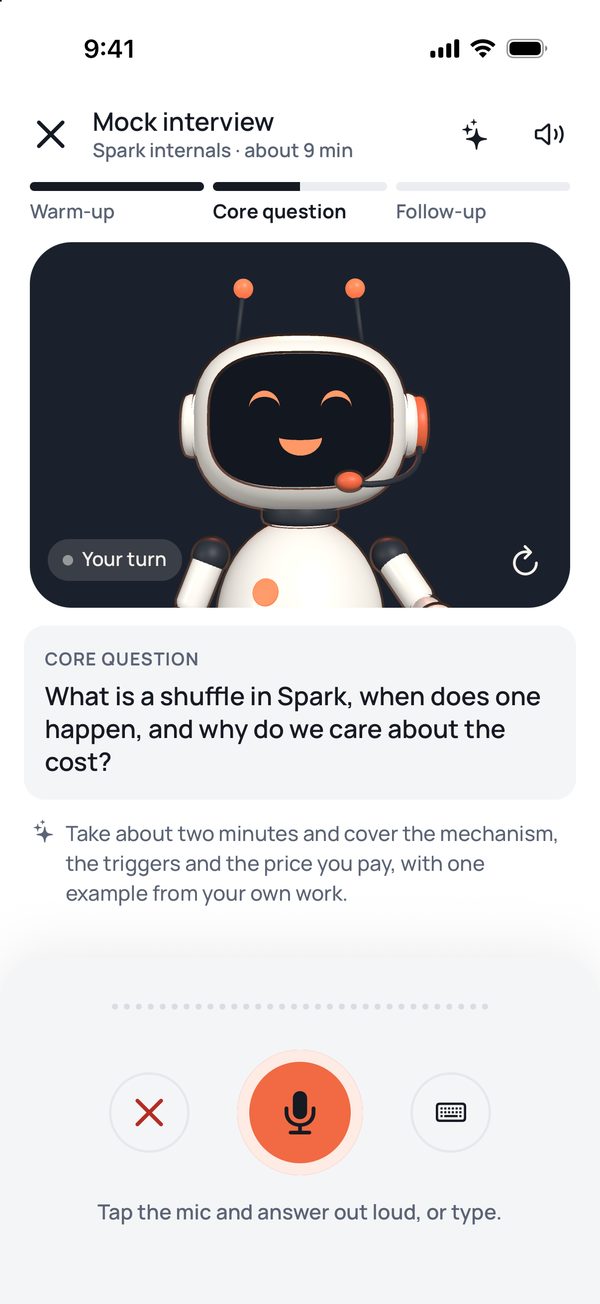
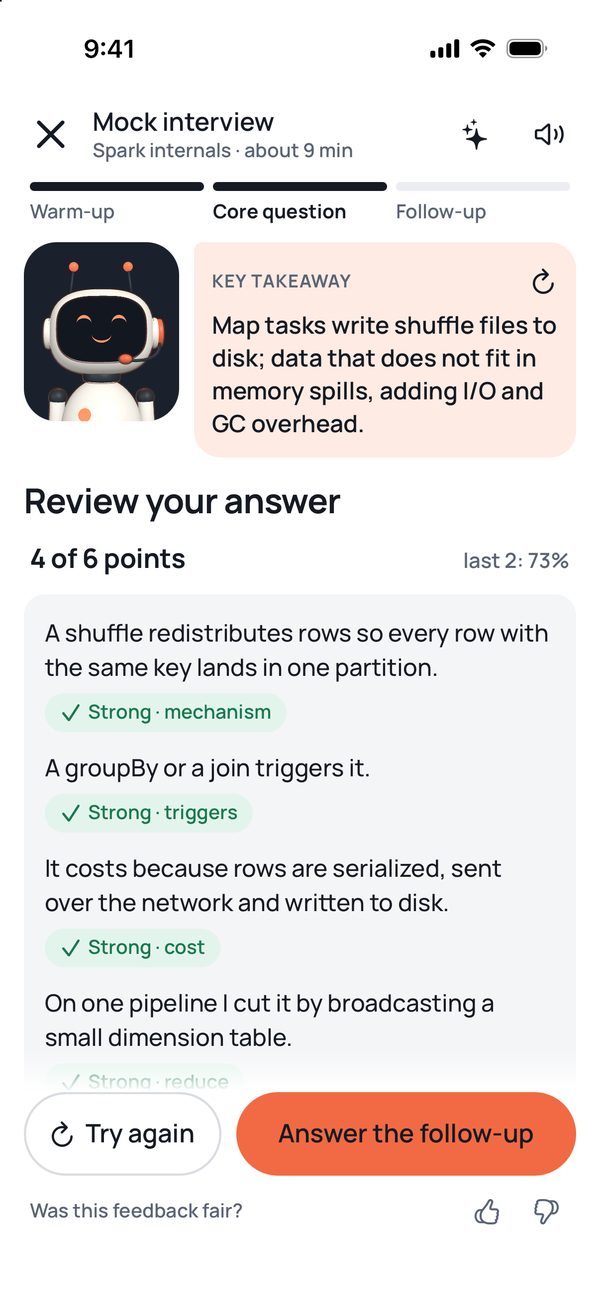
A robot interviewer asks the question, you answer by voice or by typing, and the app shows which points you covered and which you missed. The day's Databricks news, the roadmap, and open roles sit beside it. Free, no account, no ads. iPhone, iOS 16.4 or later.
Practice for all eight proctored Databricks exams, every exam free
New · Beta
✍️ You can now write for brickster.ai
Any reader with a free account can submit an article. A person reviews the draft and sends feedback before it is published. This is a beta, so tell us what breaks.
Your name on it. The article carries your byline and a link of your choice, such as your LinkedIn profile.
Feedback before you submit. An AI review scores the draft and lists what to fix. It is advice only. A person makes the decision.
A home for what you learned. A migration that went wrong, a bill you cut, a feature you tested: the notes other Databricks teams go looking for.
→ Databricks Learning Festival: ends December 8. Finish every module of one pathway, including the introductions, for 50% off any certification. The voucher arrives by email on December 14. Use the same email for Customer Academy and WebAssessor.
What does Databricks document about Genie ZeroOps and pull requests?
The Brickster Assistant searches our indexed archive and answers with source links.