

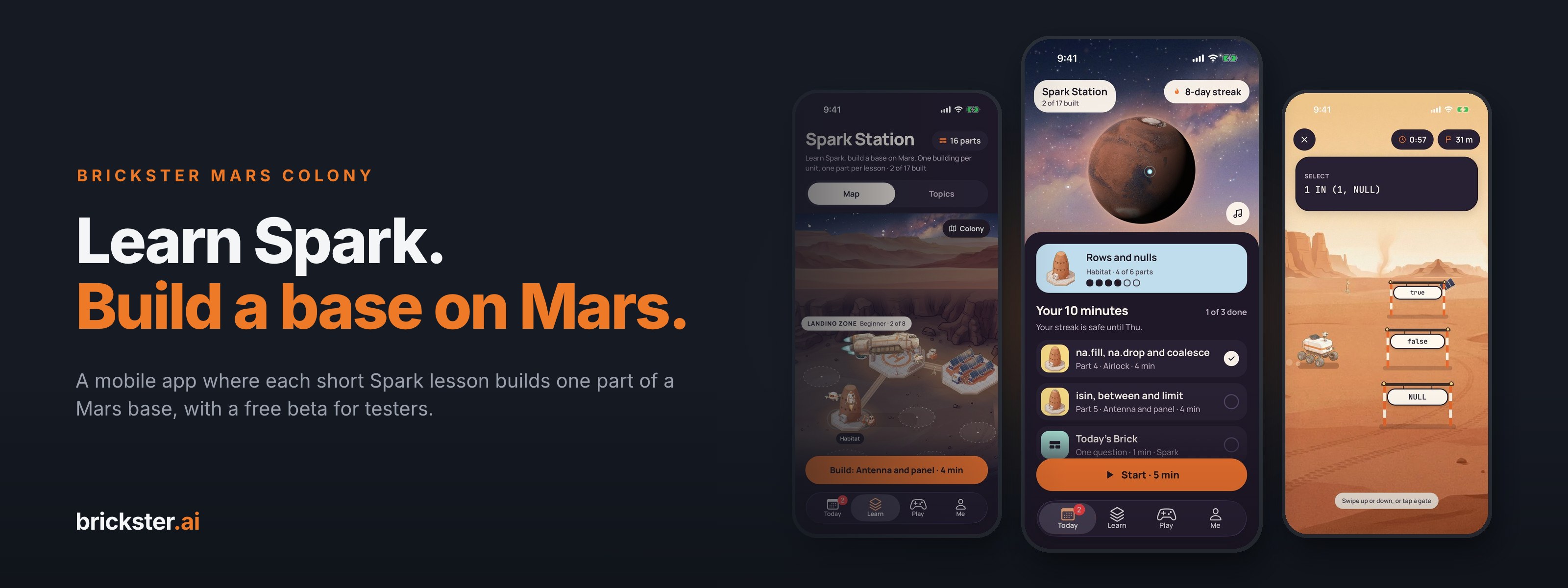
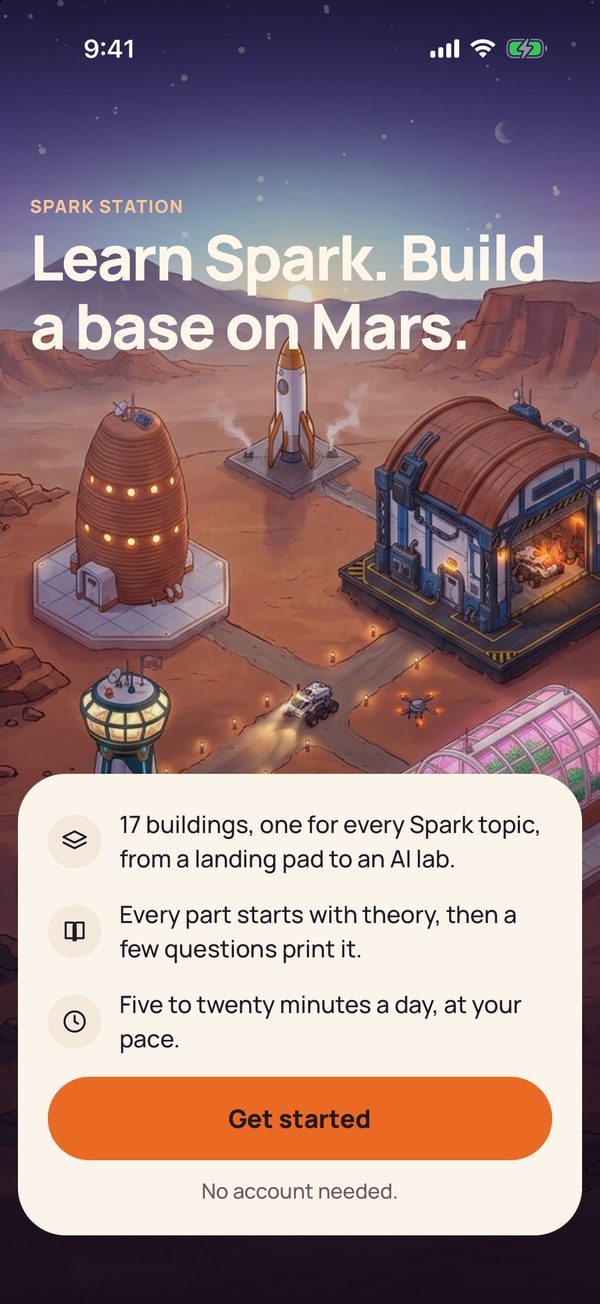
Brickster Mars Colony is a mobile app from brickster.ai that teaches Apache Spark in short daily lessons. Every lesson you finish builds one part of a base on Mars, so your station grows with what you know.
The first beta runs on iPhone through TestFlight, Apple's app for trying apps before release, and you are invited to test it.
Free beta, iPhone first. The form opens with the request filled in: add your name and the email of your Apple account, and we will send you a TestFlight invite.
Key takeaways
- A Spark habit. 17 Mars buildings, 103 lessons of about four minutes. Right answers build the base.
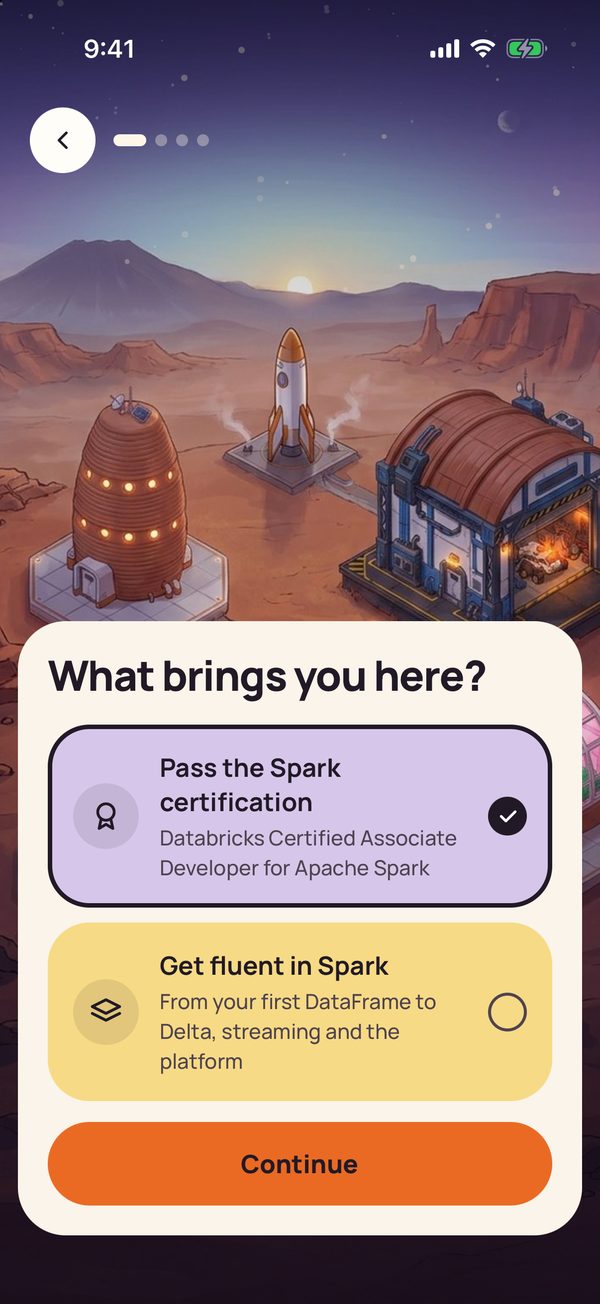
- Two goals: preparing for the Databricks Spark certification (13 Spark buildings) or general fluency (all 17).
- Checked on Spark, not on your phone. 331 of the 485 questions ran on Spark 3.5.3 when the app was built; the other 154 are checked against the docs they cite.
- No account, no ads, no analytics. Your progress stays on your phone.
- The beta is free. Request the demo app through our feedback form and we will send you a TestFlight invite.
Why we built it
Many of us learn Spark in bursts: a course before a project, a cram before an exam, then months without it. We wanted a few minutes a day instead, like a language app, with answers a data engineer can check.
Spark is full of details where intuition goes wrong, such as how a filter treats a missing value, and a quiz that never ran its answers can teach the wrong thing. So the app rests on three ideas: a daily habit, answers checked on real Spark, and the certification as one goal you can pick. The Mars base serves the habit: it gives you a reason to come back tomorrow.
First launch: a goal and a plan
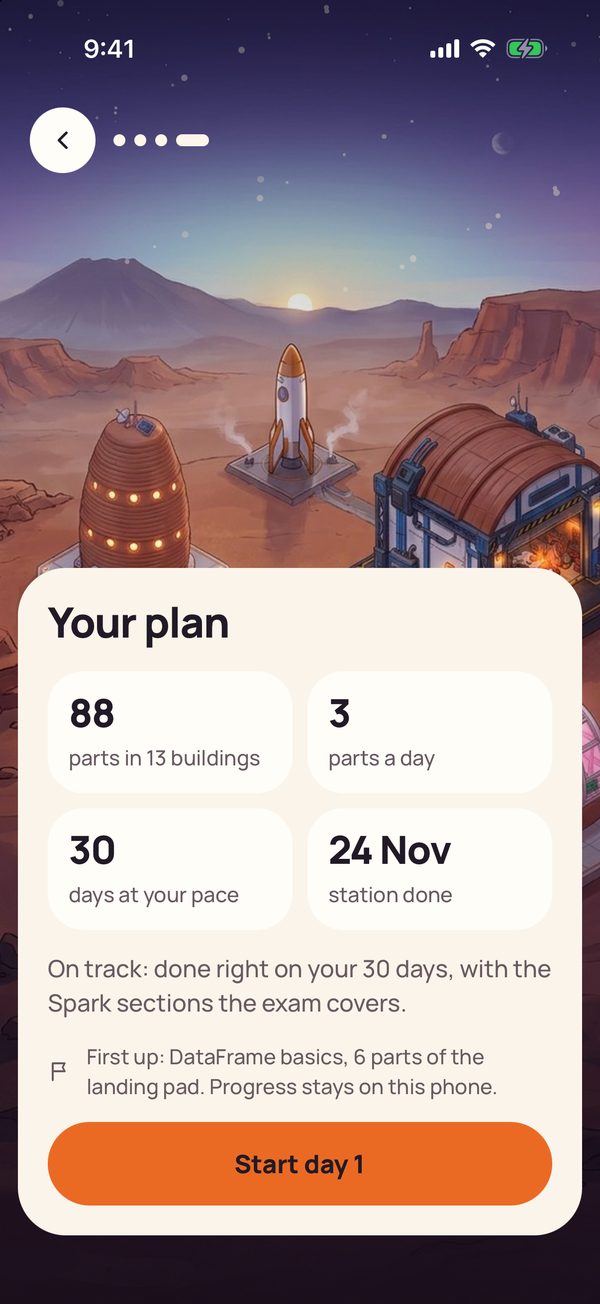
The first launch asks for a goal (certification or fluency), a deadline (two weeks to three months, or none) and minutes a day: 5, 10, 15 or 20, meaning one to four parts. A daily reminder at 8:00 is on by default; switch it off there or later in Settings.
The plan sizes your daily list but never limits you: build as much as you like.
Today, the station and the colony
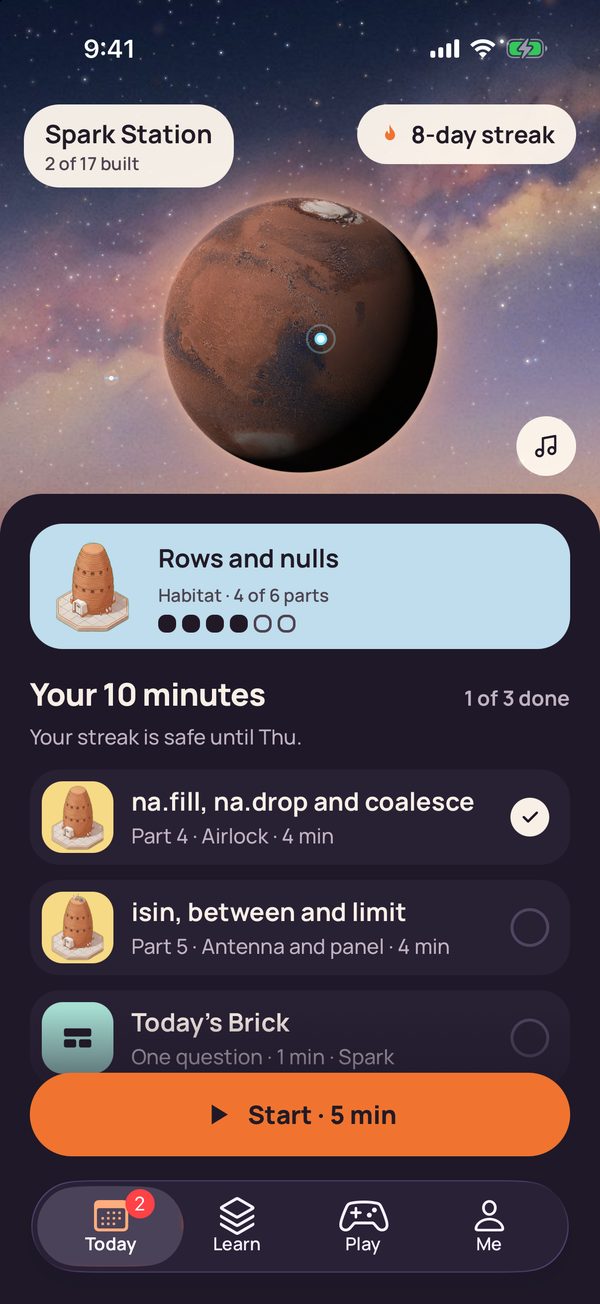
Today is the home screen: a turning Mars above the day's parts, Today's Brick (a question from parts you built) and any review due. One Start button runs them all; your streak survives a gap of up to three days.
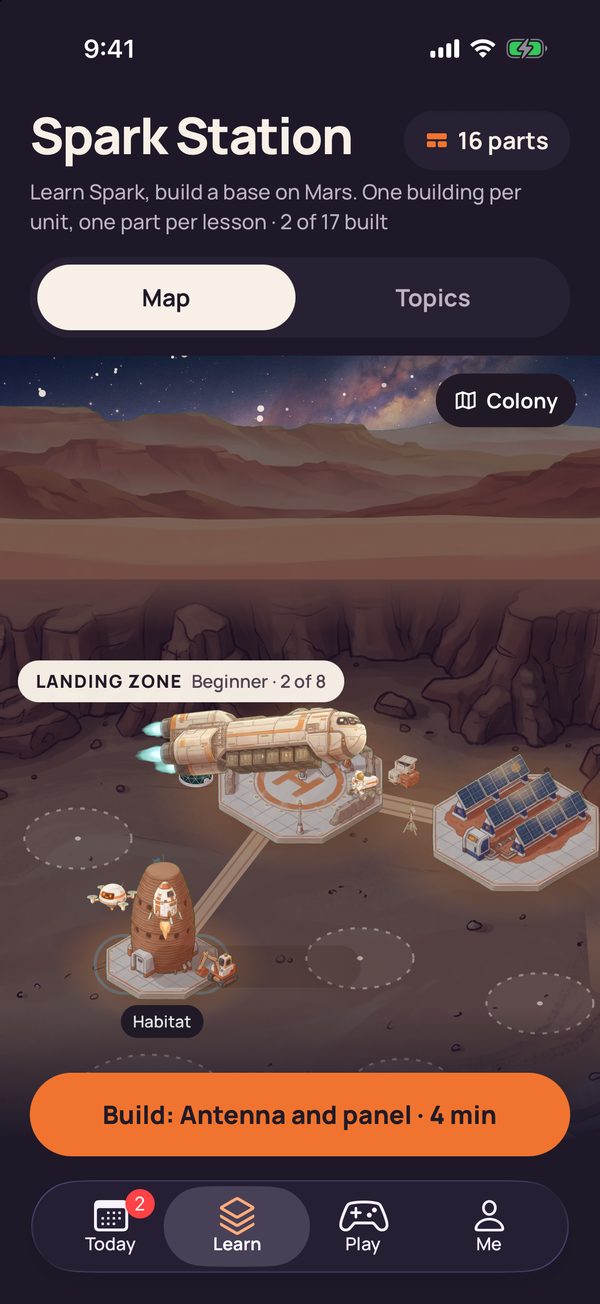
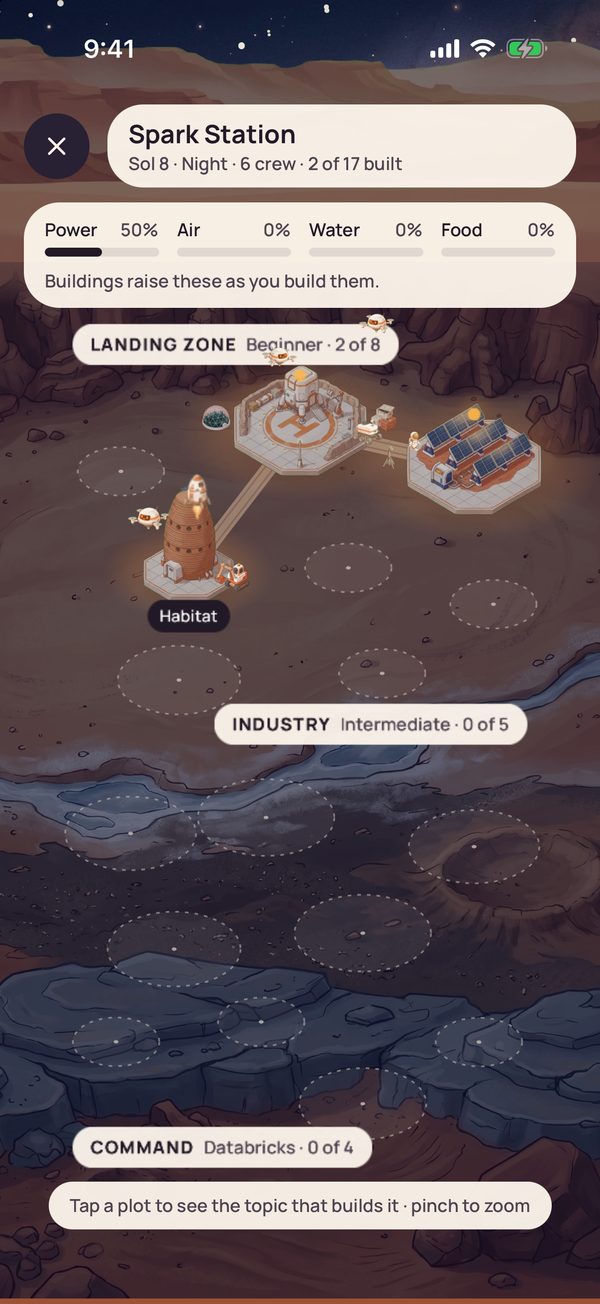
Learn shows the station as a map or topic cards, in three districts: Landing zone for beginners (8 buildings), Industry for intermediate topics (5) and Command for the Databricks platform (4). In the Colony view, power, air, water and food rise with each part of the buildings that supply them, and dust on a building means a review is due.
One lesson, from blueprint to building
Take part 5 of the habitat (the Rows and nulls topic): isin, between and limit. It opens with one to three blueprint cards of theory. Their Run button runs nothing on the phone; it reveals the output Spark printed when the card was checked. A fuller theory page can also be read aloud.
Then come three to seven questions, each with a hint. The first is a scenario: two invoice runs bill days 1 to 15 and 15 to 31, both with between. What happens to day 15? The answer card explains that between includes both ends, so day 15 is billed twice, and names where that was checked: on Spark and against the Column.between docs. A wrong pick first gets a nudge, and a missed question comes back later.
![Blueprint card 1 of 2 after Run: a PySpark code block, a Run again button, the printed output [True, False, None] and 2, and the line Ran on Spark 3.5.3 + Delta 3.2.0, recorded output.](/articles/brickster-colony-blueprint-run.jpg)
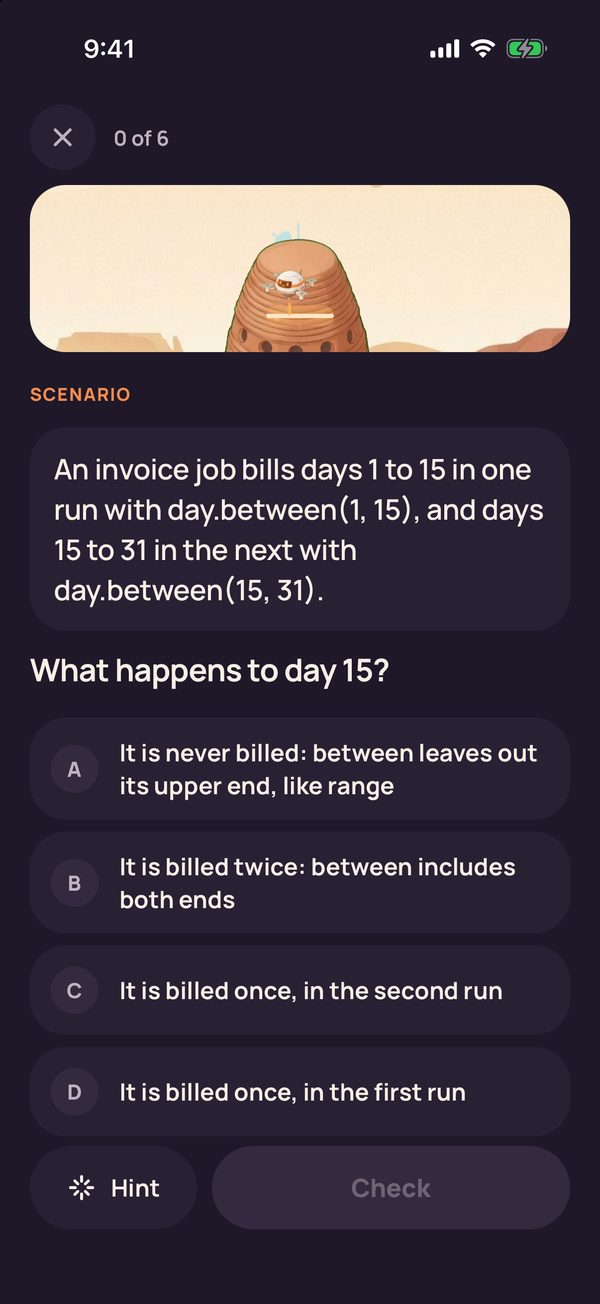
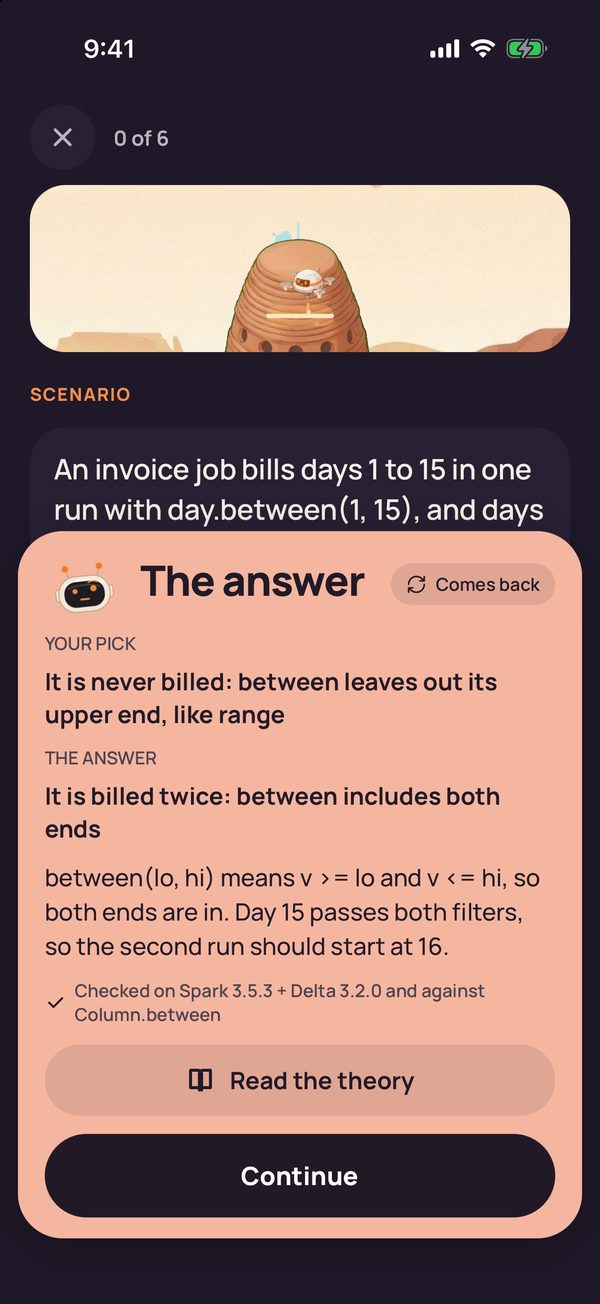
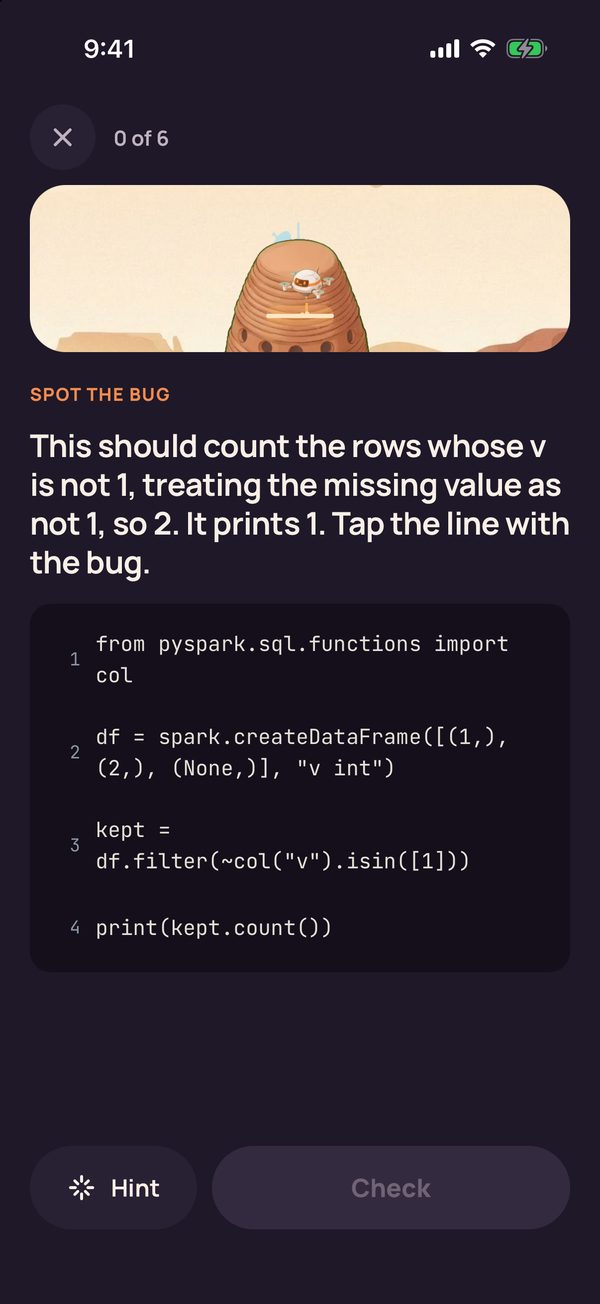
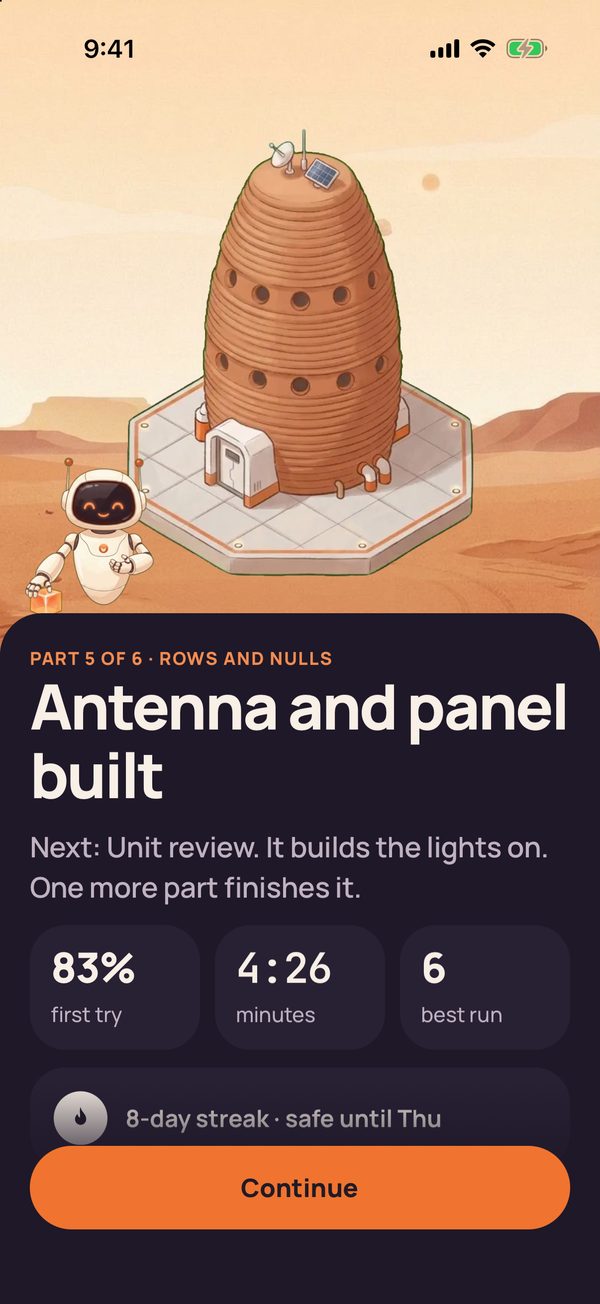
Each right answer has a drone 3D-print more of the part, and the last one finishes it.
There are eight question kinds. By design, five build a part: scenario, what does this print, spot the bug, concept check and match the pairs. The hands-on kinds (build the line, fill the blank, put the steps in order) are moving into an optional Try it round that builds nothing. In units 1 to 3 that move is complete; in later units hands-on questions still count toward the part, and there are no scenarios yet.
Answered questions return for review on a spaced schedule. Most buildings end with a unit review, and Test out (six questions, one slip allowed) builds a whole building you already know.
Play: Rover Rally, Cargo Sort and Query Lab
Play is practice: it never counts toward your streak, plan or buildings.
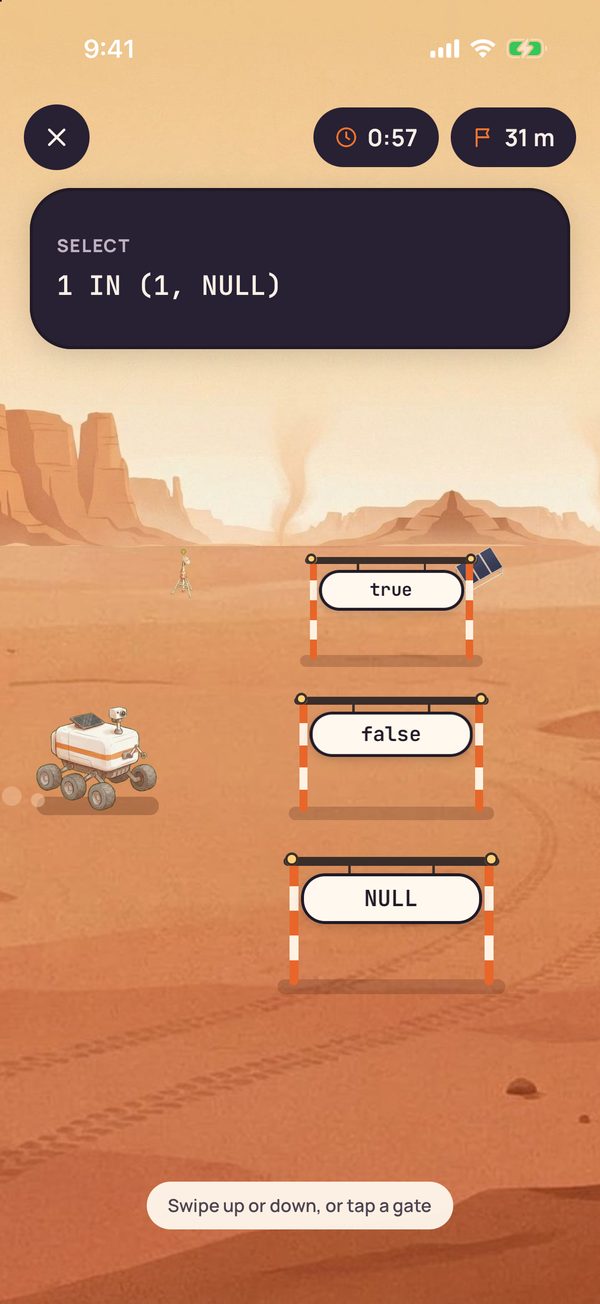
- Rover Rally. Steer into the gate with the value Spark returns:
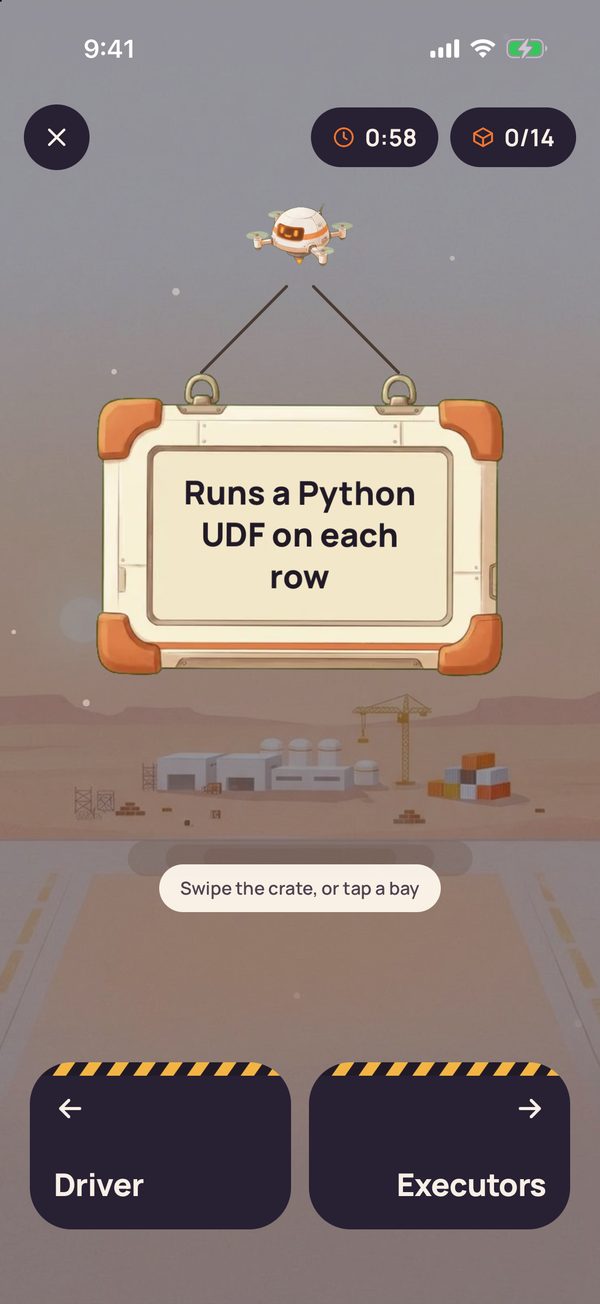
SELECT 1 IN (1, NULL)is true, because one match is enough. Runs last 60 seconds. - Cargo Sort. Swipe each crate, printed with a Spark statement, into one of two bays, such as Driver or Executors. 12 decks, 177 crates.
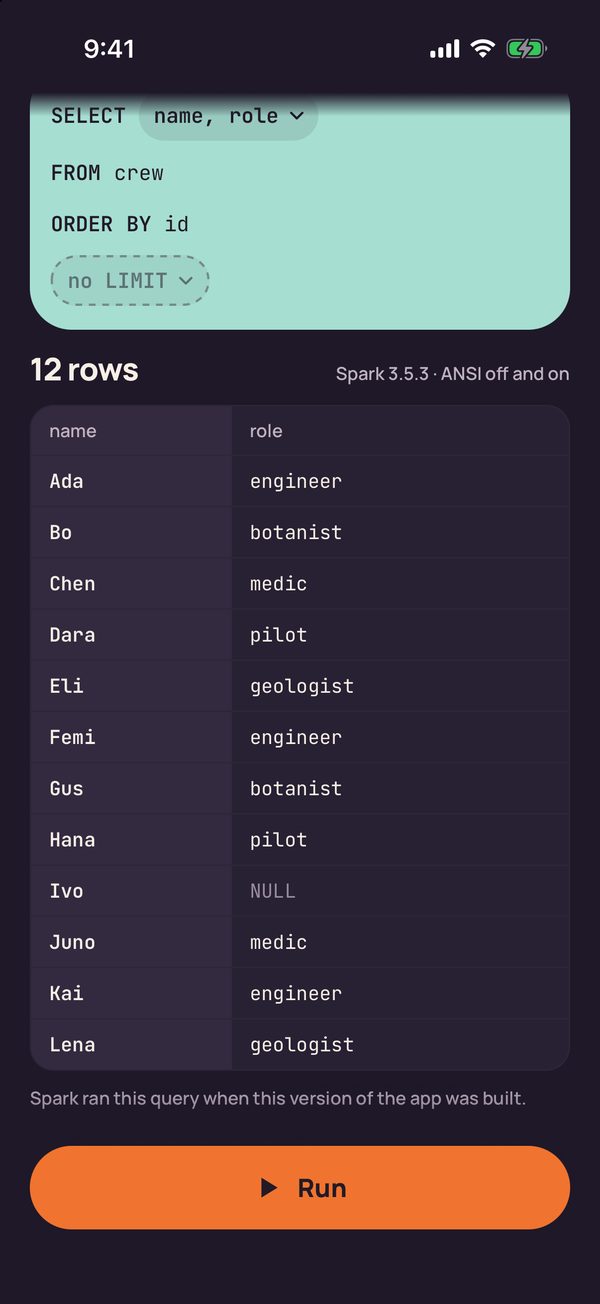
- Query Lab. Pick clauses to build a query over three small tables, with no typing, and see the table or error Spark returned when the app was built.
Me: your streak and your station
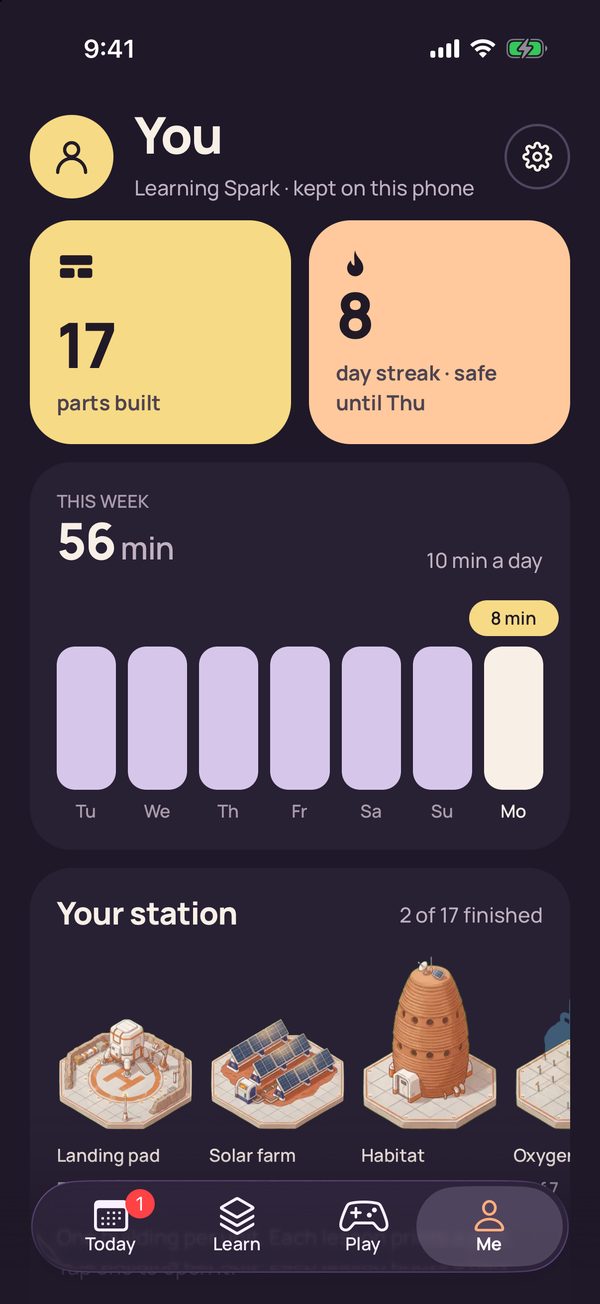
Me shows parts built, your streak, minutes this week and your station. The gear opens Settings, from the reminder and goal to Report a question and Reset progress.
How answers are checked
Spark answers are easy to get subtly wrong around nulls, types and ANSI mode, the stricter SQL behaviour Spark 4 turns on by default, so everything was checked before it shipped.
| Content | How it was checked |
|---|---|
| 331 of the 485 questions | Run on Spark 3.5.3 with Delta Lake 3.2.0; kept only if the output matched. |
| The other 154 | Concept checks, match the pairs and nine scenarios, checked against the documentation they cite. |
| 314 theory code examples | Run on Spark; Run shows the recorded output. |
| 72 Rover Rally signs | Run with ANSI mode off and on; both runs must agree. |
| 177 Cargo Sort crates | Spark decided 163; the 14 Driver or executors crates, like the one above, rest on the docs. |
| 102 Query Lab results | Run with ANSI off, then on with rows reshuffled; kept only if both agree, row order included. |
Every question cites a source, mostly the Apache Spark docs. An AI agent also reviewed the 42 scenarios against every page they cite; all 19 fixes it asked for were made before release.
One limit: lesson answers that ran used Spark 3.5.3 defaults, with ANSI mode off, so on Spark 4 a few (a bad cast, for example) raise an error instead of returning null. Spark 4 features appear only in concept questions and explanations. If an answer looks wrong, Report a question in Settings opens our feedback page.
Who it is for, and the certification
It is for data engineers and analysts learning PySpark and Spark SQL, candidates for the Databricks Certified Associate Developer for Apache Spark exam, and managers who want their team to build a Spark habit. There is no team view.
The exam guide linked from the official certification page, dated October 8, 2026, describes 45 scored multiple-choice questions in 90 minutes, all code in Python, with no documentation allowed. The certification goal covers the 13 Spark buildings: 88 parts, or 44 days at ten minutes a day. The 4 Databricks platform buildings (lakehouse, Lakeflow, Unity Catalog, MLflow) hold concept questions only and are not on that exam.
The app covers most topics of the exam guide and helps you prepare. It cannot tell you when you are ready: there is no score mapped to exam sections, and its questions are original, never taken from the exam. Coverage is uneven, and a few objectives are missing:
| Exam section (weight) | In the app |
|---|---|
| DataFrame API (30%) | Strongest: columns, nulls, joins, windows, arrays, UDFs. Almost nothing on stateful operations with StateStores. |
| Architecture (20%) | Lazy evaluation, driver and executors, deploy modes. Nothing on garbage collection or MLlib. |
| Spark SQL (20%) | Readers, save modes, temp views, tables. Nothing on JDBC or ORC files. |
| Troubleshooting and tuning (10%) | Partitions, shuffles, caching, adaptive query execution. Little on logs. |
| Structured Streaming (10%) | Output modes, triggers, watermarks, checkpoints. |
| Spark Connect (5%) | Light: one lesson. |
| Pandas API on Spark (5%) | Light: a handful of questions. |
For the gaps, use the official exam guide and our free practice questions; for a one-page summary, see our Spark Developer Associate cheat sheet.
Privacy in plain words
There is no account. The app has no analytics, ads or crash reporting tool, and makes no network requests of its own. Your progress and the reminder live on the phone, and deleting the app deletes everything it stored.
One caveat: through TestFlight, Apple shares crash logs, usage information and any feedback you send with us, and we see the name and email we sent the invite to. The app's own data handling is on our privacy page.
Join the beta
The beta starts on iPhone. You need an iPhone on a recent iOS (TestFlight needs iOS 16 or later) and Apple's free TestFlight app. Android testing has not started yet.
- Request the demo app through our feedback form. It opens with the request filled in, so you only add your name and the email address of your Apple account.
- Install TestFlight from the App Store.
- When your invite arrives, open it on your iPhone, follow it into TestFlight, then tap Accept and Install.
Free beta, iPhone first. The form opens with the request filled in: add your name and the email of your Apple account, and we will send you a TestFlight invite.
On your phone the icon reads Brickster Colony for now, and some screens and our privacy page still use the working name, Brickster Spark.
What we would like you to test:
- A lesson or two, and the Play tab. Do the questions work on a phone, and is four minutes a part right?
- Whether you open the optional Try it rounds. With no analytics, only you can tell us.
- Anything wrong, confusing, slow or broken, and what you miss most.
To send feedback, take a screenshot in the app, tap its thumbnail, then Share Beta Feedback, or tap Send Beta Feedback on the app's page in TestFlight. For one question, use Report a question in Settings.
Builds expire. Each TestFlight build works for up to 90 days from its upload. New builds arrive through TestFlight.
Price. The beta is free, and the App Store listing we have prepared is free with no in-app purchases.
brickster.ai is an independent community project, not affiliated with, endorsed by, or sponsored by Databricks, Inc. Apache Spark and Spark are trademarks of the Apache Software Foundation; Databricks, Delta Lake, Unity Catalog, MLflow and related marks belong to their owners.