

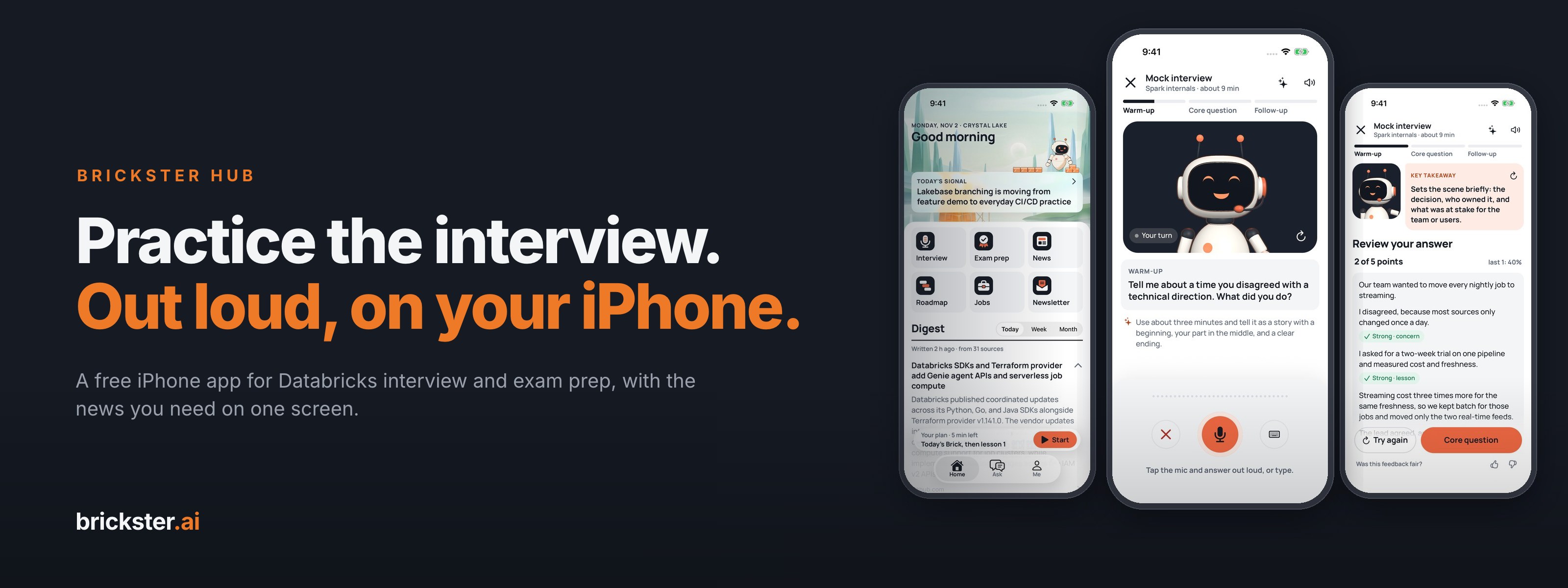
Brickster Hub is our iPhone app for people who work with Databricks. At its center is Interview: a mock data engineering interview you answer out loud, then check against the points a good answer covers. Around it sit Exam prep and the brickster.ai news you already read, on one home screen.
It is in beta on TestFlight, Apple's app for testing new apps. Ask for an invite, we add you as a tester, and Apple emails you the invite.
The form opens filled in. Add your name and the email of your Apple account, and send it.
Key takeaways
- Interview practice, out loud. 24 questions in six decks, from Spark internals to Behavioral. A mock interview has a warm-up, a core question and a follow-up.
- A checklist, not a grade. The app ticks the points your answer seems to cover and you correct it. The model answer and its sources are a tap away.
- Exam prep for six Databricks certifications. A level check, a daily plan sized to your minutes and a timed mock exam.
- No account, no ads, no analytics. Your answers and progress stay on your phone.
- Free to test. Ask for an invite. You need an iPhone on iOS 16.4 or later.
Why we built it
Data engineering interviews reward people who can explain a shuffle or a merge out loud, under a little pressure, in two minutes. Most of us only practice that by reading answers, which feels like progress and isn't. We wanted a rehearsal you can do on a train: a question spoken to you, your own answer in your own words, and an honest look at what you left out.
Interview: a mock interview, out loud
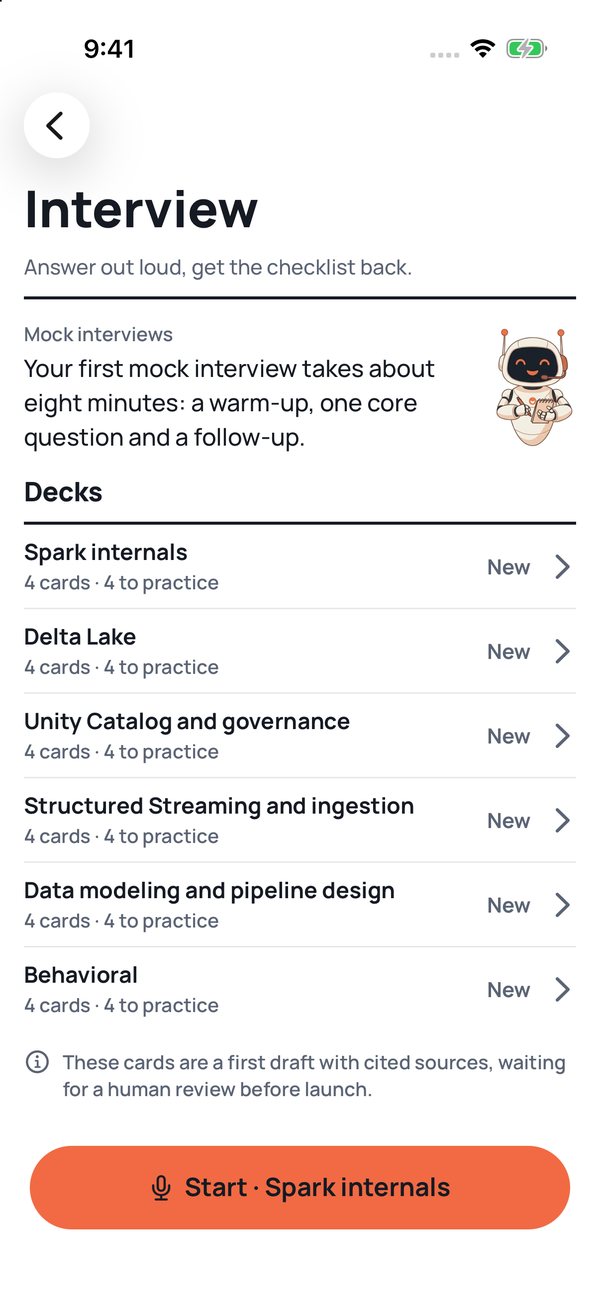
Interview opens on six decks: Spark internals, Delta Lake, Unity Catalog and governance, Structured Streaming and ingestion, Data modeling and pipeline design, and Behavioral. Each deck has four cards, and the Start button at the bottom picks a deck for you: your weakest one, or one you have not tried yet.
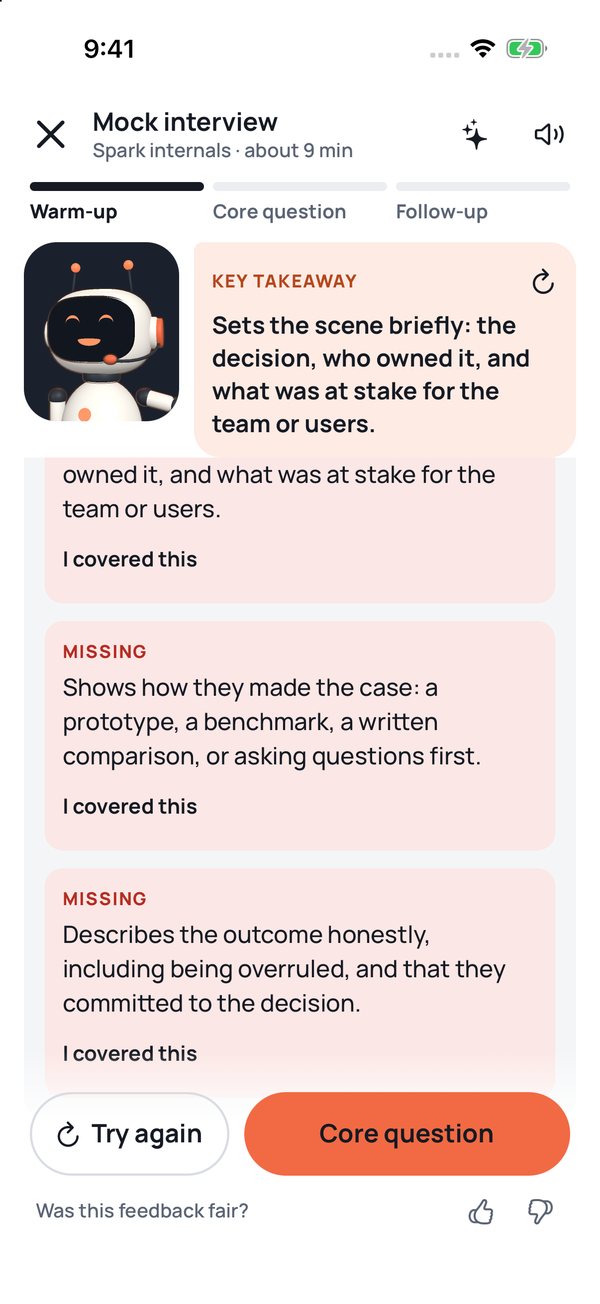
A mock interview has three steps, like a real screening call. The warm-up is a behavioral question; the Behavioral deck skips it and starts with the core question. The core question comes from the deck you picked. Then comes a follow-up on the same topic. It has no checklist: you compare your answer with a strong one. With AI highlights on, the model picks the follow-up that best tests the weakest part of your answer. The interviewer, our robot, reads each question aloud in a recorded voice. Under the warm-up and the core question, a written hint says how long to talk and what to cover.
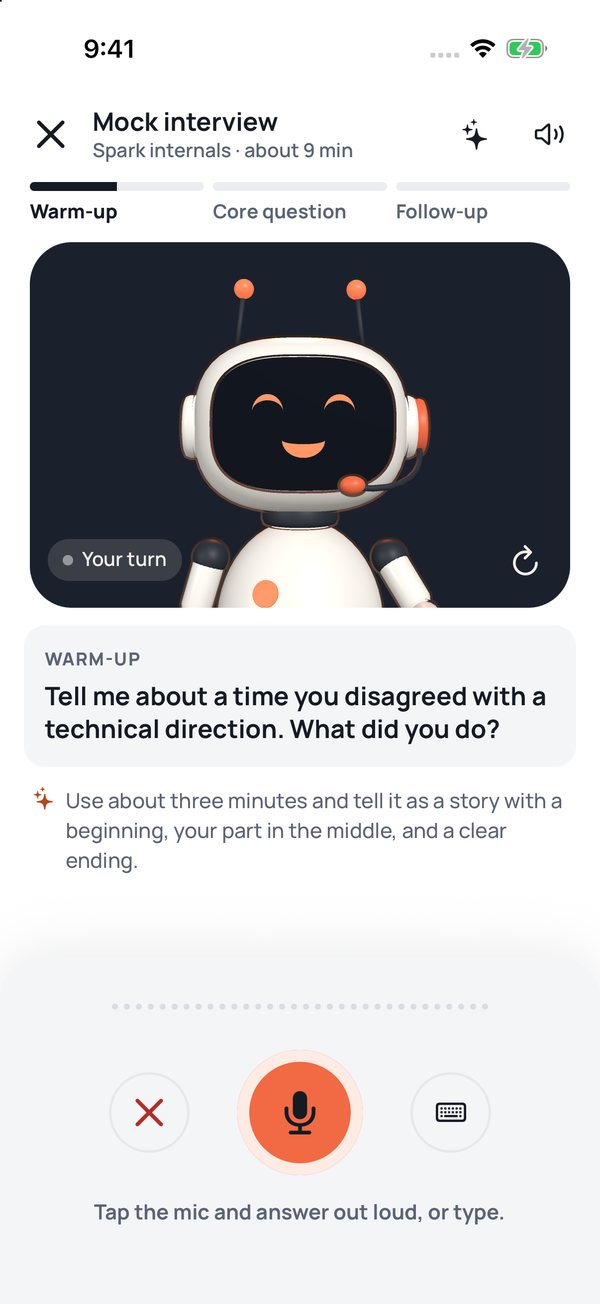
You answer by voice or by typing. Spoken answers go through Apple's speech recognition, on the iPhone when it can, and the app works with the text, never the recording.
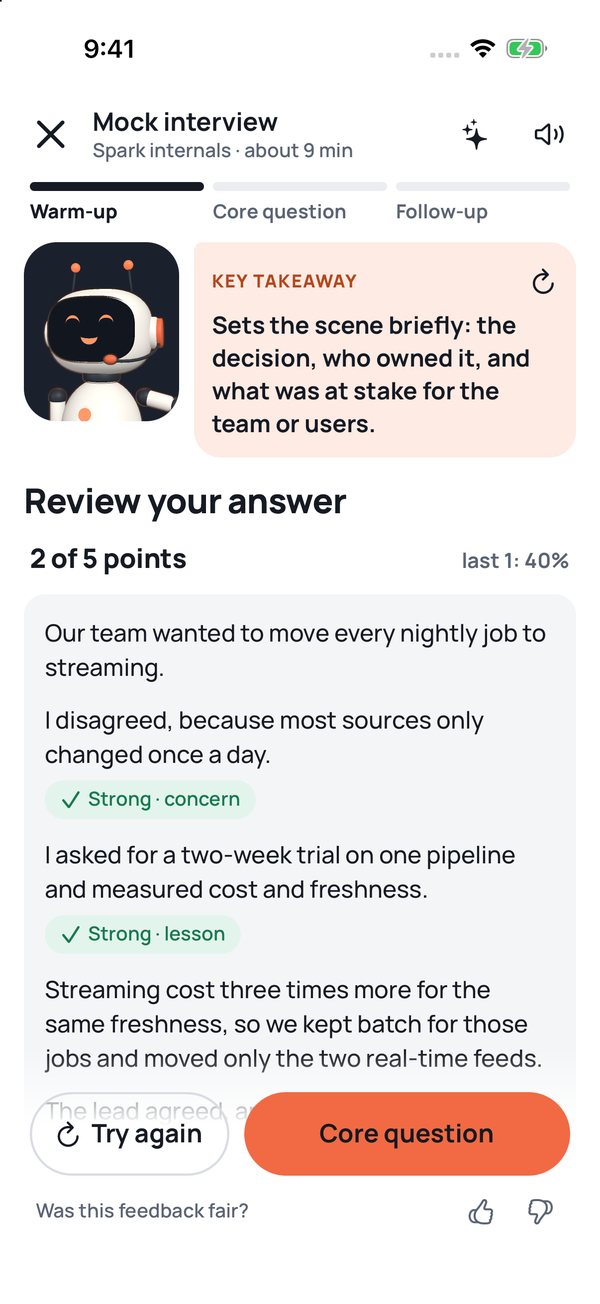
Then you see your answer split into sentences. Where a sentence matches a point on the checklist, it is tagged with that point. Above it is the key takeaway: the first checklist point you missed. Below it are the checklist points you missed, each with an "I covered this" button.
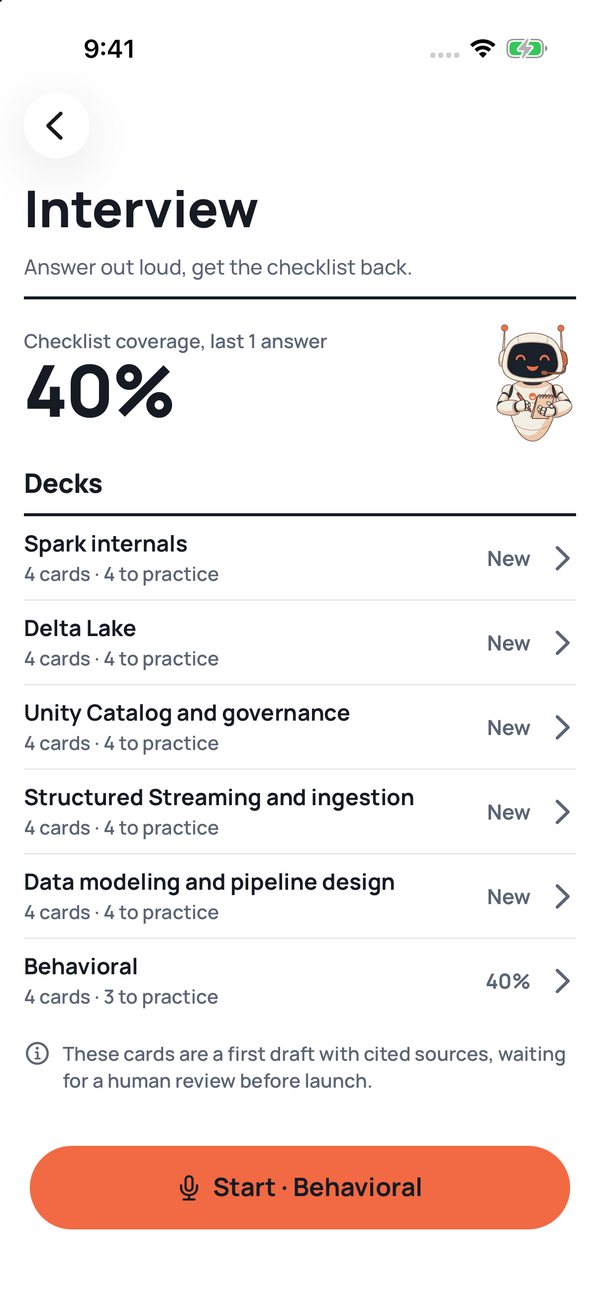
Each card has five or six checklist points, a model answer and links to the sources it was written from, mostly the Databricks and Apache Spark documentation. Interview shows your coverage over your last five answers, overall and per deck, so you can see whether the misses are shrinking.
One caveat, which the app also shows: the 24 cards are a first draft with cited sources, and a human review is still to come. If a point looks wrong, tell us on our feedback page.
How your answer is checked
The checklist is a starting point, not a grade. The app looks for the words and phrases each point implies, such as "join" or "repartition" for what triggers a shuffle, and ticks the points it finds. Keyword matching misses a point you made in your own words and can tick one you only mentioned, so the last word is yours: "I covered this" corrects it. If a check keeps missing a point, tell us on our feedback page.
No AI checks your answer unless you turn it on. The sparkle button at the top of a mock interview sets up AI highlights: up to three short notes on top of the checklist, written by a model from Google, OpenAI or Anthropic, or an endpoint you name, with your own key. The answer goes from your phone straight to that provider, after a consent screen. We never see it.
Exam prep: a daily plan to your exam
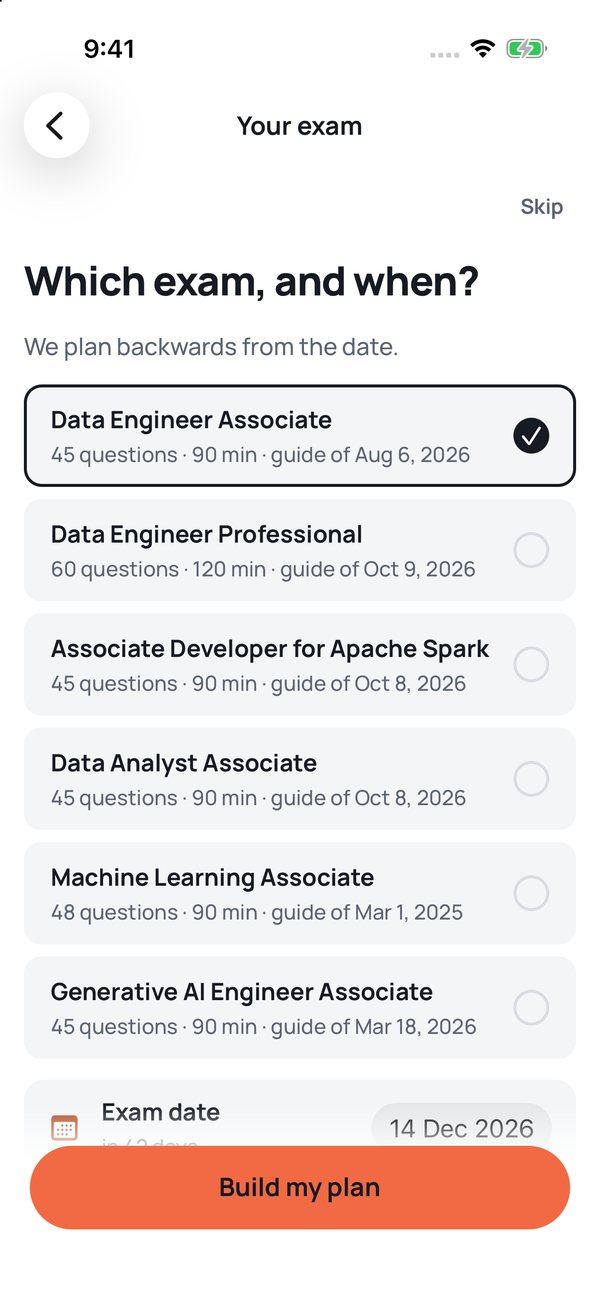
Exam prep is the only part of the hub that asks you to set it up first. You pick a certification, a date and the minutes you have each day, and it tells you whether that pace gets you to the target before the exam. The list covers six Databricks certifications, from Data Engineer Associate to Generative AI Engineer Associate, each with the date of the exam guide it follows. The bank leans to data engineering: for Machine Learning Associate it has questions for about half of the exam's weight, and a domain with none yet says "No questions yet".
A level check of up to 15 questions finds your starting point. After that, each day's plan fits the minutes you chose: Today's Brick, a short set on the exam domain that costs you the most, the next short lesson and any reviews that are due. A timed mock exam that gives no feedback until the end, like the real one, is there whenever you want it.
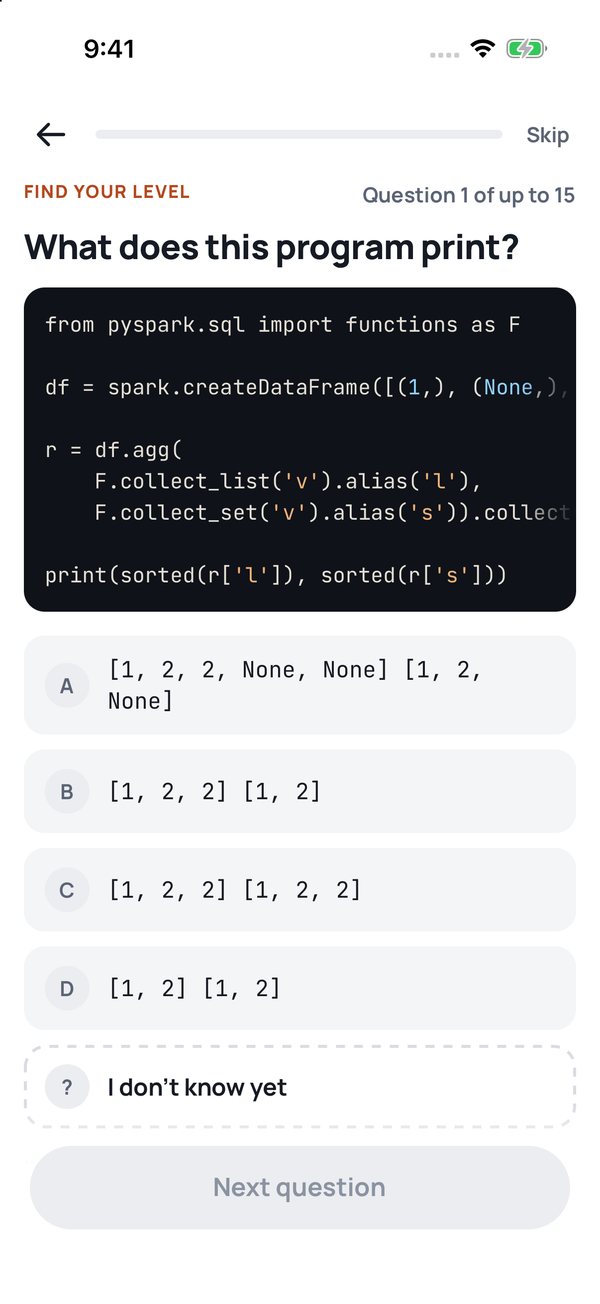
The practice questions come from the same reviewed bank as the site's daily question: 171 questions. Each of the 99 code questions was run on Spark 3.5.3 with Delta Lake 3.2.0 before it was published, and the answer shows that engine. The app shows a readiness figure and an 80% target line, never a pass mark, because Databricks does not publish one.
The rest of the hub
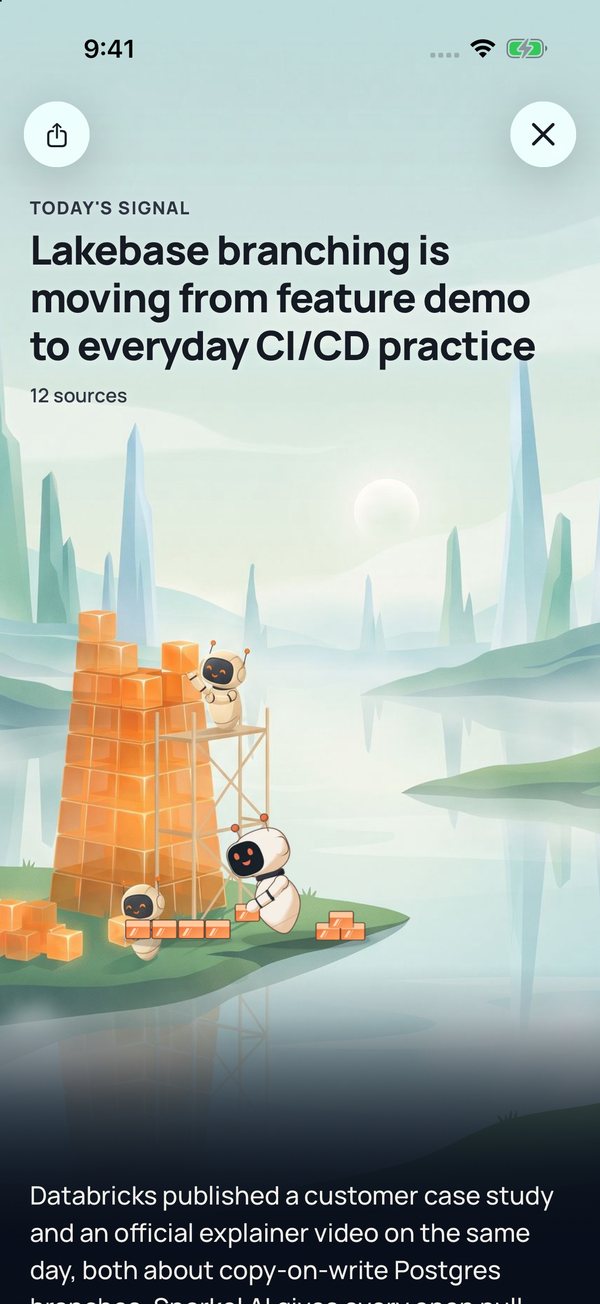
Home opens on a painted world, a different one each time you open the app, with the day's insight from our pipeline on top: the same "Today's signal" as on brickster.ai. Tap it and the card opens into the whole painting, with the story, why it matters and the evidence behind it. On Home, a small robot stacks bricks on the card.
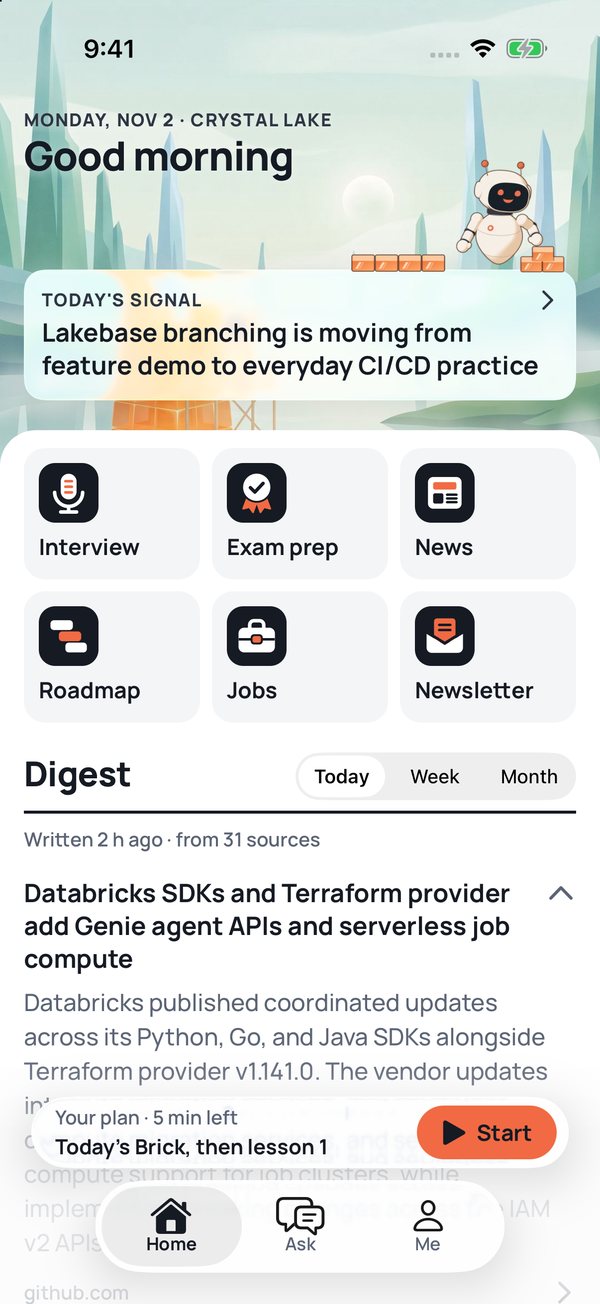
Under it are six tiles: Interview, Exam prep, News, Roadmap, Jobs and Newsletter, followed by the daily, weekly and monthly digest. News, the newsletter, the Databricks roadmap and the jobs list are the ones on brickster.ai, kept on the phone so they still read offline. A link to another site opens in the in-app browser and brings you back. Two tabs sit beside Home: Ask puts a question to the brickster.ai assistant and shows its sources, and Me shows your progress, from exam readiness to your interview trend.
Privacy in plain words
There is no account and no sign-in. The app has no analytics, ads or crash reporting tool. Your interview answers, your exam plan and your progress live on the phone, and deleting the app deletes them.
The news and the digest are fetched from brickster.ai like any visit to the site, and today's signal comes straight from our database provider, Supabase. A question you send in Ask goes to brickster.ai, and Google's Gemini model writes the answer. While the app is open, it sends us a random id every five minutes so Home can show how many people are studying. Settings turns that off. Speech recognition is Apple's. AI highlights are off unless you add your own key. The details are on our privacy page.
Join the beta
Brickster Hub is free to test. You need an iPhone on iOS 16.4 or later and the TestFlight app from the App Store. There is no Android version on Google Play yet.
Add your name and your Apple account's email to the filled-in form and send it. We add you as a tester and Apple emails you the invite.
Once you are in, take a screenshot anywhere in the app, tap its preview and choose Share Beta Feedback. The app has no analytics, so your feedback is how we learn what works and what does not.
brickster.ai is an independent community project, not affiliated with, endorsed by, or sponsored by Databricks, Inc. Databricks, Delta Lake, Unity Catalog and related marks belong to their owners; Apache Spark and Spark are trademarks of the Apache Software Foundation.