
Data Quality
Recent items mentioning Data Quality across the Databricks ecosystem — releases, news, videos, and community Q&A. Updated hourly.
Architectural patterns are shifting toward automated enforcement, pairing agent-proposed rules with DQX execution 4 and deploying failure-oriented data quality firewalls across petabyte-scale medallion architectures 9. At the same time, teams are benchmarking Databricks Expectations against native alternatives in platforms like Microsoft Fabric 1 while pushing beyond standard table-level validation toward context quality 7.
Generated daily from the 9 most recent items mentioning Data Quality. Click any [N] to jump to the source.
Data Quality in Microsoft Fabric – Native features vs. external tools (like Databricks Expectations)?
Hey everyone! I’ve been working a lot with data quality frameworks in Databricks (leveraging things like Delta Live Tables expectations or custom validation notebooks), and I'm curious about how the community is handling Data Quality in Microsoft Fabric. Does Fabric have a native, built-in feature for data quality/expectations (similar to what Databricks offers), or are most of you relying on external tools, libraries (like Great Expectations/Soda), or custom PySpark/SQL validation notebooks inside Data Engineering pipelines? How are you currently enforcing quality checks before data hits your Gold/Semantic layers in Fabric? Would love to hear your approaches and best practices! I read this documentation here: https://learn.microsoft.com/en-us/purview/unified-catalog-data-quality-fabric-lakehouse?WT.mc_id=510336 , but it doesn't say much. submitted by /u/SuperbNews2050 [link] [comments]
Time to Swap the Cookies for Jetfuel - New Dataset & New Databricks Genie Tutorial
Most of you know samples.bakehouse . Great for a first query. Perfect for a quick demo. But after years of cookie sales, it's a little overbaked. Time to swap the cookies for jet fuel. ✈️ Together with the OpenSky Network , I brought a full day of global air traffic to Databricks Marketplace: 696 million real ADS-B position reports, messy just like real life. Myself, I used Genie for the whole journey: EDA, data exploration, a Apache Spark Declarative Pipeline, and a Lakeflow Job. Then I went a step further and read the same Marketplace data with open-source tools only, using OpenSharing and pandas. The result is this hands-on tutorial: Marketplace + Unity Catalog: get the data as a governed table Genie Agents: find anomalies in plain English Genie Agents: explore and visualize with maps and charts Genie Code: a Spark Declarative Pipeline, bronze to gold, with data quality rules Genie Code: a Lakeflow Job with schedule, retries, and email alerts Databricks Apps: your coding agent, governed by Unity Catalog OpenSharing: the open-source client in VS Code with pandas Everything runs on Databricks Free Edition (free, no credit card). 📖 Tutorial: Databricks Genie for Data Engineers and Data Scientists 💻 GitHub: databricks/tmm/DSDE-Genie-Tutorial 🛫 Dataset: OpenSky Network full-day dataset on Marketplace What's the first thing you'd query in a day of global air traffic? P.S. For the record, we still love bakehouse! 🍪❤️ [Disclaimer: I'm one of the two people who baked it.] submitted by /u/CompetitiveBet8978 [link] [comments]
DQ Management
Hi, we have a lot of data products, how do u design your data quality, and what tools do u use? Idea is that we use dqx, we define rules (ERROR, WARN), and enforce that in pre write of the data, which is to be honest a new thing. Then i would also like to have anomaly checks, where i could compare stats of current batch run to the previous one. How do u design your dq around dqx? And what else do u use? What "flow" do u use? submitted by /u/ptab0211 [link] [comments]
Databricks Data Quality - Agent Proposes, DQX Disposes
New features in Lakeflow Designer
New in Lakeflow Designer (screenshots below): 🚀 Genie can now create custom operators for you. For example run t-tests, create PDFs, send Slack messages etc. 🚀 Guardrails operator for Data quality checks 🚀 Multi join 🚀 Excel & CSV export controls 🚀 Output operator acts like a source for the destination it writes 🚀 Parameter suport in more operators (Combine, Limit) 🚀 Disable operators submitted by /u/zaboca_v [link] [comments]
Anyone running actual SLOs on Lakeflow Jobs, or is it still “it failed, rerun it”?
I own the platform side for a couple of data teams. Got asked why I could produce an availability number for every service we run except the pipelines, so I went to build one off system tables. More awkward than I expected. Two things cost me an afternoon. job_run_timeline records up to an hour of runtime per row, so anything running longer is spread across several rows, and result_state / termination_code are only populated on the row that ends the run. My first success-rate query counted every intermediate row as a non-success and the numbers came out apocalyptic. Second, records land within about an hour. Fine for an error budget, useless for paging. So it ended up split: job notifications and webhooks for "wake someone up", system.lakeflow for "are we actually hitting the number". 365 days of retention is plenty for the trend. What I have now is per-job success rate and p90 duration against a target, rolled up by owner, in the same dashboards as everything else. The useful part wasn't the dashboard, it was that "this pipeline is flaky" became "this pipeline burned most of its budget in a week", which lands very differently with the people who own it. What I can't tell is whether anyone does this seriously. Most of what I read treats a job failure as a data quality thing you retry, not a reliability number someone is accountable for. So: does your org have a real target for pipeline reliability, and who owns it — platform or the data team? submitted by /u/AbilyticsEng [link] [comments]
From Data Quality to Context Quality
Built a Databricks medallion pipeline for NYC Taxi data
Been working on this as a way to get hands-on with Databricks Asset Bundles and Unity Catalog governance. It's a migration of an old on-prem NYC Taxi analytics stack (ClickHouse + Spark + Docker + Terraform) into a proper Bronze/Silver/Gold lakehouse. A few things I focused on: Auto Loader for incremental ingestion, triggered by file arrival Data quality handling that doesn't just drop bad rows — duplicates, zero-distance trips, and reversed fares go into dedicated quarantine tables instead of being silently discarded Databricks Asset Bundles for deploy/orchestration (dev + prod targets) 3 published AI/BI dashboards on top of the Gold layer (fleet ops, finance, compliance) It's intentionally small in scope — meant to demonstrate the lakehouse pattern, not be a production-scale platform. Currently only Green Taxi data; FHV comparison is planned next. Repo: https://github.com/Hamza-Bouali/NYC-DATABRICKS Would love feedback, especially on the Silver-layer data quality rules or the bundle structure open to critique. https://preview.redd.it/ej6hvzrbokph1.png?width=1667&format=png&auto=webp&s=b090b2c5165efcc83fb3f2b5c38ff6ef34c8ef48 https://preview.redd.it/rih9a5sbokph1.png?width=1879&format=png&auto=webp&s=1b85b90608e1b1273da4f8cbb4fa65d9f2c397a7 https://preview.redd.it/kjdor4sbokph1.png?width=1687&format=png&auto=webp&s=677c6194ede0cd01a8630ee98f85d11a5146b410 submitted by /u/No-Pollution-2274 [link] [comments]
Building for Failure: Implementing Data Quality Firewalls in Petabyte-Scale Medallion Architectures
No more UNION ALL-ing all of your SDP pipeline event log tables for monitoring
https://preview.redd.it/3w0j4ss3inoh1.jpg?width=2048&format=pjpg&auto=webp&s=50bc79280a546544e8f795947e5af6b211e9596a Hi folks, Databricks PM here - I wanted to share an exciting update that you no longer have to manually publish and combine your pipeline event logs for monitoring across pipelines and workspaces. We just launched the beta for the pipeline events system table (system.lakeflow_pipeline_events_preview.pipeline_events). Key features: All pipeline events (regardless of cluster start) are automatically captured without any manual enablement or maintenance. Events are aggregated in a central system table without requiring any custom aggregation logic. This data is available at close to real time latency (based on our internal testing we achieve a P99 latency of less than 1 minute). An admin can grant a single user access and they can query events for every pipeline in the table. Fine-grained access controls support which scopes the visibility to only the pipelines the user has access to is coming soon. The data remains in the system table even after pipeline deletion and is retained for 13 months. If you want longer retention this is also possible with the configurable retention feature for System Tables. Query ergonomics are better now with the use of VARIANT. Here are some sample queries in case you want to try them out: -- The latest error for each pipeline that has errored in the last 7 days, with the outermost exception. -- The exception chain is ordered with the root cause last, so read element -1 for the root cause. -- On many errors only the first element carries error_class and sql_state. SELECT workspace_id, pipeline_id, event_time, event_type, message, error.exceptions[0].error_class AS exception_error_class, error.exceptions[0].sql_state AS exception_sql_state FROM system.lakeflow_pipeline_events_preview.pipeline_events WHERE level = 'ERROR' AND event_time >= current_timestamp() - INTERVAL 7 DAYS QUALIFY ROW_NUMBER() OVER (PARTITION BY workspace_id, pipeline_id ORDER BY event_time DESC) = 1 ORDER BY event_time DESC -- Flow throughput for a specific pipeline SELECT origin.flow_name, date_trunc('HOUR', event_time) AS hour, SUM(variant_get(details, '$.flow_progress.metrics.num_output_rows', 'BIGINT')) AS rows_written FROM system.lakeflow_pipeline_events_preview.pipeline_events WHERE pipeline_id = ' ' AND event_type = 'flow_progress' AND event_time >= current_timestamp() - INTERVAL 7 DAYS GROUP BY origin.flow_name, date_trunc('HOUR', event_time) ORDER BY hour DESC, rows_written DESC -- Data quality: failed expectations by dataset, per update, in the last 1 day SELECT pipeline_id, update_id, origin.dataset_name, expectation.name AS expectation_name, SUM(expectation.failed_records) AS failed_records FROM system.lakeflow_pipeline_events_preview.pipeline_events LATERAL VIEW explode(variant_get(details, '$.flow_progress.data_quality.expectations', 'ARRAY >')) AS expectation WHERE event_type = 'flow_progress' AND event_time >= current_timestamp() - INTERVAL 1 DAY GROUP BY pipeline_id, update_id, origin.dataset_name, expectation.name HAVING SUM(expectation.failed_records) > 0 ORDER BY failed_records DESC; Beyond single queries you can build alerting (using Databricks SQL alerts) and dashboards. We will share a new dashboard template soon - I will update this post once its available. Call outs: This is in beta right now, if you are not opted in we will not capture your event log data. Enablement: Toggle on the “ Lakeflow Pipeline Events System Table ” from the account level preview. Docs are linked here , would love to hear your thoughts on how you will use it or what else you want to see to improve observability! submitted by /u/brickster_123 [link] [comments]
Do UC table tags propagate to billing for Predictive Optimization and Data Quality Monitoring?
Databricks 5 Minute Features: Governance Hub
Check out the Databricks Governance Hub in my latest 5 Minute Features. A one-stop-shop for all your governance needs; Cost Control, Access, Data Quality, AI Usage all in one place! submitted by /u/Remarkable_Rock5474 [link] [comments]
Query works in Databricks SQL but fails through JDBC
I’ve noticed cases where a query runs successfully in the Databricks SQL editor but fails when the exact same query is executed through a JDBC-based application or data quality tool. Has anyone run into this? Was the issue related to query wrapping, session settings, SQL dialect differences, or JDBC driver behavior? How do you usually troubleshoot these cases? submitted by /u/No_Ambition8323 [link] [comments]
SDP-Meta Deep-Dive Demo: Building Data Pipelines at Scale on Databricks (w/ Databricks Sr. Staff FDE)
This s a helpful resource for those building pipelines at scale on Databricks. From the docs: SDP-META is a metadata-driven framework for Lakeflow Spark Declarative Pipelines . Define your Bronze and Silver pipelines in a JSON or YAML onboarding file — a single generic Declarative Pipeline reads the resulting DataflowSpec at runtime and builds the full processing graph automatically. No pipeline code to write. Who it's for: platform and data engineering teams standardizing repeatable Bronze/Silver pipelines across many datasets — onboarding new feeds through metadata instead of new pipeline code, with consistent data quality, quarantine, CDC, clustering, and sink patterns available through Bundles, CLI, UI, MCP, and agent workflows. When it's not the best fit: one or two simple pipelines, Gold-layer business modeling, tables that each need unique application logic, a managed connector and downstream logic that already satisfy the complete Bronze/Silver requirement, or a need for a formal support SLA (SDP-META is a Databricks Labs project). See the Introduction for the full positioning. You can find the project at https://github.com/databrickslabs/sdp-meta submitted by /u/JosueBogran [link] [comments]
Best practices for data quality in lakeflow
Choosing Data Governance Tools for Enterprise Data Governance
Governance tools enforce access control, quality checks, and lineage tracking at the platform layer, but their architecture ranges from standalone catalogs to platform-native suites, so matching the category to your underlying data stack is what prevents duplicate metadata layers and policy gaps. Evaluation criteria like policy enforcement granularity and AI/agent governance differ widely across tools, a gap that matters more as autonomous agents begin querying production data directly.
Data Mesh vs. Data Fabric: Key Differences and How the Lakehouse Resolves the Debate
Lakehouse architecture ends the mesh-versus-fabric tradeoff by pairing domain-owned data products with centralized governance enforcement, so teams ship analytics and ML products fast without fragmenting compliance. The result, per examples from financial services, healthcare, and retail, is better data quality and lower integration overhead alongside the accountability gains mesh ownership brings.
DQX Forge - Extension for DQX in Databricks
Hey guys, i'm just launched a VsCode extension for Data Quality proccess using DQX. The idea is simplify the process using AI (you can do it manually to). The extension construct data contracts, jobs and dashboards, all of that with few clicks and with less than 10 minutes. If you can, please, test and send me a feedback, so i can improve that. You can download directly in VsCode Extensions Marketplace, or https://marketplace.visualstudio.com/items?itemName=arthurfr23.dqx-forge https://preview.redd.it/peasj2p0ajkh1.png?width=3418&format=png&auto=webp&s=4b2b9c9dd3ca68c65a3c45fd08a6e793396d5dff submitted by /u/Significant-Side-578 [link] [comments]
 News
NewsDatabricks News: ZeroOps, DABs, Indexes, Genie, sandboxes, migration from PowerBI, secrets
Zero Ops automatically detects errors in jobs and data quality with lineage analysis and proposes code fixes, while DABs now default to direct mode instead of Terraform with automatic state migration. Full-text search indexes deliver 400x faster queries on billion-row tables, Genie automatically converts PowerBI dashboards to Databricks metric views, and Unity Catalog secrets support granular read and reference-only permissions.
Data quality Lineage Root cause analysis
 News
NewsEp 6: All About Genie App Builder | James Bentley
The video teaches how the Databricks Genie App Builder allows users to create governed, enterprise-ready applications using plain-language descriptions tied directly to Unity Catalog data. It demonstrates how features like app spaces and serverless micro apps enable scalable development while reducing infrastructure and governance challenges.
Data Quality Dashbaord - I have a requirement to build a custom designed quality dashboard in dbx
Top 10 AI Business Solutions Driving Company Growth
Discover the top 10 AI business solutions driving company growth, emphasizing the critical role of clean, governed data and strategic platform consolidation. Learn how successful organizations are achieving high returns by tying AI investments to specific business outcomes, avoiding common pitfalls like poor data quality and late governance.
Enterprise Data Strategy Roadmap for Business Outcomes
Connecting enterprise data assets to measurable business outcomes requires scalable architecture and analytics frameworks anchored in strong governance, data quality, and master data management. Delivering this through a phased pilot-to-scale roadmap, cross-functional teams, and data literacy initiatives ensures regulatory compliance and sustains a competitive data-driven culture.
Data Governance Architecture: A Complete Blueprint for Modern Organizations
This blueprint details a complete data governance architecture, outlining the policies, roles, and technologies needed to manage data assets. It emphasizes a modern strategy combining automated lineage, RBAC, and federated models to ensure data quality and regulatory compliance at scale.
Pipelines - how are you handling significant schema changes?
Hello - Right now with pipelines you can set things up so you can gracefully handle column additions and safe type conversions (more general type to more specific type). For things like column removals or downcasting, even the most liberal schema evolution setting will throw a failure and require the user manually triage by doing a full reload. I get why this is being done and I agree with the overall philosophy. We should lean on planning and communication because signifiant schema changes mean there is likely an impact downstream and/or to do data quality/meaning. But...... that means we have breaking changes that need to be triaged. In a scenario where we have separate Ops teams potentially operating in a different country, that means we would need to do "staged" failure and reprocessing of the various pipelines. EX: major change in pipeline A means it breaks and requires a full refresh. But A feeds B which feeds C which feeds D. In some situations, that means staged triaging of those expected failures (fix A, then fix B, then fix C, then fix D) - which means labor and perceived extended downtime. - How is everyone managing those kinds of situations? - Is there any possibility of ever setting the pipeline objects to allow for any form of schema change - falling back to a full load as a "last resort" so things auto-heal? (I get why this is not a great option, but at some point this feels like what we'd do manually anyway) Thank you!
When Spark Fails Silently: A JSON Parsing issue
One of the things I really appreciate about the **Databricks Community** is that it surfaces real-world edge cases you don’t usually find in documentation or tutorials. Some time ago, I came across an interesting discussion there involving a JSON parsing issue in **Apache Spark**. At first glance, everything looked straightforward - valid JSON, well-defined fields, no obvious data quality problems. And yet, Spark was returning a DataFrame with nulls. # The Case: When Valid JSON Still Breaks Spark The JSON structure in question looked roughly like this: * A **root array** * Containing **arrays of objects** * Each object representing a sensor state with attributes and timestamps In other words: **an array of arrays of structs**. [ [ { "entity_id": "sensor.solaredge_lifetime_energy", "state": "19848848.0", "attributes": { "state_class": "total", "unit_of_measurement": "Wh", "device_class": "energy", "friendly_name": "solaredge Lifetime energy" }, "last_changed": "2025-12-14T23:00:00+00:00", "last_updated": "2025-12-14T23:00:00+00:00" }, { ... } ], [ ... ] ] The user had defined an explicit schema and used Spark’s JSON reader in multiline mode -and Spark still produced an empty result set, without errors or warnings. Spark is tricky here because nothing actually breaks - it just fails quietly in the background. # Why This Happens The root cause here is a subtle detail in how Spark’s DataFrameReader handles JSON. Spark’s JSON reader is fundamentally designed around the idea that the input represents a **JSON object** at the root level. When that assumption holds, schema inference (or applying an explicit schema) works as expected. In this case, however, the JSON file does **not** start with a JSON object - it starts with a **JSON array**. More specifically, it’s an array whose elements are *themselves arrays* of objects. That difference matters. To illustrate: if the same content were wrapped inside a root-level object, Spark would have no trouble inferring the schema. For example, rewriting the file like this: { "data": [ [ { "entity_id": "sensor.solaredge_lifetime_energy", "state": "19848848.0", "attributes": { "state_class": "total", "unit_of_measurement": "Wh", "device_class": "energy", "friendly_name": "solaredge Lifetime energy" }, "last_changed": "2025-12-14T23:00:00+00:00", "last_updated": "2025-12-14T23:00:00+00:00" }, { "entity_id": "sensor.solaredge_lifetime_energy", "state": "19849120.0", "attributes": { "state_class": "total", "unit_of_measurement": "Wh", "device_class": "energy", "friendly_name": "solaredge Lifetime energy" }, "last_changed": "2025-12-14T23:15:00+00:00", "last_updated": "2025-12-14T23:15:00+00:00" }, { "entity_id": "sensor.solaredge_lifetime_energy", "state": "19849580.0", "attributes": { "state_class": "total", "unit_of_measurement": "Wh", "device_class": "energy", "friendly_name": "solaredge Lifetime energy" }, "last_changed": "2025-12-14T23:30:00+00:00", "last_updated": "2025-12-14T23:30:00+00:00" } […truncated]
Governing AI agents at scale with Unity Catalog
Unity Catalog now governs AI agents at scale, providing a unified layer for identity-aware access, runtime policies, and full auditability across all agent interactions. This extends data governance to AI systems, improving observability, compliance, and trust for models, servers, and data within the lakehouse.
Automate Data & KPI Monitoring with SQL Alerts
Databricks SQL Alerts is now Generally Available, enabling automated data quality and KPI monitoring that notifies owners whenever query results breach defined thresholds. Practitioners can author alerts using standard SQL or Genie Code, or run them inline as Lakeflow Jobs tasks to dynamically route downstream pipeline execution.
 Community
How I Mastered System Design Interviews
This video teaches a six-step framework for mastering data engineering system design interviews, covering requirements gathering, pipeline design, data modeling, storage and file formats, data quality and observability, and pipeline resilience. It demonstrates how to apply this framework with practical examples and back-of-the-envelope calculations to justify design choices.
 News
NewsData + AI Executive Series: Fast 5 — Scaling Real-Time Ops with Databricks at Aer Lingus
Aer Lingus uses Databricks to scale real-time operations, particularly for making critical decisions in their operation control center regarding flight delays and cancellations. They are also exploring using "Agentic" to automate business case creation and review, aiming for a single, governed platform for reusable agents.
Data quality is the AI strategy
Your AI strategy hinges on data quality, starting with fixes to transactional systems. Organizations prioritizing value creation with unified data will benefit most, as tools and models constantly evolve.
The next generation of Databricks Genie just launched. Here is what data engineers actually need to know.
I have been following Genie since it first launched with AI/BI last year. Back then, I honestly thought it was mostly for business users. A chatbot on top of your data that could answer basic questions in plain English. Useful, but not something I thought data engineers really needed to care much about. After seeing the new 2026 version, I completely changed my mind. Genie is no longer just a business chatbot. The biggest change is Genie Code, which is basically an AI agent designed for data professionals. It can generate pipelines, debug failures, create dashboards, monitor systems, and work directly with Lakeflow and Unity Catalog. That part caught my attention immediately because it moves beyond simple Q&A and starts touching actual engineering workflows. What surprised me most is how connected the whole system has become. It can pull context from dashboards, Genie Spaces, apps, metadata, documentation, and external systems like GitHub, Jira, and Confluence through MCP. Instead of only searching tables, it tries to understand relationships across the environment. That feels very different from the first version. The operational side is also interesting. Genie Code can monitor pipelines, investigate failures, help with DBR upgrades, and respond to issues before teams even notice them. The more I read about it, the more it felt less like a chatbot and more like an assistant sitting beside the engineering team. But honestly, the biggest takeaway for me is not the AI itself. It is what this means for data engineers. A lot of people immediately jump to “AI will replace data engineers,” but I think the opposite is happening. These systems are only as good as the data foundation underneath them. If metadata is incomplete, if tables are messy, if naming conventions are inconsistent, or if documentation is missing, the AI layer will give poor answers confidently. That means clean data modeling, governance, metadata, documentation, and data quality are becoming even more important than before. The engineers building those foundations become more valuable, not less. I think the role is slowly shifting away from spending hours writing repetitive boilerplate transformations and more toward building trustworthy, AI-ready data systems. One thing I keep noticing while learning Databricks through BricksNotes and the wider community is that the platform is moving very quickly toward AI-native data engineering. Features like Unity Catalog, Lakeflow, and now Genie all connect together. It feels like understanding metadata and governance is becoming just as important as understanding Spark itself. Also interesting that Genie now has a full mobile experience on iOS and Android. Business users can access dashboards, apps, and chat directly from their phones, which means the underlying data quality matters even more because people are going to depend on these systems everywhere, not only during work hours. Curious if anyone here is already using Genie or Genie Code in production. I would genuinely like to hear how the answer quality has been and whether your teams are changing how they approach metadata and documentation because of it.
Three MCPs, One Answer: Building a Data Quality Monitor on Databricks Apps
Tips for integrating data quality tests?
I've been brought on as a data engineering consultant for a small to mid-sized company who has a poorly built architecture in Databricks. There's currently no documentation or clear architecture, so I've been spending weeks trying to untangle everything. They now want me to start implementing data quality checks because as of now there's no testing within the process at all and they're unsure if their outputs are even correct. Currently the data they want me to test are just raw files uploaded into Databricks tables on an irregular schedule, all with different granularity and logic that will require more complex checks than just null checks and unique primary keys. What is the best starting point for this? They have jobs and jobs that run jobs but no pipelines established, and I don't think I have the power to change that yet, so I think that takes DLT off the table unless I can prove it's worth the refactor. My first thought was integrating pyspark testing scripts to run within the jobs, but there has to be a more sophisticated way to do this?
The learning order that actually works for Databricks. I wasted 3 months before figuring this out.
I want to share something that I wish someone told me when I started learning Databricks because it would have saved me months of confusion. When I first opened Databricks, I did what most people do. I went straight to PySpark because every tutorial said that is what data engineers use. I spent weeks trying to understand RDDs, DataFrames, transformations, actions, lazy evaluation, and the DAG all at once. I could follow along with the instructor but the moment I opened a blank notebook I had no idea where to start. Then I took a step back and tried something different. I started with SQL. Databricks runs SQL natively. I already knew SQL from a previous job. Within an hour I was querying tables, running aggregations, building views. I felt productive for the first time in weeks. That confidence changed everything. Here is the order that worked for me and I genuinely believe it works for most people. Start with SQL on existing tables. Databricks has sample datasets built in. Run SELECT statements. Do GROUP BY. Write JOINs. Get comfortable navigating data. If you already know SQL from any database this stage takes a few days not weeks. Then learn Delta Lake through SQL. Create tables. Insert data. Update rows. Delete rows. Run DESCRIBE HISTORY and see the transaction log. Run SELECT VERSION AS OF and experience time travel. This is where Databricks starts to feel different from other databases. Every table you create is automatically a Delta table so you get versioning, schema enforcement, and ACID transactions without configuring anything. Then move to PySpark DataFrames. Now that you understand what the data looks like and how Delta tables work, PySpark makes way more sense. You understand what df.filter does because you already did WHERE in SQL. You understand what df.groupBy does because you already did GROUP BY. Lazy evaluation clicks faster because you have context for what the transformations are actually doing. Then build pipelines. Take what you learned and chain it together. Read from a source. Transform. Write to a Delta table. Schedule it. Monitor it. This is where Lakeflow (the new name for Delta Live Tables) comes in. But it makes no sense if you skip the previous steps. Then governance. Unity Catalog, permissions, data quality expectations. This feels like admin work when you learn it in isolation but once you have built a pipeline you understand exactly why it matters. The mistake I made was trying to learn PySpark before I understood the data model. I was writing code without knowing what it produced. Once I started with SQL and built up from there everything fell into place faster. One more thing. If you are on Free Edition you do not need to configure clusters. It is serverless. If a tutorial tells you to create a cluster and choose a runtime version that tutorial was written for Community Edition which no longer exists. Just open a notebook and start writing code. Hope this helps someone who is feeling overwhelmed right now. Happy to answer any questions in the comments.
cant apend results of streaming group by agregations
Hi, I'm relatively new to Databricks. I have a medallion architecture with the following components: \- cor\_project (catalog) \- bronze (schema) \- raw\_swell\_metrics (table) \- data (volume) \- landing \- checkpoints \- raw\_swell\_metrics \- silver (schema) \- swell\_metrics (table) \- quarantine\_swell\_metrics (table) \- data (volume) \- checkpoints \- swell\_metrics \- quarantine\_swell\_metrics \- gold (schema) \- wave\_daily\_summary (table) \- data (volume) \- checkpoints \- wave\_daily\_summary The flow is as follows: Add file(s) to bronze.data.landing -> manually execute job -> read only new file(s) and add them to bronze.raw\_swell\_metrics -> read only new rows in bronze.raw\_swell\_metrics (transform and data quality) and add them to swell\_metrics or quarantine\_swell\_metrics -> read only new rows in silver.swell\_metrics (transform) and add them to gold.wave\_daily\_summary. The data is uploaded every month with a new file. The data is flowing correctly from landing to silver.swell\_metrics It fails when I'm transforming it to gold. Code: df_silver_swell_metrics = ( spark.readStream .format("delta") .table(f"cor_project.silver.swell_metrics") ) df_silver_swell_metrics_transformed = ( df_silver_swell_metrics .groupBy( F.date_trunc("day", "datetime").alias("day"), "coast_name" ).agg( F.max("wave_height_m").alias("max_wave_height_m"), F.expr("max_by(wave_period_s, wave_height_m)").alias("max_wave_period_s"), F.expr("max_by(wave_direction_deg, wave_height_m)").alias("max_wave_direction_deg"), F.expr("max_by(wind_speed_ms, wave_height_m)").alias("max_wave_wind_speed_ms"), F.expr("max_by(wind_direction_deg, wave_height_m)").alias("max_wave_wind_direction_deg"), F.min("wave_height_m").alias("min_wave_height_m"), F.expr("min_by(wave_period_s, wave_height_m)").alias("min_wave_period_s"), F.expr("min_by(wave_direction_deg, wave_height_m)").alias("min_wave_direction_deg"), F.expr("min_by(wind_speed_ms, wave_height_m)").alias("min_wave_wind_speed_ms"), F.expr("min_by(wind_direction_deg, wave_height_m)").alias("min_wave_wind_direction_deg"), F.avg("wave_height_m").alias("avg_wave_height_m") ) ) df_gold_wave_daily_summary = ( df_silver_swell_metrics_transformed .select( F.col("day").alias("date"), F.col("coast_name"), F.col("max_wave_height_m").cast("float"), F.col("max_wave_period_s").cast("float"), F.col("max_wave_direction_deg").cast("float"), F.col("max_wave_wind_speed_ms").cast("float"), F.col("max_wave_wind_direction_deg").cast("float"), F.col("min_wave_height_m").cast("float"), F.col("min_wave_period_s").cast("float"), F.col("min_wave_direction_deg").cast("float"), F.col("min_wave_wind_speed_ms").cast("float"), F.col("min_wave_wind_direction_deg").cast("float"), F.col("avg_wave_height_m").cast("float") ) ) ( df_gold_wave_daily_summary.writeStream .format("delta") .trigger(availableNow=True) .option("checkpointLocation", f"/Volumes/cor_{ambiente}/gold/data/checkpoints/wave_daily_summary") .toTable(f"cor_project.gold.wave_daily_summary") ) This generates the following error: [STREAMING_OUTPUT_MODE.UNSUPPORTED_OPERATION] Invalid streaming output mode: append. This output mode is not supported for streaming aggregations without watermark on streaming DataFrames/DataSets. SQLSTATE: 42KDE I have tried including F.watermark it works, but doesn't load the records for the last day. Any idea how to solve it? Thanks for any advice
How do you reframe data engineering for a CEO who thinks it's "data quality oversight"?
Data Quality on Databricks design
Hey, i am deciding between DQX and Deequ for data quality on Databricks, or even to use them both, i think Deequ is amazing because of AnomalyCheck which let us compare batch to batch and make the data flow consistently over time which is very under appreciated, while DQX is amazing at the row level detection. How did u design your data quality on Databricks? I was thinking using DQX for in-transit Data Quality checks for hard fails, while Deequ for AnomalyCheck for observartion/dashboards/notifications.
Effective strategies to enhance data quality management
Effective data quality management requires evaluating pipelines against core dimensions like accuracy, freshness, and completeness while embedding automated testing from raw ingestion through production. Implementing pre-merge testing guardrails and tracking quantitative health metrics ensures engineering teams detect breaking transformation errors before they impact downstream consumers.
How data transformation improves data quality and analysis
Centralizing data transformation within modern ELT architectures improves analytical accuracy and data quality through systematic cleaning, normalization, and validation. Codifying this logic in authoritative, version-controlled models eliminates conflicting metrics across teams while providing reliable, reusable foundations for downstream machine learning and reporting.
Effective strategies to improve data quality across your organization
Databricks practitioners can improve data quality with proven strategies for testing, governance, and scalable analytics workflows. Learn how to implement these effective strategies across your organization.
 News
NewsOpenClaw, Databricks Agentic Data Monitoring & more! | AI Newsround - February 2026 | Advancing AI
The video discusses OpenClaw, an open-source framework for AI agents, and Databricks' new agentic data quality monitoring solution. It also introduces Advancing Analytics' Lake Forge and Pantheon, a framework and AI layer for developing scalable Lake Flow pipelines, and highlights new model releases from Anthropic, Google, and OpenAI.
 News
NewsDatabricks Breaking News: 2026 Week 6: 2 February 2026 to 8 February 2026
Databricks introduces agentic data quality monitoring with anomaly detection, LLM judge UI builder for MLflow, and new SQL warehouse features including a default option and activity details. The platform also enhances its assistant to connect with MCP servers, improves Google Sheets integration with pivot table functionality, and adds direct Git deployment and tagging for Databricks apps.
HOW TO: [DBT Local] Elementary Anomaly Tests Custom Thresholds
Elementary is a tool that focus on data quality for dbt models. One of the data quality test it has is -- anomaly detection https://docs.elementary-data.com/data-tests/how-anomaly-detection-works I am implementing freshness anomaly tests for my model: https://docs.elementary-data.com/data-tests/anomaly-detection-tests/freshness-anomalies , and wanted to add custom thresholds so I can know when the test result is a warning VS. an error (by default, it will all be considered warnings) Below's what I tried: 1.1 and 2.8 are values I find by: looking at the past anomaly score for the table from a table called 'metrics_anomaly_score' that is generated while dbt test runs from the past anomaly scores, find the 85th percentile which is 1.1, 98th percentile which is 2.8, and use them as warn VS. error threshold tests: - elementary.freshness_anomalies: timestamp_column: "CAST(xxxx AS TIMESTAMP)" time_bucket: period: day count: 1 tags: ["elementary", "anomaly"] config: severity: "error" warn_if: ">1.1" error_if: ">2.8" However, after running dbt job in databricks I see this in the log: 14:40:16 Failure in test elementary_source_freshness_anomalies_xxxx_CAST_xxxx_at_AS_TIMESTAMP_ (models/sources/XXX/XXX.yml) 14:40:16 Got 3 results, configured to fail if >2.8 I analyzed and noticed that it is not using 2.8 as anomaly score, rather, it is using it as the number of anomalies the test found from all buckets. For example, this test splits the data to multiple buckets and will decide if each bucket is an anomaly, among all the buckets, if there are more than 2.8 buckets that are anomalies, it will fail the test -- this is how it interprets the threshold, which is not what I wanted. (but let me know if this is better than the percentile method I was thinking initially) So I want to ask the experienced dbt developers, have you met this situation when you need to define a threshold for your elementary anomaly tests to […truncated]
Databricks pipeline fails on execute python script for expectations with error: Update FAILES; _UNCLASSIFIED_PYTHON_COMMAND_ERROR
I'm working on a databricks pipelibe and trying to create and apply expectations on a pipeline. I have the code but I keep getting an error that I cannot resolve.There is not much to go on, but I keep trying different methods, resoving all the errors and end up with the same error and I don't really understand what is going wrong. I've checked if it's a premission issue, I havve tried displaing the table and that works fine. In the pipeline view I should be able to see my expectaion but because it does not work it's not showing. The error is: be7a33 update is FAILES. Error class:_UNCLASSIFIED_PYTHON_COMMAND_ERROR %python from pyspark.sql.functions import col from pyspark import pipelines as dp @dp.table( name="orders", comment="Orders table with data quality constraints" ) @dp.expect_all_or_fail( "expect_table_row_count_to_be_between", "COUNT(*) > 100", "customer_id_not_null", "customer_id IS NOT NULL", "expect_column_values_to_be_in_set", "currency IN ('USD', 'EUR', 'GBP')" ) def orders(): return dp.read("Xyntrel_bronze.bronze.orders").filter( col("customer_id").isNotNull() ) I don't understand because the parser says the code is correct but on execution I get a fail. "timestamp": "2025-12-10T09:13:32.863Z", "message": "Update be7a33 is FAILED.", "level": "ERROR", "error": { "exceptions": [ { "message": "", "error_class": "_UNCLASSIFIED_PYTHON_COMMAND_ERROR", "short_message": "" } ], "fatal": true }, "details": { "update_progress": { "state": "FAILED" } }, "event_type": "update_progress", "maturity_level": "STABLE"}
 Events
Lakeflow Connect: The Game-Changer for Complex Event-Driven Architectures
ESA replaced their event-driven architecture with Lakeflow Connect to ingest Salesforce data more reliably, addressing issues like missed edge cases and schema inconsistencies. Lakeflow Connect offers incremental loading, automatic SCD2 history tracking, and serverless operation integrated with Databricks and Unity Catalog for robust data pipelines.
 News
NewsReal-Time Analytics Pipeline for IoT Device Monitoring and Reporting
SEKA Delta built a real-time smart meter monitoring system using Databricks, Azure Logic Apps, and a medallion lakehouse architecture to track connectivity issues across 2 million+ meters in Ireland. The pipeline ingests streaming data from a push API, detects offline devices within minutes, and delivers live insights through AI BI dashboards for utility operators to respond quickly to outages and billing anomalies.
 News
NewsInnovating Retail Data: Unilever’s Transformation with Databricks DLT
Unilever replaced its legacy data pipelines with Databricks Delta Live Tables using a medallion architecture, enabling serverless streaming, automated data quality checks, and unified governance through Unity Catalog. The migration delivered 25% infrastructure cost reduction, 200-500% faster data processing, and real-time analytics at scale.
 News
NewsThe Upcoming Apache Spark™ 4.1: The Next Chapter in Unified Analytics
Spark 4.1 introduces declarative pipelines for defining SQL and Python data workflows with automatic optimization and parallelization, plus real-time streaming mode achieving 100ms latency with 20-30x better performance than micro-batching. New features include SQL scripting, stored procedures, recursive CTEs, native geospatial data types, and a Variant type that is 8x faster than JSON.
 News
NewsLakeflow in Production: CI/CD, Testing and Monitoring at Scale
Lakeflow declarative pipelines simplify pipeline development by automatically handling dependencies and providing a new editor with testing, data previews, and code organization. Data asset bundles enable CI/CD automation through configuration files, allowing central data teams to deploy development and production pipelines with built-in safeguards like code reviews and data quality testing.
 Tutorials
Lakeflow Observability: From UI Monitoring to Deep Analytics
Lakeflow Observability provides a unified toolbox spanning discoverability, alerting, data quality monitoring, and root cause analysis across Databricks pipelines and jobs through query profiles, event logs, and custom SQL alerts. System tables enable monitoring at scale across workspaces with historical dashboards and near real-time latency for analyzing cost, performance, and systematic failures.
 News
NewsAutomating Engineering with AI - LLMs in Metadata Driven Frameworks
Data engineers must adapt to the AI revolution by using artificial intelligence to automate time consuming tasks like pipeline generation and data cleansing. Professionals should integrate AI coding assistants and metadata driven frameworks into their workflows to increase efficiency and remain competitive.
 News
NewsLakeflow Connect: Smarter, Simpler File Ingestion With the Next Generation of Auto Loader
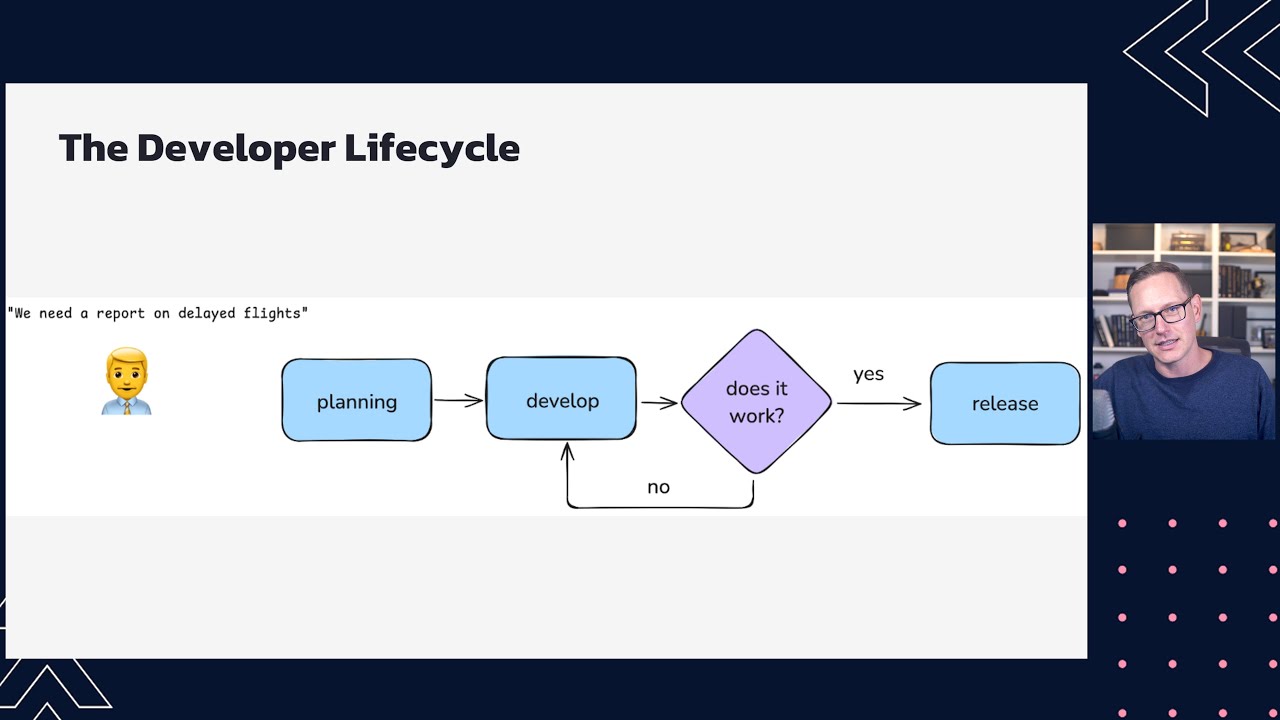
Databricks introduced file events, a simplified file discovery mechanism for Auto Loader that eliminates complex permission configurations while supporting unlimited files per directory. The release also adds native SFTP and Excel support, improves schema evolution with type widening, and previews a managed file ingestion connector that automates Auto Loader configuration and operations.
 Tutorials
7 Best Practices for Development and CICD on Databricks
Seven best practices for development and CI/CD on Databricks are presented: version control, automated code testing, deployment to isolated environments, system health monitoring, data quality checks, automated schema deployments, and automated rollback on failures. These practices enable teams to deploy high-quality data pipelines with confidence and maintain strong governance throughout the development lifecycle.
 News
News125. Databricks | Pyspark| Delta Live Table: Data Quality Check - Expect
Delta Live Tables in Databricks use expectations to perform data quality and validation checks on datasets using Python decorators or SQL constraints. Expectations consist of a constraint name, a validation logic definition, and a violation action of either warning, dropping invalid records, or failing the entire process.
 Tutorials
122. Databricks | Pyspark| Delta Live Table: Introduction
This video introduces Databricks Delta Live Tables as a declarative development framework designed to simplify and accelerate ETL pipeline creation. It details traditional pipeline challenges like complex medallion architectures, manual data quality checks, and difficult monitoring, while demonstrating how Delta Live Tables automate infrastructure management and error handling.
 News
NewsCross-Platform Data Lineage with OpenLineage
The presentation introduces OpenLineage as an open standard for collecting cross-platform data lineage metadata in real time to improve data observability and reduce troubleshooting friction. The speakers demonstrate how to configure and use OpenLineage with tools like Airflow, Spark, Flink, and dbt to track pipeline runs and visualize dependencies in Marquez.
 News
NewsSponsored: Lightup Data | How McDonald's Leveraged Lightup Data Quality
This video demonstrates how McDonald's partnered with Lightup Data to scale data quality monitoring across its global digital platforms and supply chain. The presentation covers the integration of Lightup with Databricks and Redshift to transition from reactive troubleshooting to automated, incremental anomaly detection using SQL.
 News
NewsLabcorp Data Platform Journey: From Selection to Go-Live in Six Months
LabCorp migrated nearly one petabyte of enterprise data from Hadoop to Databricks within six months. The implementation utilized automated data comparison tools, Spark structured streaming, and Terraform-managed Unity Catalog governance.
Get Tuesday's version of this
Tracking Data Quality? The Tuesday email carries what moved across the whole ecosystem, not just this topic. Free, one-click unsubscribe.