

Brickster Exam is a free iPhone app from brickster.ai for the Databricks certification exams. It covers all eight proctored exams with 1,718 practice questions, and after every answer it explains why: why your pick is wrong, why the right answer works, and one rule to remember.
It is on the App Store, free for iPhone on iOS 16.4 or later. Every exam, every question and every mock exam is free, with no purchase and no account.
Free, with no account, no ads and no purchase.
Key takeaways
- All eight exams in one app. Data Engineer Associate and Professional, Data Analyst, Spark Developer, Machine Learning Associate and Professional, Generative AI Engineer and Context Engineer.
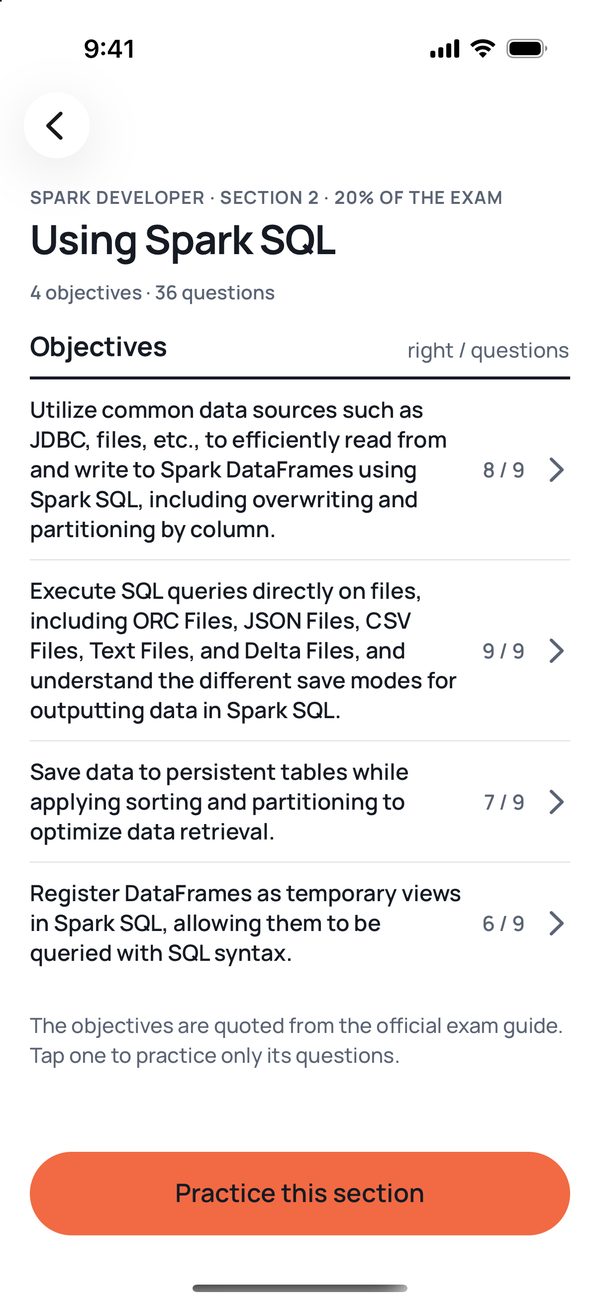
- Written from the exam guides. Every question names the guide objective it tests, and every objective in every guide has questions.
- An explanation after every answer. Why your pick is wrong, why the answer is right, a worked example and one rule to remember.
- Code that really ran. The 246 code questions were run on Apache Spark, and the run decided the answer.
- Mock exams like the real one. The guide's number of questions, its section weights and its clock, then your score by section.
Why a practice app for Databricks exams
A Databricks certification exam costs $200 and a retake costs the same again, after a 14-day wait. Databricks publishes an exam guide for each one, with the sections, their weights and the objectives they test, but no official practice exam and no passing score. Our guide to certification costs has the full list.
So most people prepare with the course, the docs and whatever practice questions they can find. The problem with many question banks is that they mark you right or wrong and move on. You learn the answer to that one question, not the idea behind it.
Brickster Exam is built the other way round. Each question starts from an objective in the official guide, and the explanation is the main part, not an extra. A few minutes on the train turn into practice on the exact topics the exam tests.
The eight exams
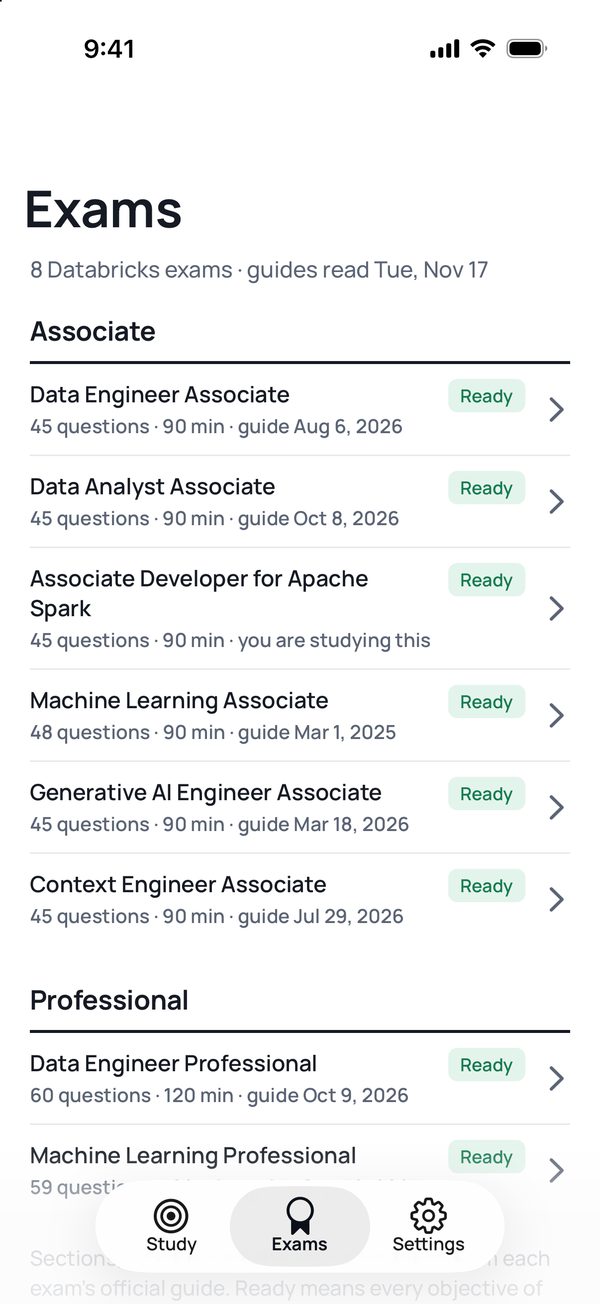
The Exams tab lists every exam, with its length and the date of the guide the questions follow. Pick one and Study shows your progress for that exam. You can switch exams any time; each keeps its own progress.
| Exam | Real exam | Questions in the app |
|---|---|---|
| Data Engineer Associate | 45 questions, 90 min | 190 |
| Data Engineer Professional | 60 questions, 120 min | 272 |
| Data Analyst Associate | 45 questions, 90 min | 191 |
| Associate Developer for Apache Spark | 45 questions, 90 min | 190 |
| Machine Learning Associate | 48 questions, 90 min | 198 |
| Machine Learning Professional | 59 questions, 120 min | 240 |
| Generative AI Engineer Associate | 45 questions, 90 min | 245 |
| Context Engineer Associate | 45 questions, 90 min | 192 |
The exam lengths and times come from each exam's official guide. Databricks changes guides from time to time (the Data Engineer Professional exam moved to 60 questions in October 2026), and the app shows which version of the guide its questions follow.
One question, start to finish
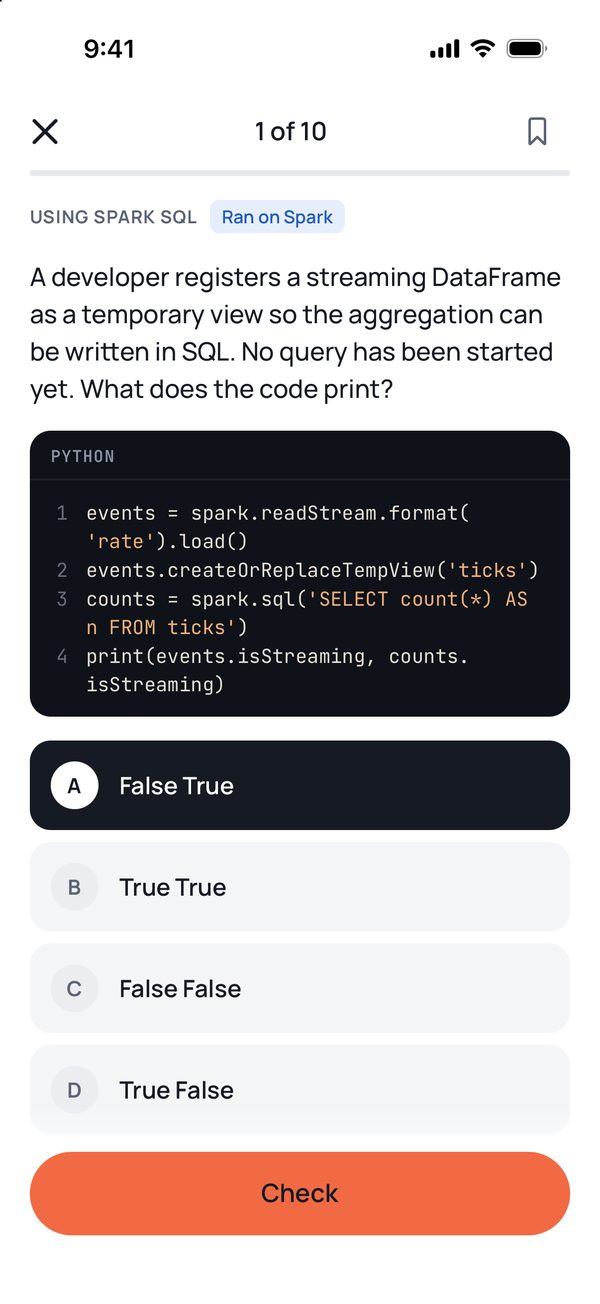
Questions come in practice sets of 10, 20 or 30, your choice. Each shows the exam section it belongs to. Code questions show the code in a dark block with line numbers, and long lines wrap so nothing scrolls sideways. The options are shuffled on every try, so you learn the answer, not its position.
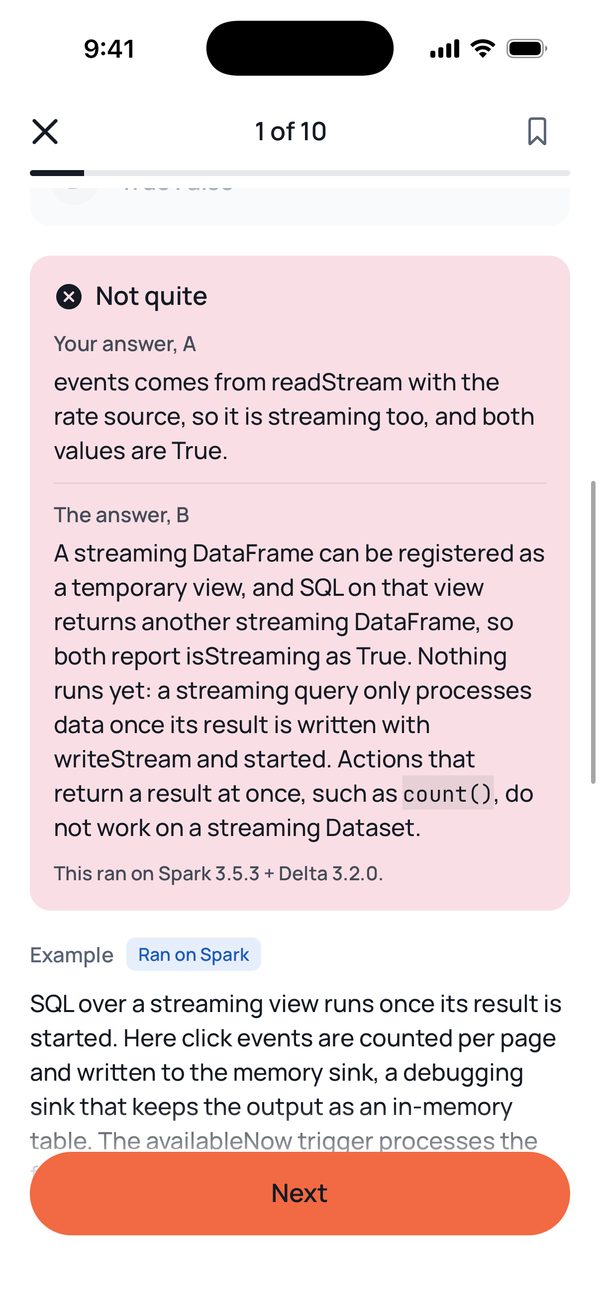
Pick an option and tap Check. Then the app teaches, in this order:
- Why your answer is wrong, if it was, in the terms the documentation uses.
- The answer and why it works, so you can answer a different question on the same idea.
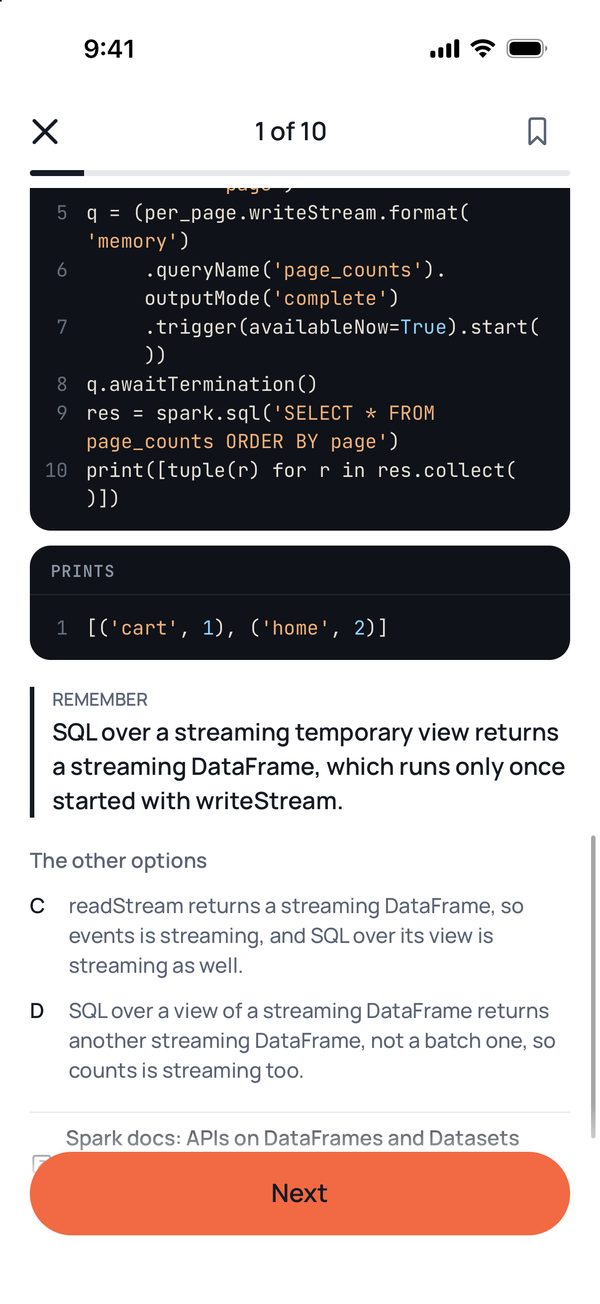
- A worked example in a new situation. For 564 questions the example is code that ran on Apache Spark, shown with what it printed.
- Remember: one rule, short enough for a flash card.
- The other options, each with the reason it is wrong, and the documentation page behind the answer.
Tap the bookmark on any question to keep it in Saved. If a question looks wrong to you, one tap opens your mail app with the question's id, so you can tell us.
How the questions were checked
A practice question with a wrong key does more harm than no question at all. So every question went through the same checks before it shipped.
- Tied to the guide. Each question names the guide objective it tests. An exam is marked Ready only when every objective in its guide has questions and four full mock exams can be drawn from the bank.
- Tied to the docs. Each question cites a documentation page, mostly the Databricks docs, and quotes the sentence that backs the answer. A script checked that the quoted words are really on that page.
- Code that ran. The 246 code questions were run on Apache Spark 3.5.3 with Delta Lake 3.2.0, with ANSI mode off and on, and the run decided the answer. Questions do not depend on behaviour that changes between the two modes.
- Answered blind. A second reviewer answered every question without seeing the key, re-read the cited pages and reported anything doubtful, such as a stale limit or an option that could also be defended. Those were fixed or the question was replaced.
Every question is original. None is taken from a certification exam, and none copies the sample questions in the guides.
Mock exams like the real one
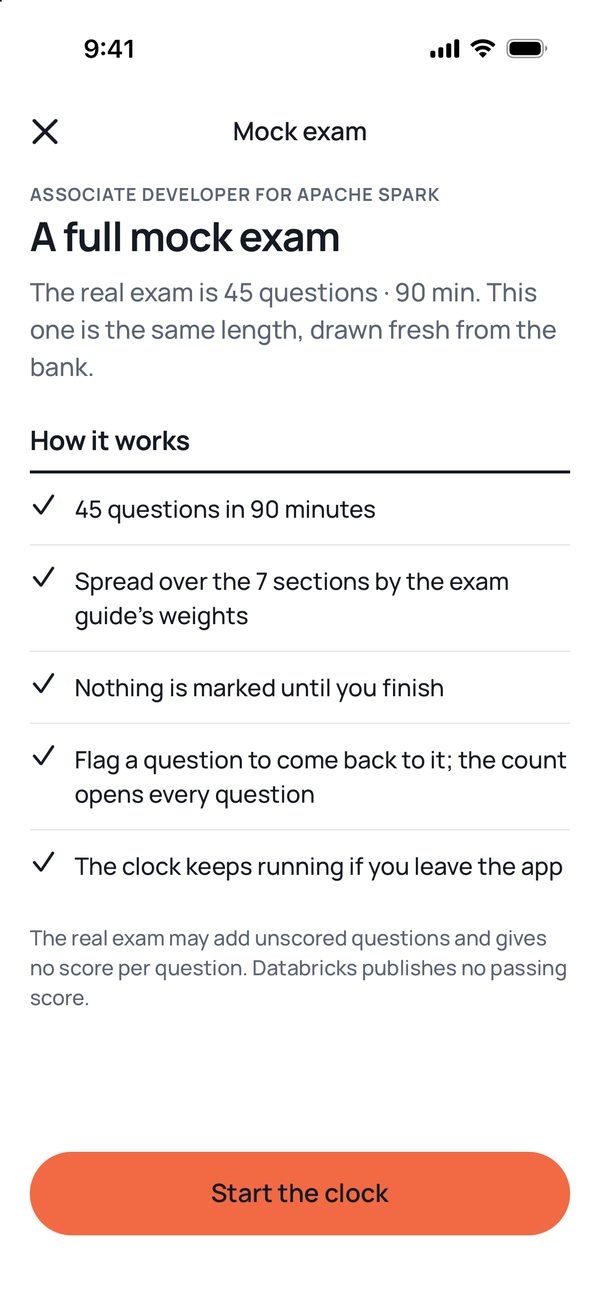
A mock exam has the same number of questions as the real exam, spread over the sections by the guide's weights, on the guide's clock. Questions are drawn fresh from the bank each time. Nothing is marked until you finish. You can flag a question to come back to it, and the clock keeps running if you leave the app, as it would in the exam room.
At the end you see your score for each section on a chart, then you can review every question with its explanation. Your mock history shows whether the score is moving.
One honest note: the real exam may include unscored questions, and Databricks publishes no passing score. A mock score tells you how you are doing on the guide's topics, not whether you will pass.
Know when you are ready
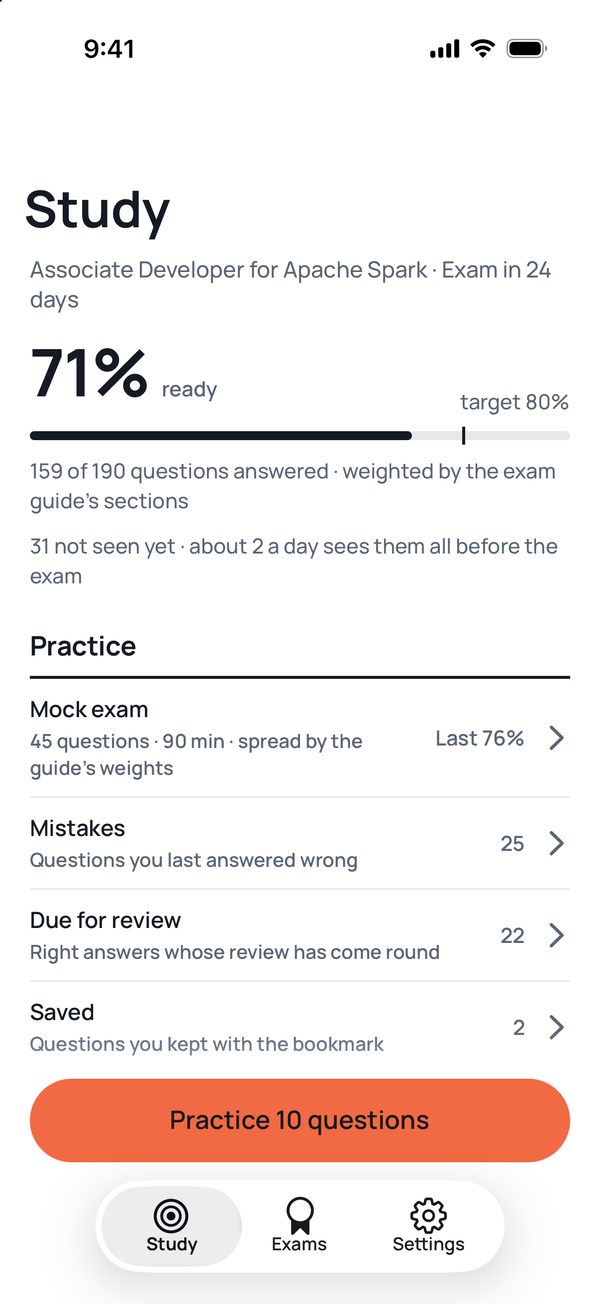
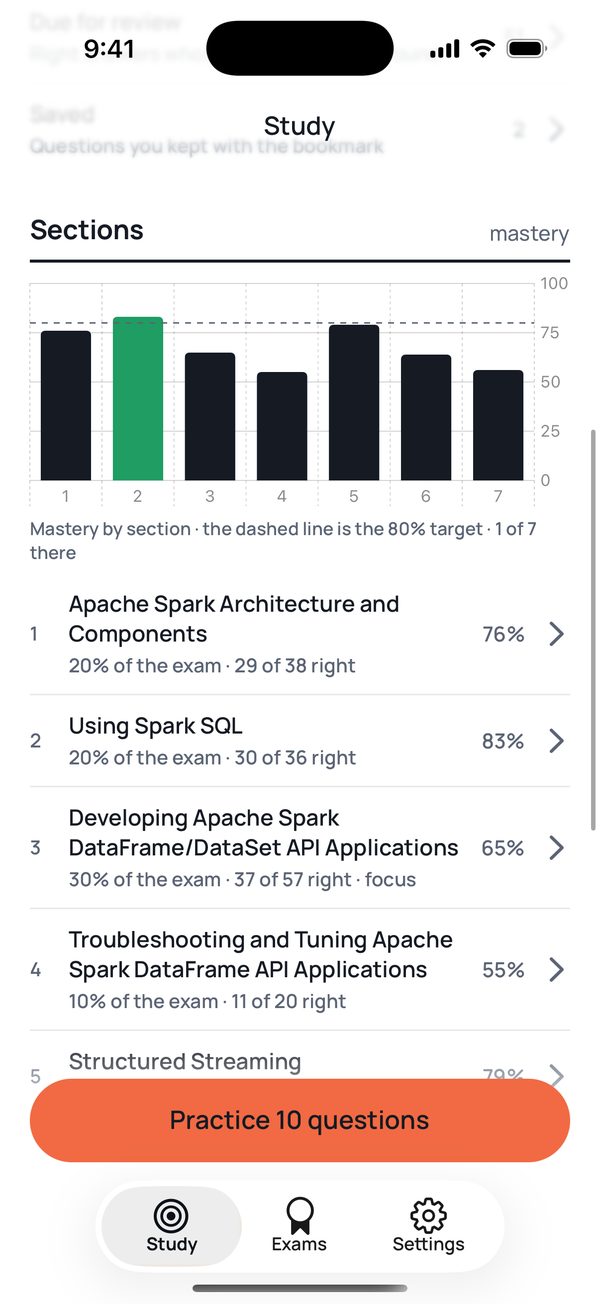
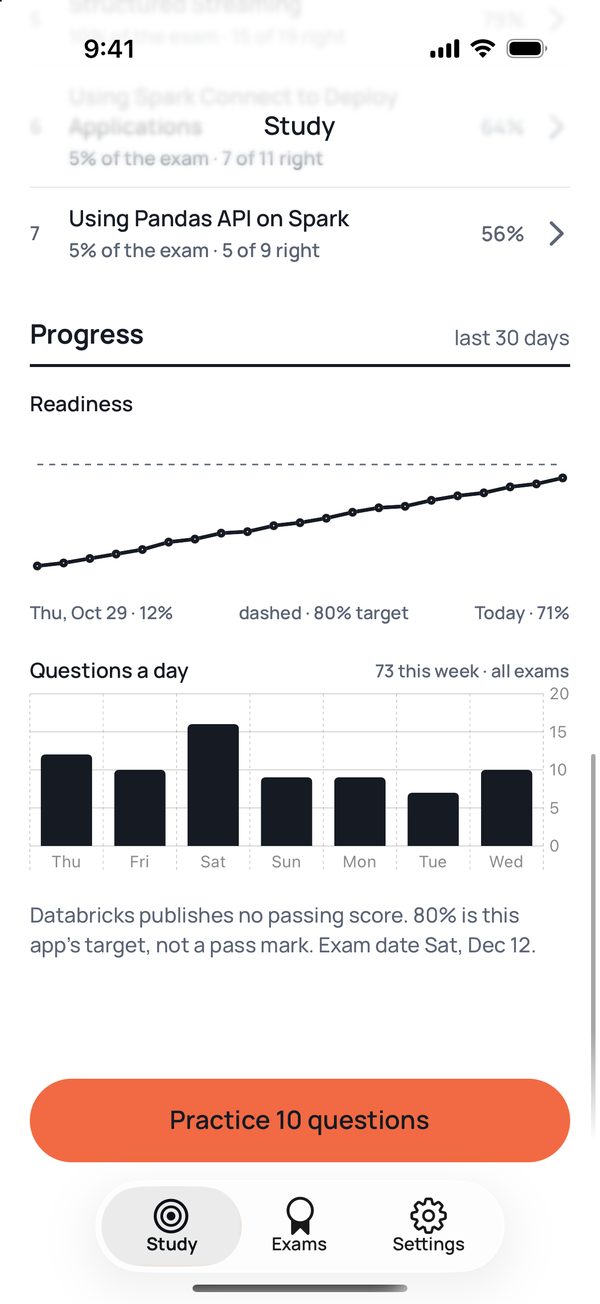
Study puts one number at the top: readiness. It is your latest answer to each question, weighted by the guide's section weights, so a strong score on a section worth 30% of the exam counts for more than one worth 5%. The app aims for 80%. That is the app's own target, chosen to leave a margin, not a pass mark.
Below it, Study keeps the rest of your preparation in one place:
- Practice a set mixed across the sections by the guide's weights, with the questions you missed and the ones you have not seen first. Or practise one section, or one objective of the guide.
- Mistakes: the questions you last got wrong.
- Due for review: questions you got right come back on a spaced schedule, just before you would forget them.
- Saved: the questions you kept with the bookmark.
- A plan to exam day. Set your exam date and the app splits the days ahead: a number of questions a day until each one has been answered right, then two full mock exams in the days before the exam, then a light review of mistakes the day before.
- An optional daily reminder, off until you turn it on, at a time you pick.
Who it is for
- People with an exam booked. Set the date, follow the plan, and take a mock or two in the last week.
- People choosing which exam to take. Try a few questions from two exams and see which one matches the work you do.
- People who passed once and want to stay sharp. The explanations and examples work as short lessons on their own.
The app assumes you are learning the material too, from the official course, the docs or your own work. It is practice and feedback, not a full course. For free ways to learn the material itself, see how to learn Databricks for free, and for the Spark exam, our Spark Developer Associate cheat sheet.
Questions and answers
Is it free? Yes. Every exam, every question, every explanation and every mock exam is free. There is no purchase and no subscription in the app.
Do I need an account? No. There is no sign-in. Your progress stays on your phone.
Does it work offline? Yes. The questions are inside the app, so you can study with no connection.
Does it collect data? Since version 1.0.4 there is a switch in Settings for usage analytics. It counts which screens open and a few steps, such as a finished practice set, and never your answers or anything you type. It is on until you turn it off. There are no ads.
Are these the real exam questions? No. Every question is original, written from the official exam guide and checked against the documentation. None is taken from an exam.
Is there an Android version? Not yet. Brickster Exam is for iPhone, on iOS 16.4 or later. It is not on the App Store in mainland China.
Is it made by Databricks? No. Brickster Exam is an independent study app from brickster.ai, not affiliated with, endorsed by or sponsored by Databricks.
Get Brickster Exam
 Get it on the App Store →
Free for iPhone, iOS 16.4 or later. On a computer, scan the code with your iPhone camera. Each exam also has a page on the site under exam prep. See all our apps.
Facts in this article come from Brickster Exam 1.0.4 as published on the App Store on November 23, 2026: eight exams, 1,718 questions, 246 code questions and 564 worked examples run on Apache Spark. Exam lengths come from the official exam guides the app follows. The screenshots show the app with some progress already made. Databricks is a trademark of Databricks, Inc. Apache Spark and Spark are trademarks of The Apache Software Foundation. Brickster Exam is an independent app, not affiliated with or endorsed by Databricks, Inc.