

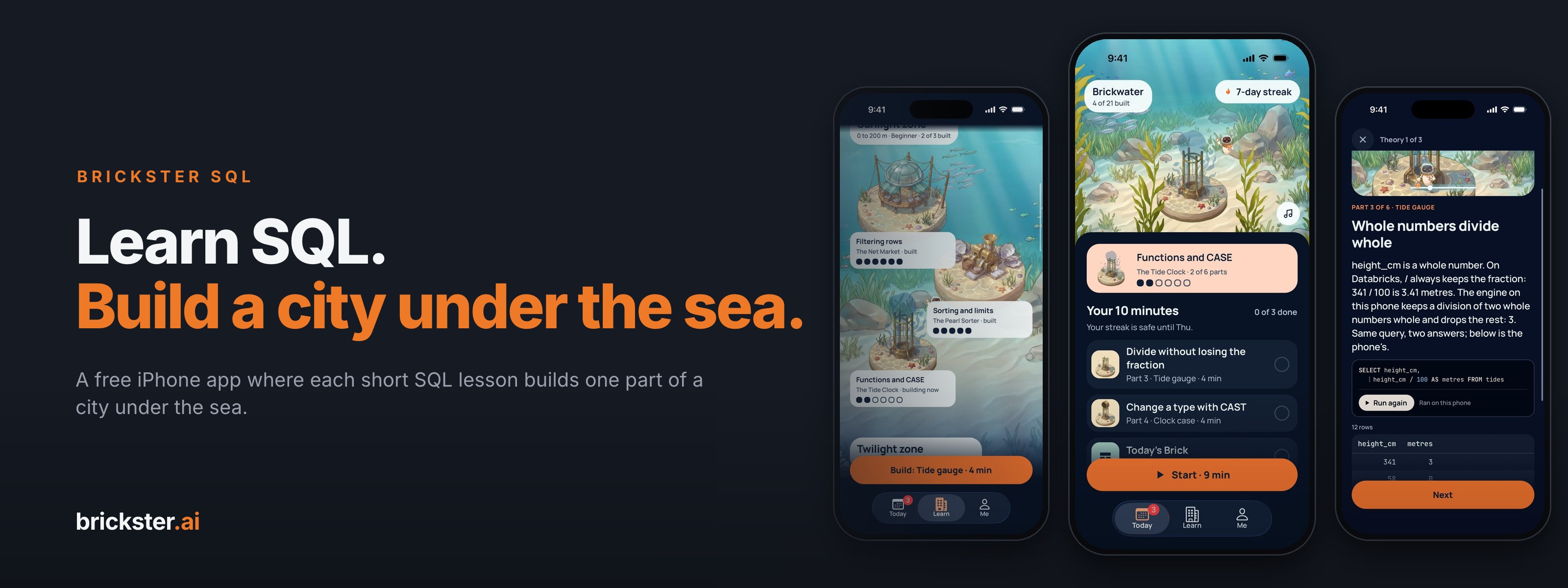
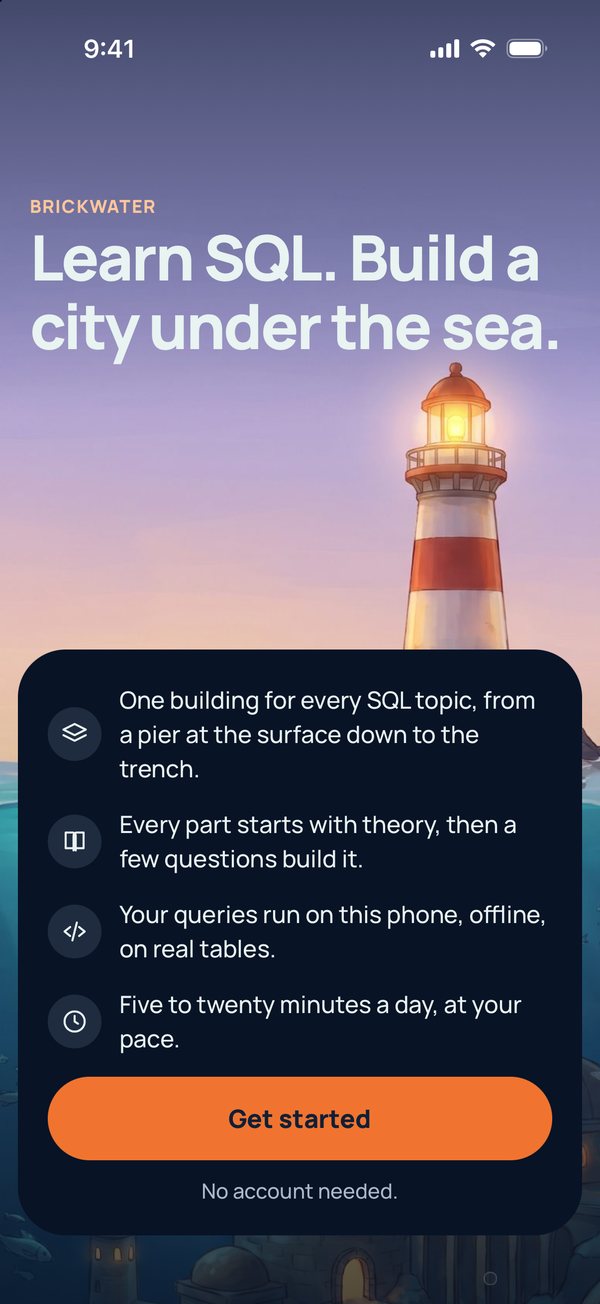
Brickster SQL is a free iPhone app from brickster.ai that teaches SQL in short daily lessons. Every lesson you finish builds one part of Brickwater, a city under the sea, so the city grows with what you know.
It is on the App Store, free for iPhone on iOS 16.4 or later.
Free, with no account and no ads.
Key takeaways
- SQL in ten minutes a day. 21 buildings and 114 short lessons, from your first query to SQL on Databricks.
- Learn by doing. Each lesson starts with a short explanation, then a few questions. Every right answer builds part of the city.
- Real queries, on your phone. The example queries run on the phone itself, on tables of made-up data, even with no internet.
- No account, no ads, no tracking. Your progress stays on your phone.
- Free on the App Store. For iPhone on iOS 16.4 or later. It is not on the App Store in mainland China, and there is no Android version yet.
What SQL is, and why it is worth learning
SQL is the language people use to ask questions of data. A question such as "how many orders did we get last week, by region?" becomes a few lines of SQL, and the database answers with a table.
Analysts, data engineers, product managers and finance teams all use it. The good news: the basics are small. A handful of words, such as SELECT, WHERE, GROUP BY and JOIN, cover most everyday questions.
What most people lack is not a course but practice. Brickster SQL is built for that: a few minutes a day, every day, until the words feel natural.
How Brickster SQL works
The idea is simple. Each SQL topic is one building in the city, and each lesson builds one part of it. Finish a topic and its building stands. Keep going and the city grows down through the ocean, from a pier at the surface to the deepest trench.
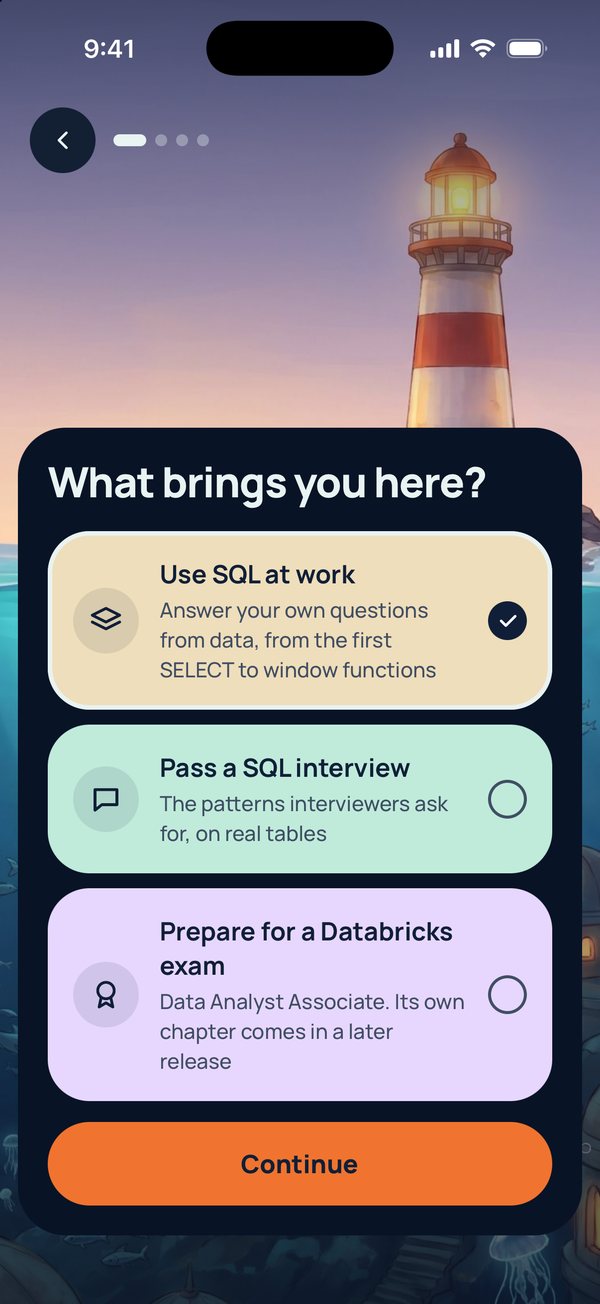
When you open the app for the first time, it asks three things: why you are learning (to use SQL at work, to pass a SQL interview, or to prepare for a Databricks exam), how long you want to take, and how many minutes a day you can give it. It then makes a plan. There is nothing to sign up for.
Ten minutes a day
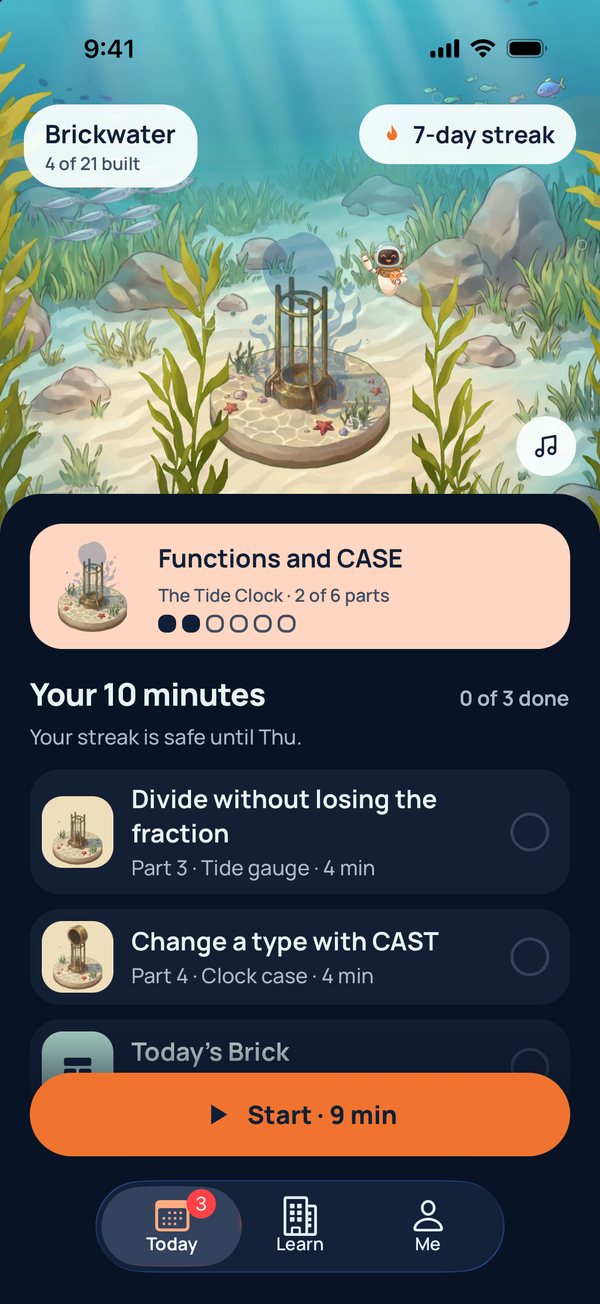
You choose 5, 10, 15 or 20 minutes a day. One part takes about four minutes, so ten minutes means two parts plus one extra daily question, called Today's Brick. A daily reminder at 8:00 is on by default; you can switch it off when you set up or later in Settings.
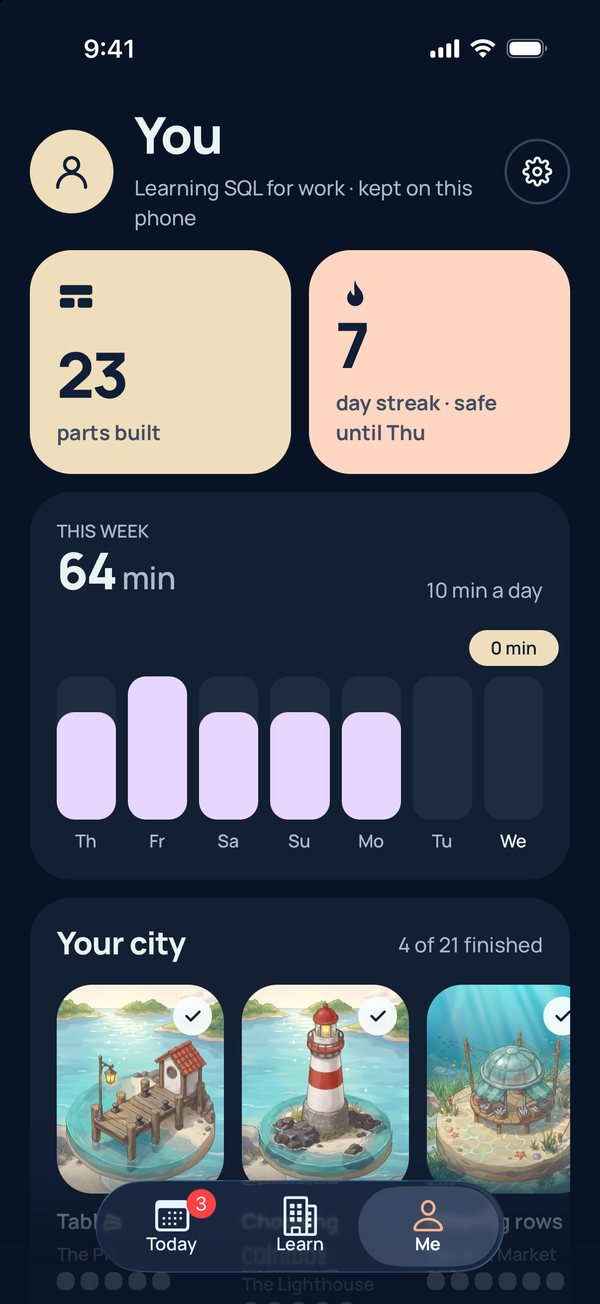
The Today screen shows what to do next and your streak: how many days you have practised without a long break. You can miss up to two days in a row, so practising on Friday and again on Monday keeps the streak going. The plan is a guide, not a limit. You can build as much as you like.
What you learn: six zones, 21 buildings
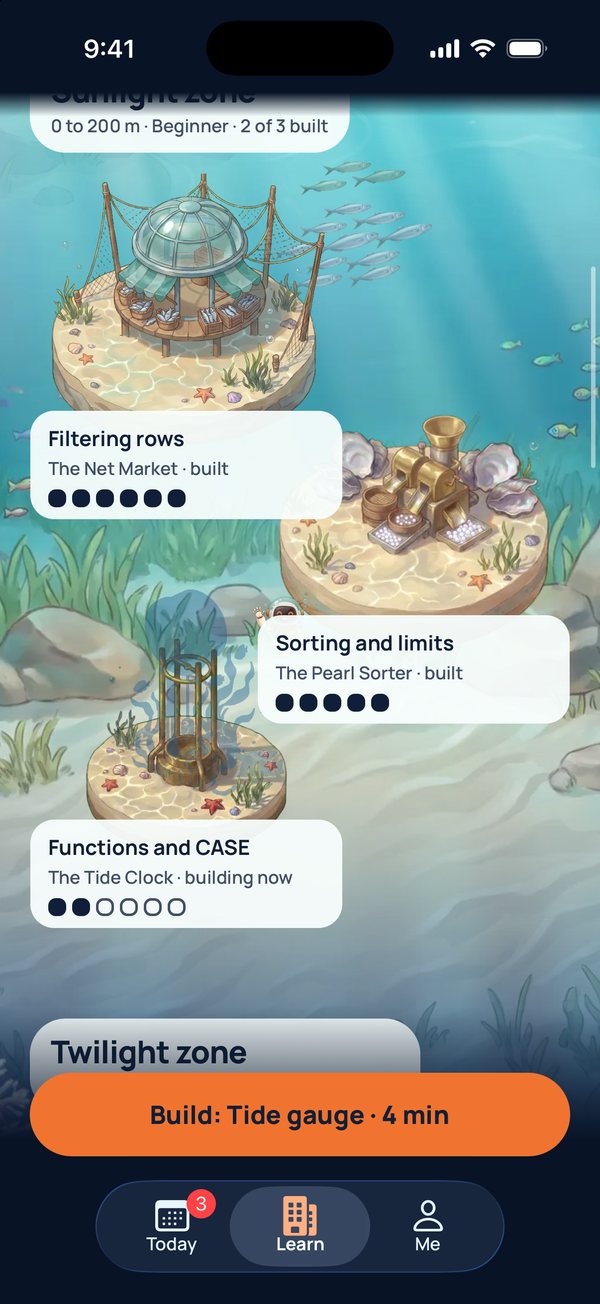
The course runs in six zones, like the depths of the ocean. Each zone is a level, from your first query to SQL on Databricks.
| Zone and level | What you learn |
|---|---|
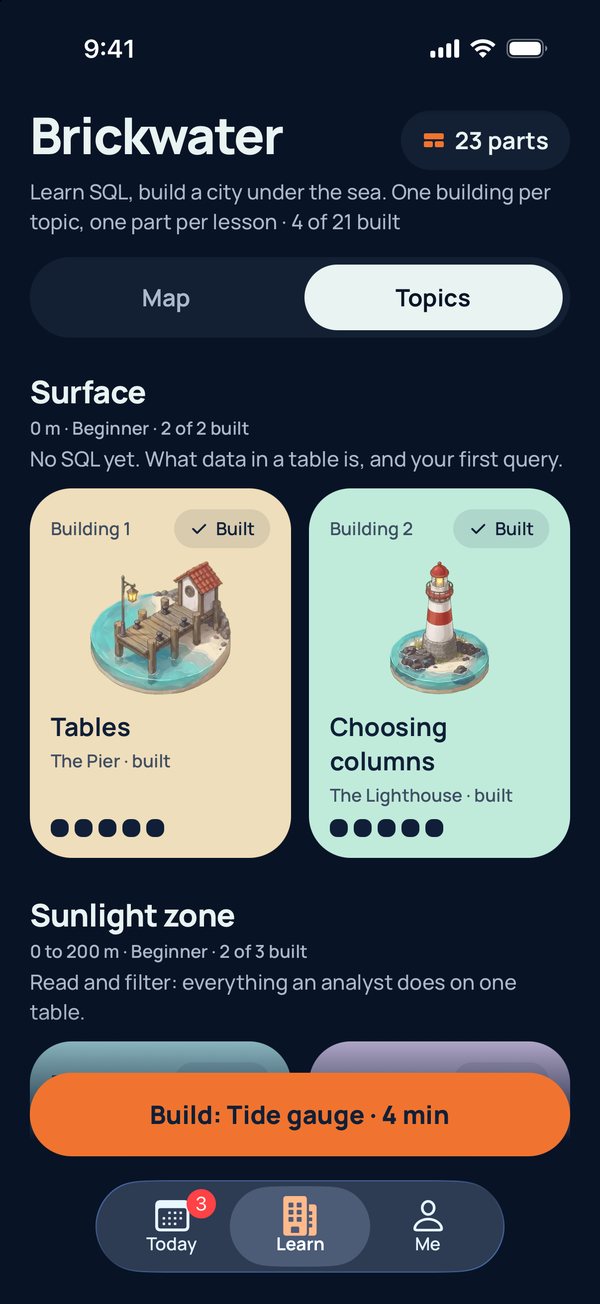
| Surface, beginner | What a table is, and your first query. 2 buildings, 10 lessons. |
| Sunlight, beginner | Filtering, sorting, simple functions, and labelling rows with CASE: everything you do on one table. 3 buildings, 17 lessons. |
| Twilight, intermediate | Totals and averages, missing values, grouping, joins, and getting to know a new table: the questions managers actually ask. 6 buildings, 33 lessons. |
| Midnight, intermediate | Bigger questions built from smaller ones: subqueries, combining results, steps with WITH, and window functions. 4 buildings, 23 lessons. |
| Abyss, advanced | Changing data, and designing tables and views. 2 buildings, 11 lessons. |
| Trench, Databricks | SQL on Databricks: how its tables are organised, how a table keeps its history, dashboards and Genie (Databricks' tool for asking questions of data in plain English), SQL that only Databricks has, and who may see what. Shaped by the Databricks Data Analyst Associate exam guide. 4 buildings, 20 lessons. |
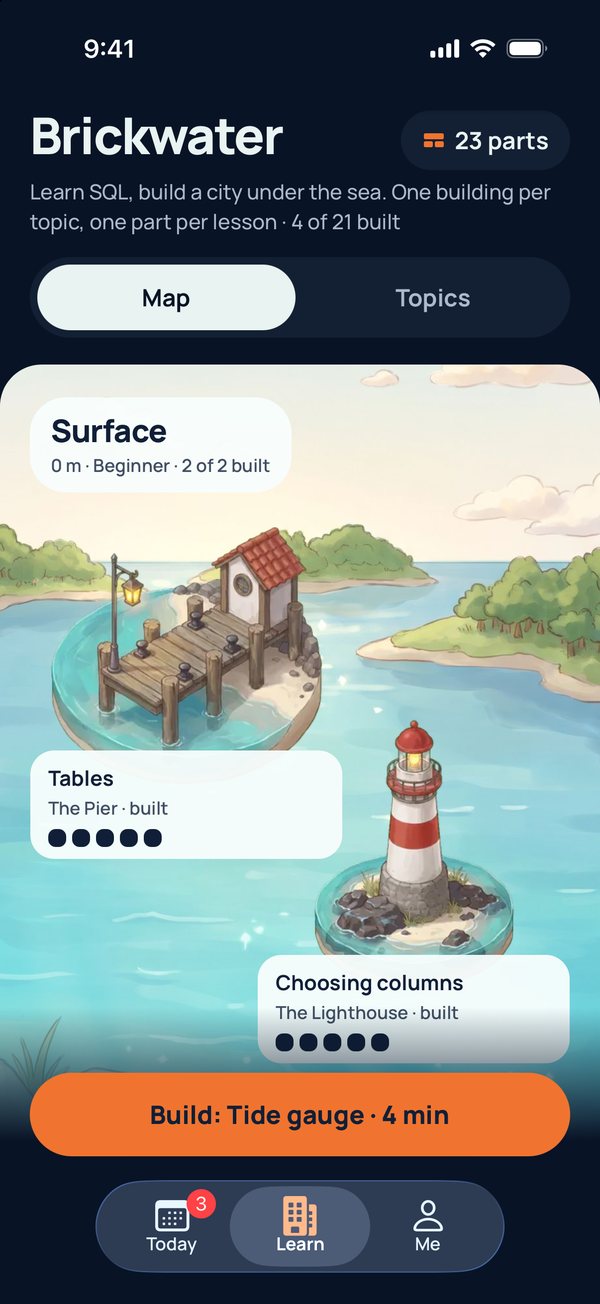
You can follow the city in order or jump to any building that interests you. The Learn tab shows the whole city as a map, or as a list of topics.
Each lesson: read, run, answer
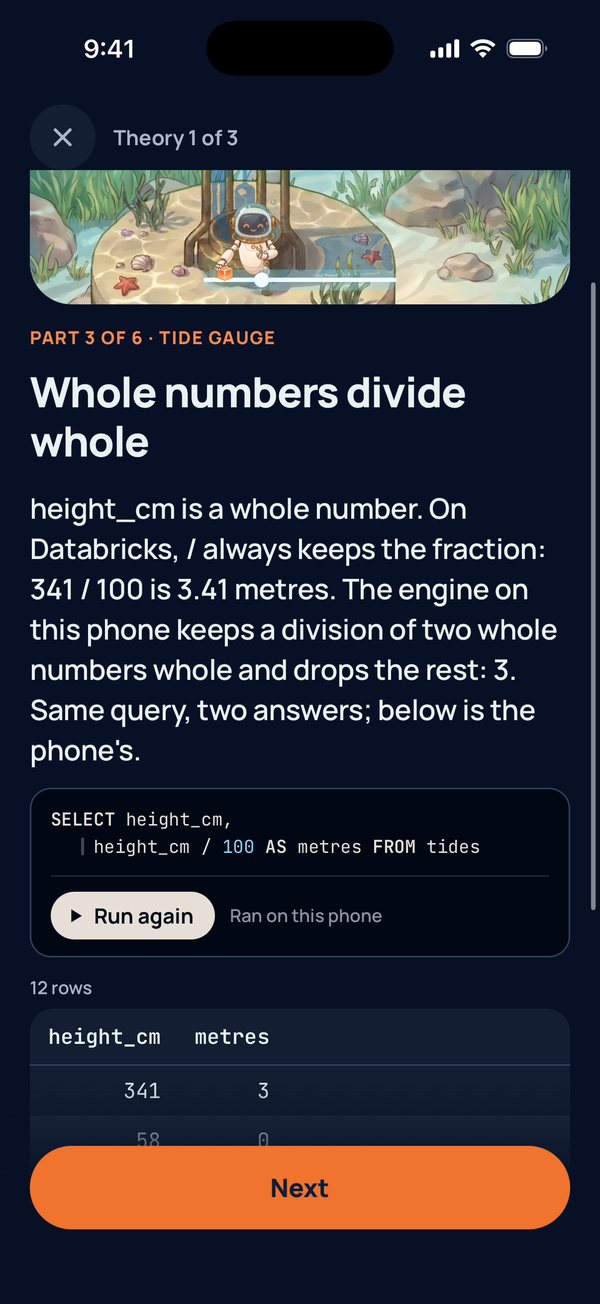
Every lesson starts with two or three short theory cards. Each card explains one idea in plain words, and most show a query. Tap Run and the query runs on your phone, and the table it returns appears right below.
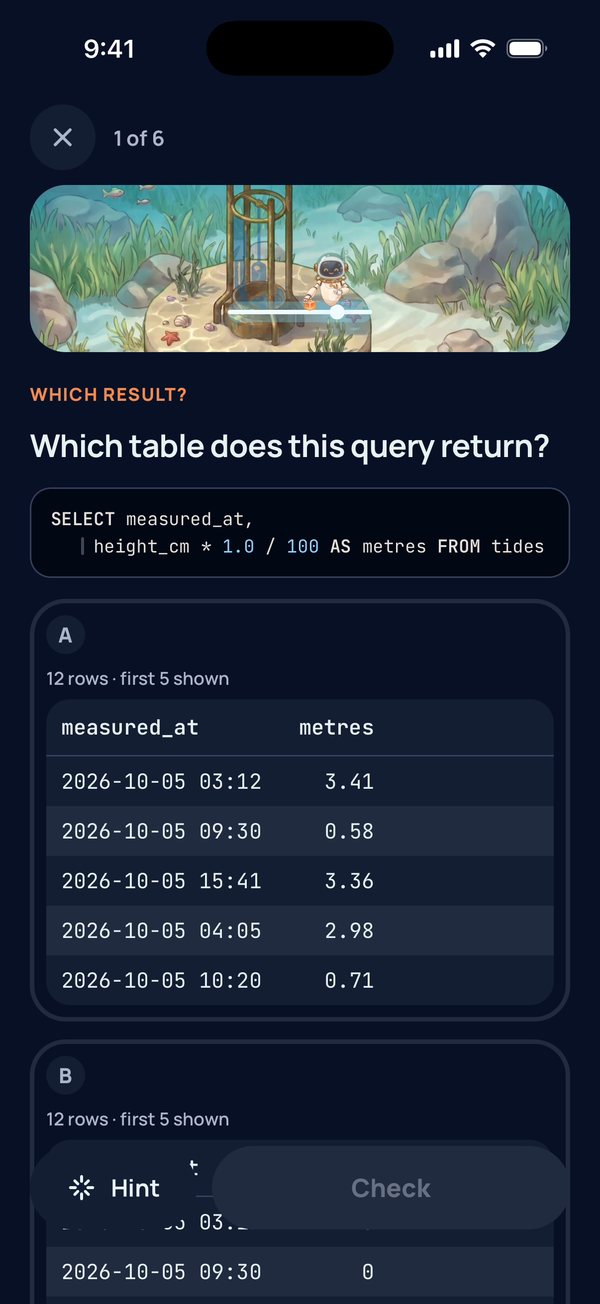
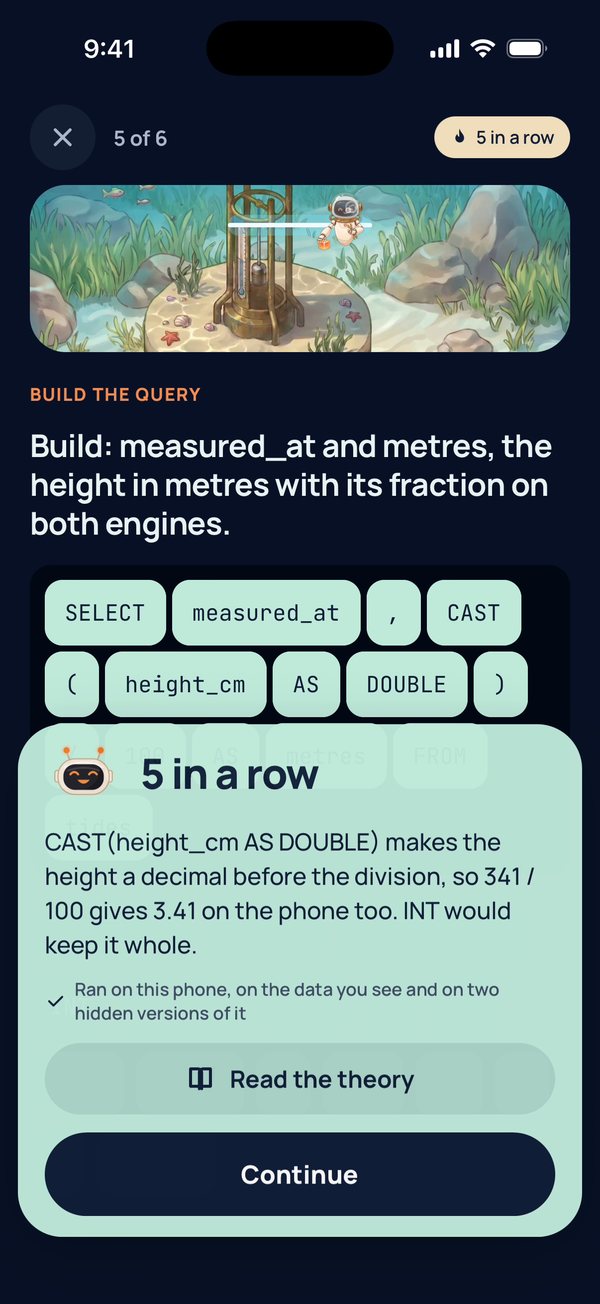
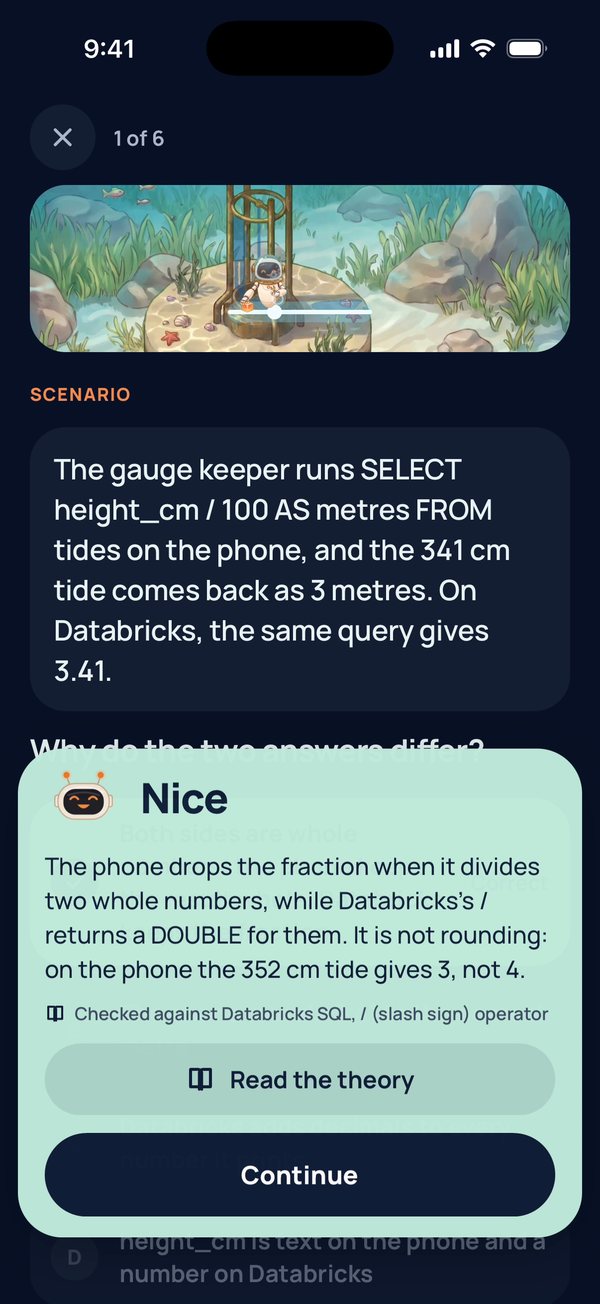
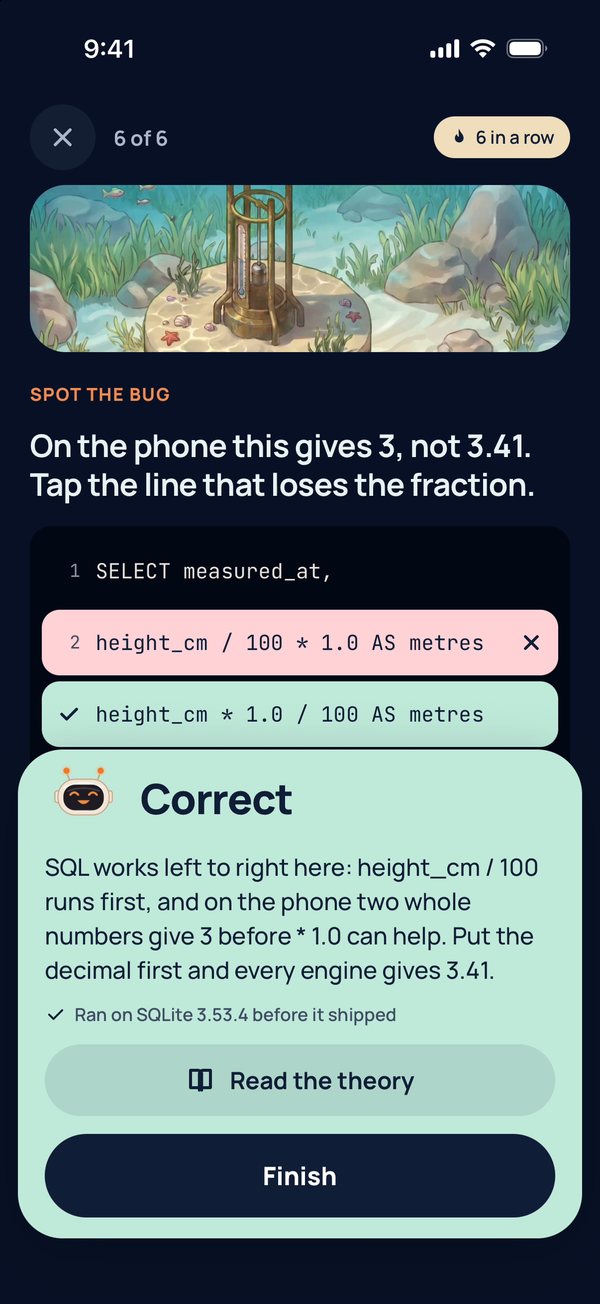
Then come a few questions, made for a phone screen. You might read a table and say what a query returns, build a query by tapping its pieces in order, fill in a blank, spot the line with a bug, match pairs or put steps in order. Most questions take a tap or two, so you can practise on a train or in a queue.
Get one wrong and the app explains why and shows the right answer. On many questions you first get a hint and a second try. Questions you missed come back later, so you practise what you are about to forget. After most parts you can also try an optional round where you type a query yourself.
Answers you can trust
A practice app is only useful if its answers are right. Three things help with that.
- The queries really run. The app carries a small database engine, so the example queries and the queries you build run on your phone, offline, on tables of made-up data. Every query and every result table in the app was run before it shipped. Commands that change data, and features only Databricks has, are taught through reading and questions, because the phone does not run them.
- Any correct query passes. When you build or type a query, the app does not compare your words with ours. It checks the rows your query returns, on the data you see and on two hidden versions of it. So a different but correct query still counts, and a query that is right only by luck on the data you see will usually fail on the hidden versions.
- The rules follow Databricks SQL. Where the phone's engine and Databricks behave differently, the app teaches the Databricks way and says so. It also stops common mistakes that Databricks SQL would reject, even when the phone's engine would let them through, and says why. Questions about ideas and real-world scenarios name the documentation behind the answer, mostly the Databricks docs.
Every question is original. None is taken from a certification exam.
Watch your city grow
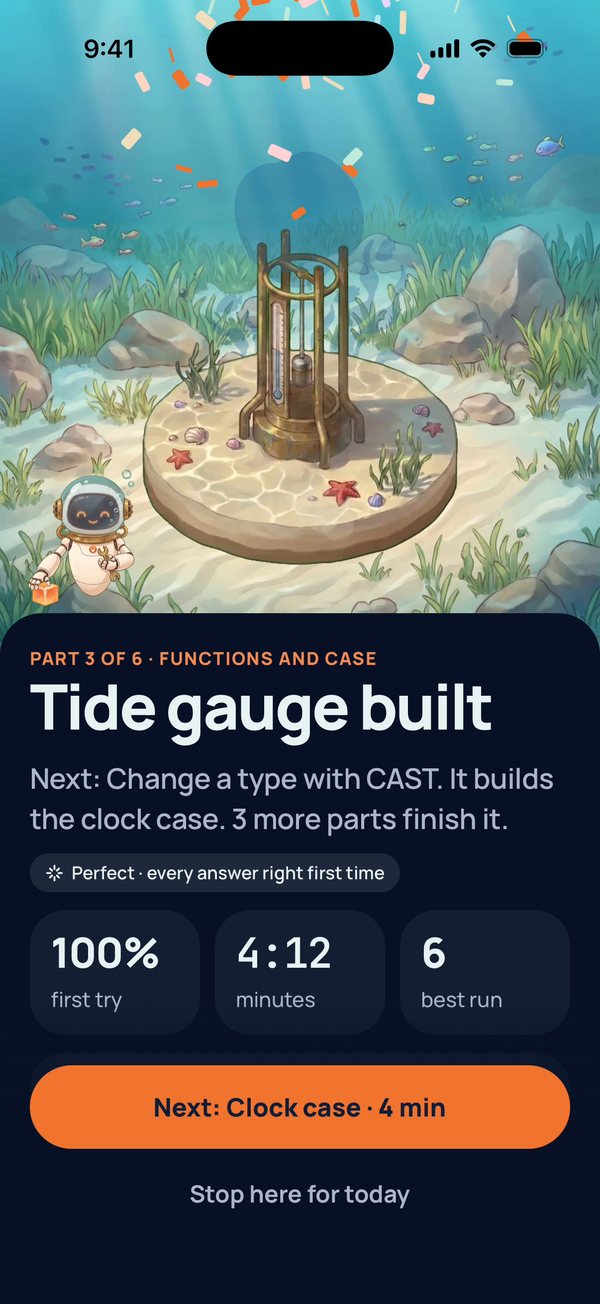
Finish a lesson and you see the new part of the building appear, with your score and time. The Me tab adds up your parts, your streak and your minutes this week, and shows the buildings you have finished.
There is no account. Everything stays on your phone, and the app collects no data about you.
Who it is for
- People who want to use SQL at work. Answer your own questions from data instead of waiting for someone else to run a report.
- People preparing for a SQL interview. Practise the patterns interviewers ask for, such as grouping, joins and window functions, on real tables.
- People working toward the Databricks Data Analyst Associate exam. The deepest zone covers SQL on Databricks, shaped by the exam guide. The app notes that a chapter just for the exam comes in a later release.
You do not need any experience. The first zone starts with what a table is.
Questions and answers
Is it free? Yes. The app is free, with no ads and no in-app purchases.
Does it work offline? Yes. The lessons and the database engine are inside the app, so you can practise with no internet.
Do I need an account? No. Your progress is saved on your phone.
Is there an Android version? Not yet. Brickster SQL is for iPhone, on iOS 16.4 or later.
Where is it available? On the App Store in most countries, including the US, the UK, the EU, India and the UAE. It is not available in mainland China.
Is it made by Databricks? No. Brickster SQL is an independent app from brickster.ai, not affiliated with or endorsed by Databricks.
Get Brickster SQL
 Get it on the App Store →
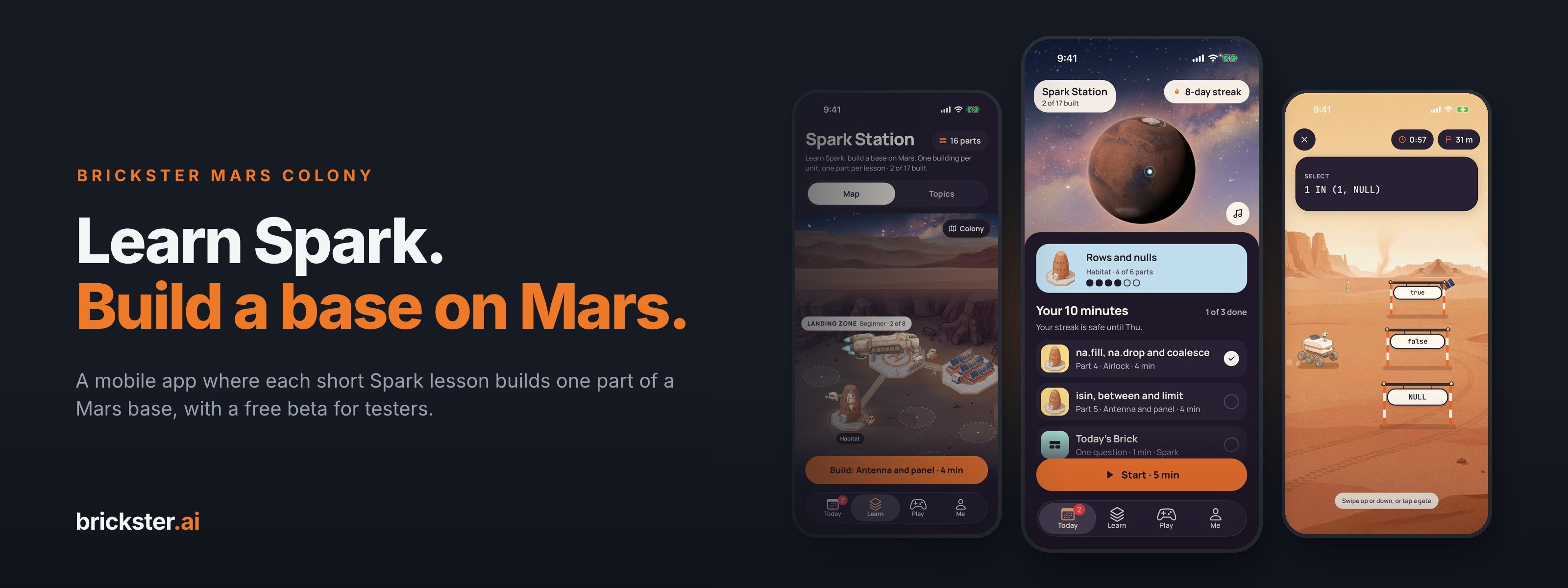
Free for iPhone, iOS 16.4 or later. On a computer, scan the code with your iPhone camera. Our Spark app, Brickster Colony, teaches Apache Spark the same way, on Mars. See all our apps.
Facts in this article come from Brickster SQL 1.0 as published on the App Store on November 13, 2026: 21 buildings, 114 lessons and 796 questions. The screenshots show the app with some progress already made. Databricks is a trademark of Databricks, Inc. Brickster SQL is an independent app, not affiliated with or endorsed by Databricks, Inc.